tencent cloud

Elastic MapReduce

Release Notes and Announcements
Release Notes
Announcements
Security Announcements
Product Introduction
Overview
Strengths
Architecture
Features
Use Cases
Constraints and Limits
Technical Support Scope
Product release
Purchase Guide
EMR on CVM Billing Instructions
EMR on TKE Billing Instructions
EMR Serverless HBase Billing Instructions
Getting Started
EMR on CVM Quick Start
EMR on TKE Quick Start
EMR on CVM Operation Guide
Planning Cluster
Administrative rights
Configuring Cluster
Managing Cluster
Managing Service
Monitoring and Alarms
TCInsight
EMR on TKE Operation Guide
Introduction to EMR on TKE
Configuring Cluster
Cluster Management
Service Management
Monitoring and Ops
Application Analysis
EMR Serverless HBase Operation Guide
EMR Serverless HBase Product Introduction
Quotas and Limits
Planning an Instance
Managing an Instance
Monitoring and Alarms
Development Guide
EMR Development Guide
Hadoop Development Guide
Spark Development Guide
Hbase Development Guide
Phoenix on Hbase Development Guide
Hive Development Guide
Presto Development Guide
Sqoop Development Guide
Hue Development Guide
Oozie Development Guide
Flume Development Guide
Kerberos Development Guide
Knox Development Guide
Alluxio Development Guide
Kylin Development Guide
Livy Development Guide
Kyuubi Development Guide
Zeppelin Development Guide
Hudi Development Guide
Superset Development Guide
Impala Development Guide
Druid Development Guide
TensorFlow Development Guide
Kudu Development Guide
Ranger Development Guide
Kafka Development Guide
Iceberg Development Guide
StarRocks Development Guide
Flink Development Guide
JupyterLab Development Guide
MLflow Development Guide
Practical Tutorial
Practice of EMR on CVM Ops
Data Migration
Practical Tutorial on Custom Scaling
API Documentation
History
Introduction
API Category
Cluster Resource Management APIs
Cluster Services APIs
User Management APIs
Data Inquiry APIs
Scaling APIs
Configuration APIs
Other APIs
Serverless HBase APIs
YARN Resource Scheduling APIs
Making API Requests
Data Types
Error Codes
FAQs
EMR on CVM
Service Level Agreement
Contact Us

Alarm Policy Migration

PDF
포커스 모드
폰트 크기
마지막 업데이트 시간: 2022-11-25 16:06:46

Background

Elastic MapReduce upgraded its server and component service monitoring items on September 10, 2019. A new policy type "Elastic MapReduce" has been added, which covers hundreds of monitoring metrics. You can configure alarm policies under the Elastic MapReduce policy type in Cloud Monitor. The original policy type "EMR" was deprecated at 23:00 on March 30, 2021, and all the configured "EMR" alarm policies were invalidated. To add new alarm policies, configure under the "Elastic MapReduce" policy type.
Comparison of "EMR" and "Elastic MapReduce" policy types:
Policy Type
Metric Coverage
Support and Maintenance
EMR
Cluster alarming (12 metrics)
Node alarming (8 metrics)
It was deprecated at 23:00 on April 9, 2021 and no longer maintained.
Elastic MapReduce
Server monitoring
Service monitoring
Cluster monitoring
It was released on September 10, 2019 but is still maintained.
Note:
The "Elastic MapReduce" policy type covers all the metrics of the "EMR" policy type. For details, see Comparison of new and original metrics.

Alarm policy transfer

After the "EMR" policy type was deprecated, the system automatically migrated existing alarm policies under the "EMR" policy type to the "Elastic MapReduce" policy type. See further notifications for specific rules and verification methods.
Note:
A few users might need to migrate them manually.
Steps for manual migration are as follows:
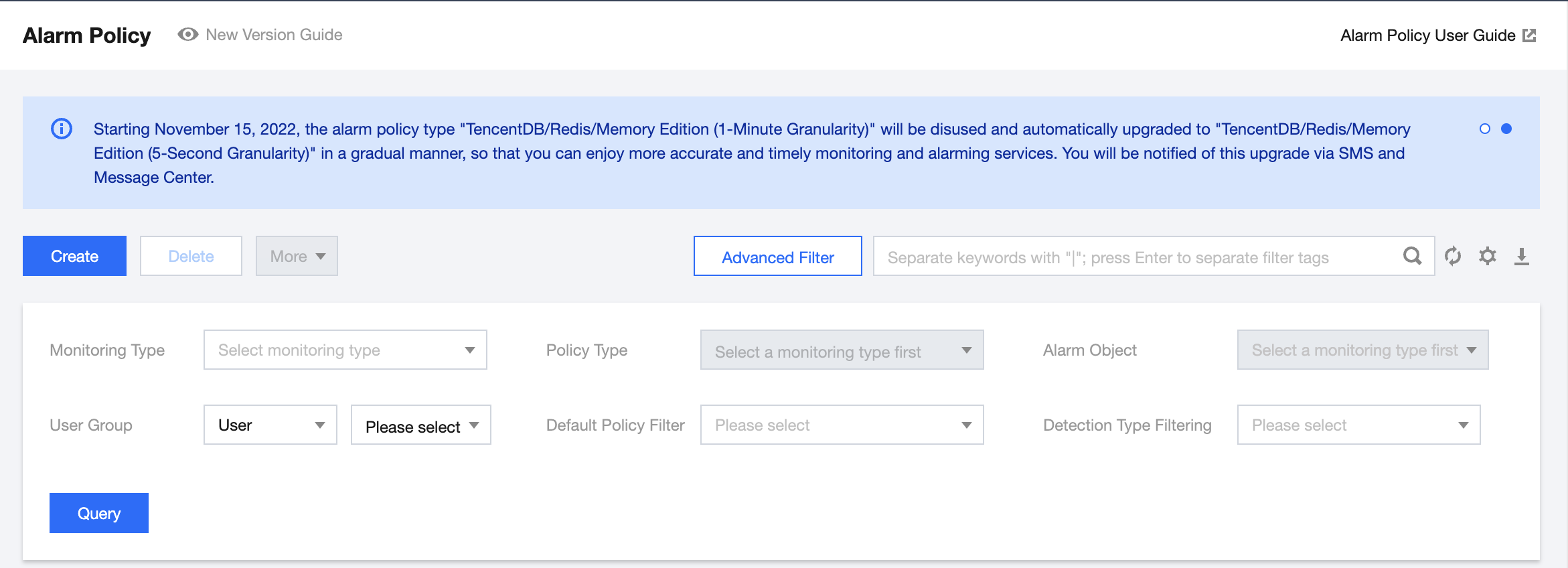
1. Sort out exiting alarm metrics and policies. Log in to the Cloud Monitor console, select Alarm Management > Alarm Configuration > Alarm Policy on the left sidebar, click Advanced Filter, select any sub-type of the "EMR" policy type in Policy Type, search for related alarm policies, and download them. Repeat this step to download the alarm policies under other sub-types of the "EMR" policy type.


2. Configure alarm policies. Click Alarm Configuration in the cluster list to go to the Alarm Policy page, click Create, select Elastic MapReduce in Policy Type, and configure an alarm policy according to one of the policies sorted out and downloaded in step 1. Repeat this step to configure other alarm policies. For more information on the configuration method, see Alarm Configurations.
3. Verify the new alarm policies. Verify that the "Elastic MapReduce" alarm policies are activated and can successfully trigger alarms. Set trigger thresholds in Metric Alarm, set recipient groups or recipients, and select receiving channels (email, SMS, or WeChat) for verification. Take memory zone percentage_SO as an example: when the statistical period is five minutes, and the percentage is greater than or equal to 1% and lasts for five minutes, an alarm will be triggered once every five minutes.
4. Delete original alarm policies. After verifying the new alarm policies, delete the original alarm policies configured under the "EMR" policy type. Select any sub-type of the "EMR" policy type in Policy Type, search for related alarm policies, and delete them. Repeat this step to delete the alarm policies under other sub-types of the "EMR" policy type.
If you encounter any issues during the transfer, contact us for assistance.
Comparison of new and original metrics

Original Policy Type
Metric/Event Alarm
Original Metric/Event Name
New Policy Type
New Metric/Event Name
EMR-cluster alarm
Metric alarm
Used HDFS storage space
Elastic MapReduce-HDFS-overview
Cluster storage capacity_CapacityUsed
Metric alarm
HDFS storage utilization
Elastic MapReduce-HDFS-overview
HDFS storage space utilization_capacityused
Metric alarm
YARN app blocks
Elastic MapReduce-YARN-overview
Applications_pending
Metric alarm
Failed YARN apps
Elastic MapReduce-YARN-overview
Applications_failed
Metric alarm
Assigned cluster CPU cores
Elastic MapReduce-YARN-overview
Cores_allocatedVirtualCores
Metric alarm
Cluster CPU utilization
Elastic MapReduce-YARN-overview
CPU utilization_usageRatio
Metric alarm
Available cluster memory
Elastic MapReduce-YARN-overview
Memory_availableMB
Metric alarm
Cluster memory utilization
Elastic MapReduce-YARN-overview
Memory utilization_usageRatio
Metric alarm
Cluster container blocks
Elastic MapReduce-YARN-overview
Containers_containersPending
Metric alarm
HBase requests
Elastic MapReduce-HBASE-overview
Total cluster requests_clusterRequests
Metric alarm
Time taken for HBase sync
No longer maintained
-
Metric alarm
HBase sync log length
No longer maintained
-
Event alarm
Node monitoring heartbeat missing
Elastic MapReduce-server monitoring-network
Node monitoring heartbeat missing
Event alarm
Process restart
Elastic MapReduce-server monitoring-process
Process OOM
EMR-node alarm
Metric alarm
Disk utilization
Elastic MapReduce-server monitoring-disk
Disk capacity utilization_used_all
Metric alarm
Memory usage
Elastic MapReduce-server monitoring-memory
Memory usage_MemFree
Metric alarm
Server restart
No longer maintained
Server restart
Metric alarm
Memory utilization
Elastic MapReduce-server monitoring-memory
Memory utilization_used_percent
Metric alarm
CPU usage
Elastic MapReduce-server monitoring-CPU
CPU utilization_idle
Metric alarm
Inbound packets over private networks
No longer maintained
-
Metric alarm
Outbound packets over private networks
No longer maintained
-
Metric alarm
TCP connections
Elastic MapReduce-server monitoring-network
TCP connections

도움말 및 지원

문제 해결에 도움이 되었나요?

피드백