tencent cloud

Elastic MapReduce

  • Release Notes and Announcements
  • Product Introduction
  • Purchase Guide
    • EMR on CVM Billing Instructions
    • EMR on TKE Billing Instructions
    • EMR Serverless HBase Billing Instructions
    • EMR Serverless TCBase Billing Overview
  • Getting Started
  • EMR on CVM Operation Guide
    • Planning Cluster
    • Administrative rights
    • Configuring Cluster
    • Managing Cluster
    • Managing Service
    • Monitoring and Alarms
    • TCInsight
  • EMR on TKE Operation Guide
  • EMR Serverless HBase Operation Guide
  • EMR Serverless TCBase Operation Guide
  • EMR Development Guide
    • Hadoop Development Guide
    • Spark Development Guide
    • Hbase Development Guide
    • Phoenix on Hbase Development Guide
    • Hive Development Guide
    • Presto Development Guide
    • Sqoop Development Guide
    • Hue Development Guide
    • Oozie Development Guide
    • Flume Development Guide
    • Kerberos Development Guide
    • Knox Development Guide
    • Alluxio Development Guide
    • Kylin Development Guide
    • Livy Development Guide
    • Kyuubi Development Guide
    • Zeppelin Development Guide
    • Hudi Development Guide
    • Superset Development Guide
    • Impala Development Guide
    • Druid Development Guide
    • TensorFlow Development Guide
    • Kudu Development Guide
    • Ranger Development Guide
    • Kafka Development Guide
    • StarRocks Development Guide
    • Flink Development Guide
    • JupyterLab Development Guide
    • MLflow Development Guide
  • Practical Tutorial
    • Practice of EMR on CVM Ops
    • Data Migration
    • Practical Tutorial on Custom Scaling
  • API Documentation
    • History
    • Introduction
    • API Category
    • Making API Requests
    • Cluster Resource Management APIs
    • Cluster Services APIs
    • User Management APIs
    • Information Query APIs
    • Scaling APIs
    • Configuration APIs
    • Other APIs
    • Cluster Lifecycle APIs
    • Serverless HBase APIs
    • YARN Resource Scheduling APIs
    • Data Types
    • Error Codes
  • FAQs
    • EMR on CVM
  • Service Level Agreement
  • Contact Us

Integrating Presto with Ranger

Download
포커스 모드
폰트 크기
마지막 업데이트 시간: 2025-01-03 15:02:25

Preparations

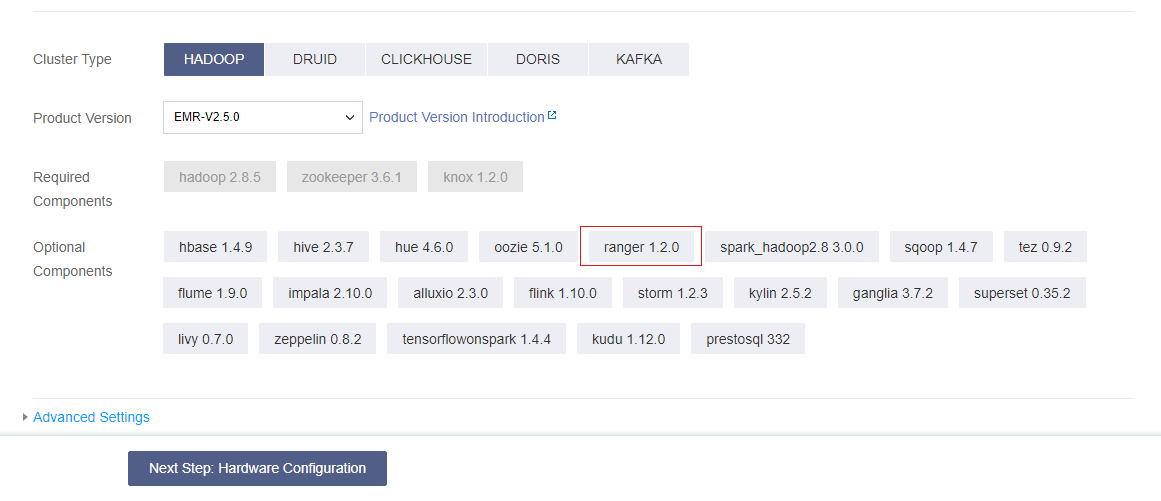
Ranger is available only when it is selected in Optional Components when you purchase a cluster. If you add the Ranger component after purchasing the cluster, the Web UI may be inaccessible. By default, when Ranger is installed, Ranger Admin and Ranger UserSync are deployed on the master node, and Ranger Plugin is deployed on the main daemon node of the embedded component.
When creating a cluster of the Hadoop type, you can select Ranger in Optional Components. The Ranger version varies depending on the EMR version you choose.
Note:
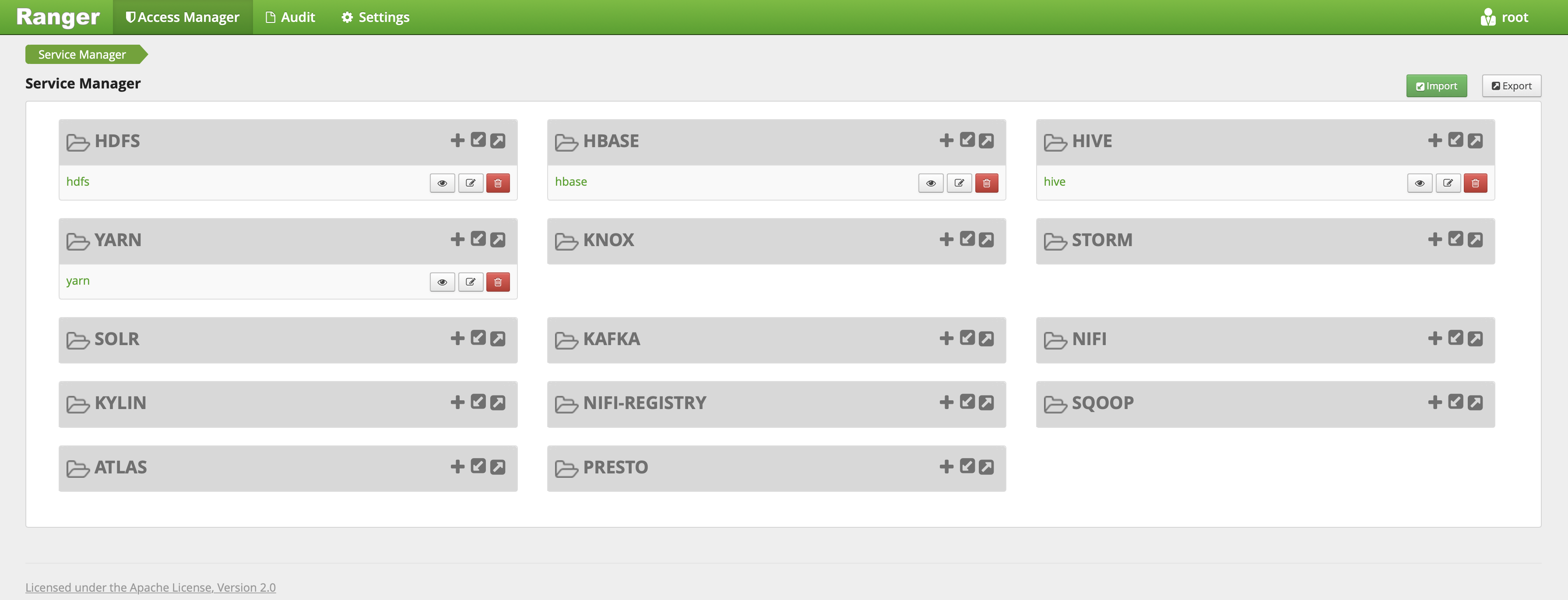
When the cluster type is Hadoop and the Ranger optional component is selected, EMR-Ranger will create services for HDFS and YARN by default and set default policies.


Ranger Web UI

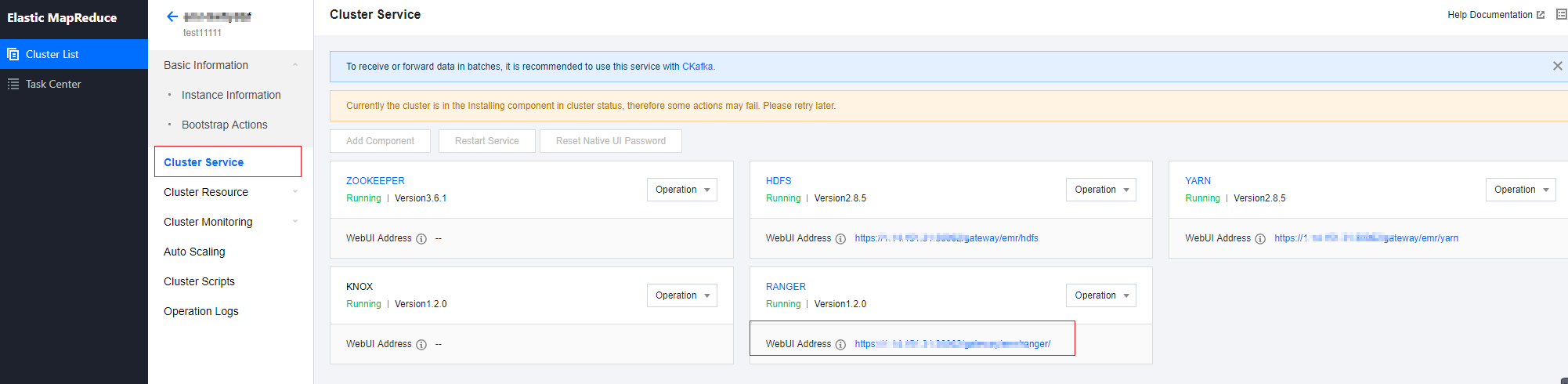
Before accessing the Ranger Web UI, make sure that the current cluster is configured with a public IP and click the Ranger Web UI URL on the Cluster Service page.

After you are redirected, enter the username and password that you set when you purchased the cluster.


Integrating Presto with Ranger

Note:
Make sure that Presto related services are running normally and Ranger has been installed in the current cluster.
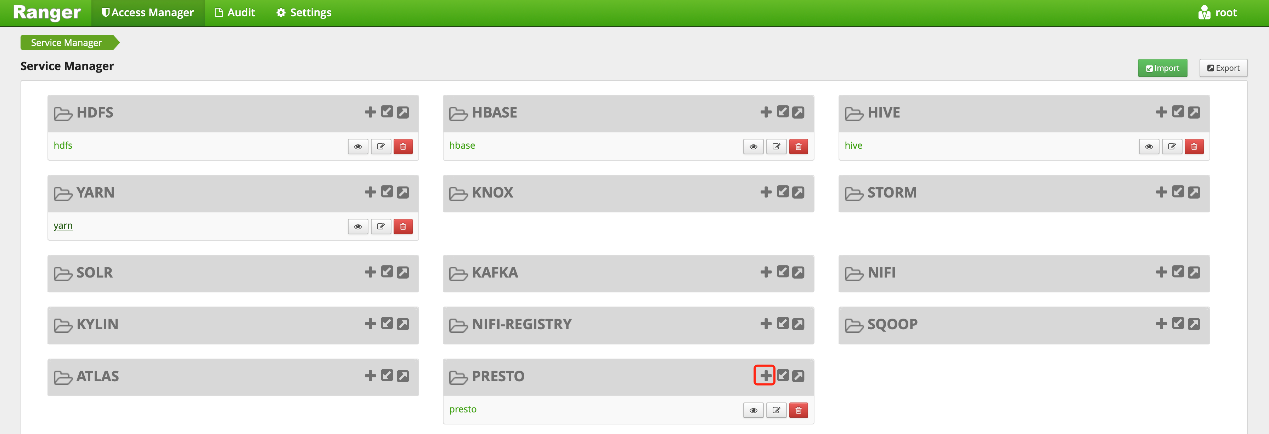
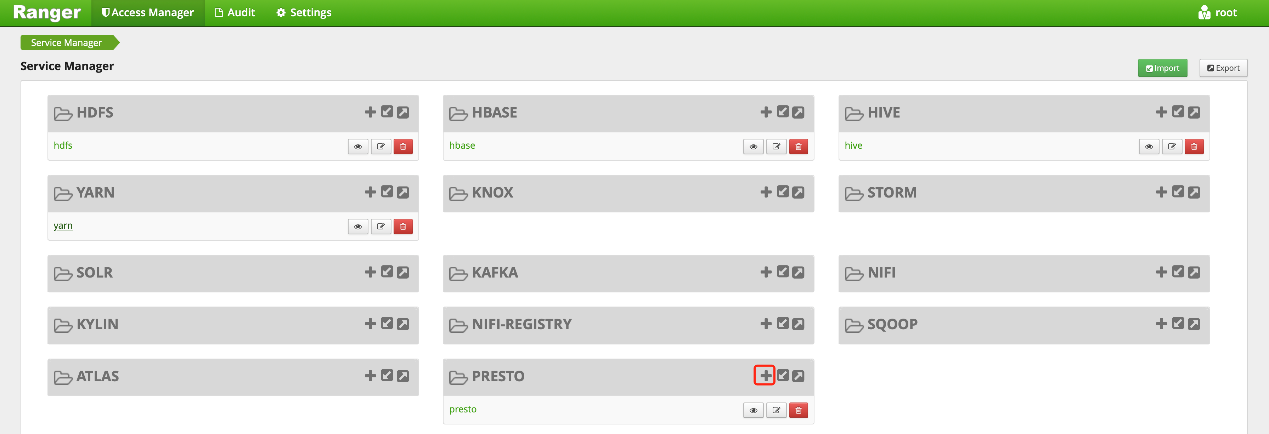
1. Add an EMR Ranger Presto service on the EMR Ranger Web UI.


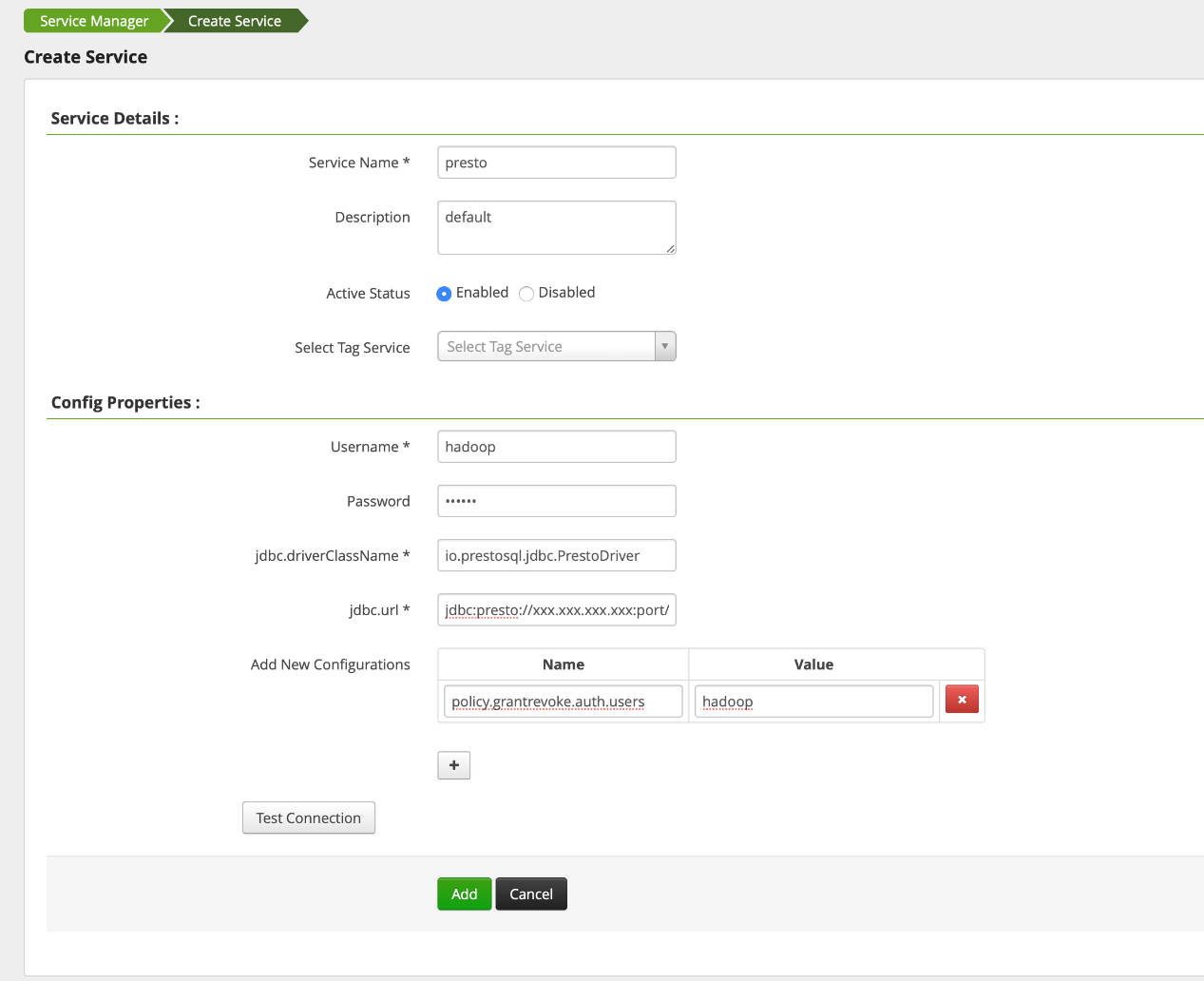
2. Configure EMR Ranger Presto service parameters.


Parameter
Required
Description
Service Name
Yes
Service name, which is displayed on the main Presto component on the Ranger Web UI
Description
No
Service description
Active Status
Default
Service status, which is **Enabled** by default
Username
Yes
Username of the resource
Password
Yes
User password
JDBC.driverClassName
Yes
Full path of the drive class name
jdbc.url
Yes
Presto JDBC connection URL, for example, jdbc:presto://ip/hostname:port
3. Configure EMR Ranger Presto resource permissions.
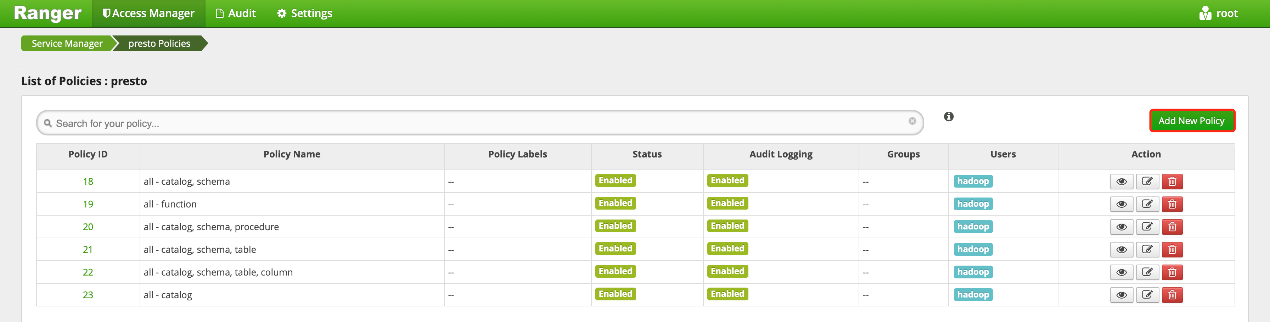
Click the configured EMR Ranger Presto service.


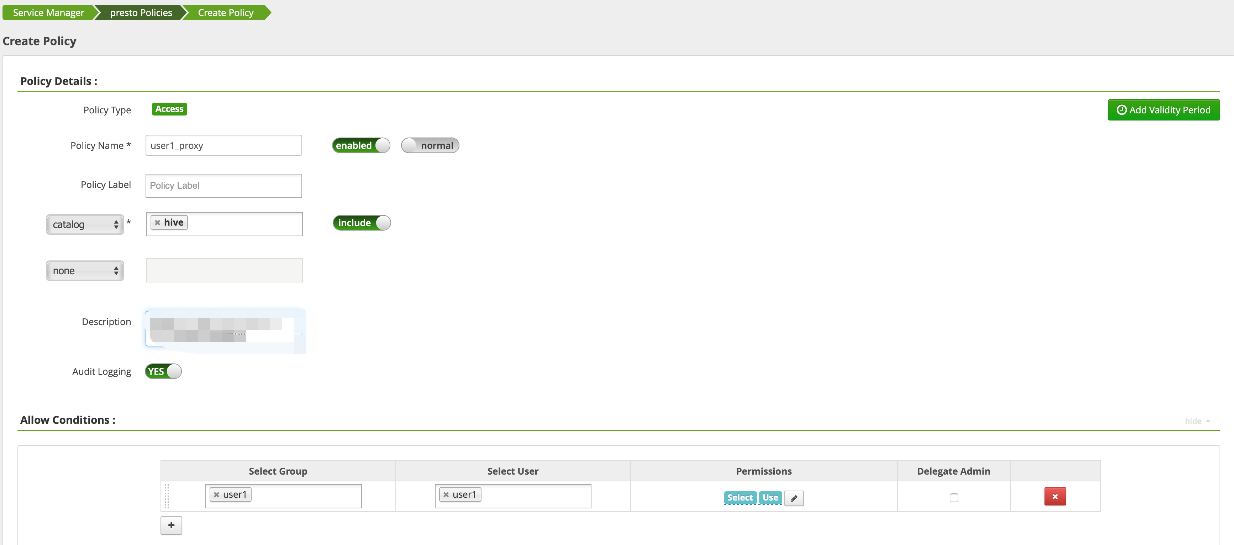
Configure a policy.


4. After the policy is added, it will take effect in about 30 seconds, then you can use user1 to view and use the catalog of Presto.

도움말 및 지원

문제 해결에 도움이 되었나요?

피드백