UserSig is a password with which you can login to Chat service. It is the ciphertext generated by encrypting information such as userID.
How can I generate a UserSig?
The issuance method for UserSig involves integrating the calculation code of UserSig into your server, and providing an interface oriented towards your project. When UserSig is needed, your project sends a request to the business server to access the dynamic UserSig. For more information, please see generate UserSig.
Caution
The method for accessing UserSig adopted in the quick-start guide of chat-uikit-uniapp is to configure a SECRETKEY in the local code. In this method, the SECRETKEY is susceptible to decompilation and reverse engineering. In the event that your key is leaked, attackers can steal your Tencent Cloud traffic. Therefore, this method is only suitable for locally running function debugging. For the correct method of issuing UserSig, please refer to the above text.
TUIKit uses TypeScript for development. Is it possible to integrate it into a JavaScript project?
This project uses TypeScript for development but also supports direct integration into JavaScript projects.
Is integration possible in a project created with vue-cli?
Currently, projects created with vue-cli are not supported.
What should I do if the audio message time display error occurs when building a native app with uni-app?
When building a native app with uni-app, the recorderManager.onStop callback does not include duration and fileSize. Users are required to supplement the duration and fileSize.
Record the time using setInterval, to calculate duration.
Locally calculate the file size, where the file size = (audio bit rate) × time length (in seconds) / 8, for a rough estimate.
For detailed code, please refer to the implementation of uni-app TUIKit source code.
Caution
The Voice Message Service object must include attributes duration and fileSize, without fileSize, the duration of the Voice Message Service will display as an incorrect numeric string.
How can we implement the uploading of file messages?
uni-app official documentation suggests that chooseFile does not support APP choosing non-media files. Therefore, customers should choose the appropriate plugin from the plugin market based on their specific needs.
Refer to the available plugins in the plugin library: iOS Upload File Plugin, Android Upload File Plugin (unofficial) to complete file selection and format data in accordance with the file message data format requirements.
The file parameters are as follows:
Parameter
Type
Meaning
name
String
File Name (Necessary)
size
Number
File size (essential, cannot be 0)
type
String
File type (essential)
path
String
File Path (Necessary)
lastModified
String
Modification Time (Not Necessary)
Refer to the example format:
const fileData ={
files:[
{
name:'',// File name
size:10,//Local file size
type:'pdf',//File type
path:'',//Local file path
lastModified:'',// Modification time
},
],
};
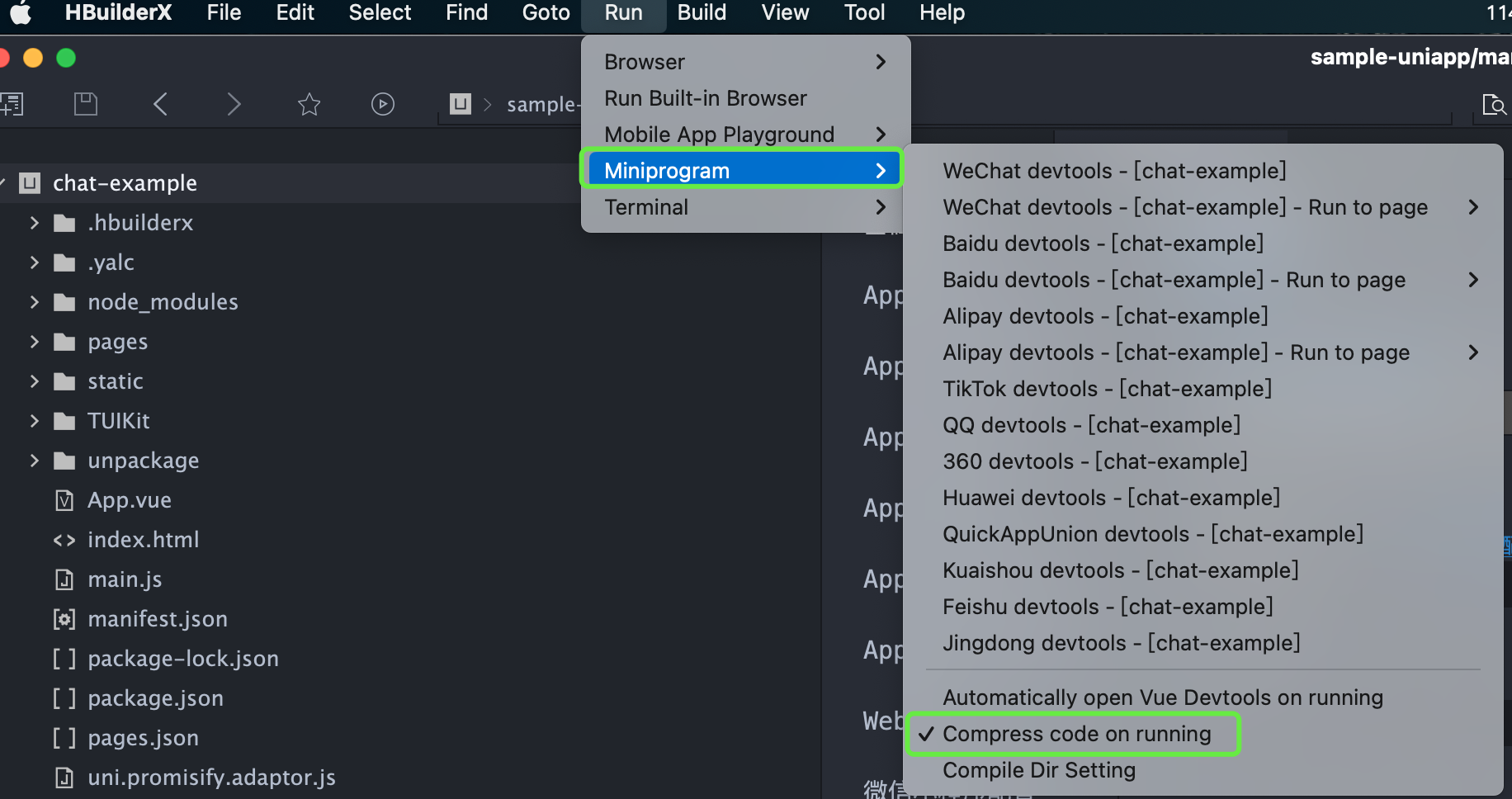
How can I elect to compress the code during runtime in a mini program?
What should I do when an exception error occurs while running in a mini program?
The issue may relate to the version of WeChat Developer Tools. Please use the latest developer tools, and ensure you have a stable debug library version.
What should I do if an error like this occurs when introducing native audio and video plugins?
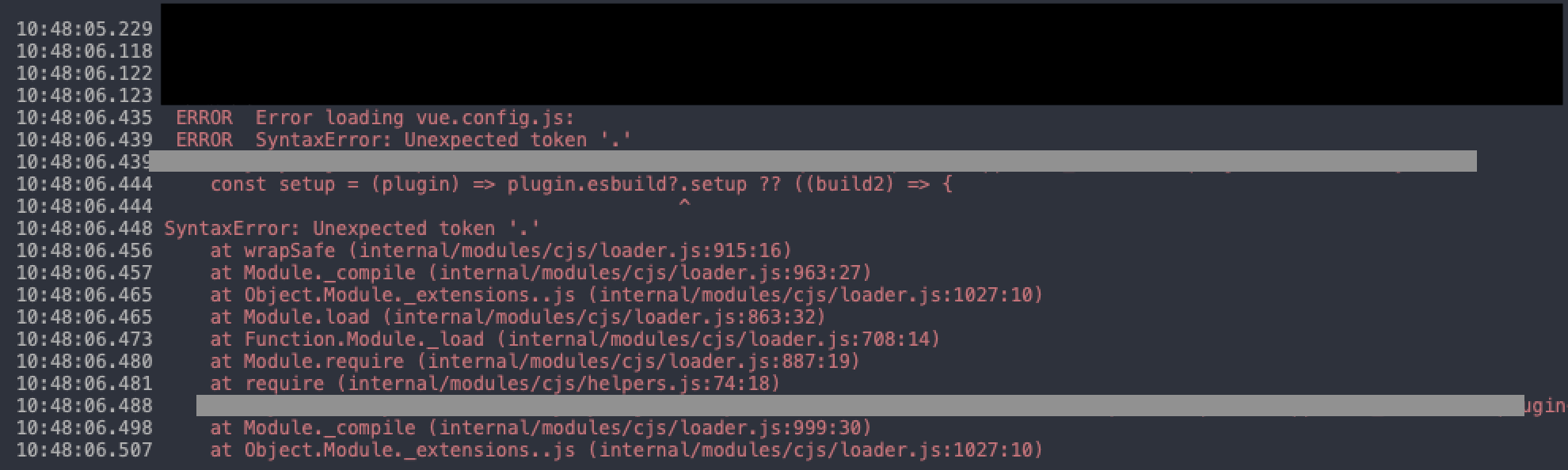
What should I do if HBuilder reports an error: SyntaxError: Unexpected token '.'?
If the following error message appears after following the above access steps, it means that your current version of HBuilder is too low, please upgrade to the latest version.
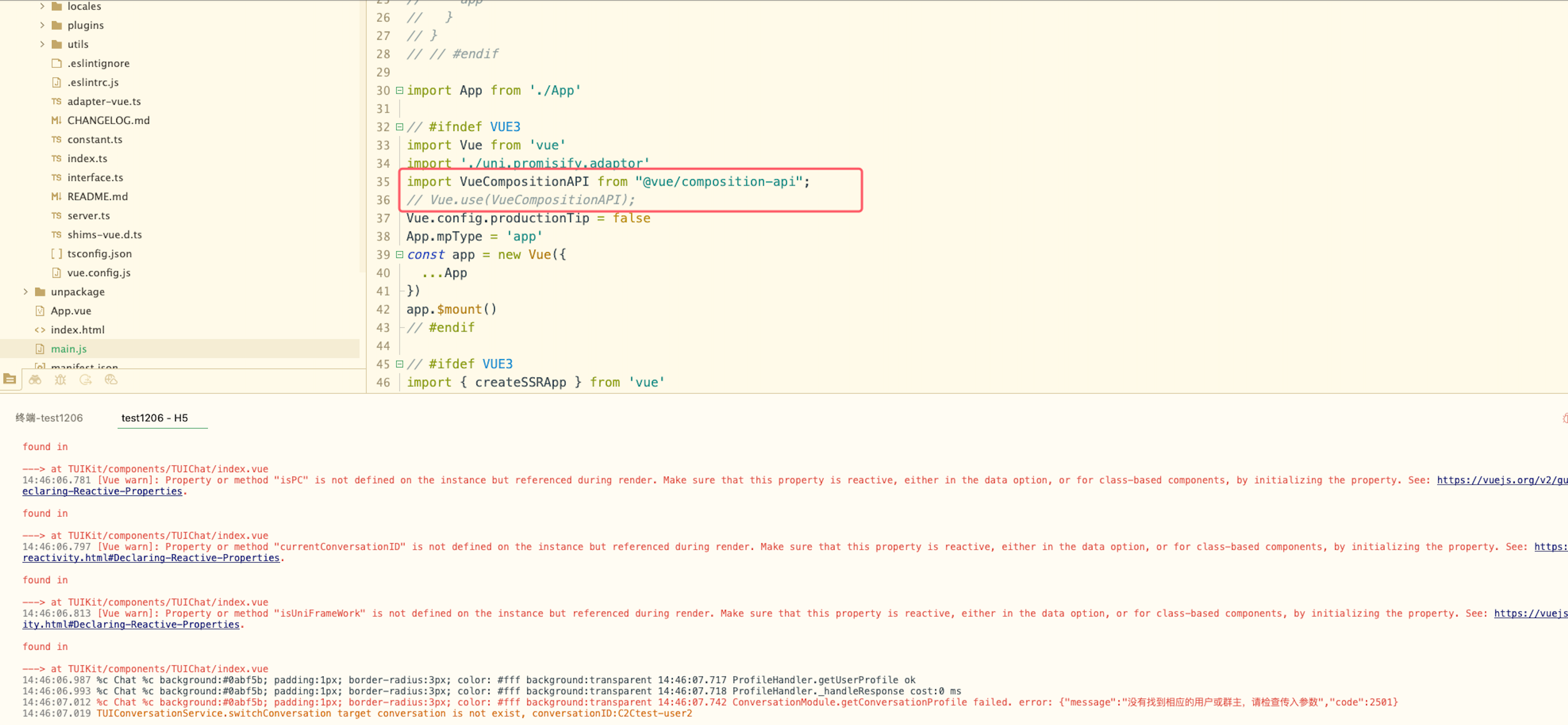
How should I handle it if, after building the uni-app, I get a white screen and a prompt that says: '[Vue warn]: Property or method "isPC" is not defined'?
After considering the aforementioned content, proceed to import VueCompositionAPI in main.js file, and apply Vue.use(VueCompositionAPI), as demonstrated below:
Once the applet is integrated according to the documentation, clicking "Open TUIKIT Conversation" will initiate a conversation, leaving the rest of the content whitewashed, devoid of a conversation list. How does one resolve it?
Please refer to the documentation: quick start(uni-app)TUIKIT Source Code Integration/Step 2: Download and Introduce TUIKit/Integrate TUIKit Components. Strictly adhere to this section's four steps in sequential order for integration, especially the final item "Miniprogram Subpackage Home Page".
Note:
The mini program defaults to integrate via the subpackage process in order to prevent the main package from being oversized. Hence, if you wish to package a mini program, please do not skip the configuration of the "Miniprogram Subpackage Home Page".
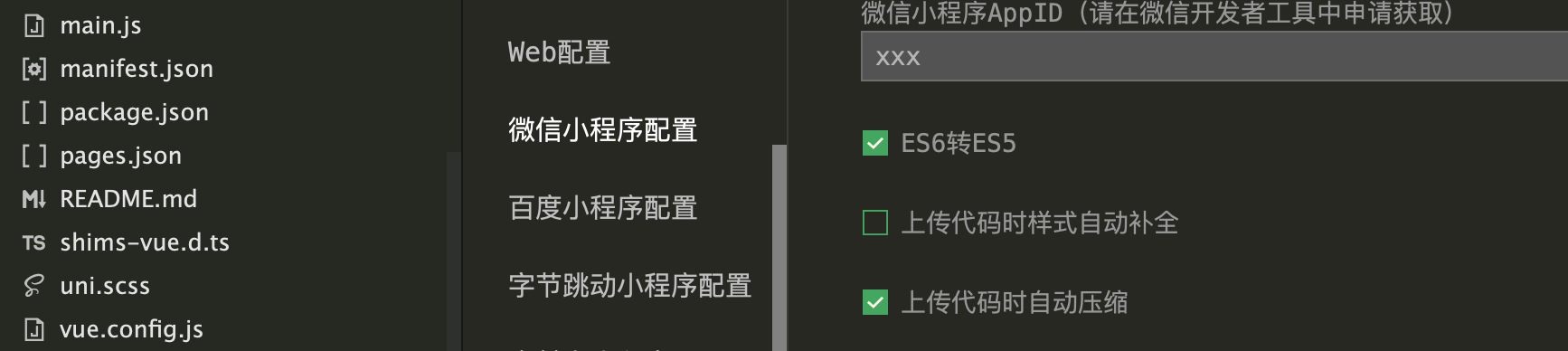
To package a mini program, please check the following options under project manifest.json > WeChat mini-program configuration
What should be done in the event the mini program needs to be launched or deployed to a production environment?
Please perform domain configuration in WeChat Official Platform > Development > Development Management > Development Setting > Server Domain Name:
Beginning from v2.11.2, the SDK supports WebSocket, and the subsequent versions must append the following domain names to the valid socket domains:
Domain name
Description
Is Mandatory
wss://wss.im.qcloud.com
Web Chat service domain
Essential
wss://wss.tim.qq.com
Web Chat service domain
Essential
Add the following domains to the request for valid domains:
Domain name
Description
Is Mandatory
https://web.sdk.qcloud.com
Web Chat service domain
Essential
https://webim.tim.qq.com
Web Chat service domain
Essential
https://api.im.qcloud.com
Web Chat service domain
Essential
Add the following domain name to the uploadFile valid domain name:
Domain name
Description
Is Mandatory
https://cos.ap-shanghai.myqcloud.com
File upload domain
Essential
https://cos.ap-shanghai.tencentcos.cn
File upload domain
Essential
https://cos.ap-guangzhou.myqcloud.com
File upload domain
Essential
Add the following domain name to downloadFile legal domain name: