제품 개요
Basic Concepts
응용 시나리오
기능 소개
계정 시스템
사용자 정보 및 관계망
메시지 관리
그룹 시스템
Official Account
Audio/Video Call
사용 제한
Conversation List | Conversation Actions |
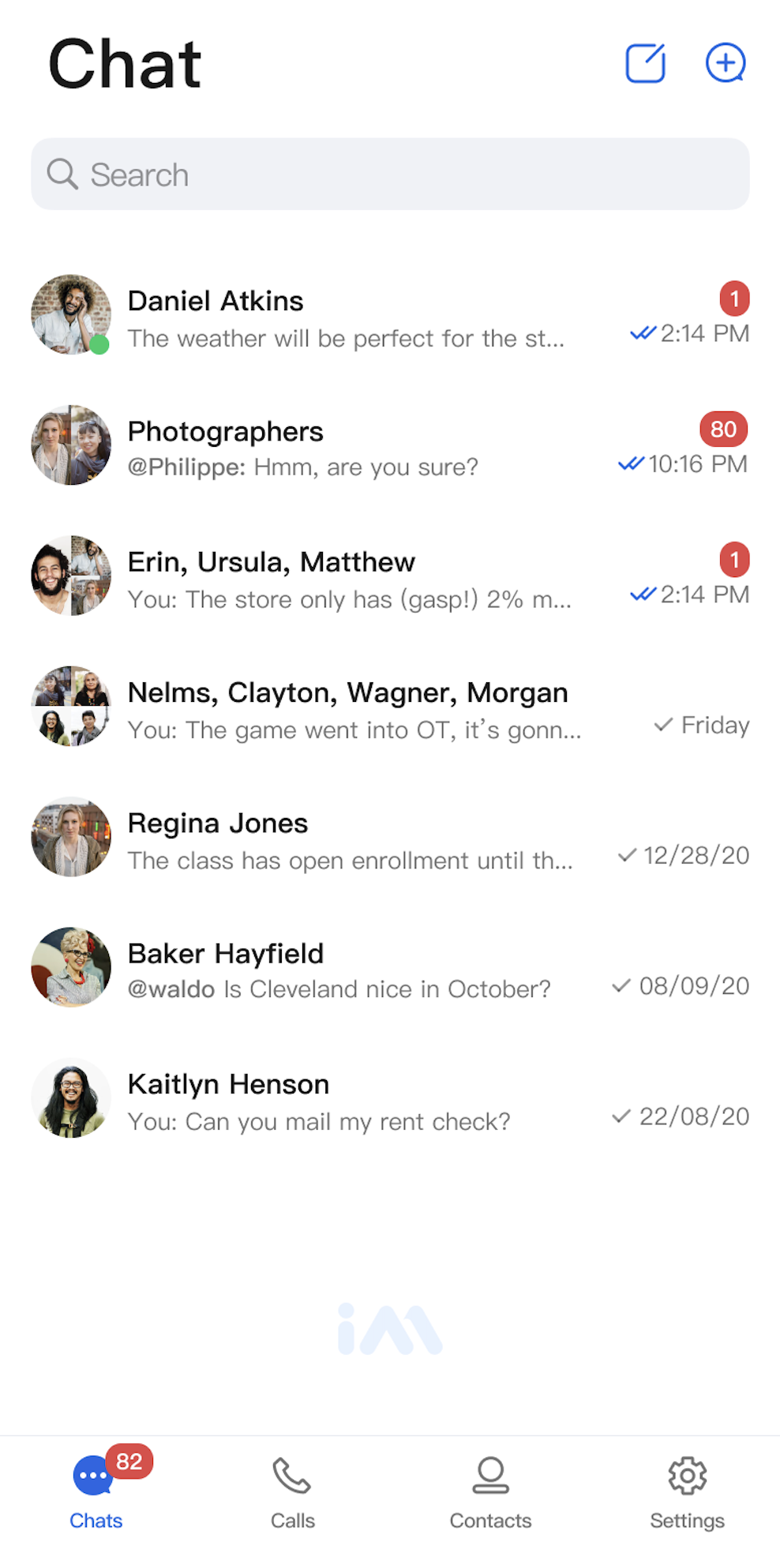 | 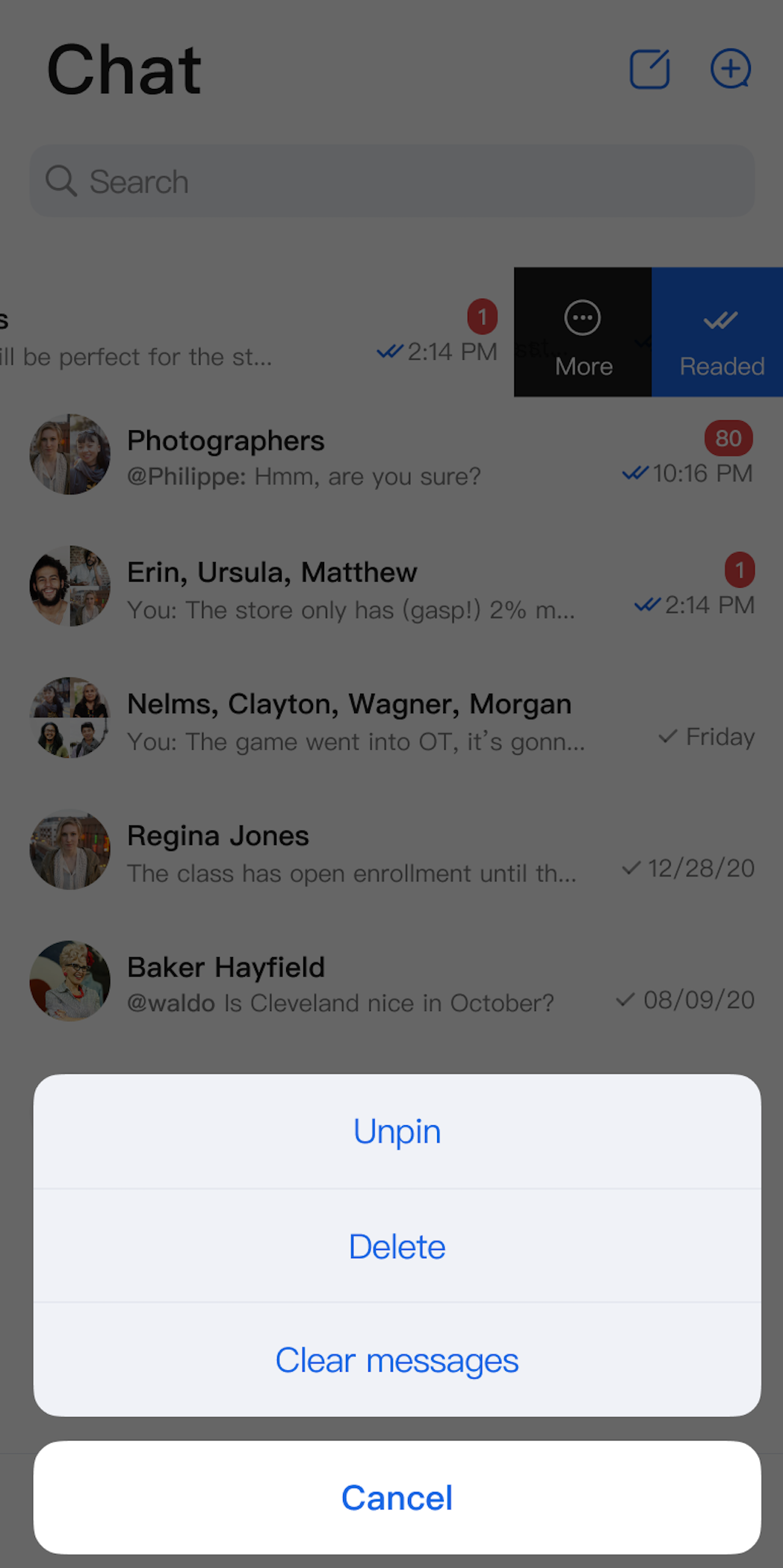 |
Method | Parameter | Description |
ConversationList | modifier: Modifier | Sets the component's style, layout, behavior, and appearance in Jetpack Compose. |
| conversationListViewModelFactory: ConversationListViewModelFactory | Factory for creating the internal ConversationListViewModel. Typically, you do not need to provide this manually, as a default implementation is included. |
| config: ConversationActionConfigProtocol | Initializes the component and sets conversation action menu items. Optional. |
| customActions: List | Initializes the component and sets custom conversation action options. Optional. |
| onConversationClick: (ConversationInfo) -> Unit | Sets the conversation click webhook. |
Parameter Name | Type | Description |
onConversationClick | (ConversationInfo) -> Unit | Conversation click webhook, triggered when a user taps a conversation cell. |
Box(modifier = Modifier.fillMaxSize().systemBarsPadding()) {ConversationList(onConversationClick = {// Recommended: Navigate to the chat page here})}
actions when initializing ConversationList to specify which action items appear in each conversation cell:Box {ConversationList(// Hide ClearHistoryconfig = ChatConversationActionConfig(isSupportDelete = true,isSupportPin = true,isSupportClearHistory = false)) {// Navigate on conversation cell click}}
Action Type | Description |
isSupportDelete | Enable or disable deleting conversations. |
isSupportPin | Enable or disable pinning conversations. |
isSupportClearHistory | Enable or disable clearing conversation history. |
customActions when initializing ConversationList. Custom options will be added to the end of the default action menu:Parameter Name | Type | Description |
customActions | List | Custom conversation actions, shown when the user opens the conversation action menu. |
Box {ConversationList(customActions = listOf(ConversationCustomAction(title = "Share") {println("Share conversation: ${it.title}")})) {// Handle click events}}
AppBuilderConfig:// Set up at app startup; if omitted, the feature is disabledAppBuilderConfig.conversationActionList = listOf(ConversationAction.DELETE, // Enable deleteConversationAction.PIN, // Enable pinConversationAction.CLEAR_HISTORY // Enable clear conversation messages)// Then, initialize ConversationList. All ConversationList instances will use the above conversationActionList configuration.ConversationList() {// Navigate to the chat page here if needed}
Conversation Actions (Default Options) | Conversation Actions (Delete Option Hidden) | Conversation Actions (Share Option Added) |
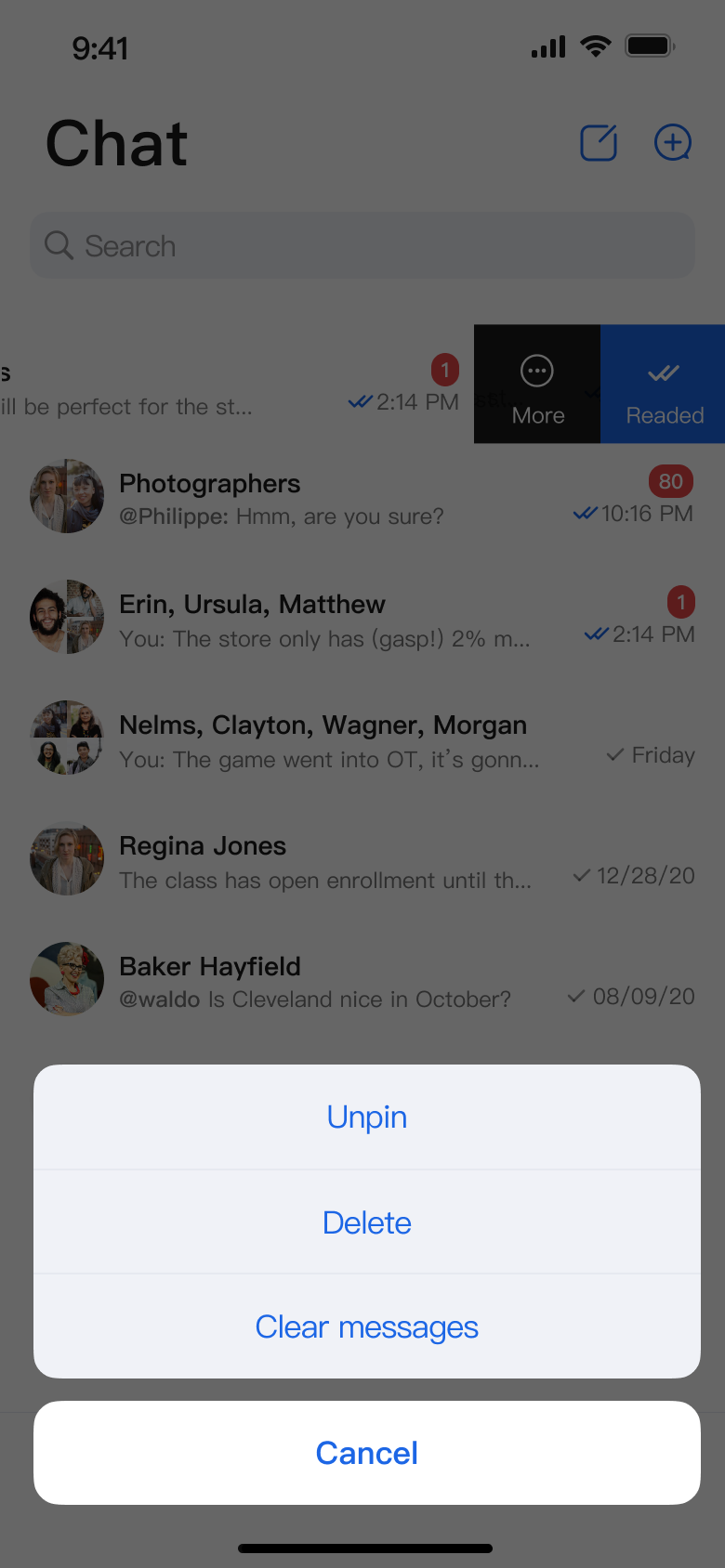 | 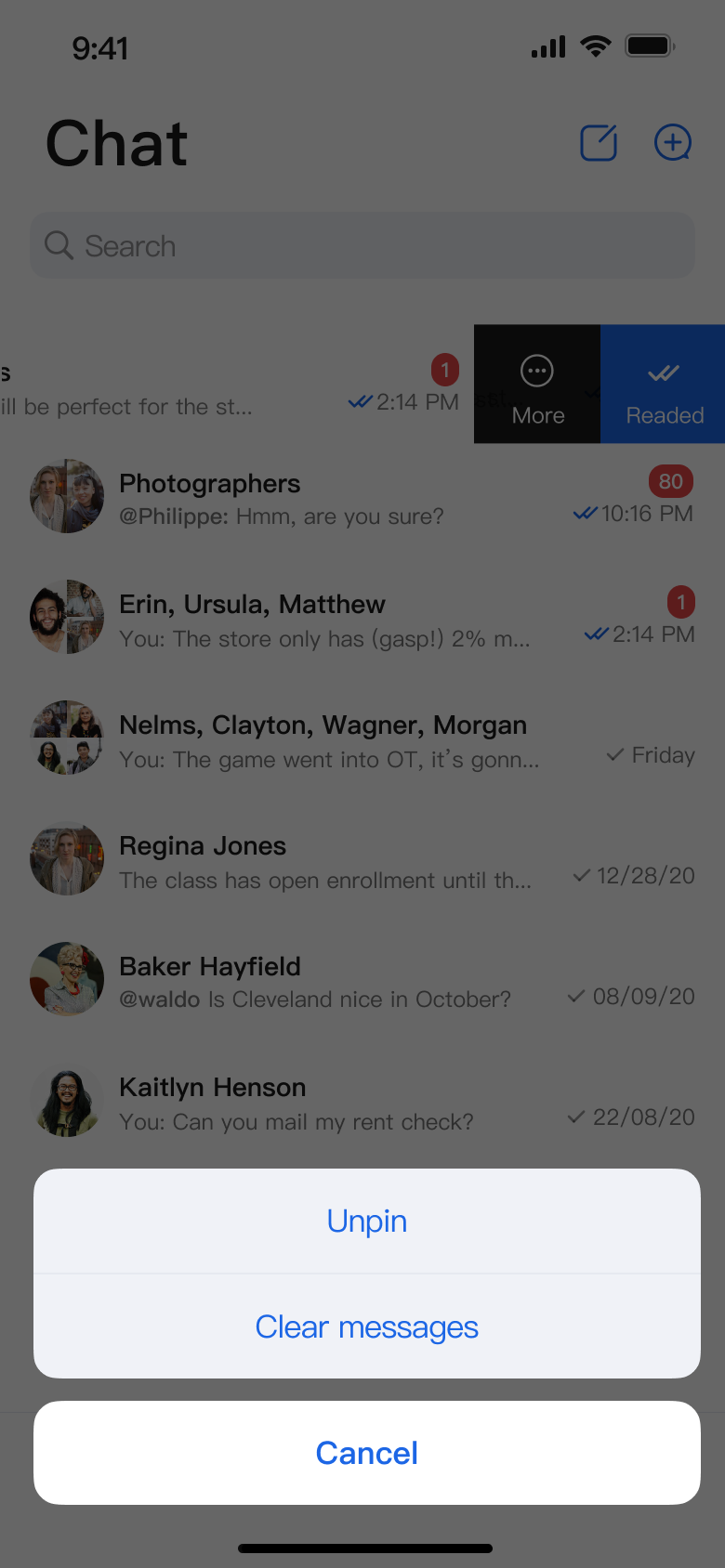 | 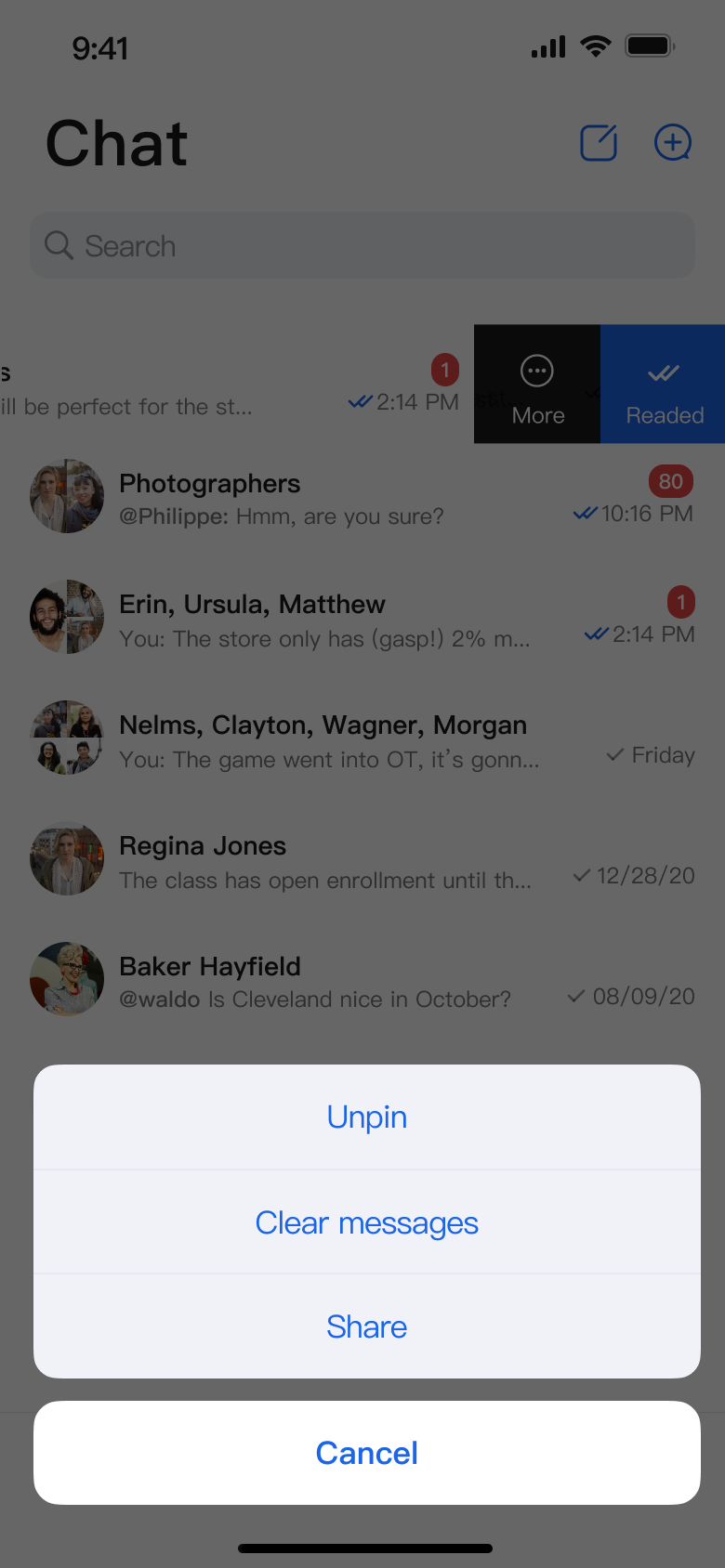 |
피드백