Voucher Management
Download
포커스 모드
폰트 크기
Applying for a Voucher
Customers' vouchers are managed by the reseller. A customer who needs a voucher can contact the reseller to issue it.
Viewing a Voucher
After the reseller issues a voucher to a customer, the customer can view it through Billing Center > Vouchers.
Click the Unused, Used, or Expired/Withdrawn menus to view details of vouchers in different states.
Note:
Vouchers exceeding the expiration time by 6 months do not display.
Vouchers with no usage record and revoked by resellers do not display.
When applying for a refund, vouchers cannot be returned. For specific rules, please refer to Instruction on Refunds for Cloud Services.
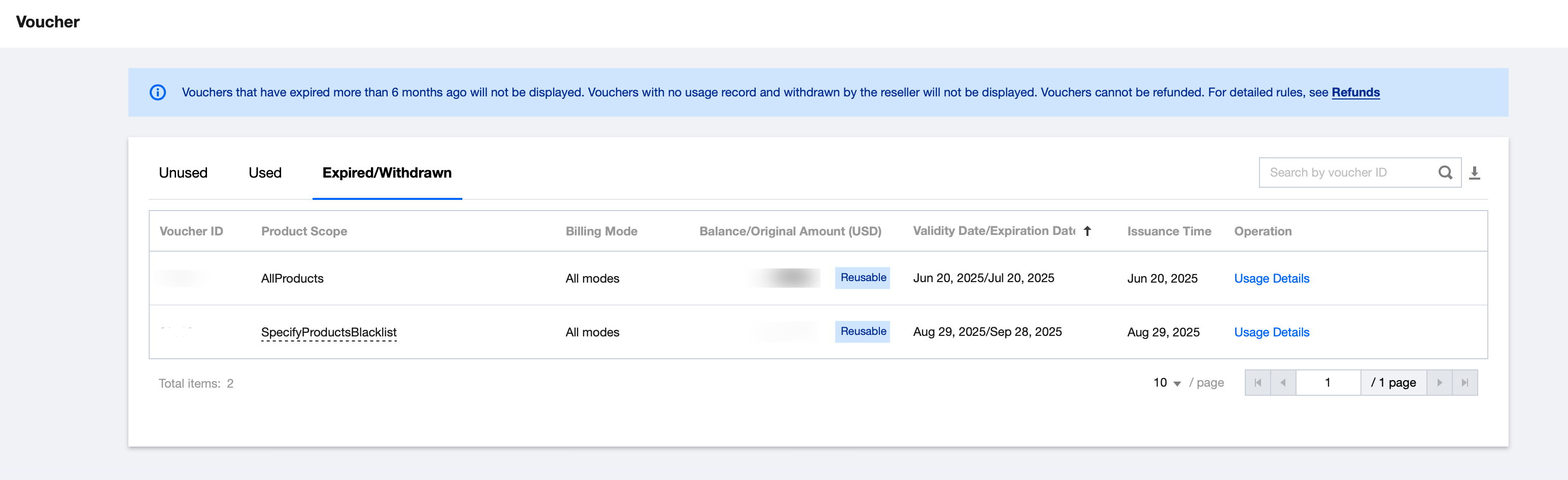
Click Usage Details to view or download detailed usage data for corresponding vouchers.
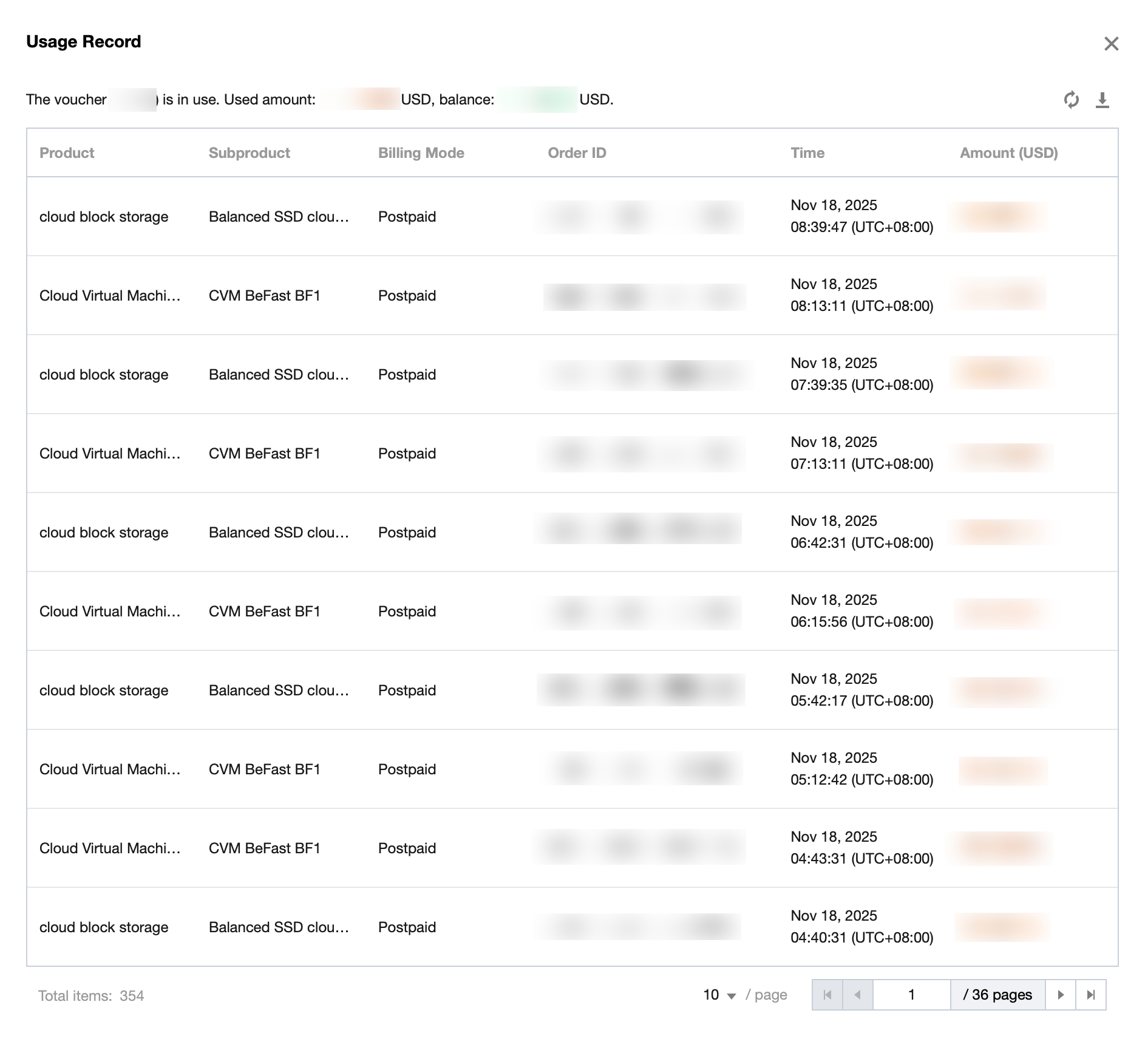
Using a Voucher
The system will automatically deduct the voucher first and then deduct the credit.
Note:
Vouchers (discount vouchers) are not displayed on the customer order page. The system will automatically deduct matching vouchers based on voucher usage conditions. After the order is successfully paid, you can view the voucher deduction amount via Order Management, Voucher Usage Details, or Bill Details.
Voucher Usage Instructions
Applicable Product
General product voucher: Can offset any product cost.
Voucher for designated blocklist product: Non-deductible for products on the specified list. Hover over the voucher text to view the name list.
Voucher for designated allowlist product: Only deductible for products on the specified list. Hover over the voucher text to view the name list.
Payment Method
All payment scenarios: Can offset costs in all payment modes.
Prepaid: Only deductible for prepaid purchased products.
Postpaid: Only deductible for postpaid purchased products.
Others
No usage threshold.
No usage limit. A single voucher can be used repeatedly.
Fees which are incurred not within the voucher's validity period are non-deductible.
피드백