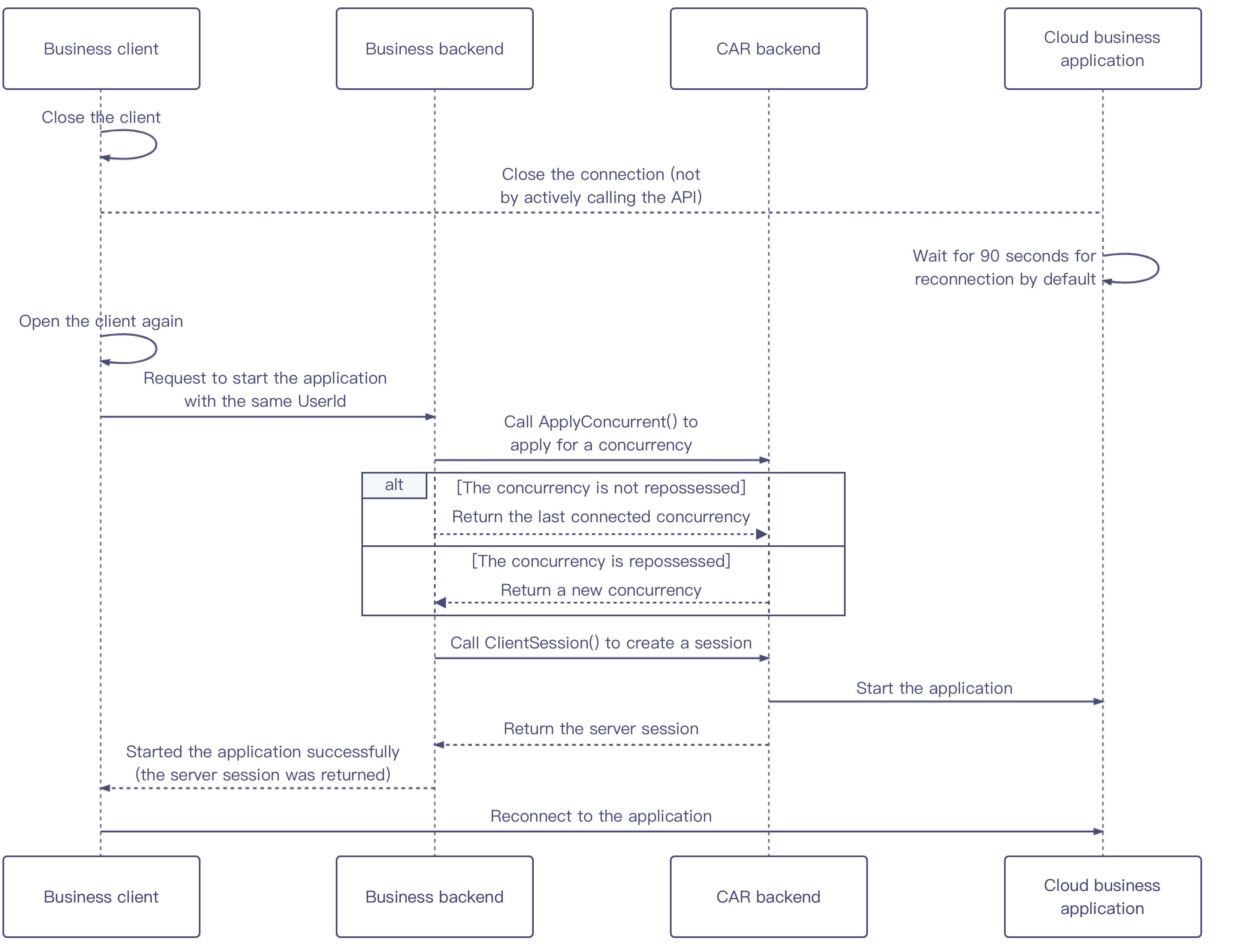
This section describes how to reconnect to an application. If a user directly closes the client but doesn't actively call the application close feature, APIs for applying for a concurrency and creating a session can be called again to reconnect to the application.
Sequence diagram
Directions
1. After the client is closed, it will disconnect from the cloud application. If the backend doesn't actively call the API to close the application, the concurrency will wait for 90 seconds by default, so that there is time to reconnect.
2. After the client is opened again, it will pass in the same UserId to request the backend to start the application. If the UserId values are different, it cannot reconnect the user to the application.
3. The backend calls the ApplyConcurrent() API to apply to reserve the concurrent and perform the following steps based on the concurrency’s status:
If the user's last connected concurrency hasn't been repossessed, the last concurrency will be returned.
If the user's last connected concurrency has already been repossessed, a new concurrency will be returned.
4. The backend calls the CreateSession() API to create a session and returns ServerSession to the client to restart the application.