Data Integration provides real-time writing capability for Hive. This article introduces the current capability support for real-time data synchronization with Hive.
Supported Versions
Currently, DataInLong supports real-time writing for both whole database and single tables in Hive. To use the real-time writing capability, the following version restrictions must be followed:
Data Source Type
Edition
Hive
1.x, 2.x, 3.x
Use Limits
Only Append write is supported, and it cannot guarantee no duplicate data at the target end.
DDL changes are not supported. Schema changes at the source end will not be automatically synchronized to the target end.
During the full phase, automatic table creation does not support synchronizing comment information.
Whole Database Writing Configuration
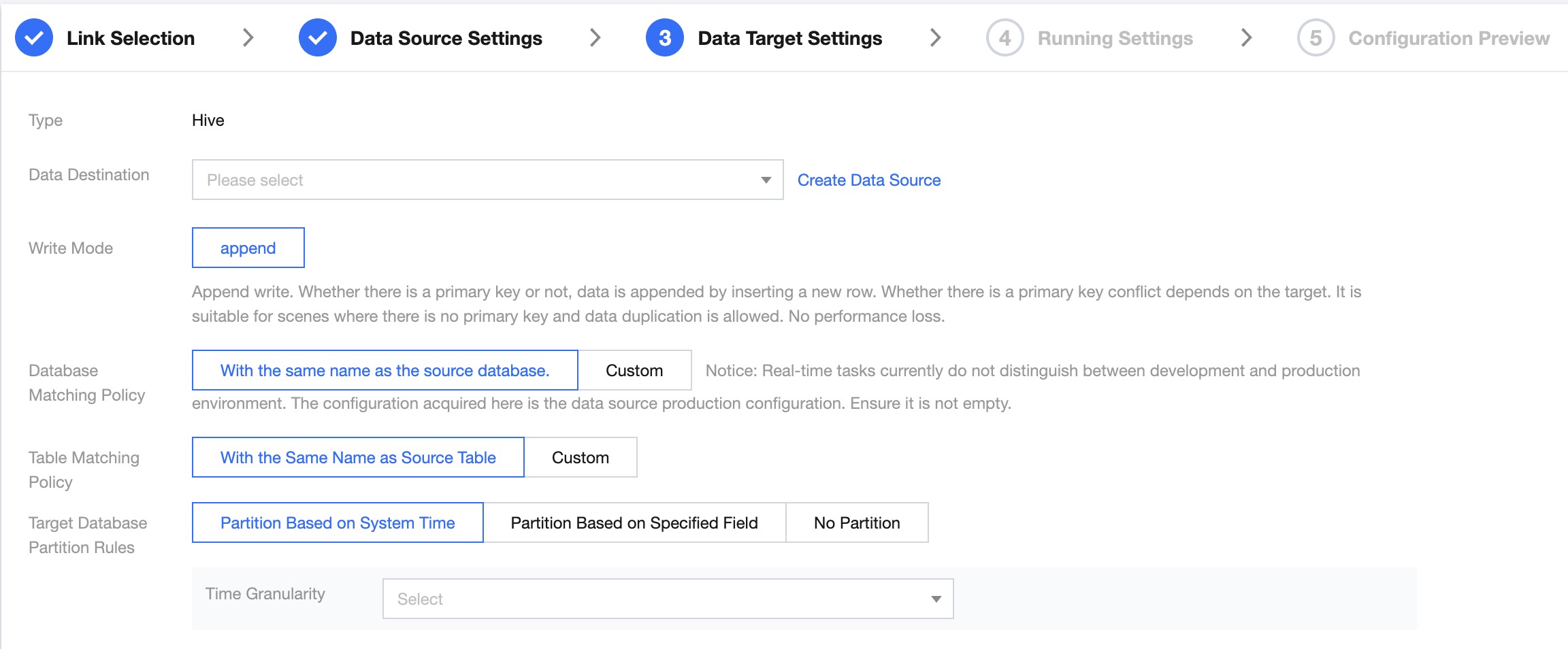
Data Target Configuration
Parameter
Description
Data Destination
Select the target data source to be synchronized.
Write Mode
Append: Append mode writing to data tables (currently this is the only supported mode).
Database Matching Policy
Naming matching rules for databases and data table objects in Hive:
Default has the same name as the Source Database/Source Table.
Self Definition: Support combining built-in parameters and strings to generate target database table names.
Note:
Example: If the source table name is table1, and the mapping rule is ${table_name_di_src}_inlong, the data from table1 will be finally mapped to table1_inlong.
Target Database Partitioning Rules
System Time Partitioning:
Time Granularity: Single choice. The user can choose among four time formats: YYYYMMDD, YYYYMM, YYYY, YYYY-MM-DD HH.
Specified Field Partitioning:
Time Granularity: Single choice. The user can choose among four time formats: YYYYMMDD, YYYYMM, YYYY, YYYY-MM-DD HH.
Partition Field Name: Input box. Users can enter the field name as the partition field. This must be a time-type field.
Non-partitioned: No partitioning.
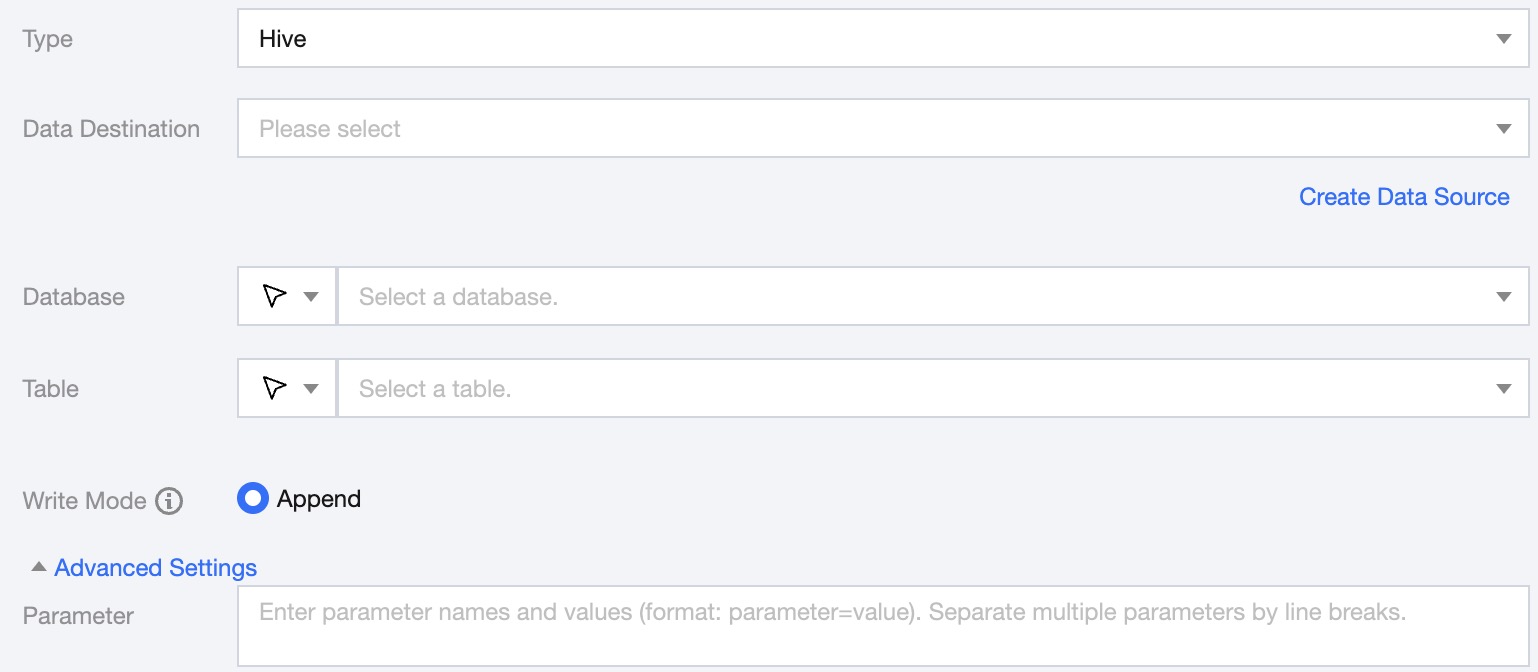
Single Table Writing Configuration
Parameter
Description
Data Destination
Specify the Hive data source to write to.
Database
Support selection or manual entry of the library name to be written to.
By default, the database bound to the data source is used as the default database. Other databases need to be manually entered.
If the data source network is not connected and the database information cannot be fetched directly, you can manually enter the database name. Data synchronization can still be performed when the Data Integration network is connected.
Table
Support selection or manual entry of the table name to be written to.
If the data source network is not connected and the table information cannot be fetched directly, you can manually enter the table name. Data synchronization can still be performed when the Data Integration network is connected.
Write Mode
Hive only supports Append writes
Advanced Settings
You can configure parameters according to business needs.
Log Collection Writing Configuration
Parameter
Description
Data Destination
Select the available HIVE Data Source in the current project.
Database/Table
Select the corresponding database table from this data source.
Write Mode
Hive only supports Append write.
Advanced Settings (optional)
You can configure parameters according to business needs.