HBase Data Source
다운로드
포커스 모드
폰트 크기
HBase Single Table Write Node Configuration
1. On the Data Integration page, in the left sidebar, click Real-time Sync.
2. At the top of the Real-time Sync page, select Single Table Sync to create a new one (you can choose between form and canvas modes) and enter the configuration page.
3. Click the left side write, click to select HBase Node and configure the node information.
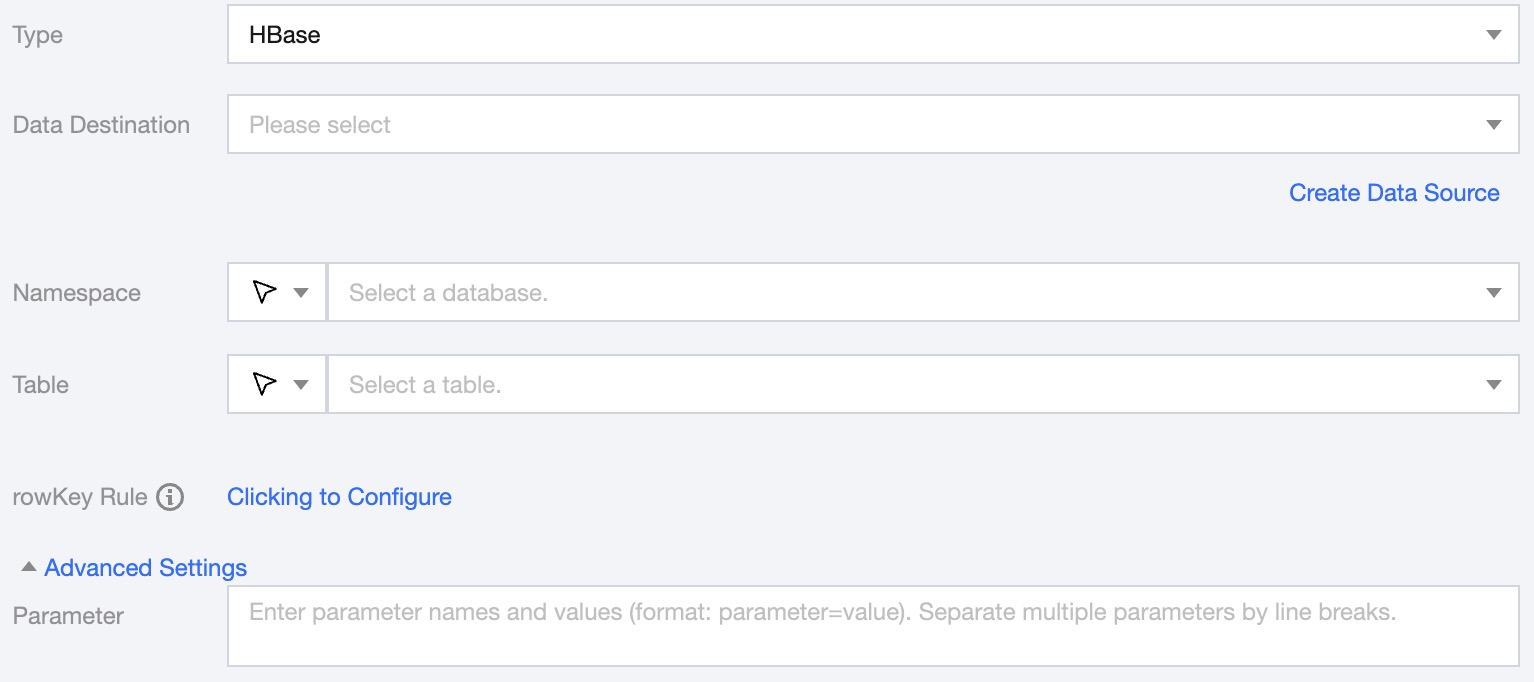
4. You can refer to the table below to configure parameter information.
Parameters | Description |
Data Destination | Specify the HBase data source to write to. |
Namespace | Supports selecting or manually entering the space to write to. |
Table | Support selection or manual entry of the table name to be written to. If the data source network is not connected and the table information cannot be fetched directly, you can manually enter the table name. Data synchronization can still be performed when the DataInLong network is connected. |
rowkey Rule | Click configure to enter the rowkey configuration page, then configure the type and corresponding value. 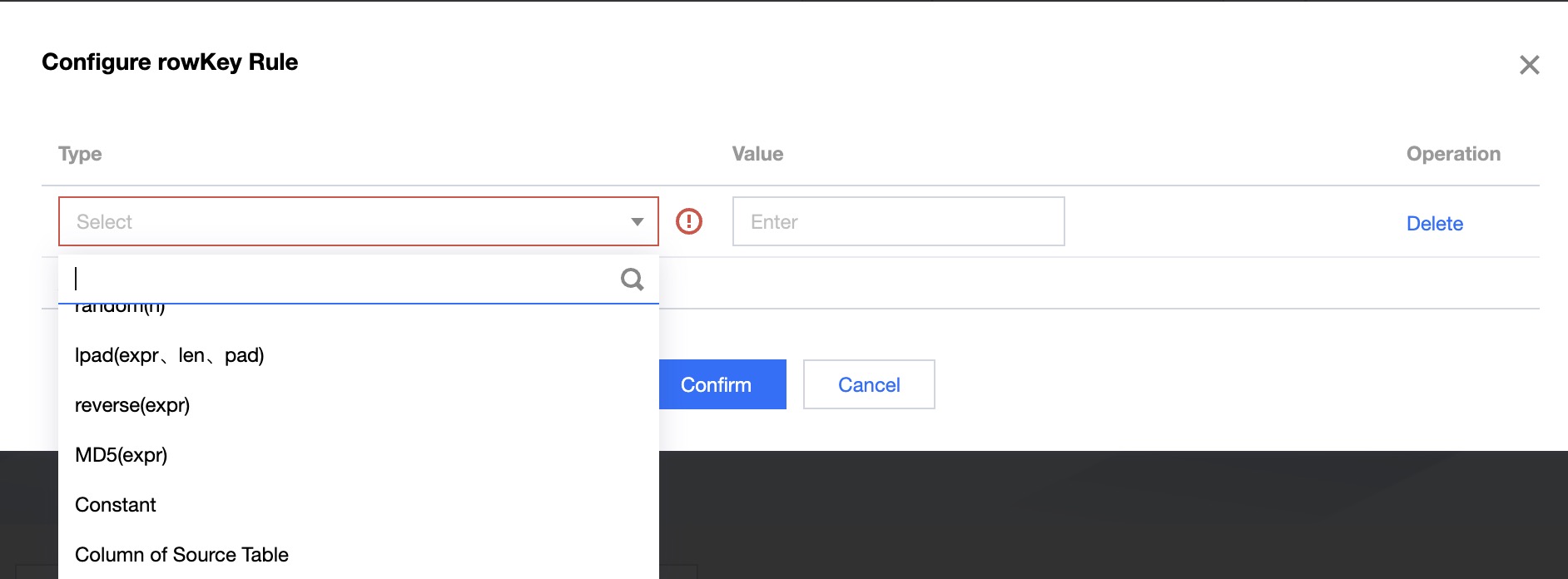 |
Advanced Settings | You can configure parameters according to business needs. |
5. Preview Data Fields and map them with Read Node Configuration Fields, click Save.
HBase Log Collection Write Node Configuration
Parameters | Description |
Data Destination | Select the available HBase data source in the current project. |
Namespace | Enter or select the namespace manually. |
Table | Select the corresponding table in the data source. |
rowkey Rule | The HBase data source needs to configure rowkey Regulations. |
Advanced Settings (optional) | You can configure parameters according to business needs. |
HBase Write Data Type Conversion Support
Write
The supported data types and corresponding conversion relationships for HBase writing are as follows (when processing HBase, the data type of the HBase data source and the data type of the data processing engine will be mapped first):
Internal Types | HBase Type |
CHAR,VARCHAR,STRING | byte[] toBytes(String s),String toString(byte[] b) |
BOOLEAN | byte[] toBytes(boolean b),boolean toBoolean(byte[] b) |
BINARY VARBINARY | Returns byte[] as is. |
DECIMAL | byte[] toBytes(BigDecimal v),BigDecimal toBigDecimal(byte[] b) |
TINYINT | new byte[] { val },bytes[0] // returns first and only byte from bytes |
SMALLINT | byte[] toBytes(short val),short toShort(byte[] bytes) |
INT | byte[] toBytes(int val),int toInt(byte[] bytes) |
BIGINT | byte[] toBytes(long val),long toLong(byte[] bytes) |
FLOAT | byte[] toBytes(float val),float toFloat(byte[] bytes) |
DOUBLE | byte[] toBytes(double val),double toDouble(byte[] bytes) |
DATE | Stores the number of days since epoch as int value. |
TIME | Stores the number of milliseconds of the day as int value. |
TIMESTAMP | Stores the milliseconds since epoch as long value. |
피드백