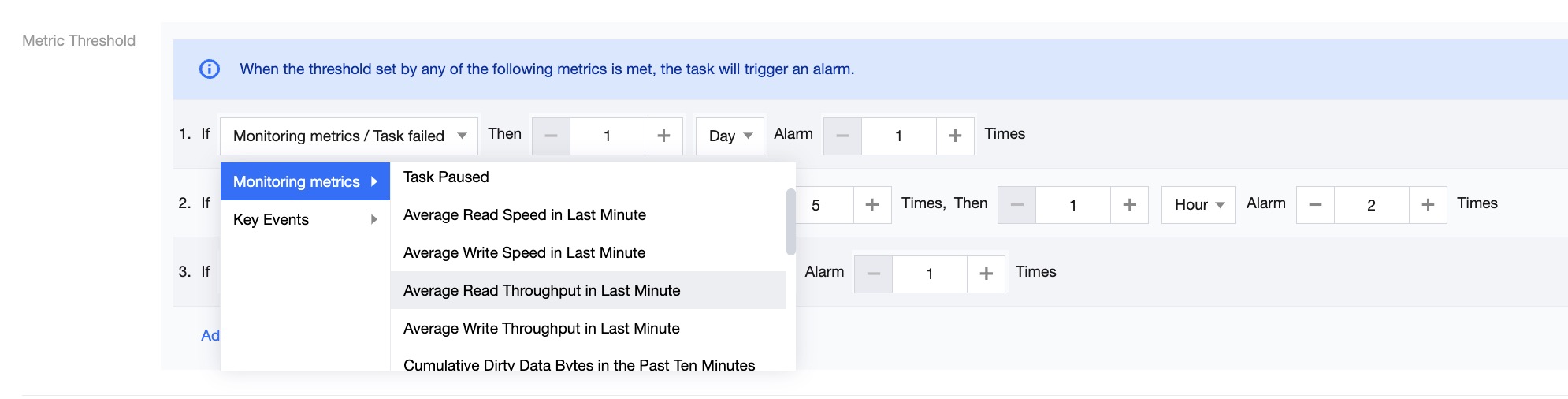
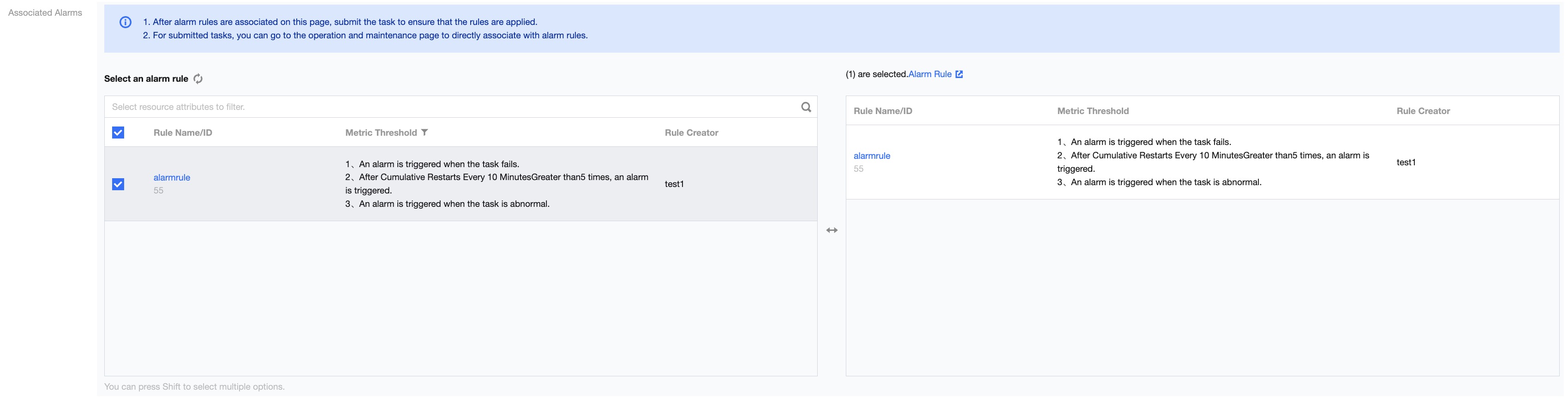
Alert subscription provides the creation of alert rules for each sync task based on different metrics and alert thresholds. A single task can be associated with multiple alert levels and different alert rules for monitoring.
The real-time operation interface supports access from the task record list. Click Task Name > Alert Subscription to enter the alert subscription interface.
Parameters
Description
Rule Name/ID
The alarm rule name configured by the user or the system default generated current alarm rule ID.
Rule status
Enable: Turn on the current alarm rule, and during task execution, alerts will be triggered based on the alarm rule and thresholds.
Disable: Turn off alarm verification.
Alarm Severity
The importance level of the current triggered alarm, distinguishing the content of alarm messages sent based on different metric alarm levels. Currently, three alarm types are provided: normal, important, and urgent.
Metric Threshold
Real-time sync tasks currently support configuring task exceptions, task detection exceptions, cumulative restart times within 10 minutes, write latency during runtime, cumulative restart times within 20 minutes, and a total of 17 metric alerts.
Last Alarm Time
The most recent time an alarm was triggered
Operation
Supports removing alerts, viewing alert history, and editing rules.
Remove Alert: Disassociate the alert rule from the current task without deleting the alert rule and without disassociating the current rule from other tasks
Note:
Remove Alert: Only supports removing monitoring objects for the specified task
Alert History: Supports viewing all alert history information based on the current rule name
Edit Rule: Supports editing the current alert rule, and the edit results affect all tasks associated with the rule
Bulk Removal of Alarm Rules
Supports bulk disassociation of alert rules from the currently associated tasks without deleting the alert rules and without disassociating the selected rules from other tasks.
Associated Alarm Rules
Supports bulk association of multiple existing alert rules with the current task.
Parameters
Description
Rule Name/ID
The alert rule name specified by the user or the system-generated alert rule ID.
Metric Threshold
Real-time sync tasks currently support configuring task exceptions, task detection exceptions, cumulative restart times within 10 minutes, write latency during runtime, cumulative restart times within 20 minutes, and a total of 17 metric alerts.