Creating a Tencent Cloud CDC
Download
포커스 모드
폰트 크기
Prerequisites
You have created a local IDC object. For detailed instructions, see Creating a Local Data Center.
You have identified the public cloud availability zone to associate with the dedicated cluster.
Directions
1. Log in to the Tencent Cloud CDC console.
2. In the left sidebar, click Dedicated Cluster to enter the Tencent Cloud CDC management page.
3. On the Tencent Cloud CDC management page, click Get Started > Create New.

4. In the Create Cluster pop-up window, configure the following settings:
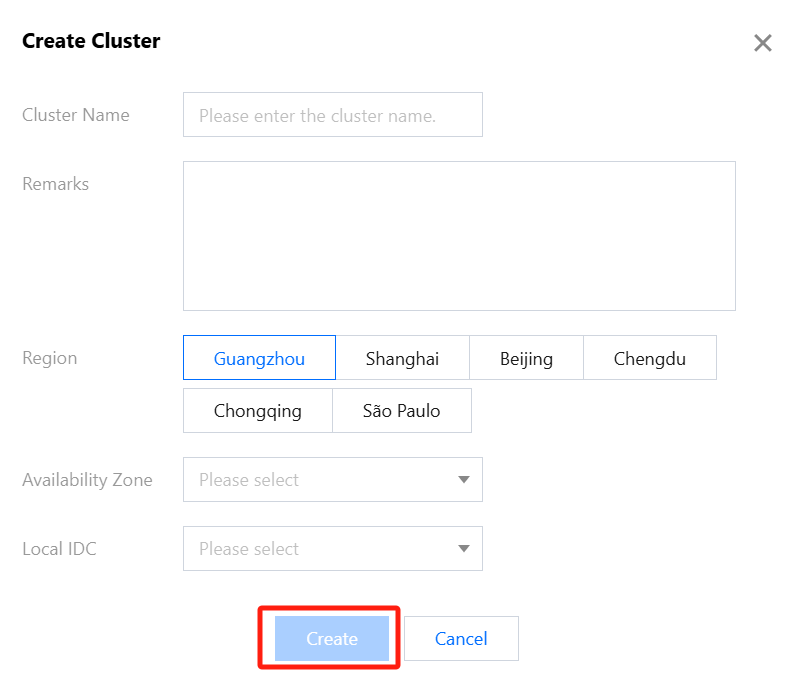
Availability Zone: Select the availability zone for the cluster according to your needs. Once the availability zone is bound, all resources and created cloud services instances in the current cluster will logically belong to this availability zone (such as the availability zone displayed in the console and filter conditions pulled by CVM instances).
Local IDC: Select the local IDC to bind with the cluster according to your plan. A cluster can only belong to one local IDC, but a local IDC can be bound to multiple clusters.
5. Click Create to continue.
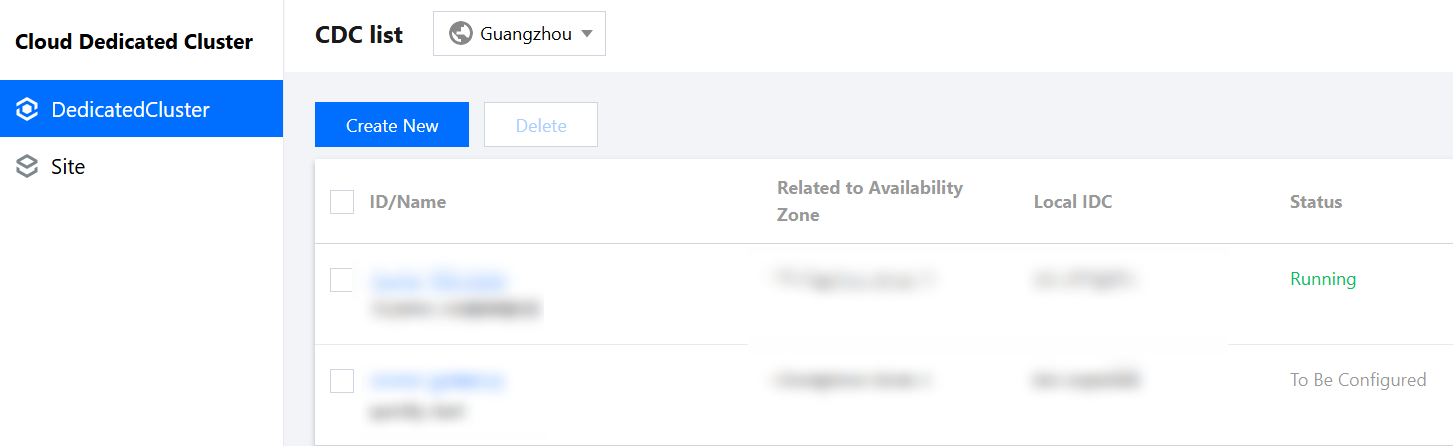
6. On the Dedicated Cluster List management page, view the created dedicated cluster instances.
피드백