Configure routes for the services that require forwarding. This enables the gateway to match routes based on routing conditions and forward requests to the corresponding service addresses, thereby achieving dynamic proxying. This document describes the route matching methods of the cloud-native gateway and explains how to add routes to the gateway and verify the forwarding results.
Route Matching Description
Route Attributes
The Cloud Native Gateway supports configuring different properties for route matching based on different protocols:
request protocol
Attribute for Route Matching
HTTP/HTTPS
Request HTTP Method
Host
Request header (custom request header)
Request Path
Request SNI (used for HTTPS scenarios only)
TCP/TLS
Request Destination
Request SNI (used for TLS scenarios only)
gRPC/gRPCS
Host
Request header (custom request header)
Request Path
Request SNI (used for gRPCS scenarios only)
When a route is configured, all attributes are optional. However, at least one of the preceding attributes should be specified. For example, if only Host is set to "*.example.com", all requests from the domain and its subdomains can match the route.
Route Attribute Description
Host
The Cloud Native Gateway supports the following two types of host names:
Exact host names: Routing based on the Host header is the most common method, which can be configured through the Host field of a route. For example, if Host is set to ["example.com", "service.com"], a request from the client matches the route only when the Host header in the request is one of these two values.
Wildcard host names: To provide flexibility, the Cloud Native Gateway supports configuring host names with wildcards. A wildcard host name can contain only one asterisk in the leftmost or rightmost tag of the domain. For example, a host name like *.example.com allows matches for host values such as a.example.com and x.y.example.com. Similarly, example.* allows matches for host values such as example.com and example.org.
Request Header
In addition to the Host header, you can also use other custom request headers for routing. For example, if headers.region=north is configured, requests containing Region: North match the route.
Note: The logical relationship between multiple request headers is "AND", and the logical relationship between request header values is "OR". That is, a request should match all configured headers and only needs to match one of the configured values for each header.
Request Path
The Cloud Native Gateway supports the following path matching methods:
Prefix matching: A request matches the route if the request URL starts with the configured routing path prefix. For example, if /api/v1/ is configured, /api/v1/users and /api/v1/orders can match.
Regular expression matching: A regular expression is used to define the route matching rule. A request matches the route only if the request URL meets the regular expression. For example, if /api/v1/[a-z]+/[0-9]+ is configured, /api/v1/users/123 can match.
Request HTTP Method
Requests can be matched based on the HTTP method (such as GET, POST, and PUT). Multiple values can be configured for the request method, and the default value is null (that is, routing is not performed based on the request method).
For example, routes with the request method set to ["GET", "HEAD"] match GET and HEAD requests but not POST or DELETE requests. You can configure different plugins for different HTTP methods. For example, do not authenticate GET requests and apply the authentication and traffic throttling plugins for POST requests.
Request Destination
Routing based on the request destination applies only to TCP and TLS routes, matched based on the destination port.
Request SNI
When using security protocols (https, gRPCS, tls), Server Name Indication can serve as a routing attribute. For example, a route with SNI configured as ["foo.test", "example.com"] will match incoming requests where the SNI extension in the tls connection has the corresponding hostname. SNI routing is suitable for tls and tls-based protocols (such as https). During route matching, as long as any specified SNI in the route matches the request's SNI, it will suffice. SNI is determined during the tls handshake and cannot be modified after the connection is established. Therefore, multiple requests using the same keepalive connection will have the same SNI hostname during route matching, regardless of the Host header. Although it is possible to create routes where SNI and Host header do not match, this is generally not recommended.
Request Matching Condition
To match a route, a request should meet the following conditions:
1. The request should contain all fields set in route configuration. For example, if Host and paths are configured for a route, the request should contain the corresponding host name and path information.
2. The field value in the request should match at least one of the configured values. For example, if Host is set to ["example.com", "test.com"] for a route, the request can match the route when the Host header in the request is "example.com" or "test.com". If paths is set to ["/api/v1/products", "/api/v1/orders"], requests whose path information is started with the configured path, such as "/api/v1/products/list" and "/api/v1/orders/123" can match the route.
Request Match Priority
When a request may match multiple routes, route matching is performed based on the following priorities:
1. Number of matched route attributes: A route with a larger number of matched route attributes has a higher priority.
2. Host: A route using an exact host name takes precedence over those with a wildcard host name.
3. Request header: A route with a larger number of matched request headers has a higher priority.
4. Path: A route using regular expression matching takes precedence over those using prefix matching.
Regarding regular expression matching, the following priority exists:
1. Regex priority: The default value is 0. A larger value indicates a higher priority.
2. Creation time when Regex priority is the same: An earlier creation time indicates a higher priority.
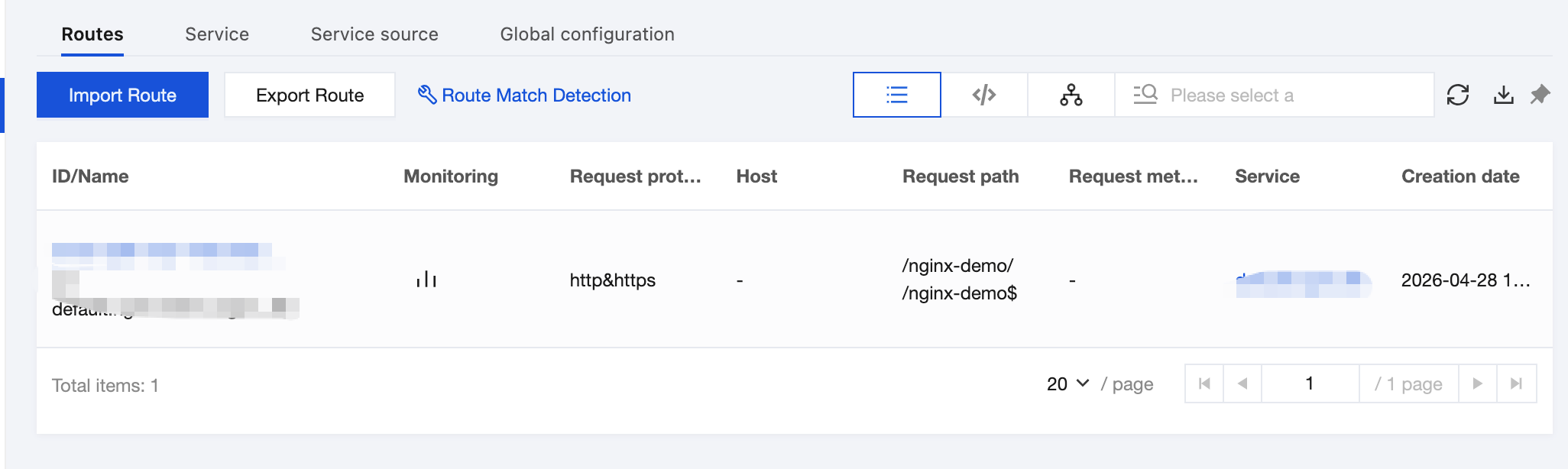
2. In the left sidebar, click Route Management, select an instance at the top of the page, and click the Service tab.
3. Click the target service name to go to the Route Management tab.
4. Click Create in the upper left corner and specify the basic route information.
When the backend request protocol is HTTP or HTTPS, parameters described in the following table need to be configured.
parameter
Required
Remarks
Route Name
No
The route name can be left blank, and Chinese characters, letters, digits, hyphens (-), underscores (_), and tildes (~) are supported.
request protocol
Yes
HTTP & HTTPS and HTTPS are supported.
Matching Rule
Yes
At least one of the request method, request path, and host should be configured. Headers are optional.
Strip Path
No
Used to remove the matching prefix from the request URL of requests to the backend service when a route is matched based on the request path. It is enabled by default.
Reserve Host
No
Whether to use the request host when a request is sent to the backend service. It is disabled by default.
Request Buffer
No
It is enabled by default. When enabled, the gateway caches client requests and forwards them in chunks to the backend service. After disabling, the gateway directly forwards client requests to the backend service. If the configured plug-in needs to read the request body, it does not support closing the buffer.
Response Buffer
No
It is enabled by default. When it is enabled, the gateway caches backend service responses and returns them to the client in a unified manner. After it is disabled, the gateway directly returns response data to the client. If an associated plug-in needs to read the response body, disabling the buffer is not supported.
Remarks:
1. To configure routing based on a regular expression, set the request path to a regular expression.
2. The Host field is case-sensitive.
When the backend request protocol is TCP/UDP, enter the route name and request port.
5. Click Next to go to the backend service configuration, confirm that the backend service information is correct, and click Submit.
Single-service: Requests are forwarded to one backend service through the route.
Multi-service: It is not supported.
6. Click Submit to complete route creation. If the created route is displayed in the route list under Route Management, the route is created successfully.
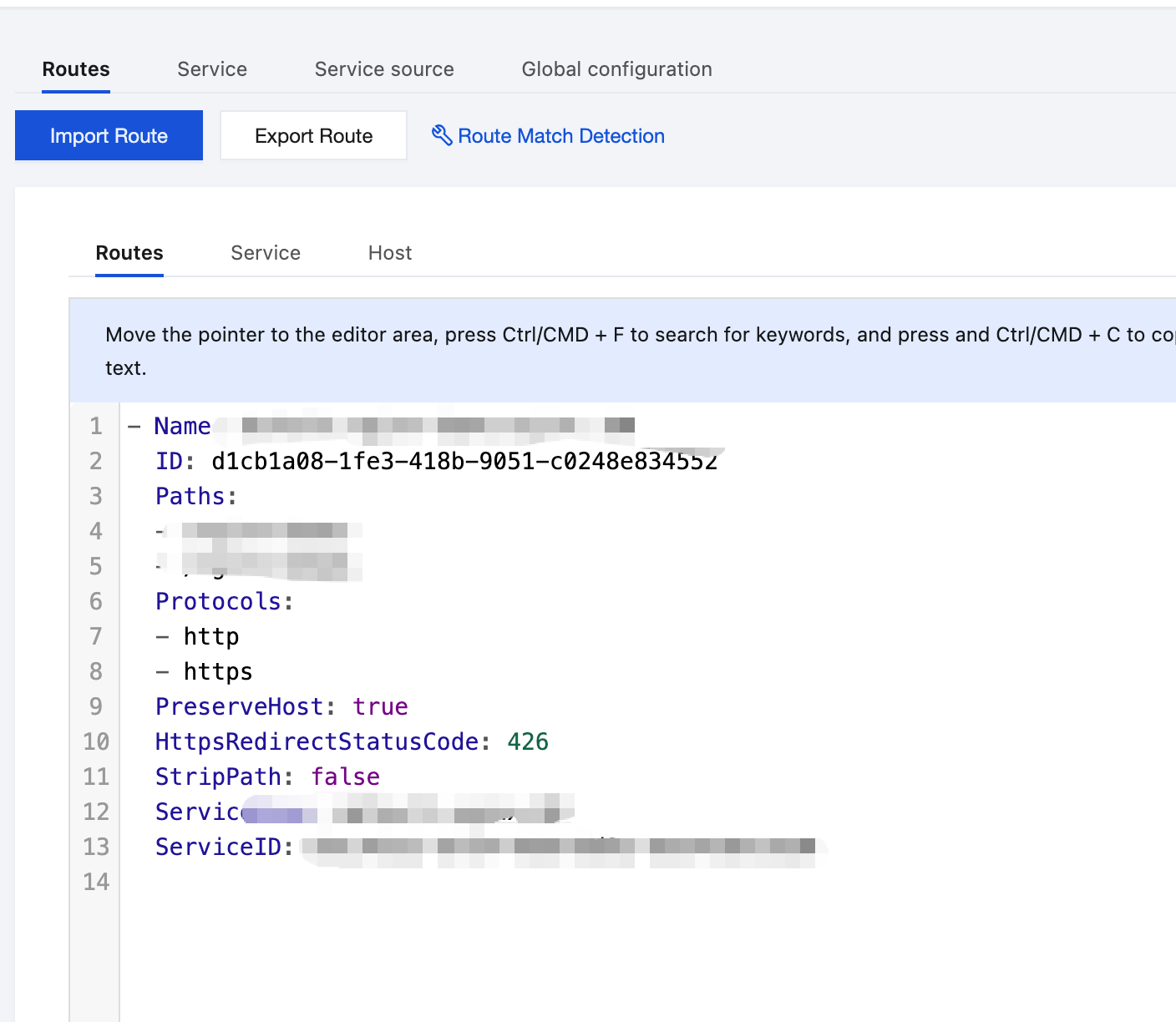
7. In the upper right corner of the route list, you can switch to the YAML view to view information.
Verifying Request Forwarding
Send an API request and verify that the request is forwarded to the service in the registry/container cluster.
Scenario 1: HTTPS Required
Scenario description
HTTPS uses digital certificates, encryption algorithms, and asymmetric keys to encrypt information, ensuring data security and integrity during transmission. In scenarios with extremely high information security requirements, only HTTPS requests can access services. For HTTP requests, automatic redirection from HTTP to HTTPS is required. The entire process is transparent and imperceptible to users.
operation method
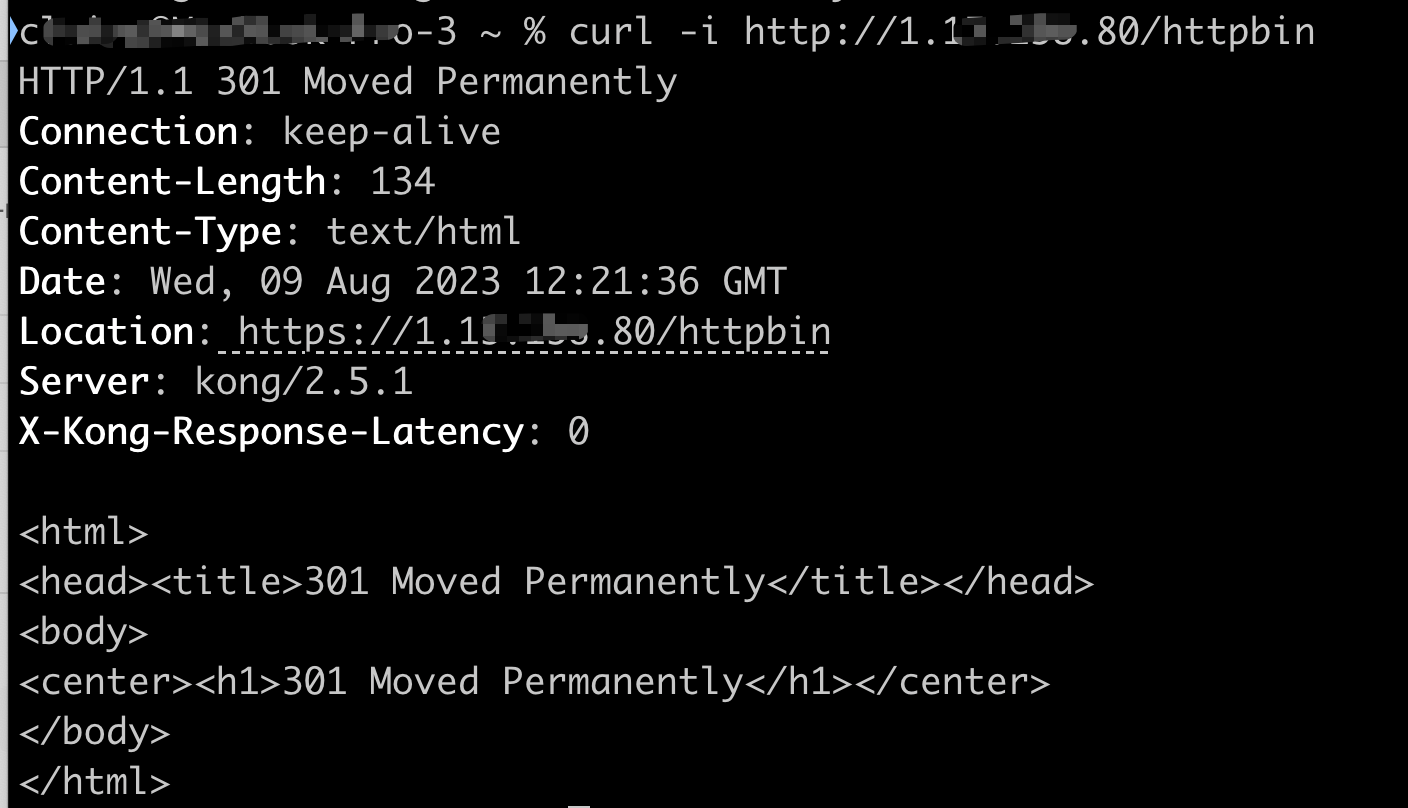
1. Create/edit route and specify request protocol as HTTPS, set redirection status code to 301 (Moved Permanently).
2. Route an HTTP request to the backend service. You can see that the 301 status code (meaning redirection) is returned, and the request is redirected to an HTTPS request.