Using HMAC Auth for Access Authentication
Scenarios
This document describes how to implement authenticated access on the Kong Cloud Native API Gateway using the HMAC Authentication plugin.
Prerequisites
A Cloud Native API Gateway instance is purchased. For details, see Creating a Gateway Instance.
Backend services and routes are configured.
Operation Steps
This scenario uses the configuration of a Route plugin as an example to guide you on how to implement HMAC Auth authenticated access.
Step 1: Configuring the HMAC Authentication Plugin
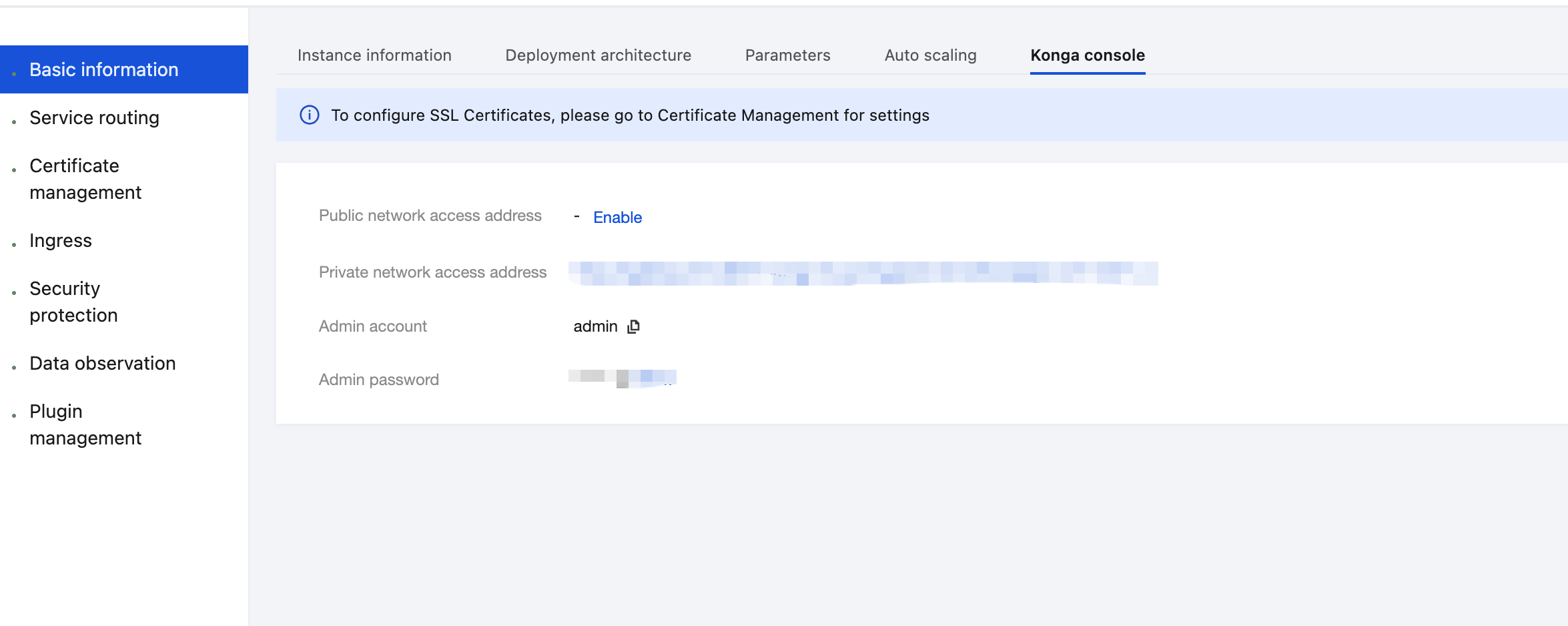
1. Log in to the Tencent Service Framework (TSF) console, go to the details page of the Cloud Native API Gateway instance for which the HMAC Authentication plugin needs to be configured, and view the Konga console login method on the Konga Console tab page.
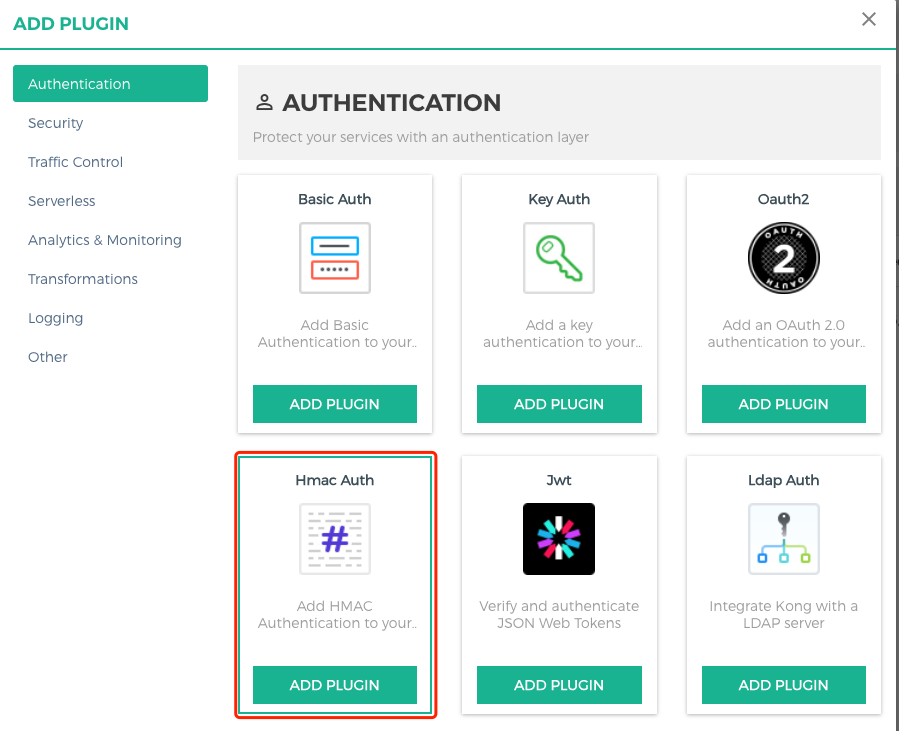
2. Log in to the Konga management console, go to the Route details page that requires rate limiting, click the Add Plugin button to create a plugin, and select the HMAC Auth plugin under the Authentication group.
3. Configure the parameters for the Key Authentication plugin, press Enter, and save the settings.
consumer: Enter the ID of the consumer that requires application access control. If it is left blank, the IP address access control applies to all consumers.hide credentials: whether to hide credentials from the upstream service.anonymous: optional string (user uuid) used as the "anonymous" user if authentication fails. If it is empty (default), the request fails, identity authentication fails, and a 4xx response is returned. Note that this value should refer to the consumer ID field rather than the custom_id field in Cloud Native API Gateway.clock skew: clock skew seconds to prevent the replay attack.validate request body: whether body verification is enabled.enforce headers: list of HTTP headers that should participate in HMAC signature calculation.algorithms: list of HMAC digest algorithms the user wants to support. Allowed values are hmac-sha1, hmac-sha256, hmac-sha384, and hmac-sha512. By default, all these values are supported.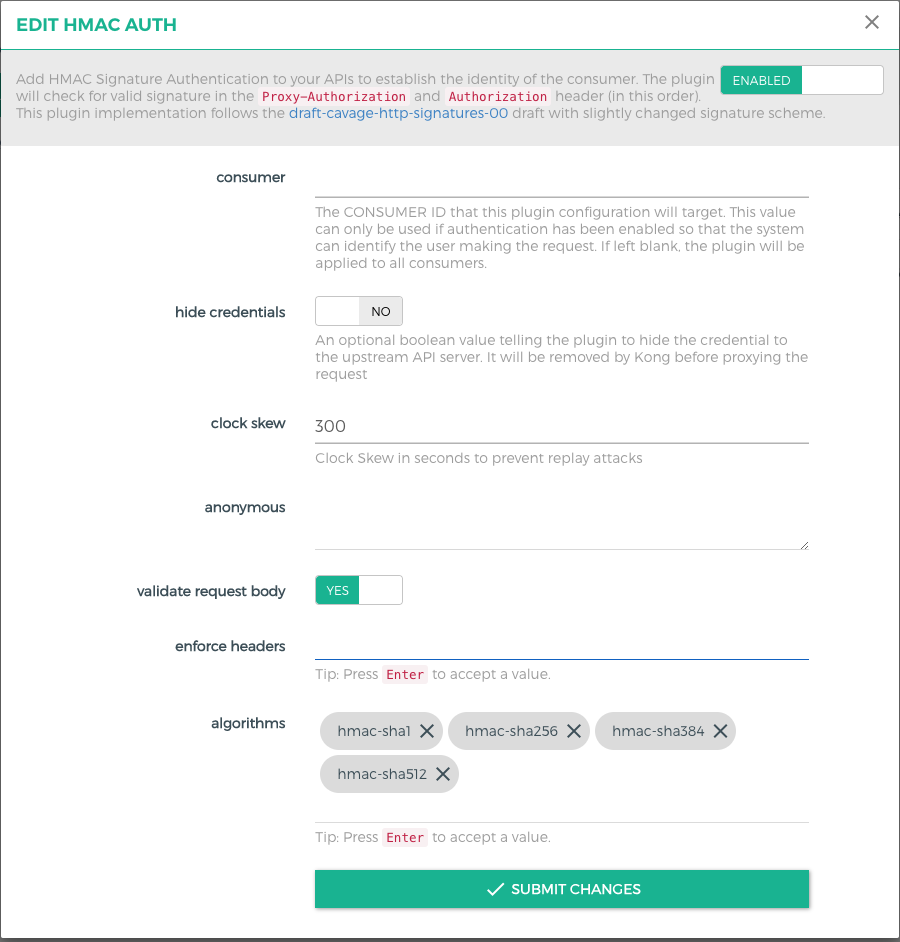
Step 2: Creating a Consumer
1. Go to the CONSUMERS page to create a consumer.
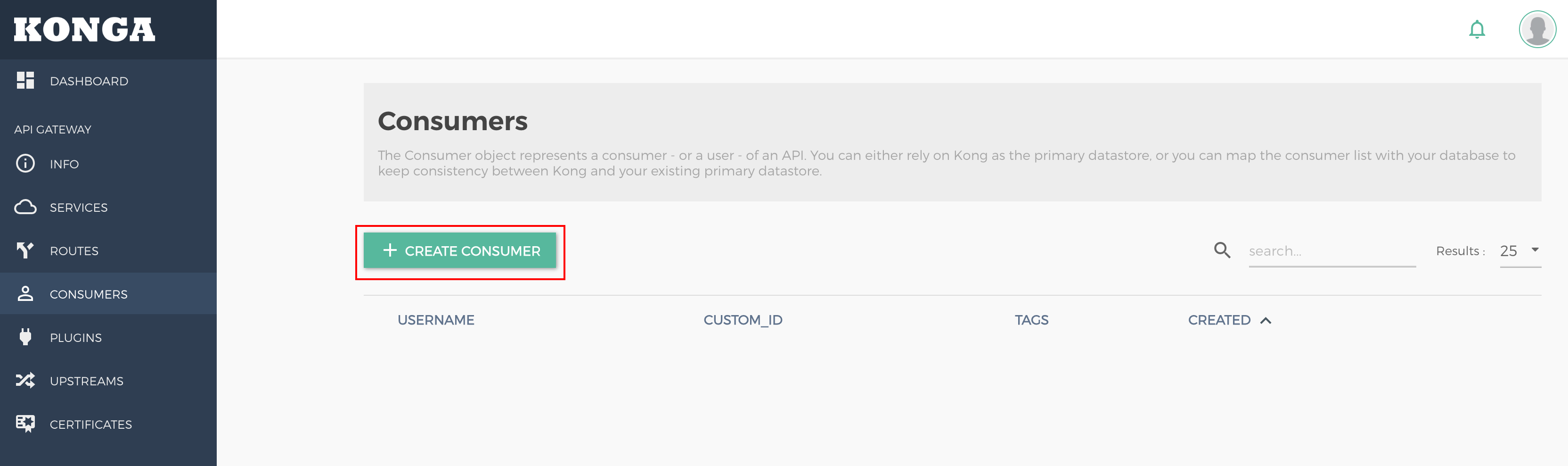
username: user (application) name. Either this field or custom_id should be specified.custom_id: custom identifier used to map the user to another database. Either this field or username should be specified.Tags: tag.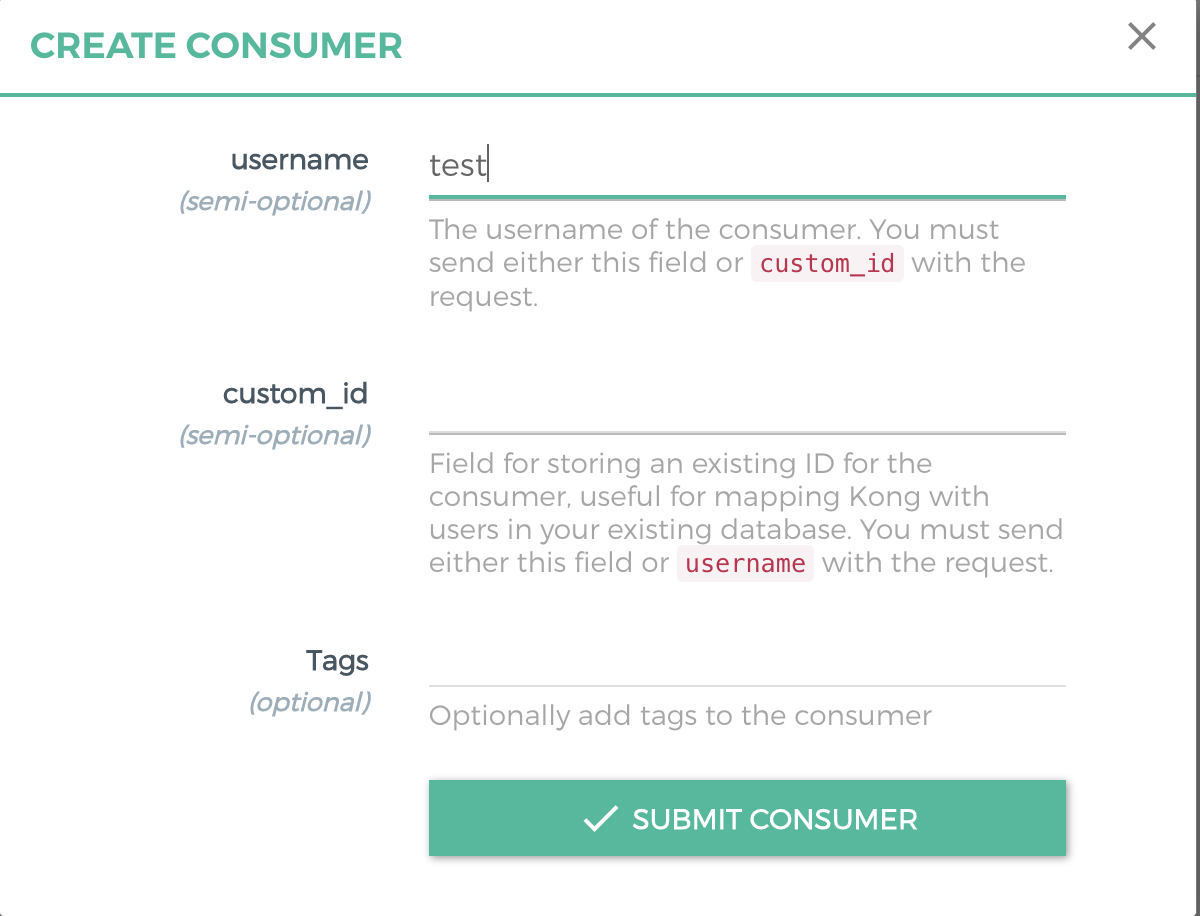
2. Create an HMAC Auth credential for the consumer.
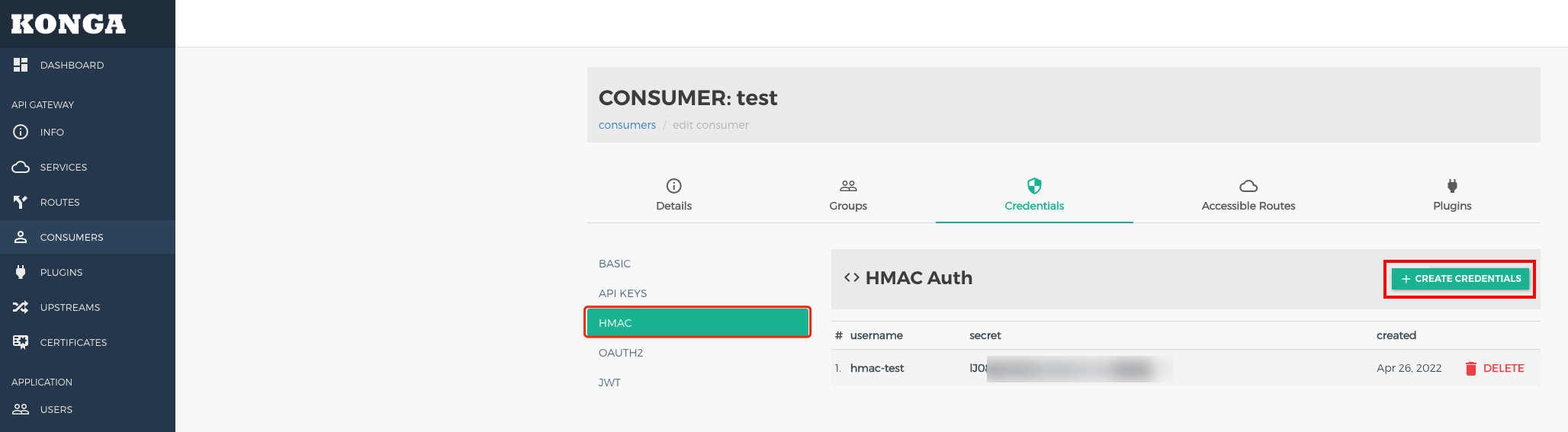
username: username used in HMAC signature verification.secret: secret value. If it is not specified, a secret is generated automatically by default.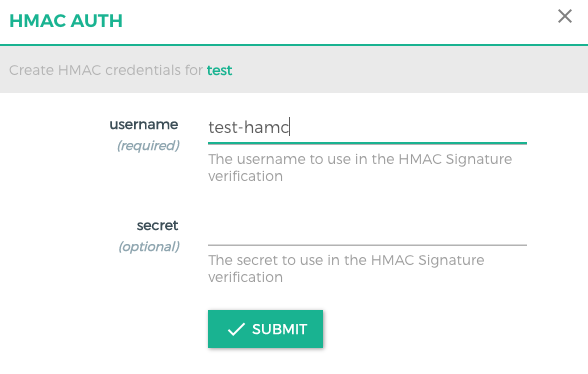
Step 3: Using the Signature Authentication Solution
The client is expected to send the Authorization or Proxy-Authorization header using the following parameters:
Example:
Authorization: hmac username="username", algorithm="hmac-sha1", headers="x-date digest", signature="Base64(HMAC-SHA1(signing_str, secret))"Signature Parameters
username: username of the credential.algorithm: digital signature algorithm used to create signatures.headers: list of HTTP header names used to sign requests, which are separated by spaces.signature: base64-encoded digital signature generated by the client.Constructing a Signature String
To generate a string signed with a key, the client should obtain the value of each HTTP header specified by headers in the order they appear.
1. If the title name is not request-line, attach a lowercase title name followed by an ASCII colon and an ASCII space.
2. If the title name is request-line, attach the HTTP request line (ASCII format). Otherwise, append the title value.
3. If the value is not the last, attach an ASCII line break \\n. The string should not contain trailing ASCII line breaks.
4. The server and request client should synchronize with the Network Time Protocol (NTP) server and send the validity date (in GMT format, such as Mon, 19 Mar 2018 12:08:40 GMT) using the X-Date or Date header.
Body Validation
Users can set config.validate_request_body to true to validate the request body. If it is set to true, the plugin calculates the SHA-256 HMAC digest of the request body and matches it with the value of the Digest header. The Digest header should be in the following format:
Digest: SHA-256=base64(sha256(<body>))If no request body is available, set Digest to the body digest with a length of 0.
Note:
To create the digest of the request body, the plugin needs to keep it in memory, which may cause pressure on the Lua VM of the worker when processing large bodies (several MB) or a large number of concurrent requests.
Step 4: API Request Demo
Note:
The following demo is for reference only. For POST and GET requests, modify it based on the actual scenario.
Python version
# -*- coding: utf-8 -*-import base64import datetimeimport hashlibimport hmacimport jsonimport requestsfrom urllib.parse import urlparse, urlencode#usernameUsername = 'xxx'#secretSecret = 'xxxx'# Access the address.Url = 'http://test.com/'HTTPMethod = 'POST' # methodAccept = 'application/json'ContentType = 'application/json'urlInfo = urlparse(Url)Host = urlInfo.hostnamePath = urlInfo.pathDigest = ''GMT_FORMAT = '%a, %d %b %Y %H:%M:%S GMT'xDate = datetime.datetime.utcnow().strftime(GMT_FORMAT)body_json = ''# Modify the body content.if HTTPMethod == 'POST' :# Enter the actual request body.body = { "arg1": "a", "arg2": "Chinese" }body_json = json.dumps(body)body_digest = hashlib.sha256(body_json.encode()).digest()Digest = "SHA-256=" + base64.b64encode(body_digest).decode()# Obtain the signature string.signing_str = 'x-date: %s\\ndigest: %s' % (xDate, Digest)# Calculate the signature.sign = hmac.new(Secret.encode(), msg=signing_str.encode(), digestmod=hashlib.sha1).digest()sign = base64.b64encode(sign).decode()auth = "hmac username=\\"" + Username + "\\", algorithm=\\"hmac-sha1\\", headers=\\"x-date digest\\", signature=\\""sign = auth + sign + "\\""// Send the request.headers = {'Host': Host,'Accept': Accept,'Content-Type': ContentType,'x-date': xDate,'Authorization': sign,'Digest': Digest}if HTTPMethod == 'GET' :ret = requests.get(Url, headers=headers)if HTTPMethod == 'POST' :ret = requests.post(Url, headers=headers, data=(body_json))print(ret.headers)print(ret.text)
Java version
package org.example;import org.apache.http.HttpEntity;import org.apache.http.HttpResponse;import org.apache.http.client.methods.HttpPost;import org.apache.http.client.methods.HttpGet;import org.apache.http.entity.StringEntity;import org.apache.http.impl.client.CloseableHttpClient;import org.apache.http.impl.client.HttpClients;import org.apache.http.util.EntityUtils;import javax.crypto.Mac;import javax.crypto.spec.SecretKeySpec;import java.net.URI;import java.nio.charset.StandardCharsets;import java.text.SimpleDateFormat;import java.util.Base64;import java.util.Date;import java.util.Locale;import java.util.TimeZone;public class Main {public static void main(String[] args) throws Exception {String username = "xxxx";String secret = "xxxx";String url = "http://www.test.com/";String httpMethod = "POST";String accept = "application/json";String contentType = "application/json";URI uri = new URI(url);String host = uri.getHost();String digest = "";SimpleDateFormat format = new SimpleDateFormat("EEE, dd MMM yyyy HH:mm:ss z", Locale.US);format.setTimeZone(TimeZone.getTimeZone("GMT"));String xDate = format.format(new Date());String body = "";if (httpMethod.equals("POST")) {body = "arg1=a&arg2=Chinese";}byte[] bodyDigest = java.security.MessageDigest.getInstance("SHA-256").digest(body.getBytes(StandardCharsets.UTF_8));digest = "SHA-256=" + Base64.getEncoder().encodeToString(bodyDigest);System.out.println(digest);String signingStr = "x-date: " + xDate + "\\ndigest: " + digest;Mac mac = Mac.getInstance("HmacSHA1");mac.init(new SecretKeySpec(secret.getBytes(StandardCharsets.UTF_8), "HmacSHA1"));byte[] signBytes = mac.doFinal(signingStr.getBytes(StandardCharsets.UTF_8));String sign = Base64.getEncoder().encodeToString(signBytes);String auth = "hmac username=\\"" + username + "\\", algorithm=\\"hmac-sha1\\", headers=\\"x-date digest\\", signature=\\"";sign = auth + sign + "\\"";HttpResponse response = null;CloseableHttpClient httpClient = HttpClients.createDefault();if (httpMethod.equals("POST")) {HttpPost httpPost = new HttpPost(url);httpPost.setHeader("Host", host);httpPost.setHeader("Accept", accept);httpPost.setHeader("Content-Type", contentType);httpPost.setHeader("x-date", xDate);httpPost.setHeader("Authorization", sign);if (!digest.isEmpty()) {httpPost.setHeader("Digest", digest);}StringEntity entity = new StringEntity("arg1=a&arg2=Chinese", "UTF-8");httpPost.setEntity(entity);response = httpClient.execute(httpPost);} (httpMethod.equals("GET")) {HttpGet httpGet = new HttpGet(url);httpGet.setHeader("Host", host);httpGet.setHeader("Accept", accept);httpGet.setHeader("Content-Type", contentType);httpGet.setHeader("x-date", xDate);httpGet.setHeader("Authorization", sign);if (!digest.isEmpty()) {httpGet.setHeader("Digest", digest);}response = httpClient.execute(httpGet);}HttpEntity responseEntity = response.getEntity();System.out.println(EntityUtils.toString(responseEntity));}}
Related Instructions
피드백