Tag Management
Scenarios
This task guides you to bind and modify Tags for the Microservices Engine instance.
Prerequisites
You have a Tencent Cloud root account and have activated the Tencent Cloud CAM service.
The root account has at least one sub-account, and authorization has been completed according to Granting Sub-account Access Permissions.
Have at least one Microservices Engine instance.
Have at least one Tag. If you don't have any, you can go to Tag Console > Tag List to create one.
Operation Steps
Resource Tag Binding
1. Use root account to log in to the TSF console, select existing engine instances, and click to go to the details page.
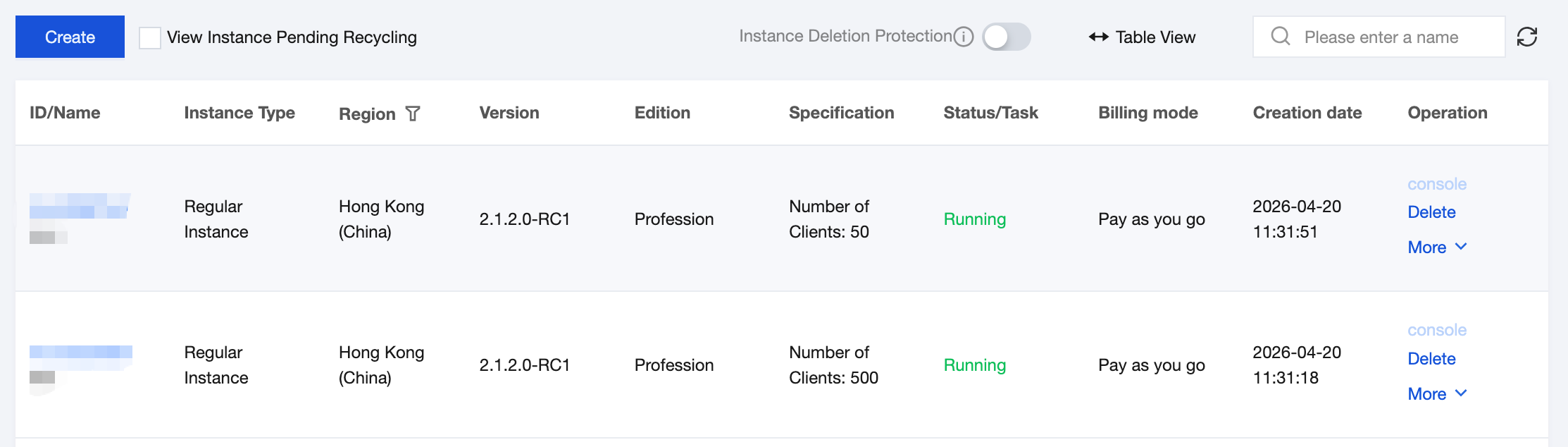
2. Click to go to the instance details page of an engine instance, then click the edit icon for the Tag.

3. Click Add, select the tag key and tag value to be bound, and complete binding Tags to the TSE instance.
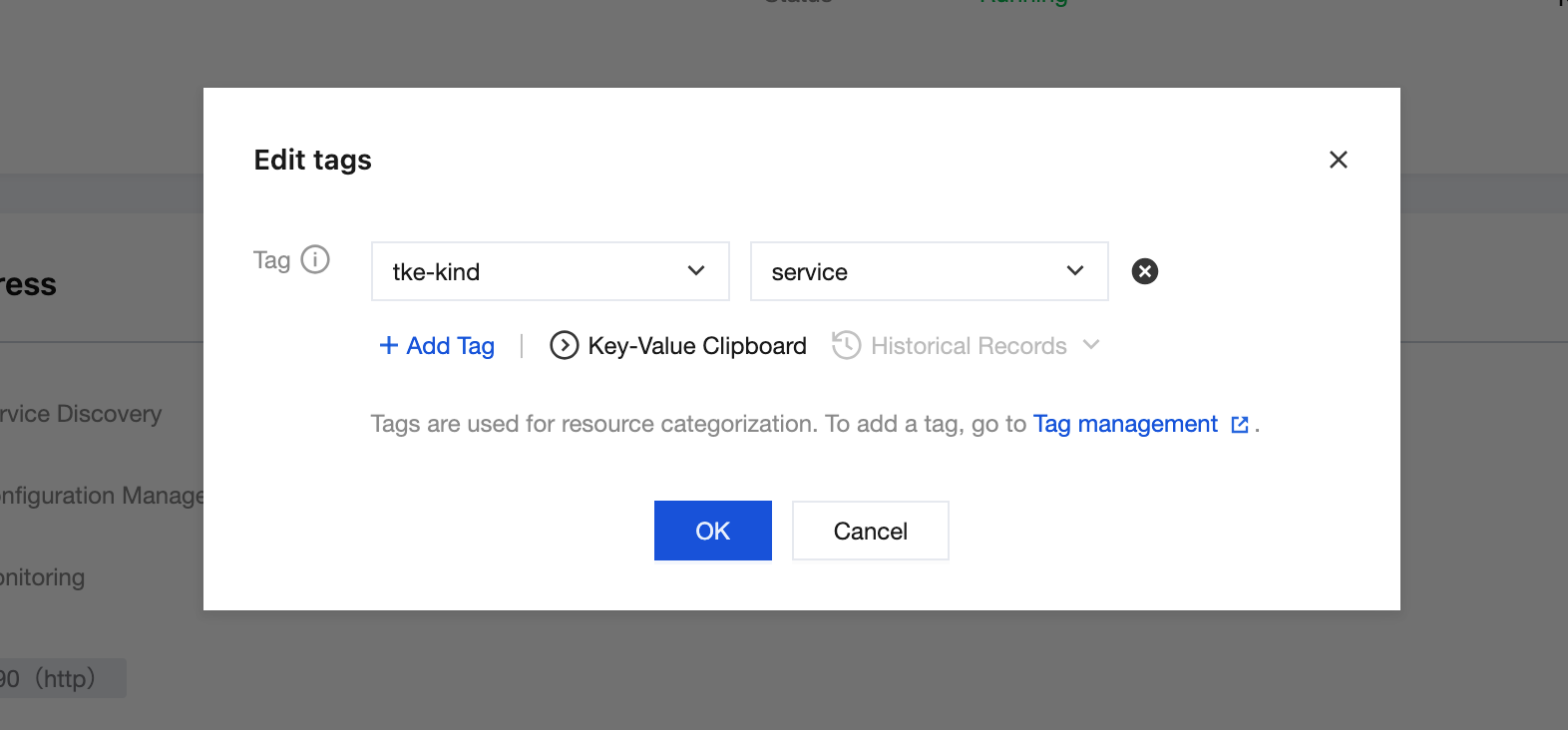
Editing Tags
1. Log in to TSF console, select existing engine instances, and click to go to the details page.
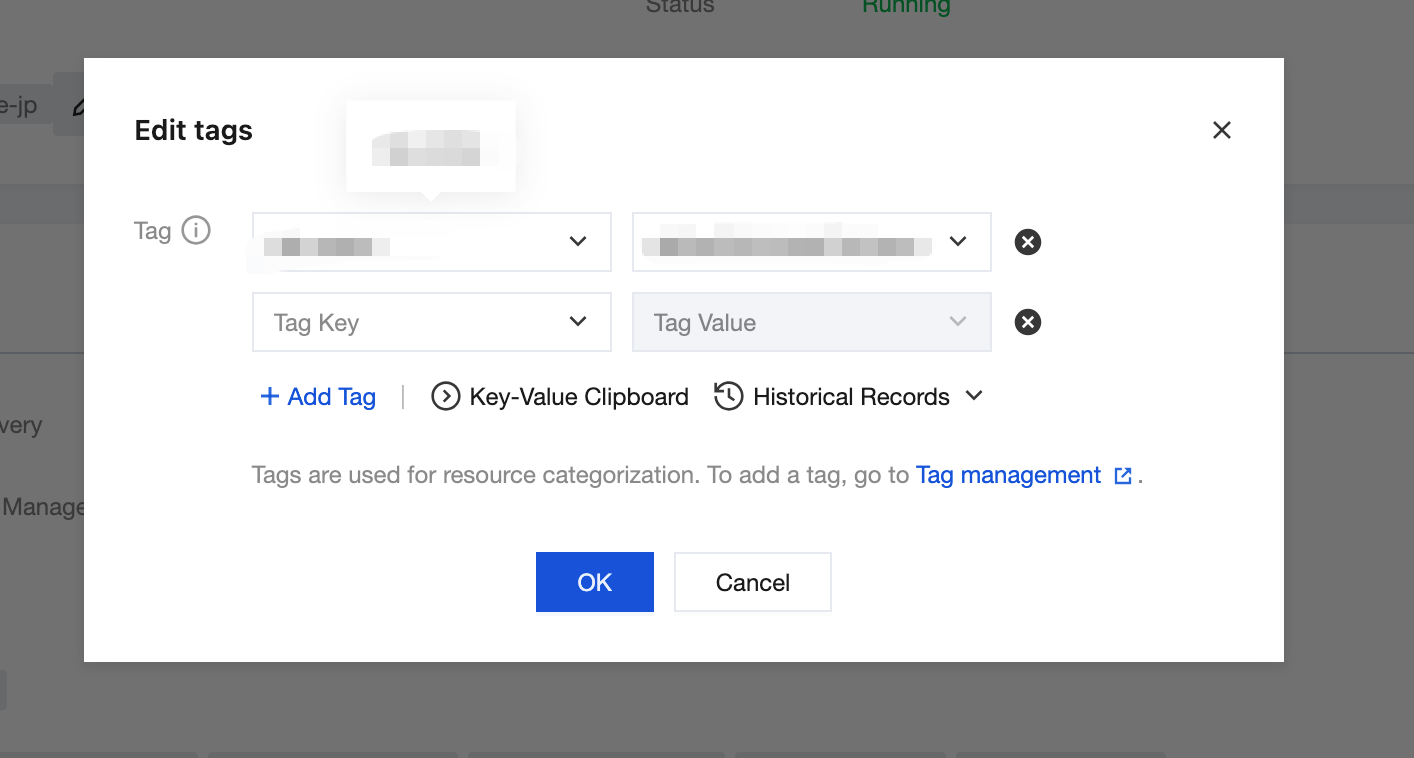
2. Click to go to the basic information page of an engine instance, then click the edit icon for the Tag.

3. You can add, delete, modify, and perform other operations on the Tags bound to the instance.
Appendix
For more information on how to use tags, see Tag.
If you require tag-based authorization capabilities for Microservices Engine instances, see Grant by Tag.
피드백