Service Instance Isolation
Scenarios
In microservices scenarios, when certain instances of a service provider become abnormal, it is necessary to prevent service consumers from accessing these abnormal instances while preserving the exception context for subsequent troubleshooting. The instance isolation feature of Polaris will isolate abnormal instances, allowing you to log in to the instance for investigation while ensuring service consumers cannot access them. After the abnormality is resolved, you can cancel the isolation to restore normal usage, thereby improving the stability and quality of your business.
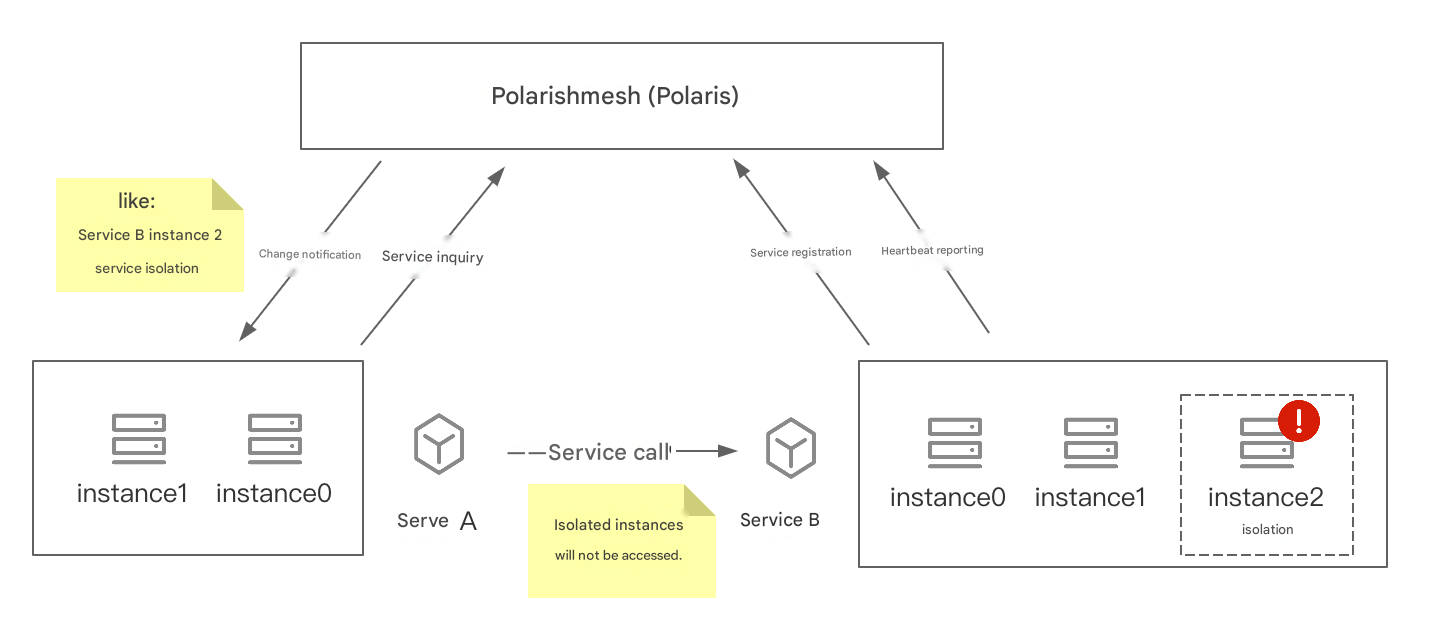
For example, in the example scenario shown in the figure below, there are two services, Service A and Service B. Service A is the service consumer, and Service A calls Service B. Service B has deployed 3 instances and registered to Polaris (North Star). Service A queries Polaris (North Star) for Service B's information.
When an abnormality occurs in Instance 2 of Service B, it may cause some call failures for Service A. You can set Instance 2 to the isolated state. At this point, Polaris (North Star) will notify Service A of the change, and Service A will update the IP list for accessing Service B, thereby ensuring that when Service A accesses Service B, it does not access the isolated instance, thus guaranteeing successful service calls.
This article describes how to leverage the service instance isolation capability through the Tencent Microservices Platform console.
Operation Steps
Isolated Service Instances
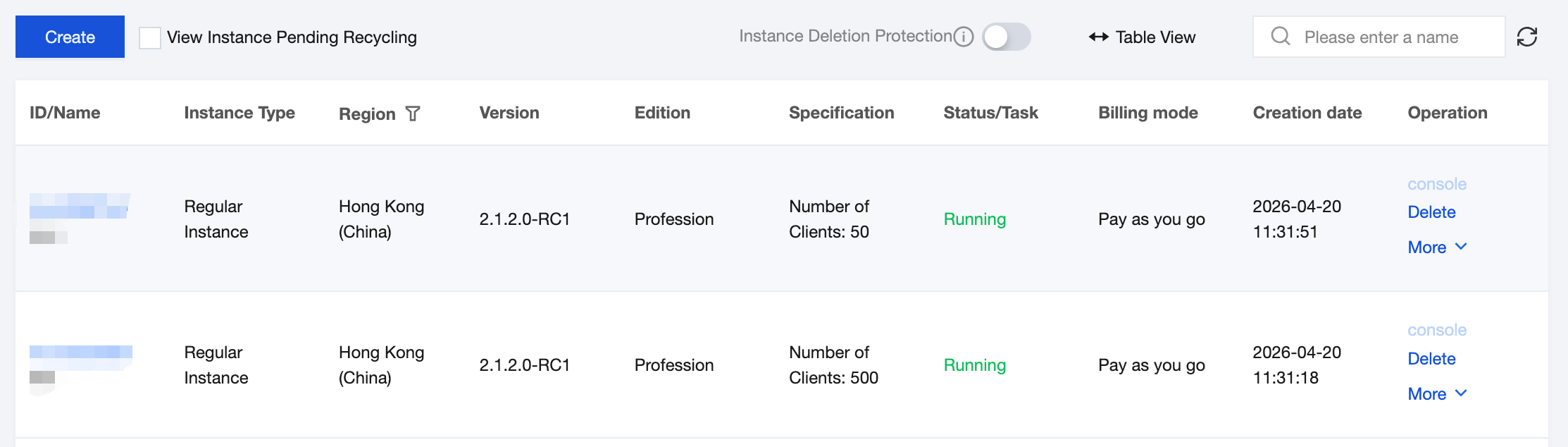
1. Log in to the TSF console, select Polaris (Polaris) in the left sidebar to go to the Polaris engine instance list page.
2. Click Console in the Operations column of the target instance engine, enter your username and password to enter the POLARIS MESH console page.
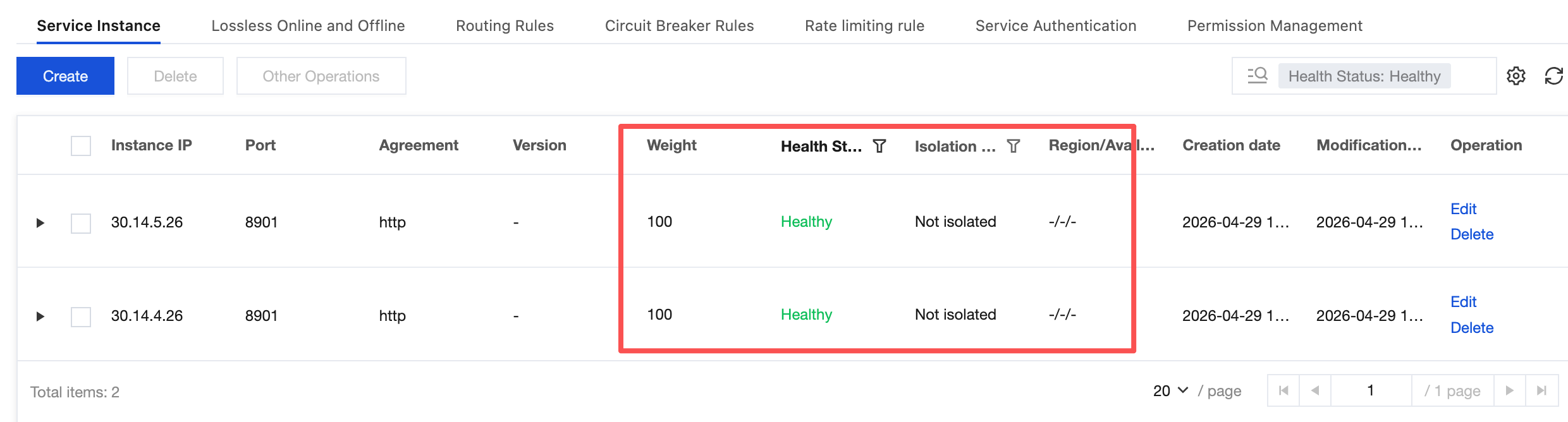
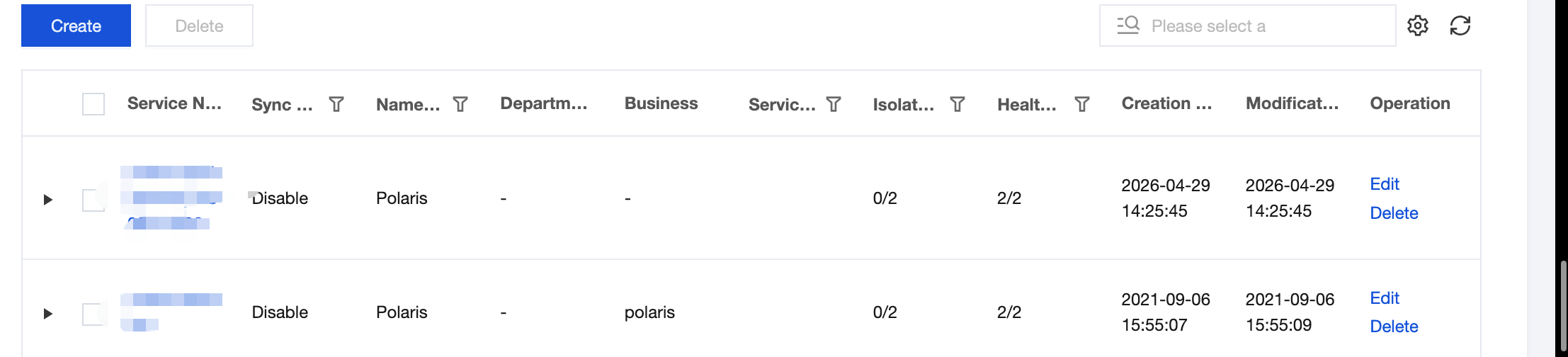
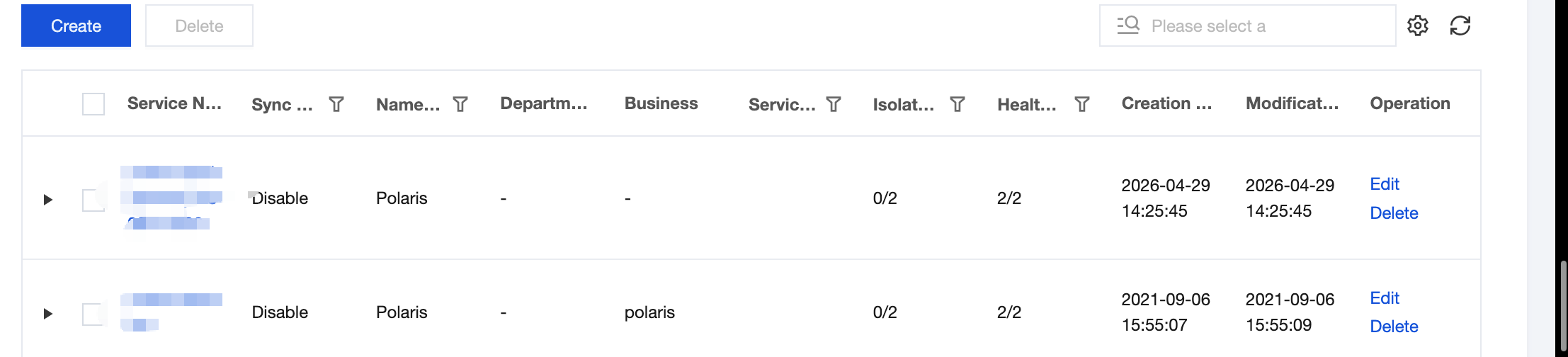
3. In the left sidebar, select Service List, select a specific service, and click the service name to go to the service instance page.
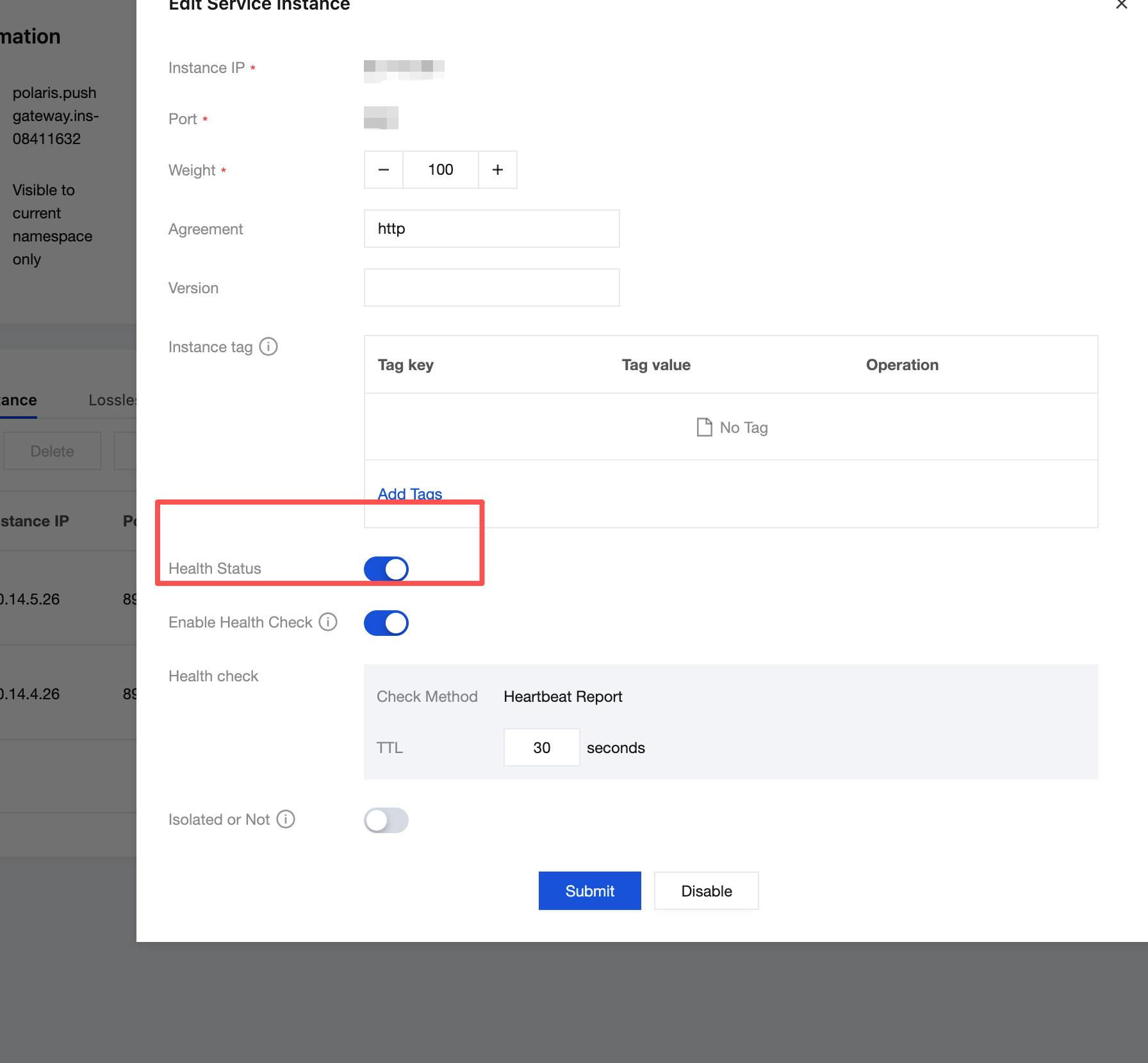
4. Select the abnormal instance, click Other Operations, and then click Modify Isolation Status.
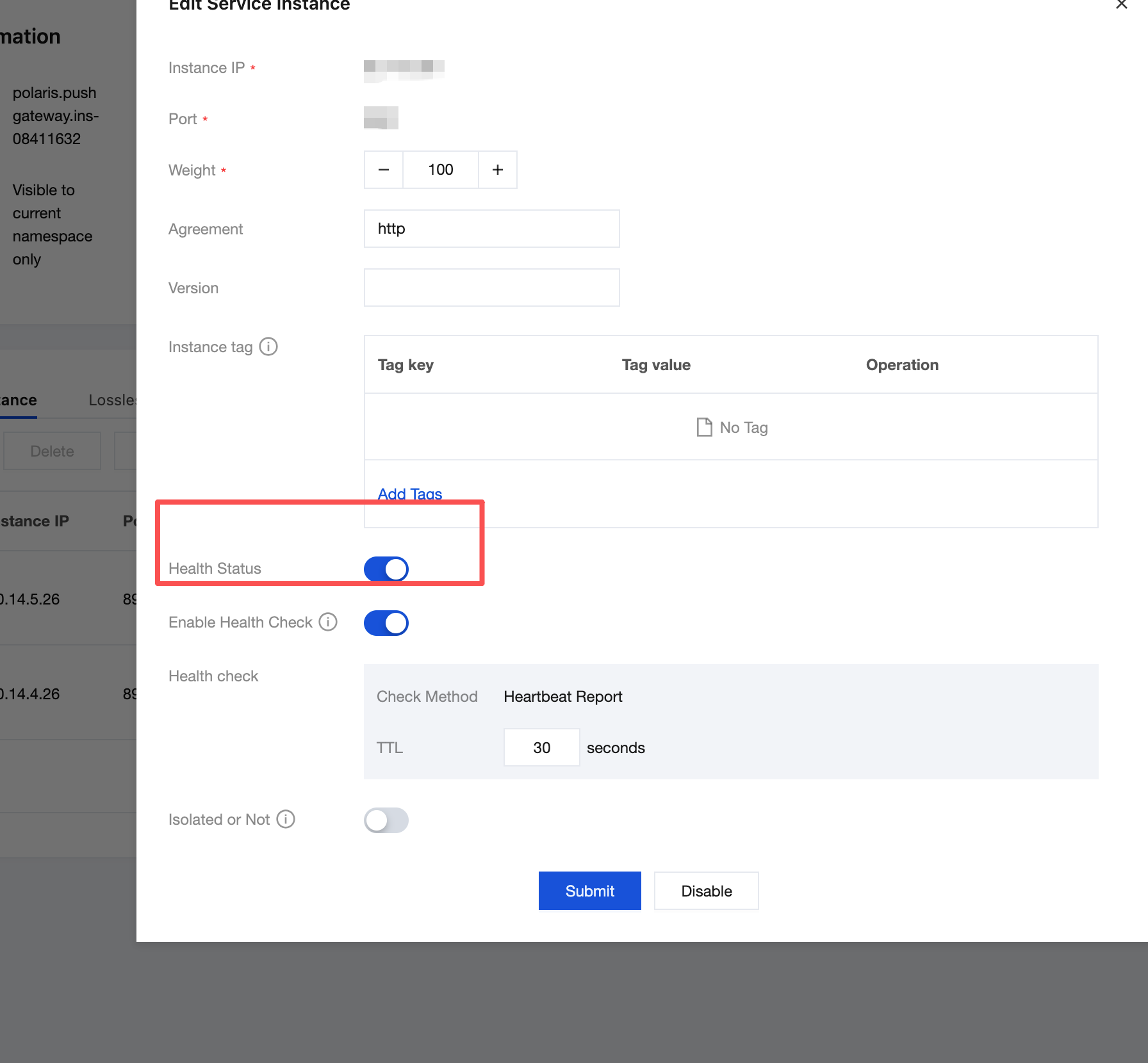
5. Turn on the isolation switch and click Submit.
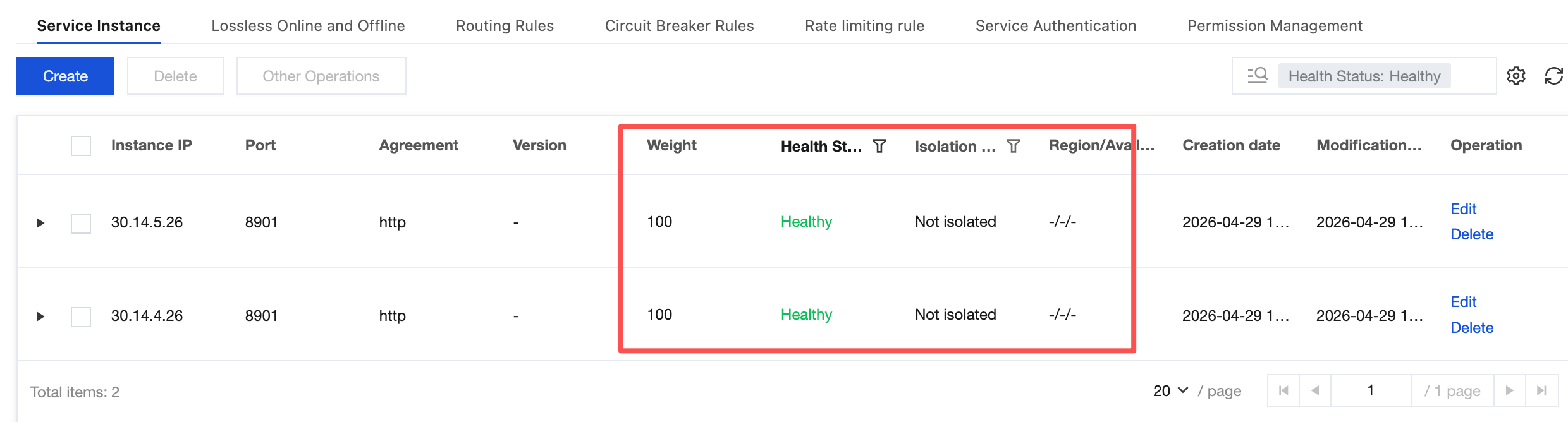
Return to the Service Instance page to see that the isolation status of the service instance has been updated to Isolated. At this point, when the service is called, it will not be routed to this isolated instance.
Cancel Isolation
When the instance returns to normal, the service instance isolation can be removed.
1. On the Service Instance list page, select the instance to be restored, click Other Operations, and then click Modify Isolation Status.
2. Disable the isolation switch and click Submit.
3. Return to the Service Instance page to see that the isolation status of the service instance has been updated to Not Isolated. At this point, when the service is called, it can be routed to this instance.
피드백