Configuring a Security Group for an ENI
Download
포커스 모드
폰트 크기
One or more security groups can be bound to a secondary Elastic Network Interface (ENI) to implement access control for the inbound and outbound traffic of the ENI. After creating a secondary ENI, you need to bind security groups to the ENI based on actual business requirements, and the security groups that are the same as or different from those of Cloud Virtual Machine (CVM) instances can be bound. If no security groups are bound to your ENI, the ENI allows all traffic by default.
This document describes how to bind and unbind a security group to and from an ENI.
Note:
Before binding or unbinding a security group, please ensure the security group rule meet your business requirements to avoid network interruptions caused by the non-compliant security group rule.
Prerequisites
Operation Steps
Binding a Security Group
1. Log in to the ENI console.
2. Click the ID of the ENI to which you want to bind a security group.
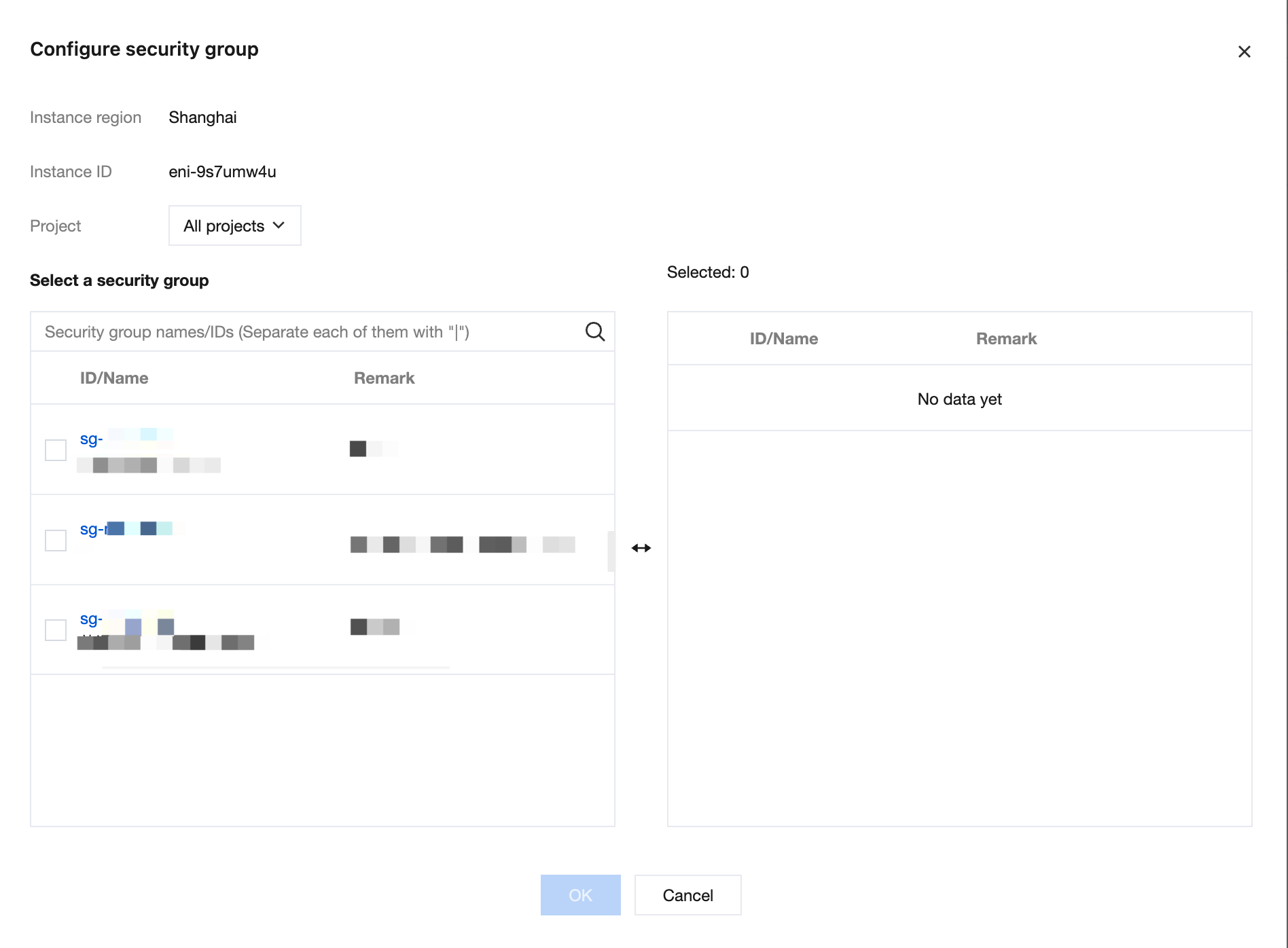
3. On the Bind Security Group tab of the details page, click Configure.

4. In the Configure Security Group dialog box, select the security group prepared in advance and click OK to complete the binding operation. If multiple security groups are bound, the one at the top of the list has the highest priority and is matched first.
Unbinding a Security Group
Note:
One security group must be bound to the primary ENI. If the primary ENI has only one security group, the security group cannot be unbound.
It is recommended that a secondary ENI have at least one security group.
1. Log in to the ENI console.
2. Click the ID of the ENI from which you want to unbind a security group.
3. On the Associate Security Group tab of the details page, click Unbind in the Operation column of the security group to be unbound.
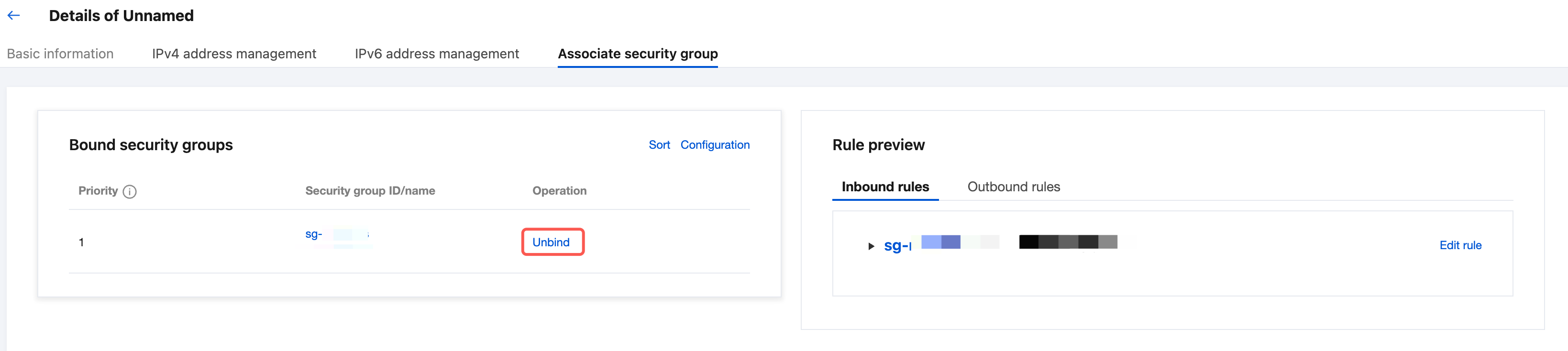
4. In the displayed dialog box, click OK.
피드백