Managing Publish-Subscribe
Download
포커스 모드
폰트 크기
Operation Scenarios
You can manage Publish/Subscribe via the SQL Server console, including creating, viewing, and deleting Publish/Subscribe tasks.
Note:
During the enabling period of the publish-subscribe feature, it is advisable to refrain from manipulating the data in the subscription database, as this may lead to inconsistencies in data synchronization.
Feature Limits
This feature is available only when the publishing instances and subscribing instances are TencentDB for SQL Server instances.
Only database-level publication and subscription are supported.
A read-only instance cannot serve as a publishing or subscribing server.
The publishing and subscribing instances must have the same version and situate in the same region, though they can be in different availability zones.
Data tables without a primary key cannot be subscribed to. The following code can be employed to examine whether the database to be published contains tables not equipped with a primary key.
use dbnameselect name from sys.sysobjects where xtype='U' and id not in(select parent_obj from sys.sysobjects where xtype='PK')
When a database with the same name exists in both the publishing and subscribing instances, such a database cannot be subscribed to.
Once a Publish/Subscribe link is established, if a database in the link is deleted, the established Publish/Subscribe link will accordingly be deleted.
If either the publishing or subscribing instance is terminated, the corresponding Publish/Subscribe link will also be deleted.
Prerequisites
The SQL Server instances have been established. Ensure a minimum of two instances. For more information, refer to Creating SQL Server Instance.
The steps are as follows:
Establishing Publish-Subscribe Relationships
1. Log into the SQL Server console. In the instance list, click the Instance ID or Manage in the Operation column to access the instance management page.
2. On the instance management page, select the Publish/Subscribe tab and then click Create.

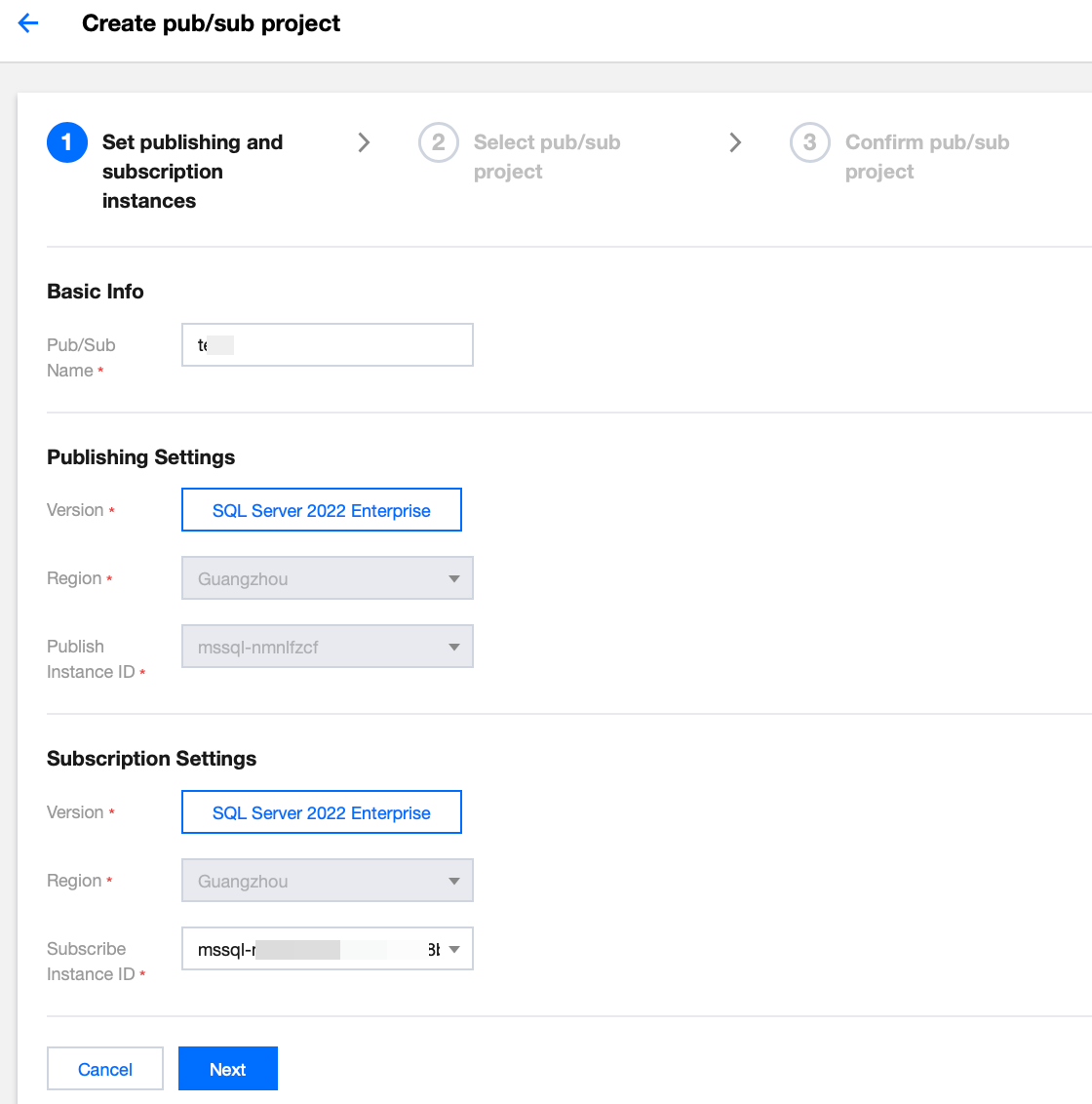
3. On the Set publishing and subscription instances page, enter the Publish/Subscribe Name, select the Subscribe Instance ID, and click Next.
Note:
A read-only instance cannot serve as a publishing or subscribing server.
The publishing and subscribing instances must have the same version and situate in the same region, though they can be in different availability zones.
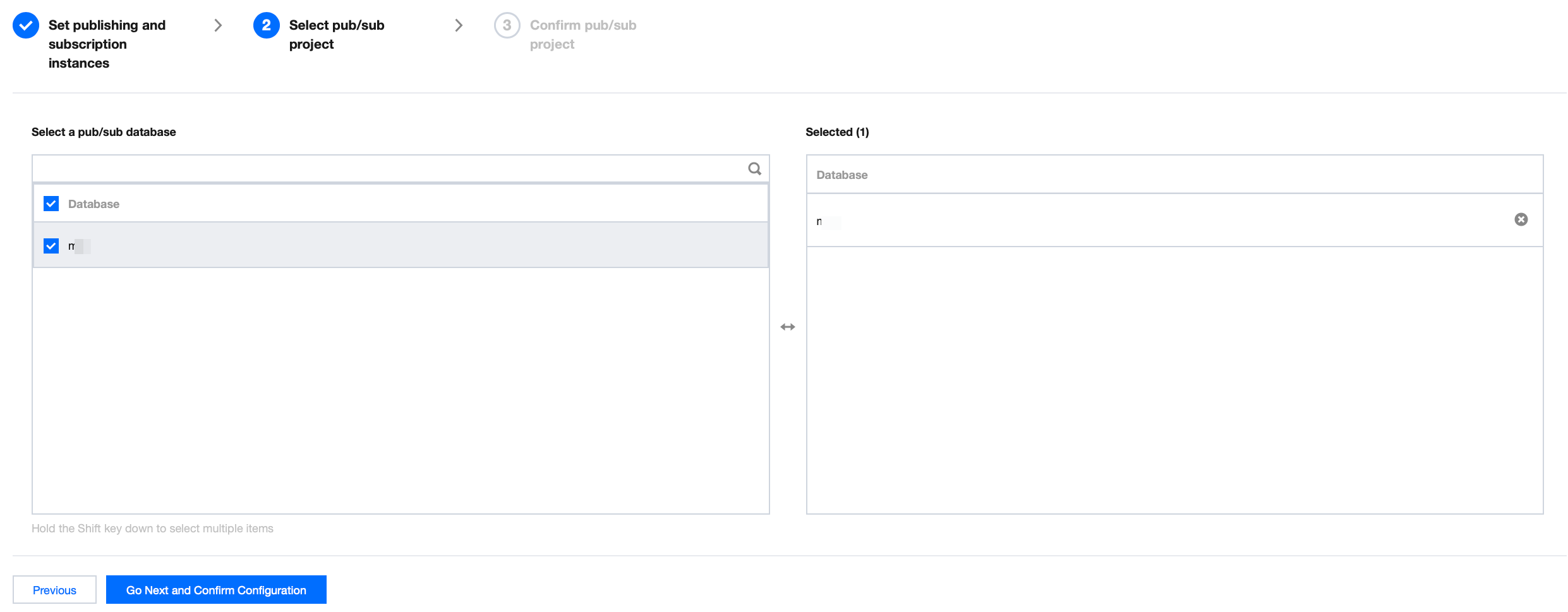
4. On the Select pub/sub project page, select a pub/sub database (you can select multiple databases), then click Go Next and Confirm Configuration.
Note:
You can configure up to 80 databases to be published/subscribed to in each Publish/Subscribe operation by default.
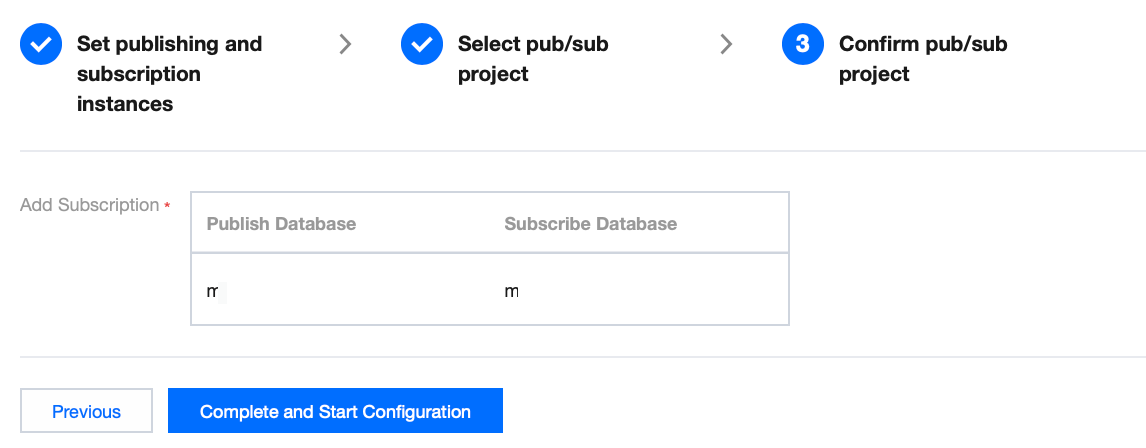
5. On the Confirm pub/sub project page, confirm the configuration information for Publish/Subscribe, then click Complete and Start Configuration.
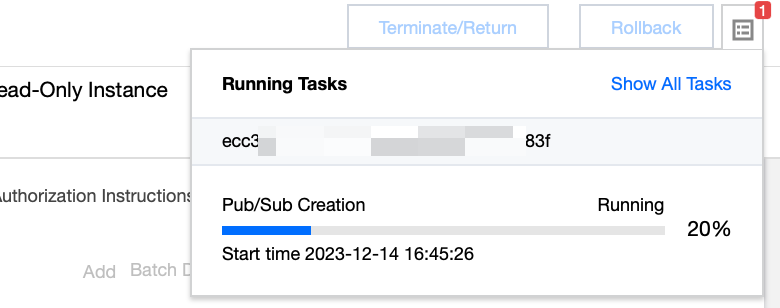
You can view the progress of the Pub/Sub Creation via Running Tasks in the upper right corner of the Publish/Subscribe page.
Viewing Publish/Subscribe Status
1. Log in to the TencentDB for SQL Server console, on the instance list, click the Instance ID of the publishing instances or the subscribing instances to access the instance management page.
2. On the instance management page, select the Publish/Subscribe tab to view the created Publish/Subscribe relationship. The key information includes the basic information of the publishing/subscribing instances, the statuses, and the last synchronization time.

Deleting Publish/Subscribe Relationships
1. Log in to the TencentDB for SQL Server console, on the instance list, click the Instance ID of the publishing instances or the subscribing instances to access the instance management page.
2. On the instance management page, select the Publish/Subscribe tab, select the required publishing/subscribing instances, and click Delete. You can also delete the instances in batches.
Note:
Once a Publish/Subscribe link is established, if a database in the link is deleted, the established Publish/Subscribe link will accordingly be deleted.
If either the publishing or subscribing instance is terminated, the corresponding Publish/Subscribe link will also be deleted.
Related APIs
API | Description |
This API is used to create a publish/subscribe relationship between two databases. | |
This API is used to modify the publish/subscribe names. | |
This API is used to query the publish/subscribe relationship list. | |
This API is used to delete the publish/subscribe relationship between two databases. | |
This API is used to modify the publish/subscribe relationship of the instance. |
피드백