Multi-AZ Disaster Recovery
Download
포커스 모드
폰트 크기
Multi-AZ Deployment
Multi-AZ deployment protects your database against database instance failures and AZ outages. For more information, see Regions and AZs.
In TencentDB for SQL Server, multiple AZs are combined into a single multi-AZ to ensure high availability and failover capability of database instances.
Failover
TencentDB for SQL Server will handle failover automatically, so you can quickly restore the database operations without administrative intervention. If any of the following conditions occurs, the primary database instance will automatically switch to the replica in the replica AZ.
AZ outages.
Primary database instance failure.
Note:
No matter whether the cluster instances are deployed in multiple AZs, each TencentDB for SQL Server instance has a replica server that supports real-time hot backup to ensure the high availability of the database.
In multi-AZ deployment, TencentDB for SQL Server will automatically preset and maintain a synced replica in different AZs.
The primary database instance will be synchronously replicated across AZs to the replica to provide data redundancy, eliminate I/O freezes, and minimize latency peak during the system backup.
Purchasing a multi-AZ instance
Note:
Only some AZs can be used as replica AZs. You can view available replica AZs on the purchase page.
If the primary and replica databases are in different AZs, the synchronization latency may increase by 2–3 ms.
When you set multiple AZs for a multi-node instance, AZ-level disaster recovery is not supported if the replica AZs of replica nodes are the same. Select different replica AZs.
1. Log in to the TencentDB for SQL Server console, click Create Instance in the instance list to enter the purchase page.
2. See the examples below to select AZs based on the instance architecture.
Select the region and AZ (primary AZ) that are supported on the SQL Server instance purchase page. Then, select two-node as the instance architecture, select Yes for the Multi-AZ Deployment option, and select replica AZs.
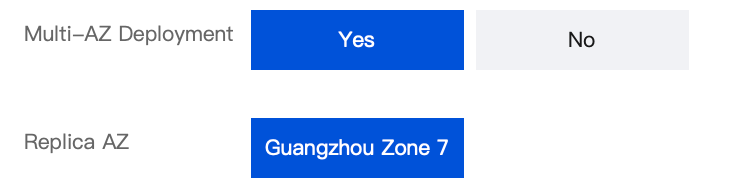
Select the region and AZ (primary AZ) that are supported on the SQL Server instance purchase page. Then, select two-node as the instance architecture, specify the Number of Replica Nodes (range: 2–5), select Yes for the Multi-AZ Deployment option, and select replica AZs for all replica nodes.
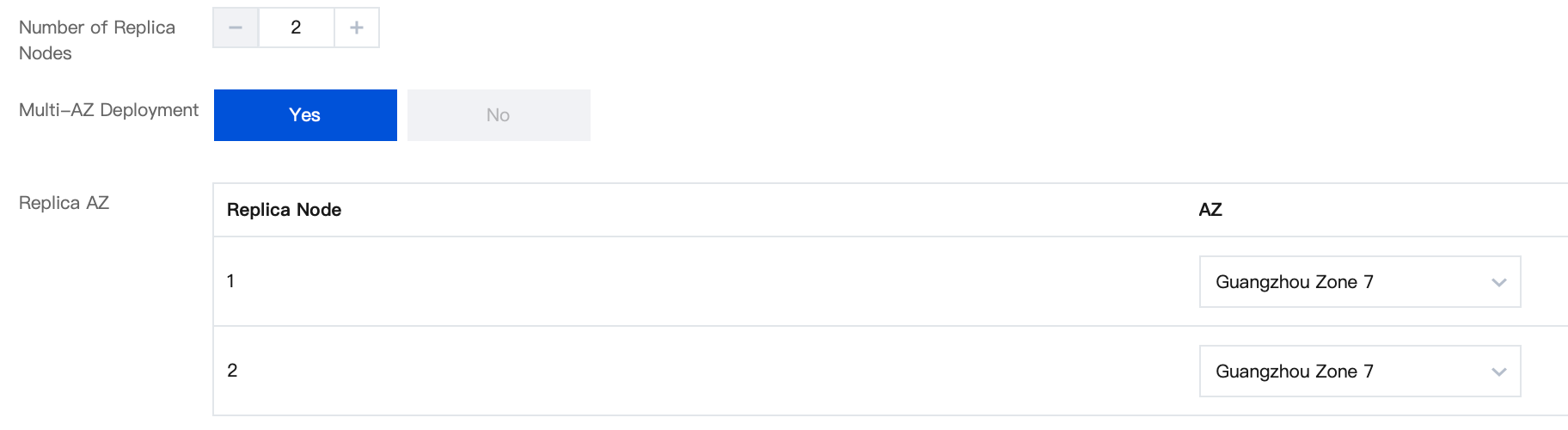
3. Confirm the information you enter, click Buy Now. After the purchase is completed, you can return to the instance list to view the newly purchased multi-AZ instance.
Upgrading to Multi-AZ
the TencentDB for SQL Server instances of Tencent Cloud Database support an upgrade from non-multi-availability zone disaster recovery to multi-availability zone disaster recovery.
Note:
Upgrading from single-AZ to multi-AZ is free of charge.
Upgrading from non-multi-AZ deployment to multi-AZ deployment is involved only for two-node instances. Multi-node instances do not involve it.
1. Log in to the TencentDB for SQL Server console. In the instance list, select the desired instance, and click Adjust Configurations to enter the adjustment page.
2. Select a replica AZ in the Multi-AZ Deployment option on the configuration adjustment page.
Note:
You can’t adjust the multi-AZ configuration when using the publish/subscribe service.
As the resources are limited in multi-AZ, you may fail to purchase the resources, and you can contact us for assistance.
Upgrading to multi-AZ deployment will involve instance migration without affecting the normal use. A switch will be performed after migration is completed, which causes a momentary disconnection for few seconds.
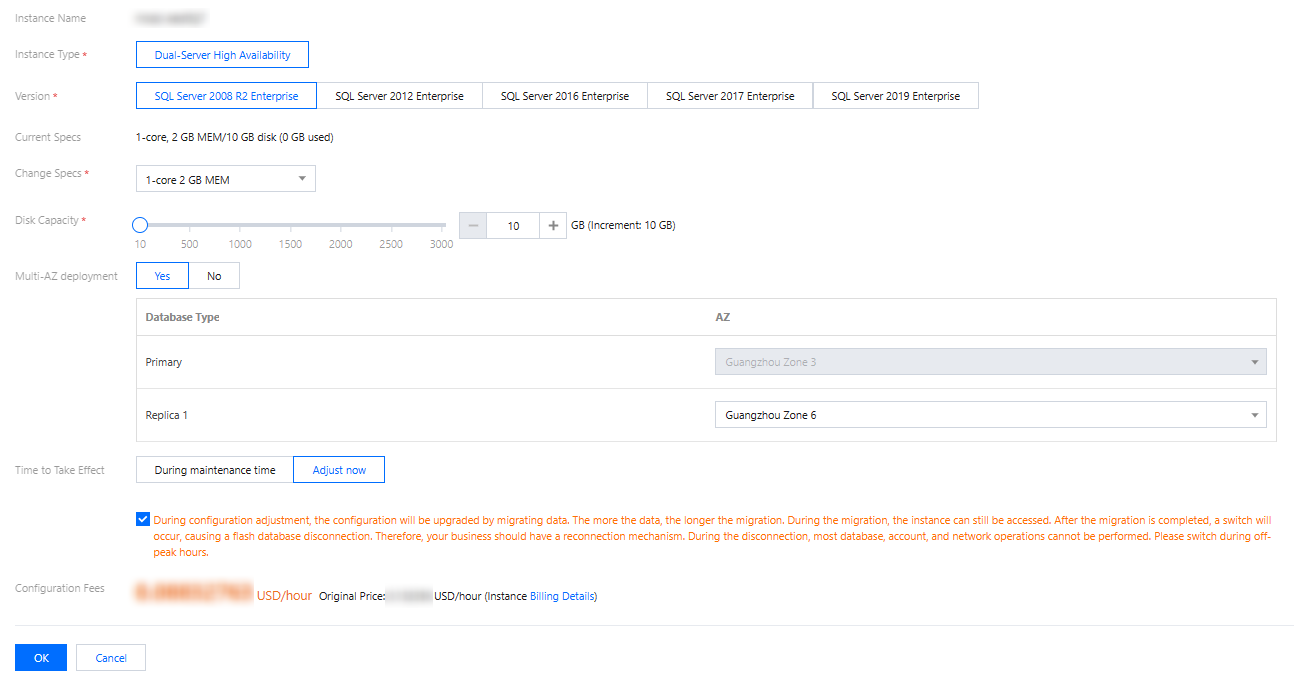
3. Click OK. Upgrading to a multi-AZ can be completed when the instance is purchased.
Relevant Documentation
Related APIs
API | Description |
This API is used to query the disaster recovery region and AZ of the secondary node based on the primary instance. |
피드백