Adjusting the Number of Replica Nodes
Download
포커스 모드
폰트 크기
If the TencentDB for SQL Server instances you purchased are of the multi-node edition, you can add or reduce replica nodes after purchase based on actual business needs. This document describes the operation method to add or reduce replica nodes via the console.
Prerequisites
Instance Price
If you change the number of replica nodes, the original number of replica nodes of the multi-node instance may increase or decrease. For the prices of multi-node instances (three-node, four-node, five-node, or six-node), see Multi-node Instance Pricing.
Must-Knows
One multi-node instance can have 2 to 5 replica nodes. The total number of replica nodes after the change should be within this range.
When you add replica nodes, the AZ of existing replica nodes cannot be changed. You can only set the AZ for added replica nodes.
When you reduce replica nodes, the AZ of replica nodes cannot be changed.
Single-node and two-node instances do not support changing the number of replica nodes.
Directions
Adding Replica Nodes
1. Log in to the TencentDB for SQL Server console and select the instance region.
2. Find the target instance in the instance list and choose More > Add Replica Nodes in the Operation column.

3. Click Add in the pop-up window and select a replica AZ for added replica nodes.
Note:
Note: If all replica nodes are in the same AZ, AZ-level disaster recovery is not supported. It is recommended that you select different replica AZs.
The number of replica nodes for a multi-node instance cannot exceed 5. Therefore, replica nodes cannot be added when the number of replica nodes of the target instance is 5.
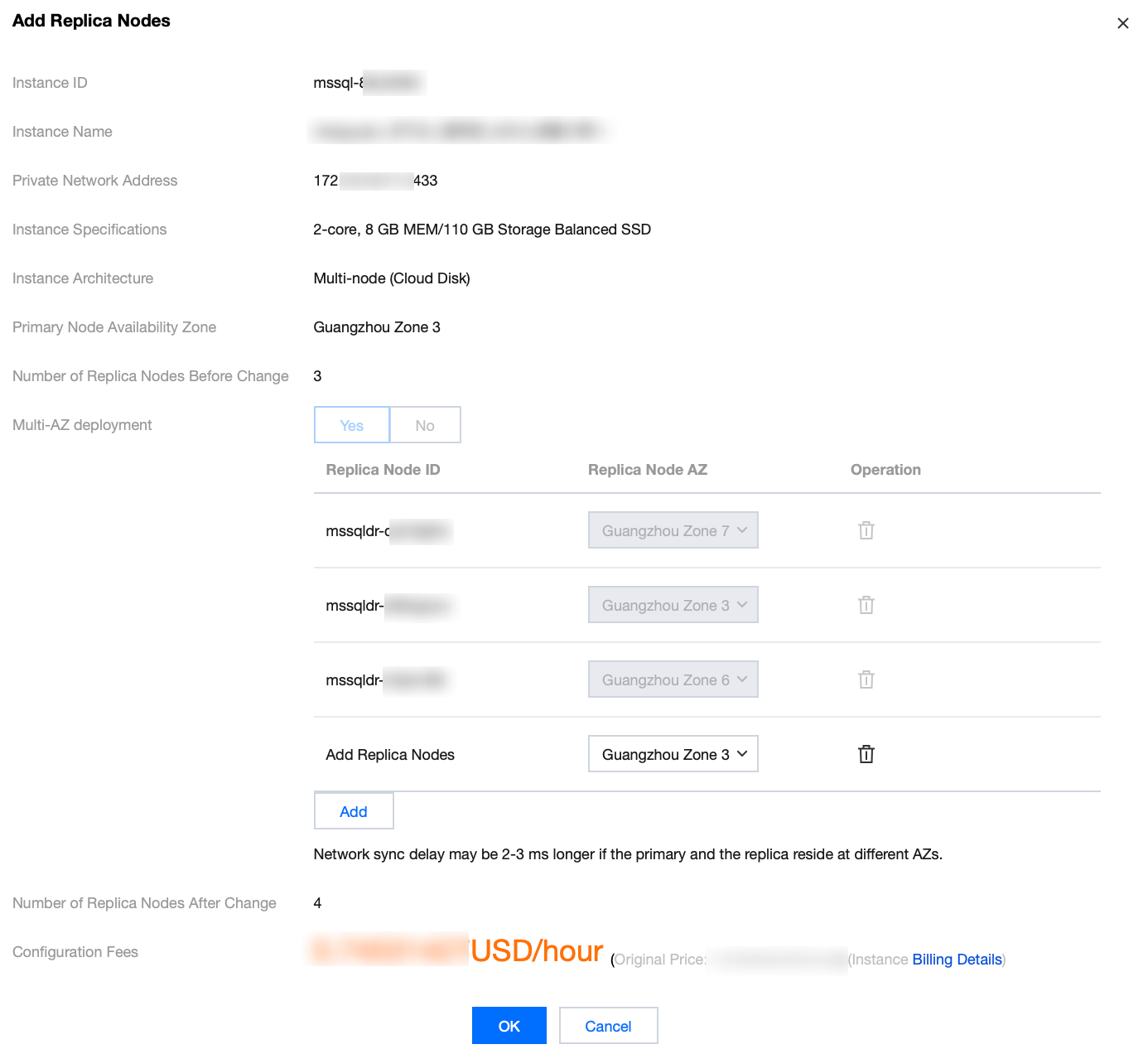
4. Check the number of replica nodes before and after the change and click OK.
Reducing Replica Nodes
Note:
The number of replica nodes for a multi-node instance cannot be less than 2. Therefore, replica nodes cannot be reduced when the number of replica nodes of the target instance is 2.
If replica node read-only is enabled, reducing replica nodes will cause the instance to become inaccessible, and the traffic on other nodes may surge. Perform the operation during off-peak hours allowed by the business.
1. Log in to the TencentDB for SQL Server console and select the instance region.
2. Find the target instance in the instance list and choose More > Reduce Replica Nodes in the Operation column.
3. Find the replica node to be deleted by replica node ID in the pop-up window and click Reduce Replica Nodes.

4. Check the number of replica nodes before and after the change and click OK.
피드백