Rollback Solution Introduction
TencentDB for MongoDB has comprehensive data recovery capabilities and offers on-demand recovery solutions for instances (cloning), databases and tables (database and table rollback), and documents (key-based flashback), meeting data recovery requirements at different granularities.
|
Recovery Level | Recovery of an entire instance | Recovery of a specified database or collection | Recovery of a specified document or some documents |
Core Principles | Creating a new instance based on the backup files | Extracting specific database and colleciton data based on the backup files | Locating specific documents using indexes and restoring them based on the flashback storage |
Operation Speed | Slow (involving data migration of the entire instance) | Fast (processing only partial of data) | Extremely fast (only recovering a small amount of target data) |
Typical Scenario | Instance-level disaster recovery, data migration, and test environment building | Accidental deletion/modification of a small number of databases or collections | Quickly fixing minor data corruption caused by program issues or misoperations |
Implementation Technology
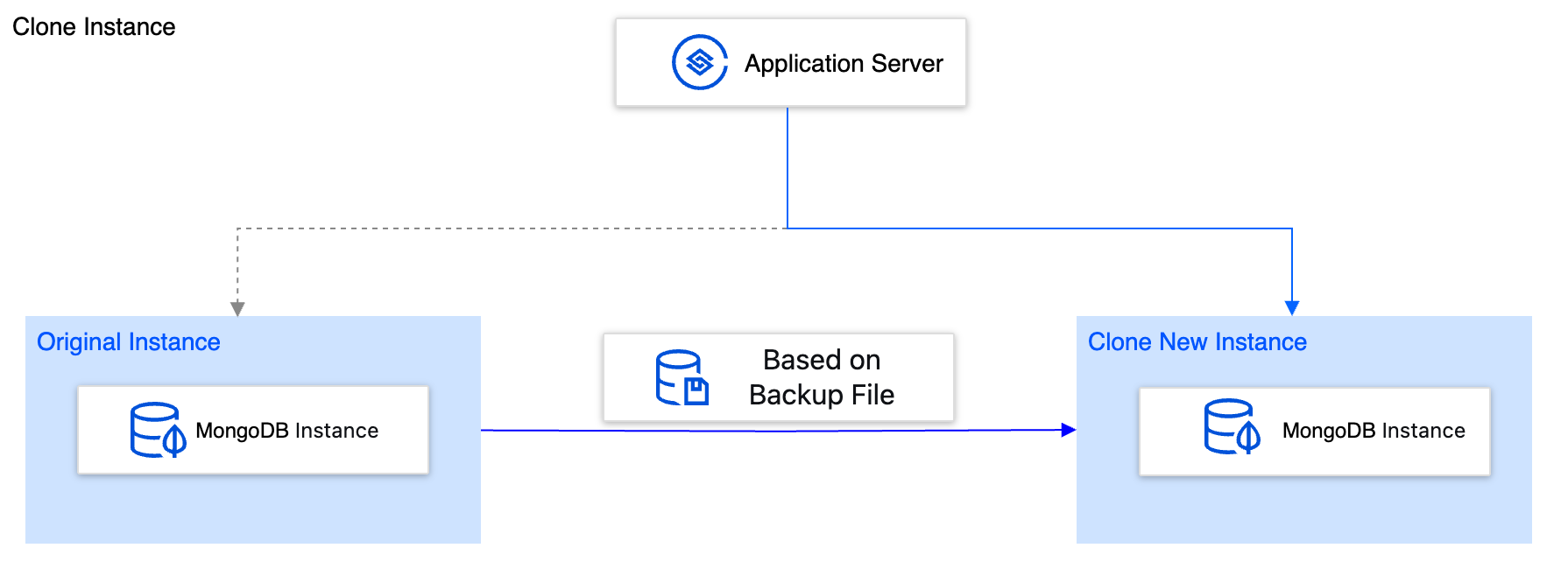
Instance Cloning (Entire Instance Recovery)
Implementation mechanism: The instance data is cloned to a new and independent database instance based on existing backup files.
Operation method: In the console, select any historical backup point to directly clone a new instance that is completely independent of the current instance. For specific operations, see Cloning an Instance. Note:
The cloning operation creates an independent TencentDB for MongoDB instance, which is billed separately at standard rates based on the selected configuration.
The core advantage of instance cloning lies in the isolation because a complete data replica isolated from the production environment is provided. This allows you to conduct comprehensive verification and fixing safely and completely eliminates the risk of secondary damage to the production environment.
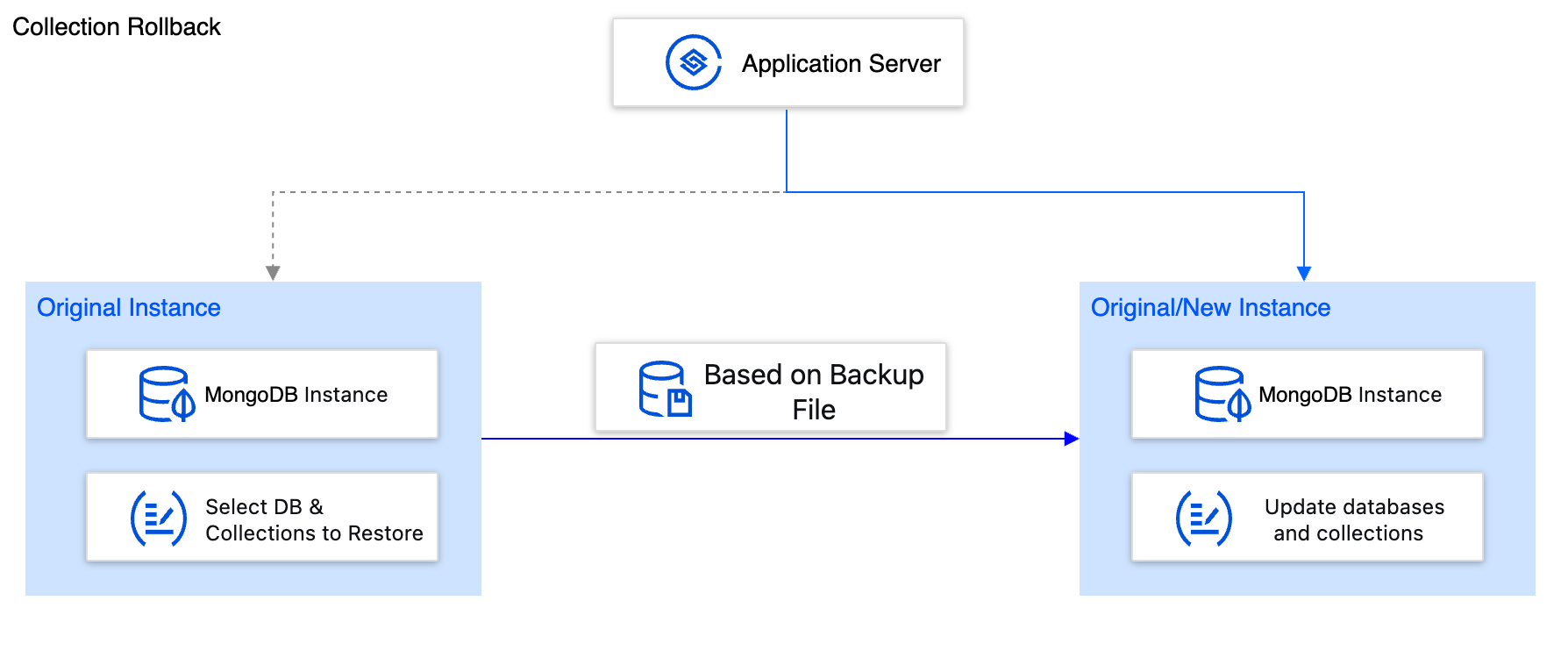
Database and Table Rollback (Fine-Grained Recovery)
Implementation mechanism: Based on existing backup files, database collections are restored to either the original instance (creating new collections suffixed with _bak) or a completely new database instance.
Operation method: In the console, specify the database and table to be rolled back, select a historical backup point, and perform database and table rollback on the page. For specific operations, see Rolling Back Databases and Tables. Note:
For an instance, the number of databases/tables that can be selected for a single rollback operation is limited (such as 2000).
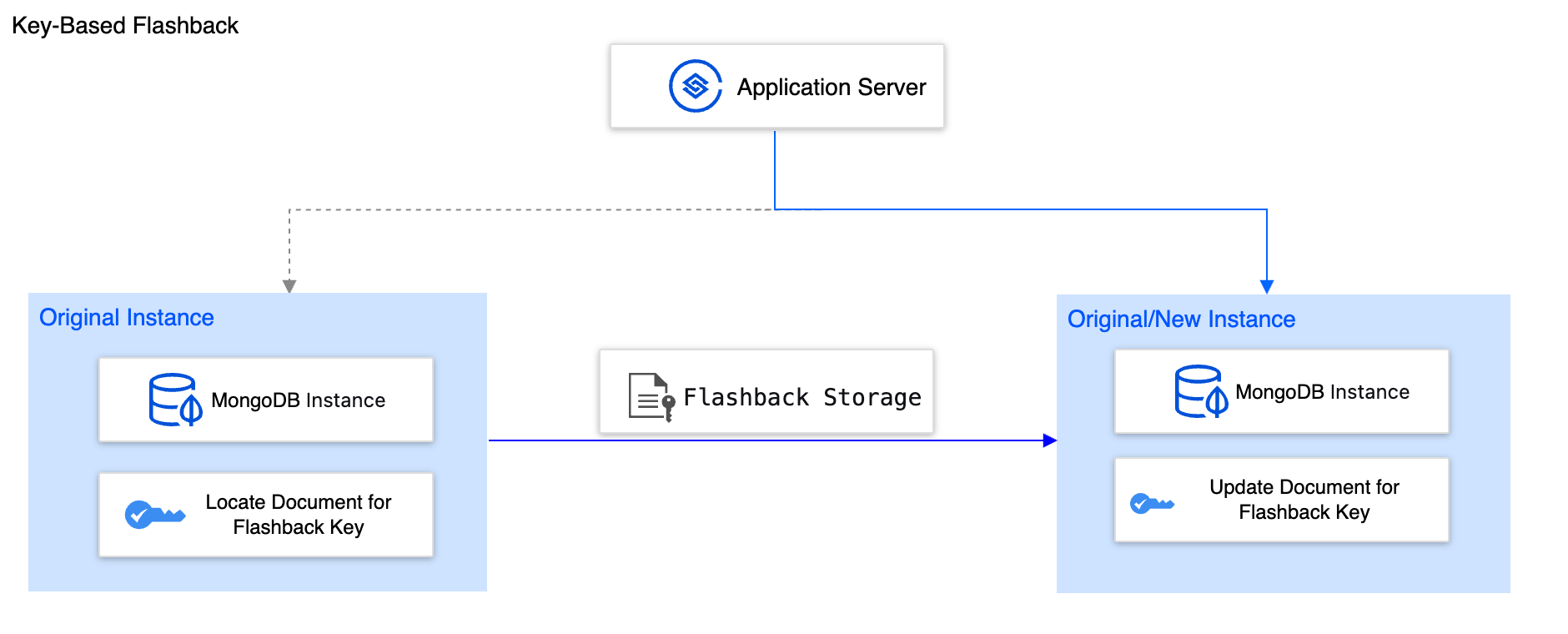
Key-based Flashback (Document-Level Recovery)
Implementation mechanism: Based on flashback storage, the document corresponding to a specified key is restored to either the original instance or a completely new database instance.
Operation method: In the console, enable key-based flashback. The system organizes and stores historical data generated by collections with the flashback feature enabled, facilitating quick rollback when flashback is initiated. For specific operations, see Key-based Flashback.