The TCPlayerSafeCheckPlugin is used to check if the playback environment and status are normal, ensuring playback safety. It should be used in conjunction with TCPlayer.
Use Conditions
Currently, the Web Player SDK version 5.0.0 and above support the use of the VR playback plugin.
In the process of long-term maintenance of the player, various types of attacks have been encountered. Against behaviors where video resources can be stolen using third-party tools, this plugin has implemented targeted prevention in the following three aspects:
1. MSE Environment Detection
Some browser plugins or scripts can hijack the current playback environment by modifying the Media Source Extensions API (MSE) to intercept playback data, ultimately enabling video download. This plugin can detect and prevent such attacks.
2. Security Structure Inspection
Third-party tools or scripts can modify the player's structure, removing playback markers, watermarks, etc., and enabling screen recording. This plugin monitors whether the player's structure has been tampered with. If such behavior is detected, playback is immediately halted.
3. API Response Integrity Verification
During the use of the player, it is necessary to interact with the Video on Demand server. If the interface data is modified, it will affect the normal playback behavior. This plugin can detect and prevent such types of attacks.
When creating a player instance, you can enable security check capabilities by claiming plugins. Once enabled, the player will automatically load and use this plugin:
const player =TCPlayer('player-container-id',{
plugins:{
SafeCheck:true,
}
});
Effect
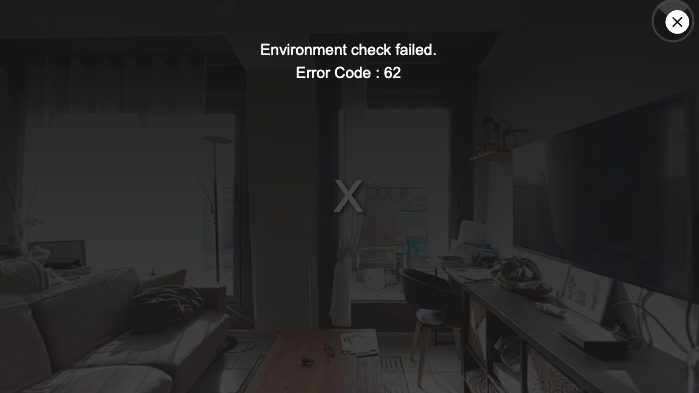
After enabling the plugin, the player will automatically check if the environment is safe. If an attack is detected, playback will be automatically terminated, and a corresponding prompt will be displayed, as shown below:
The error codes prompted by the plugin are as follows: