Tencent Cloud Serverless Cloud Function (SCF) is a serverless execution environment that enables you to build and run applications without having to purchase and manage servers. Simply code in a supported language and set the execution conditions, and your code can be run on the Tencent Cloud infrastructure elastically and securely. SCF is an ideal computing platform for use cases such as real-time file processing and data processing.
SCF is a service-level computing resource that features fast iteration and super-fast deployment. As a result, it requires the separation of storage and computing, which makes CFS, a high-performance shared storage service, the best storage solution for SCF. With only a few easy steps, your function can easily access files stored in CFS. The benefits of using CFS on SCF are as follows:
The execution space of functions is unlimited.
Multiple functions can share the same file system to share files.
Directions
Associating an authorization policy
Note:
To use the CFS service, SCF needs permission to operate on your CFS resources.
Follow the steps below to grant the permission to your account:
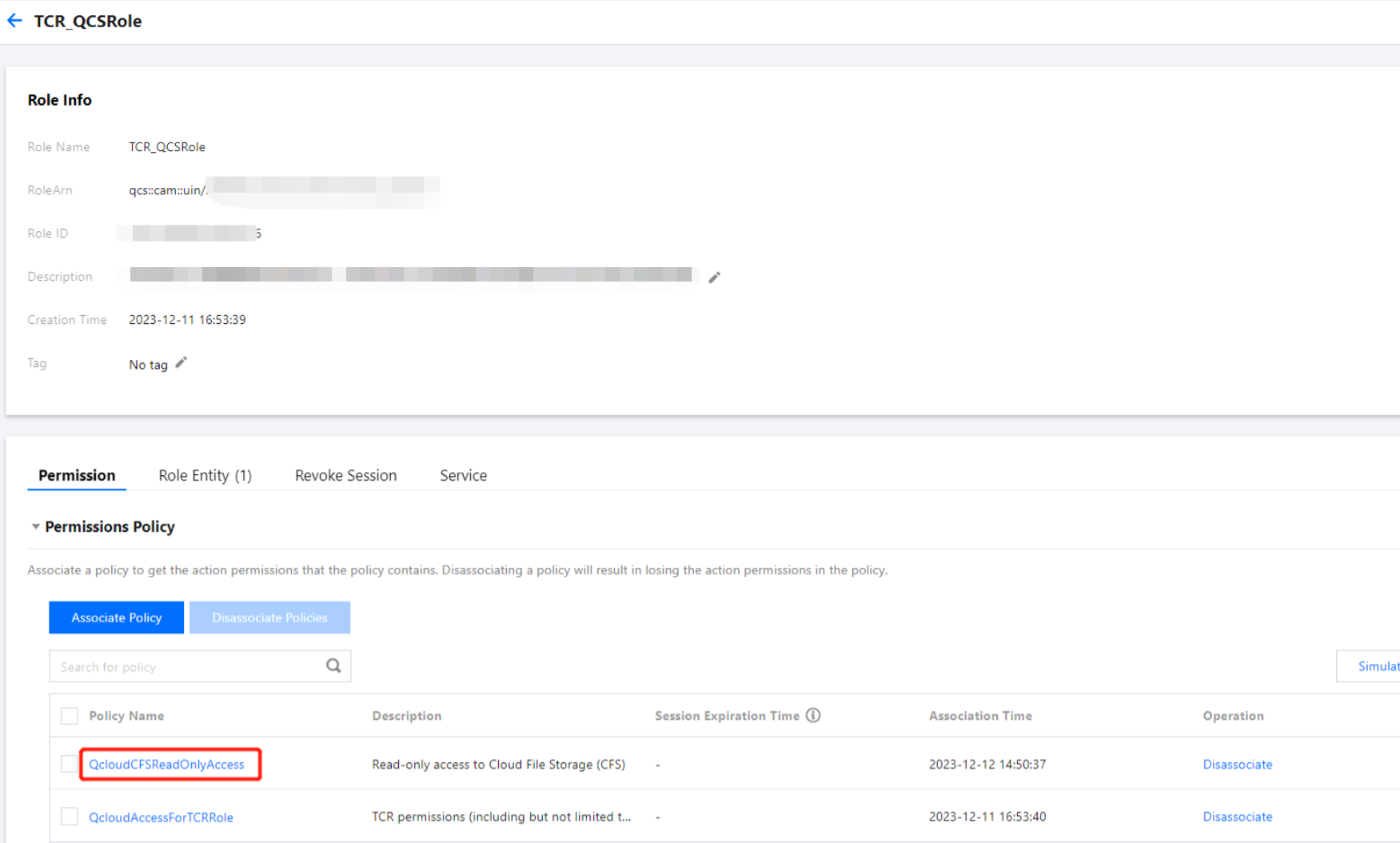
1. Associate the SCF_QcsRole role with the QcloudCFSReadOnlyAccess policy as instructed in Modifying Role. The result of a successful association is shown below:
If you don't perform this operation for your currently used account, problems such as the failure to save functions and the unavailability of CFS features may occur.
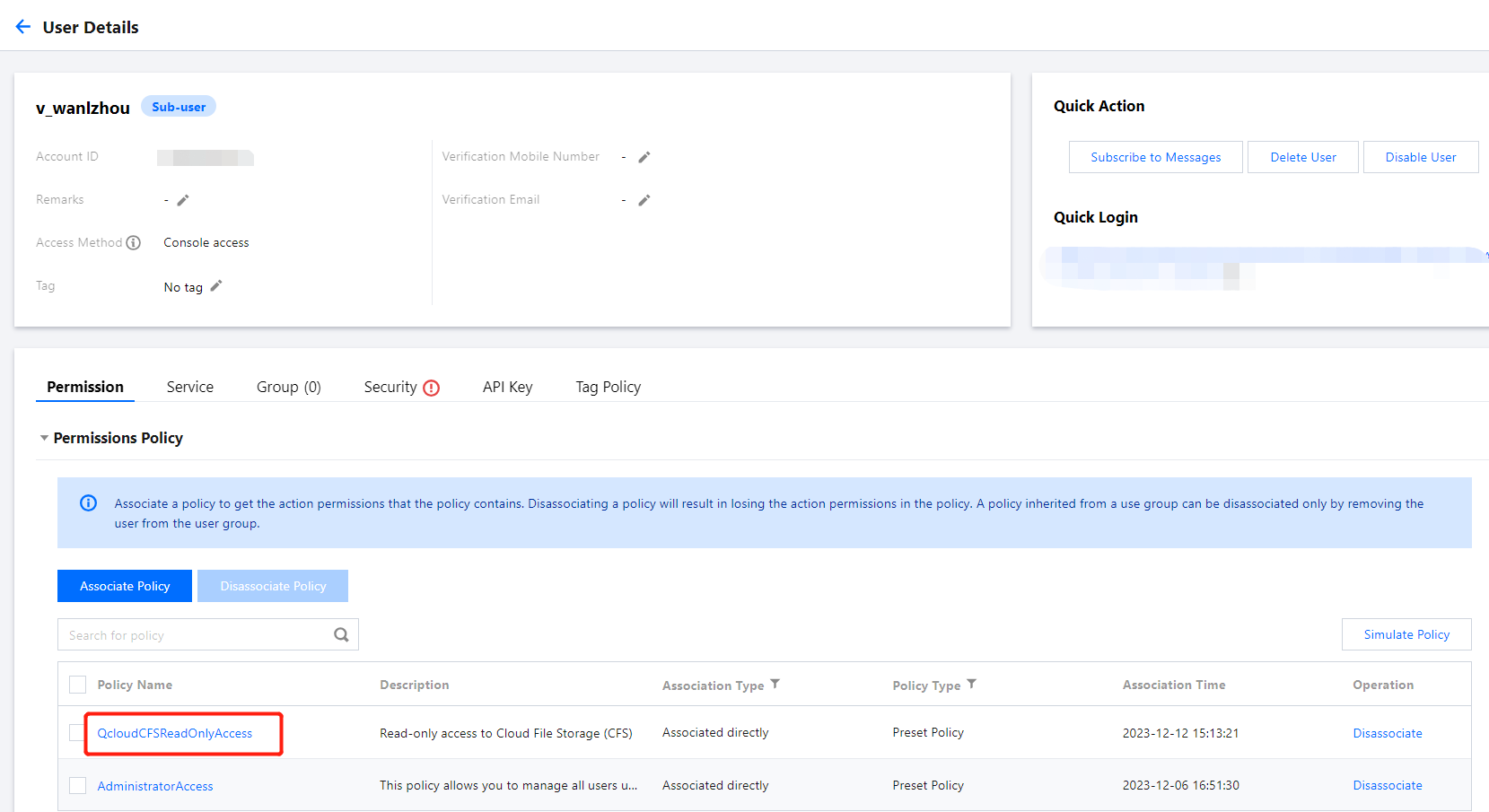
2. If the currently used account is a sub-account, request the root account to associate the sub-account with the QcloudCFSReadOnlyAccess policy as instructed in Setting Sub-user Permissions. The result of a successful association is shown below:
If you don't perform this operation for your currently used sub-account, problems such as the unavailability of CFS features may occur.
Currently, SCF allows only CFS file systems with network type being VPC to be added as mount targets. When creating a CFS file system, select the same VPC as that of the target function to enable communication.
Mounting and using a CFS file system
1. Log in to the SCF console and select Functions on the left sidebar.
2. On the Function Service page, select the name of the function to be configured.
3. On the Function configuration tab of the Function management page, click Edit in the top-right corner.
4. Check Enable for VPC and select the VPC where your CFS file system resides.
5. Check Enable for File system and enter the following information to mount the file system.
User ID and User group ID: IDs of the user and user group in CFS file system. SCF uses "10000" for both the user ID and user group ID by default to manipulate your CFS file system. Set the file owner and corresponding group permission as needed and ensure that your CFS file system has the required permission. For more information, see Managing Permissions.
Remote directory: The remote directory in the CFS file system to be accessed by the function, which consists of a file system and a remote directory.
Local directory: Mount target of the local file system. You can use a subdirectory in the /mnt/ directory to mount the CFS file system.
File System ID: Select the file system to be mounted in the drop-down list.
Mount point ID: Select the ID of the mount target corresponding to the file system in the drop-down list.
6. Click Save at the bottom of the page.
You can run the following function code to start using the CFS file system.