Operation Guide
Download
포커스 모드
폰트 크기
Setting quotas
Step 1. Log in to the console
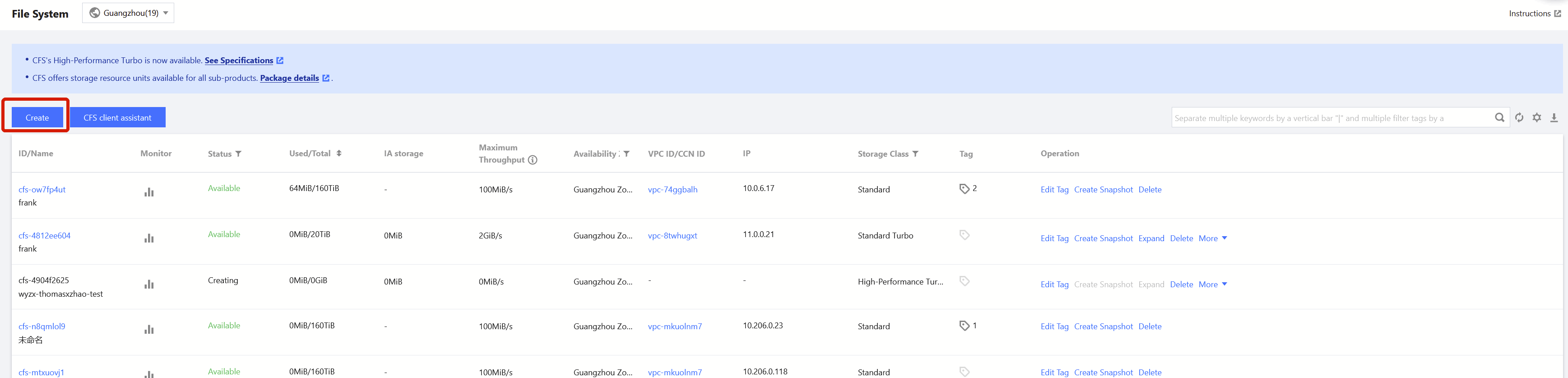
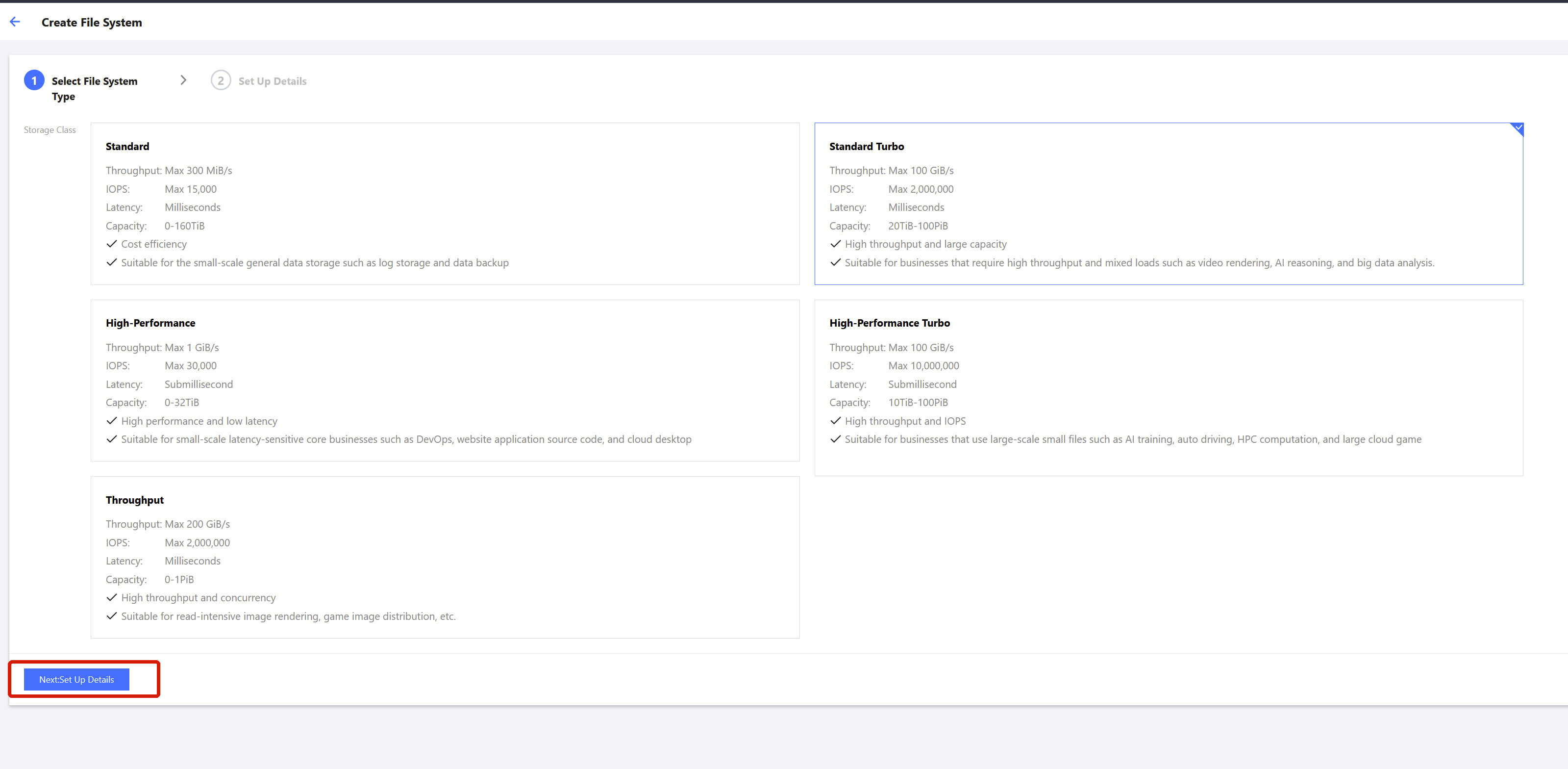
Step 2. Select the file system type (Turbo)
Select the Turbo file system, and click Next: Set up Details.
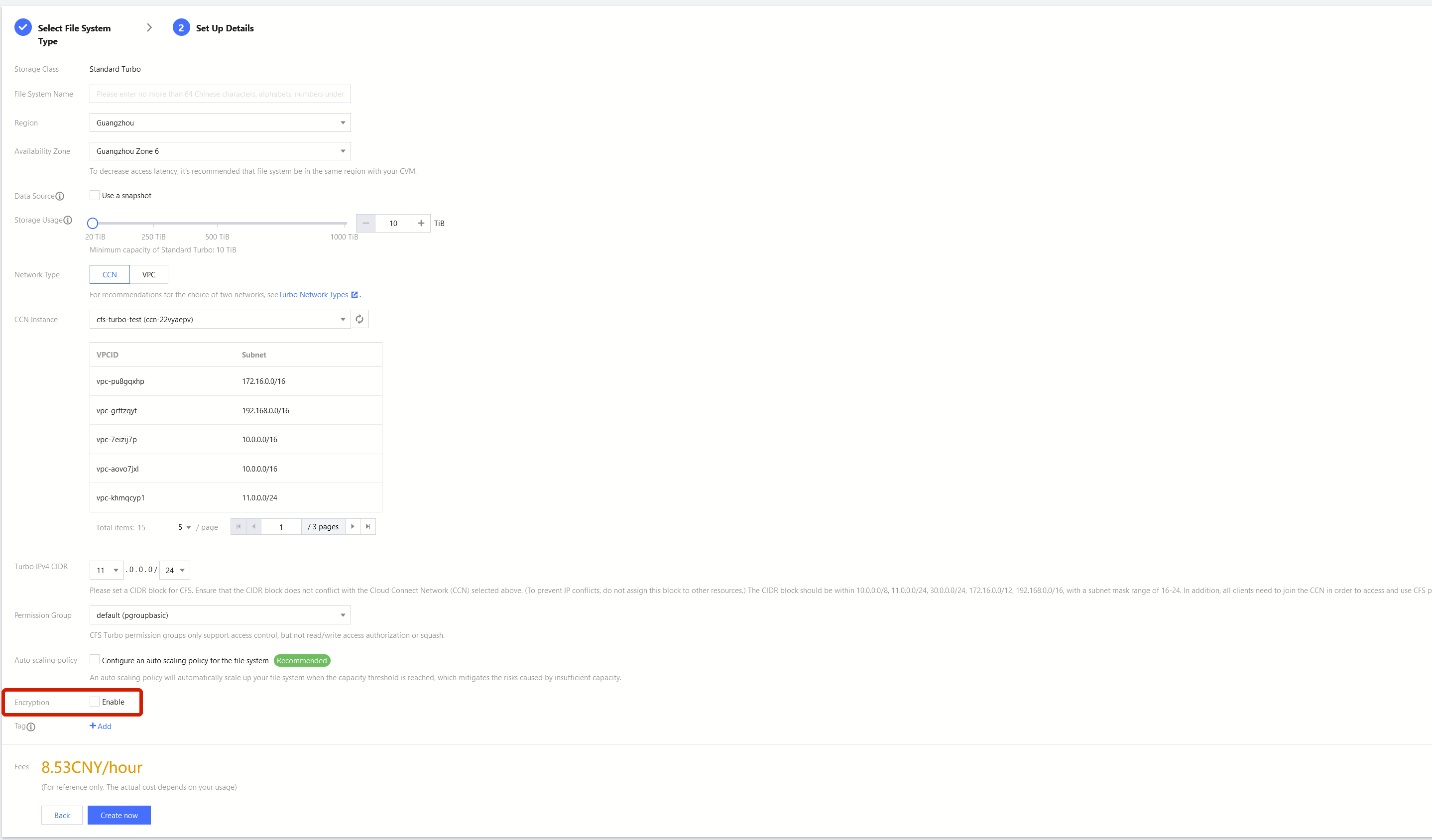
Step 3: Enable encryption
1. Enable encryption
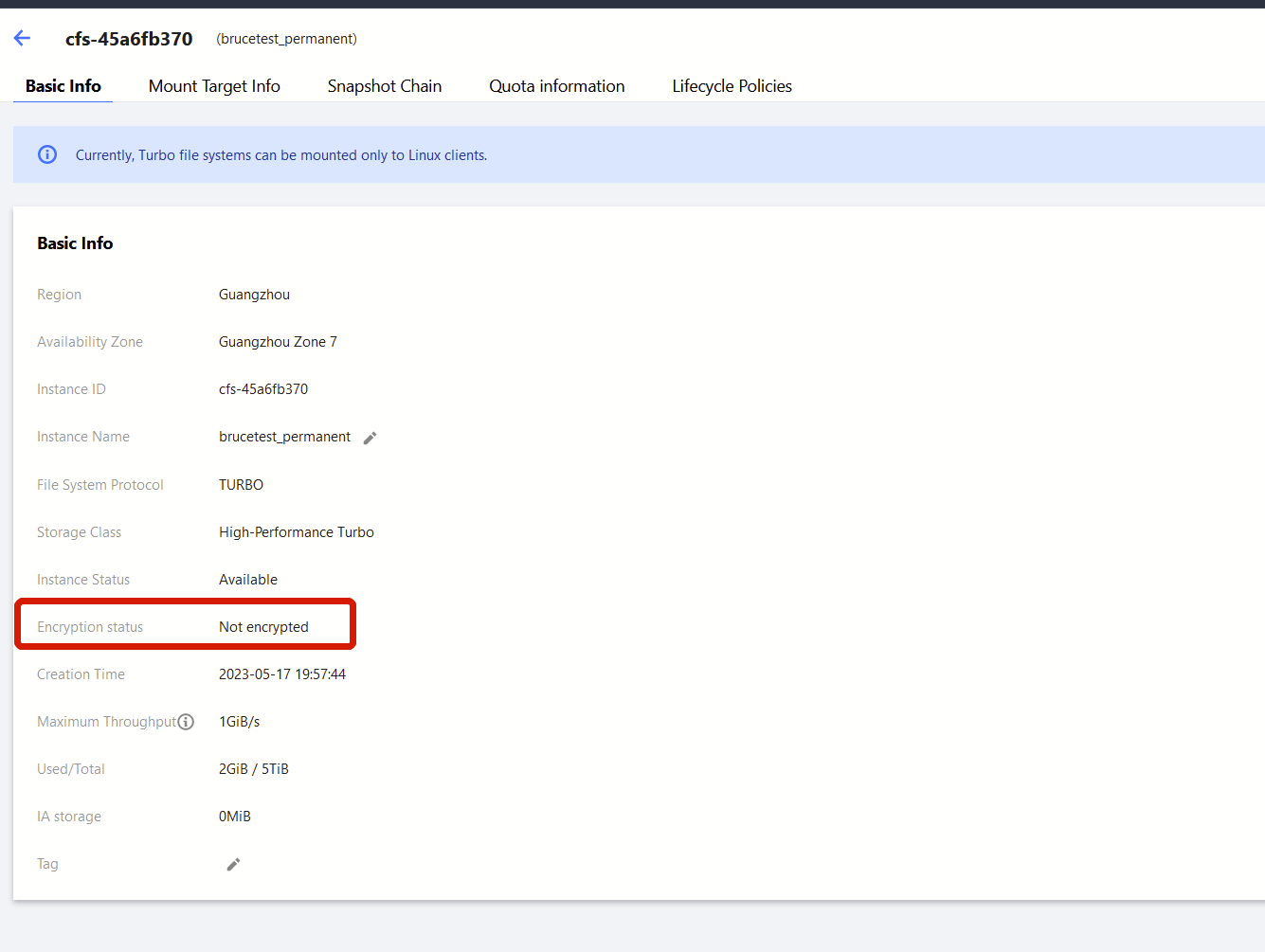
2. View encryption
You can view the encryption of a file system on its details page.
피드백