To connect to bot traffic management, you need to purchase a WAF value-added service.
Directions
1. Log in to the WAF console and select Configuration center > Bot and application security on the left sidebar.
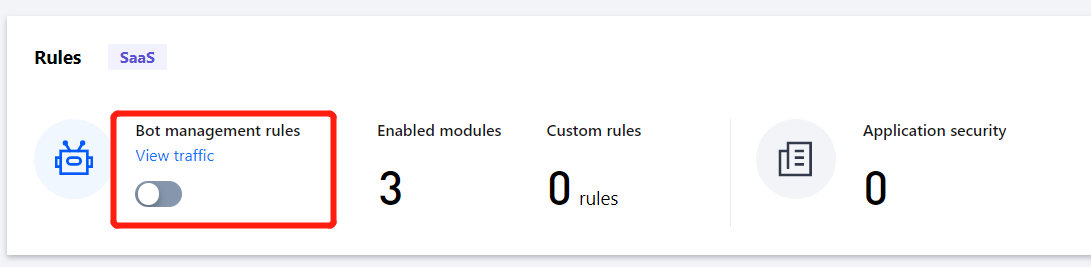
2. On the Bot and application security page, select the target domain name in the top-left corner and click
in Bot management rules.
Field description
Enable bot rule management: It is disabled by default and can be enabled as needed.
Note:
The bot traffic analysis feature takes effect only when the WAF switch of the domain name is enabled.
Effective scenario: Displays the number of bot analysis scenario modules enabled currently. They include the browser bot defense module, threat intelligence module, AI evaluation module, and bot flow statistics module.
Total scenarios: Displays the number of bot analysis scenario modules existing under the current domain name.
Current global scenario: Displays the name of the effective global scenario under the current domain name.
Total custom rules: Displays the number of custom bot rules enabled currently.