This document describes how to configure the bot flow statistics module in the bot analytics section of bot traffic management. Using big data analytics and statistics and AI technology, it automatically identifies malicious users based on characteristics of user traffic.
1. Log in to the WAF console and select Configuration center > Bot and application security on the left sidebar.
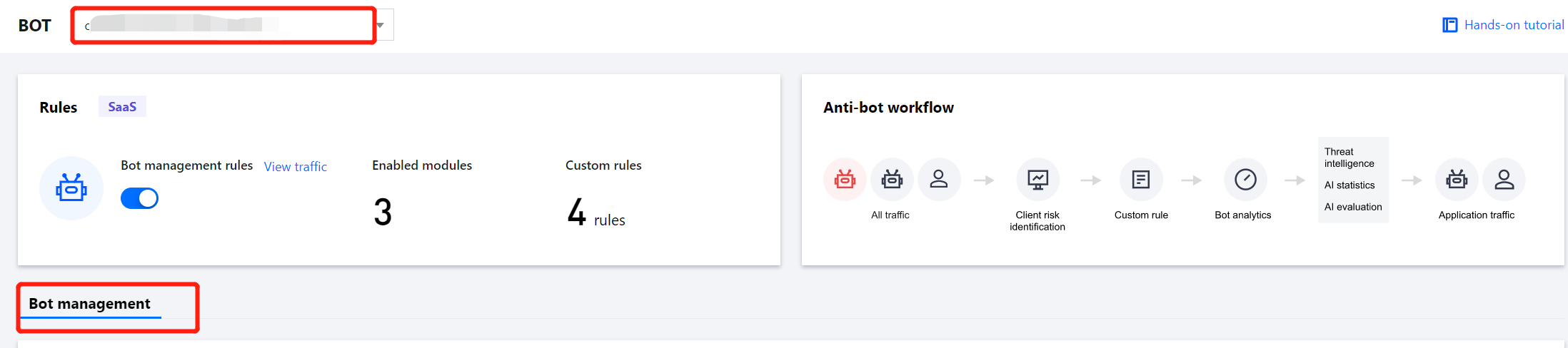
2. On the Bot and application security page, select the target domain name in the top-left corner and click Bot management.
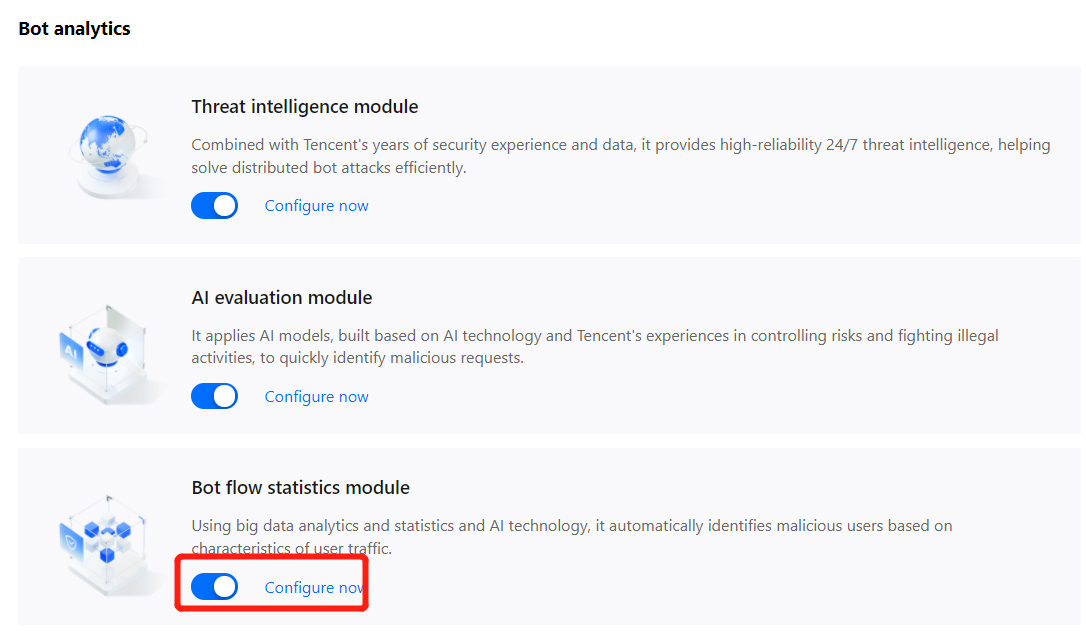
3. In Global settings, click Configure now in the Bot flow statistics module section.
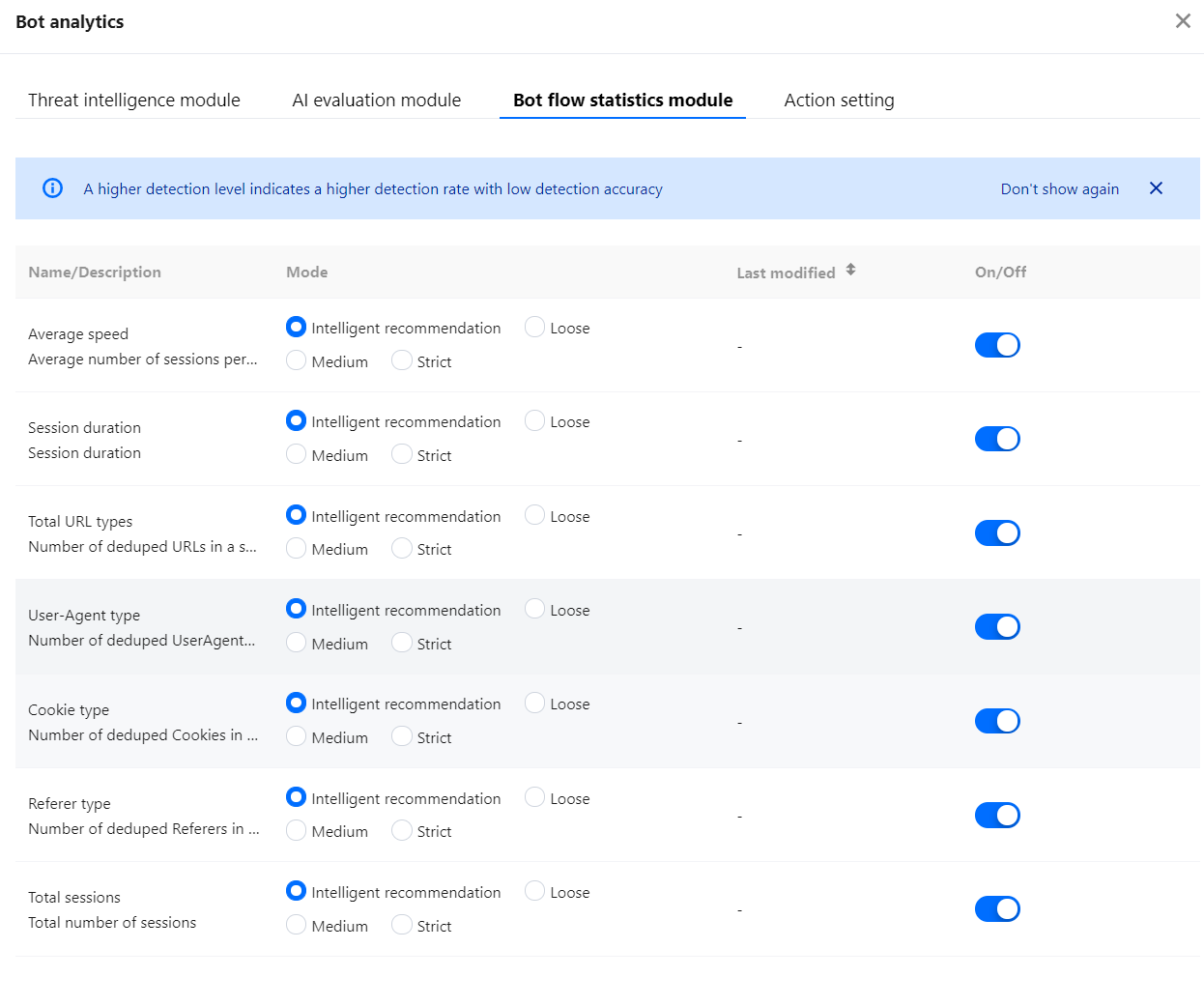
4. On the Bot flow statistics module page, you can configure the detection level of different features.
Parameter description:
Name/Description:
Referer type: The number of deduped Referers in a session request is detected, with different thresholds for detecting an access request with a higher value than the corresponding threshold.
Total URL types: The number of deduped URLs in a session request is detected, with different thresholds for detecting an access request with a higher value than the corresponding threshold.
User-Agent type: The number of deduped User-Agents in a session request is detected, with different thresholds for detecting an access request with a higher value than the corresponding threshold.
Cookie type: The number of deduped cookies in a session request is detected, with different thresholds for detecting an access request with a higher value than the corresponding threshold.
Total sessions: The total number of sessions is detected, with different thresholds for detecting an access request with a higher value than the corresponding threshold.
Average speed: The average number of sessions per minute is detected, with different thresholds for detecting an access request with a higher value than the corresponding threshold.
Session duration: The session duration is detected, with different thresholds for detecting an access request with a higher value than the corresponding threshold.
Mode: Different detection levels correspond to different thresholds, which fluctuate with the number of website access requests.
A higher detection level indicates a higher detection rate with a lower detection accuracy.
A lower detection level indicates a lower detection rate with a higher detection accuracy.
Intelligent recommendation automatically learns the historical traffic of your website to generate a recommended detection level in Tencent Security bot traffic management. The detection level is either loose or medium according to the current bot situation at your website.
On/Off: You can enable or disable the detection type of the current option. After this option is disabled, the detection item will not contribute to the bot score.
5. After the configuration, click the configuration page of a certain scenario, and click
of the Bot flow statistics module.
Practical Tutorial on the Bot Flow Statistics Module
The bot flow statistics module leverages the bot defense experience and accumulation of the bot attack/defense lab to quickly identify abnormal access behaviors. Therefore, we recommend you enable it and set Rule level to Intelligent recommendation under any circumstances.