Plugin List
Download
포커스 모드
폰트 크기
Tencent Cloud Elasticsearch Service (ES) provides over 10 plugins such as open-source Elasticsearch plugins and Tencent Cloud's proprietary plugins to deliver a wealth of plugin features. After purchasing an ES instance, you can install/uninstall these plugins on the plugin list page as needed. This document describes how to do so.
Note:
Rolling restart of the cluster will be triggered after you install or uninstall a plugin; therefore, please do so with caution.
Directions
1. Log in to the ES console.
2. On the cluster list page, click a cluster ID to enter the cluster details page.
3. Click Plugin List to enter the plugin list management page.
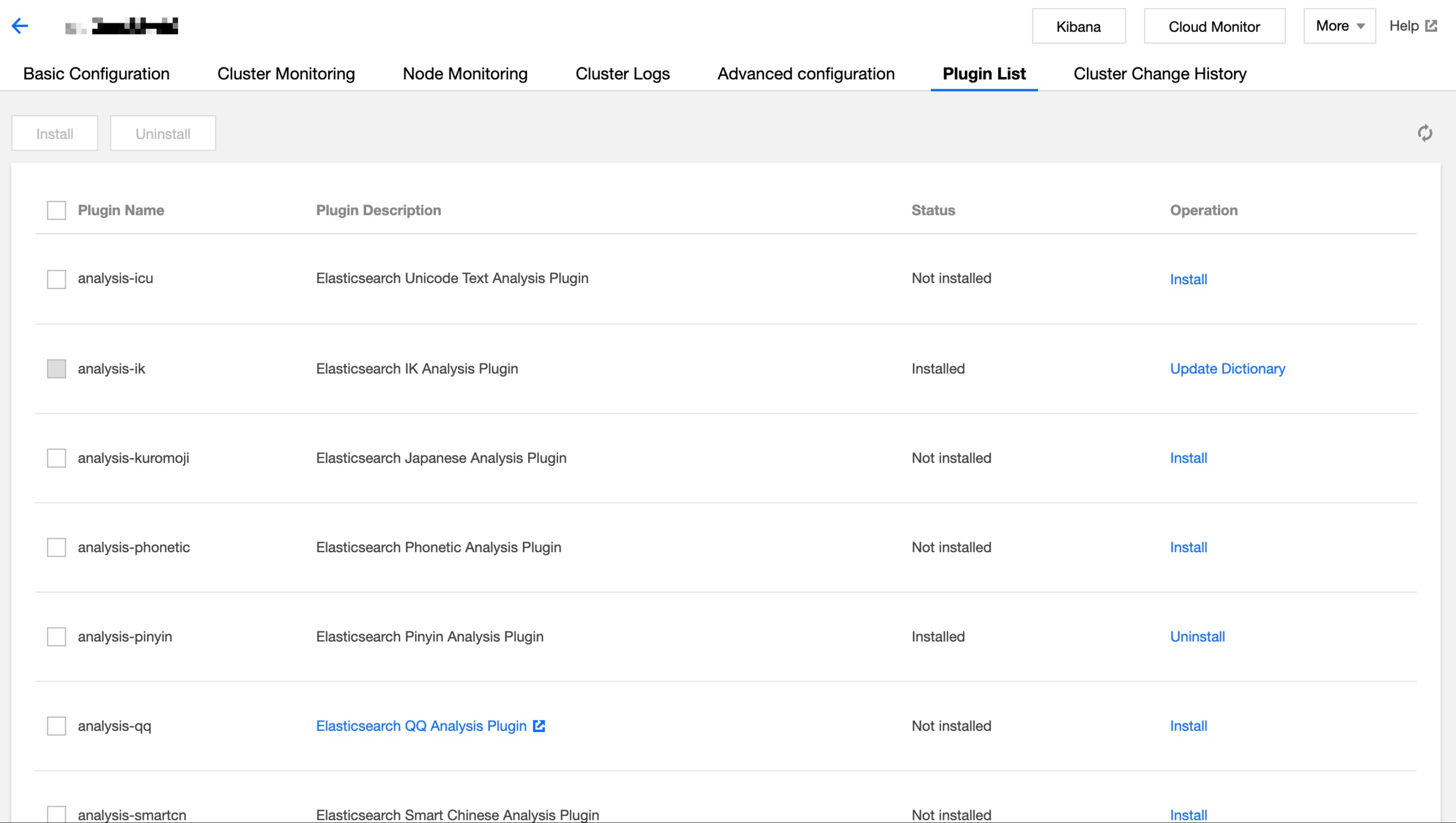
4. Click Install or Uninstall in the Operation column on the right of the target plugin.
5. In the pop-up dialog box, read the notes and click OK after confirming that everything is correct. Then, the plugin change operation will start, and the cluster will be restarted. You can view the change progress in Cluster Change History.
Plugin Information
ES supports the following plugins:
Plugin | Default Status | Description | Supported Operations |
analysis-icu | Not installed | Elasticsearch Unicode text analysis plugin | Installation and uninstallation |
analysis-ik | Installed | Elasticsearch IK analysis plugin, which cannot be uninstalled by default | Dictionary update |
analysis-kuromoji | Not installed | Elasticsearch Japanese analysis plugin | Installation and uninstallation |
analysis-nori | Not installed | Elasticsearch Korean analysis plugin | Installation and uninstallation |
analysis-phonetic | | Uninstalled | Elasticsearch phonetic symbol analysis plugin |
analysis-pinyin | Installed | Elasticsearch Pinyin analysis plugin | Installation and uninstallation |
analysis-qq | Not installed | Elasticsearch QQ analysis plugin | Installation, uninstallation, and dictionary update |
analysis-smartcn | Not installed | Elasticsearch smart Chinese analysis plugin | Installation and uninstallation |
analysis-stconvert | Installed | Elasticsearch Simplified and Traditional Chinese analysis plugin | Installation and uninstallation |
ingest-attachment | Not installed | Apache Tika information extraction plugin | Installation and uninstallation |
ingest-geoip | Not installed | IP address resolution plugin, which has already been integrated into ES 6.8.2 and above and does not need to be installed separately | Installation and uninstallation |
ingest-user-agent | Not installed | Browser user agent information extraction plugin, which has already been integrated into ES 6.8.2 and above and does not need to be installed separately | Installation and uninstallation |
mapper-murmur3 | Not installed | This plugin is used to calculate and save the hash value of a field when you create an index | Installation and uninstallation |
mapper-size | Not installed | This plugin is used to record the size of the document before compression when you create an index | Installation and uninstallation |
repository-cos | Installed | This plugin is used to save Elasticsearch snapshots to Tencent Cloud COS, which cannot be uninstalled by default. For more information, please see Using COS for Backup and Restoration | None |
repository-hdfs | Not installed | This plugin adds support for using HDFS as a repository for Snapshot/Restore | Installation and uninstallation |
sql | Not installed | Open-source SQL parsing plugin. It does not need to be installed in Basic Edition and Platinum Edition ES clusters as they have already incorporated the SQL parsing feature | Installation and uninstallation |
피드백