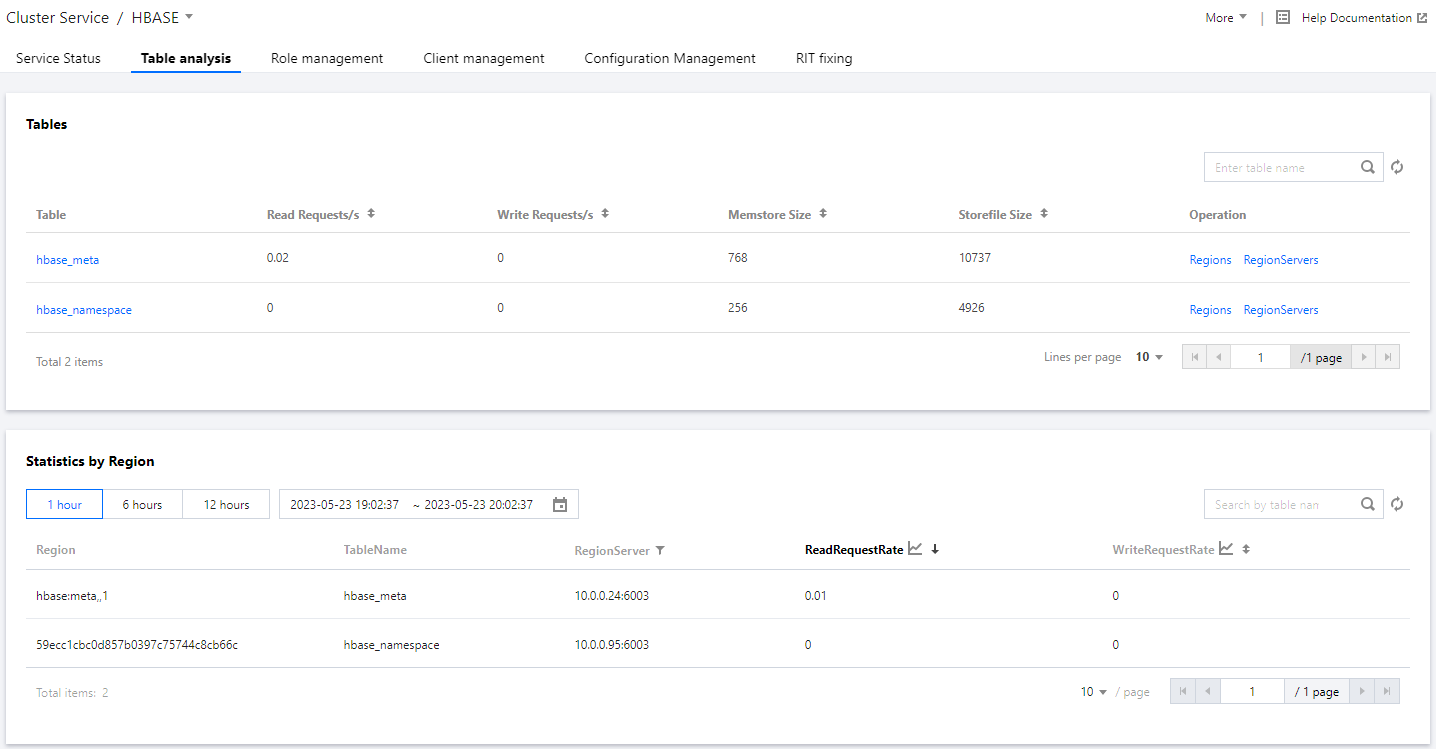
Table analysis provides information such as the numbers of read/write requests and storage information for an entire HBase table, each individual region within the table, and each region server. The feature also supports analyzing the read/write queries per second (QPS) and their trends for the corresponding table or region server in practical scenarios.
Directions
1. Log in to the EMR console and click the ID/Name of the corresponding cluster in the cluster list.
2. On the cluster details page, click Cluster Service and choose Operation > Table analysis in the top-right corner of the HBase component block to query HBase table loads.
Supported Operations in the Table List
In the HBase table list, you can view information about the read QPS, write QPS, MetaStore storage, and StoreFile size for each table. You can also identify the top tables in the cluster by using the sorting button in each column.
Viewing table details
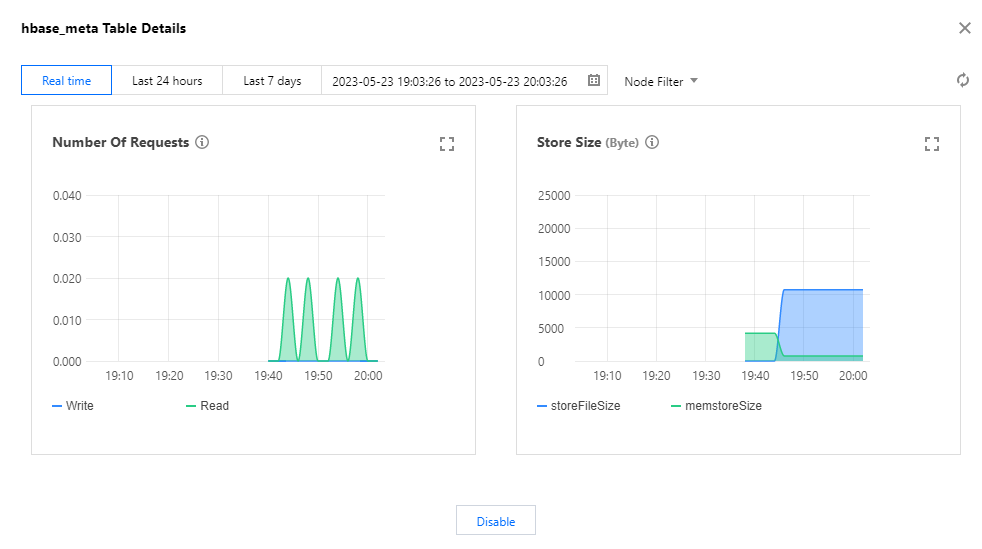
Click a table name to obtain a detailed view of the table. The details page displays the numbers of read/write requests, MemStore storage, and storeFile size for the entire table or each individual node. You can switch between nodes by using the node filter in the top-right corner.
Viewing the overall region information
Click Regions to view the overall region information, including the number of read/write requests for each region in the table, which helps you identify hot spot regions.
Viewing region details
Click a region name to obtain the detailed view of the region. The details page displays the numbers of read/write requests for the table at different time granularities. Select an option from Time granularity in the top-right corner to switch between different time granularities.
Viewing the overall region server information
Click RegionServers to view the request latencies of each region server that hosts one or more regions in the table.
Region Analysis
With region analysis, you can search for the table that a specific region belongs to or filter results by the region server that hosts the region. By examining the average request QPS and average read/write QPS, you can identify hot spots in the cluster where a large number of requests are being processed.
By clicking the view button in the "Average read QPS" or "Average write QPS" column header, you can view the trend of read/write QPS for the current region and observe sudden changes in request traffic. You can specify the time range for the information displayed.