Set Login Methods
This document describes how to set login methods for identity center users, including username and password login and single sign-on (SSO login).
Login Method
The identity center provides the following two user login methods, and can only enable one login method. For example: when username and password login is enabled, single sign-on will be automatically disabled, and vice versa.
Username and password login: When identity center users access Tencent Cloud, you need to log in with username and password.
Single sign-on (SSO login): When users from an external IdP access Tencent Cloud, you need to enable SSO login.
Enabling or Disabling Username and Password Login
By default, username and password login is enabled. If you disable username and password login, SSO will be enabled at the same time.
1. Log in to the Tencent Cloud Organization > Identity Center Management > Settings page.
2. In the Log-in with Username and Password section of the Settings page.
Enable username and password login: Turn on the username and password login switch, and automatically disable SSO.
Note:
Password rules only show and cannot be modified.
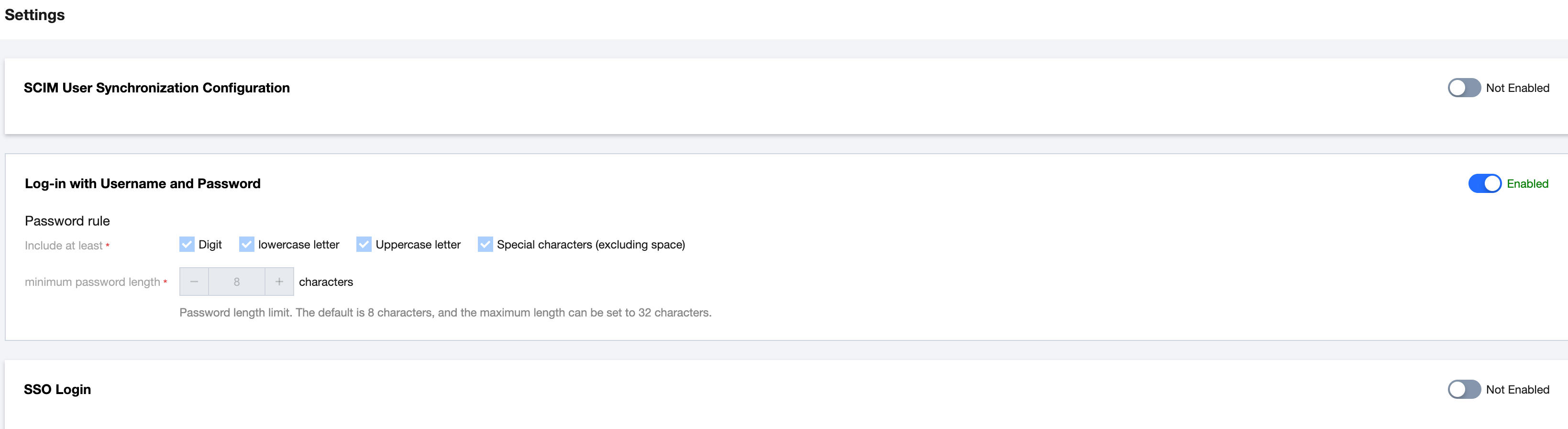
Disable username and password login: Turn off the username and password login switch, and automatically enable SSO.
Enabling or Disabling Single Sign-On
Enabling Single Sign-On
After enabling SSO, username and password login will be automatically disabled. For detailed operations, please refer to Manage SSO.
Disabling Single Sign-On
1. Log in to the Tencent Cloud Organization > Identity Center Management > Settings page.
2. In the SSO Login section of the Settings page, turn off the SSO Login switch, which will automatically enable username and password login at the same time.
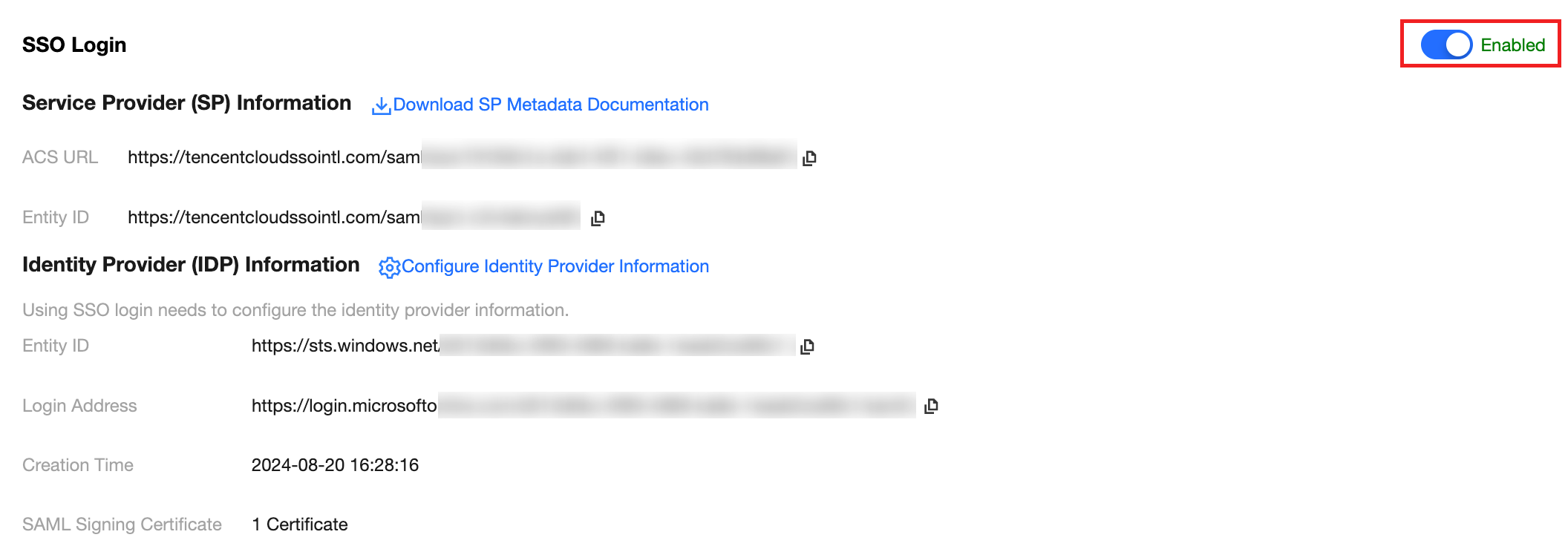
3.In the pop-up window, click OK.
Ajuda e Suporte
Esta página foi útil?
Você também pode entrar em contato com a Equipe de vendas ou Enviar um tíquete em caso de ajuda.
comentários