Service Instance Metadata Management
Scenarios
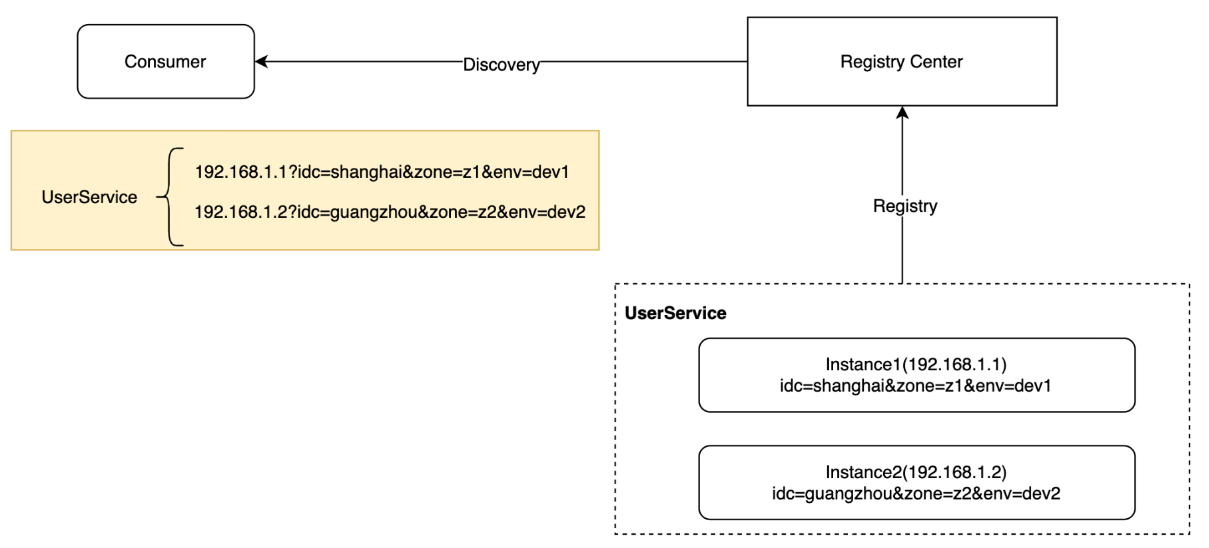
Metadata Concept: Service instances typically carry a series of tag information, such as the data center, region, and environment to which the instance belongs. This information is collectively referred to as the instance metadata. Instance metadata is also commonly referred to as instance Tags.
Use Cases:
When an instance registers with the registry, it carries its own metadata information. When a consumer obtains an instance from the registry, it can also obtain the metadata of each instance simultaneously.
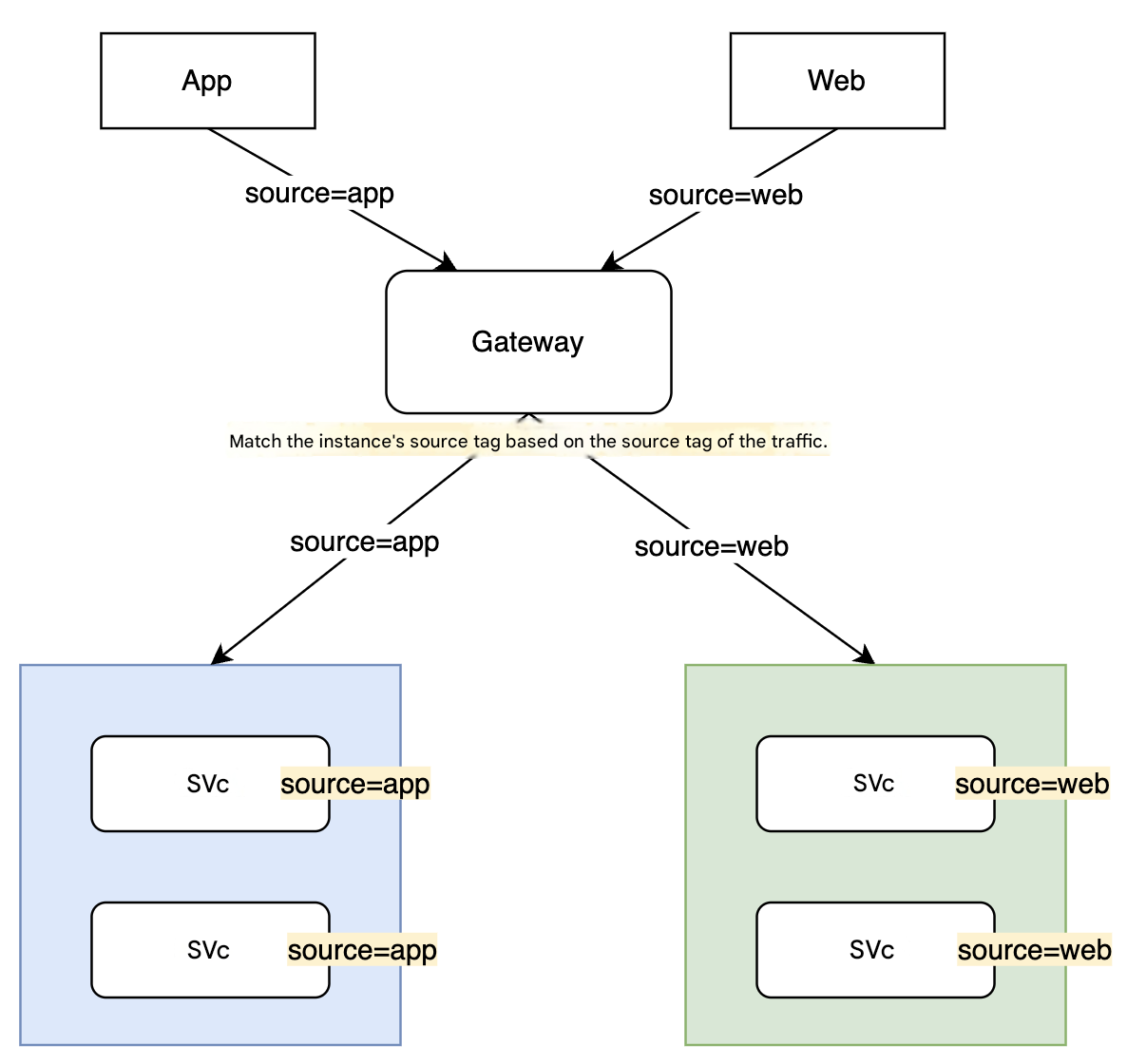
The capability of metadata routing enables forwarding traffic with specific characteristics to service instances with specific characteristics, and can be used in scenarios such as grayscale release.
Operation Steps
Set Metadata Information
There are four main methods to set metadata for service instances. You can choose the most suitable one based on your actual situation. If multiple methods are used simultaneously, the order of precedence is: Custom SPI > Environment Variables > Startup Parameters > Application Configuration. Tags set via the cloud console and client tags coexist unless conflicts occur. When the same key exists, the latest data value is used.
Option 1: Setting Via Tencent Cloud Console
1. Log in to the TSF console, select Polaris (Polaris) in the left menu bar to go to the engine instance list page.
2. After selecting the target instance, go to the instance details page. In the left menu bar, select Service Management to go to the service management page.
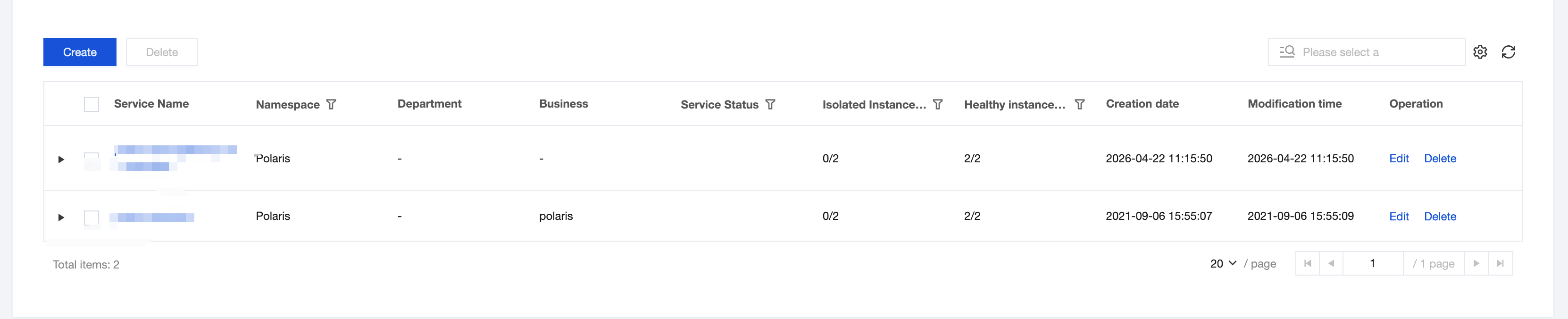
3. Click the target service name to go to the service details page. Click the Edit button of the target instance to add or modify its metadata information.

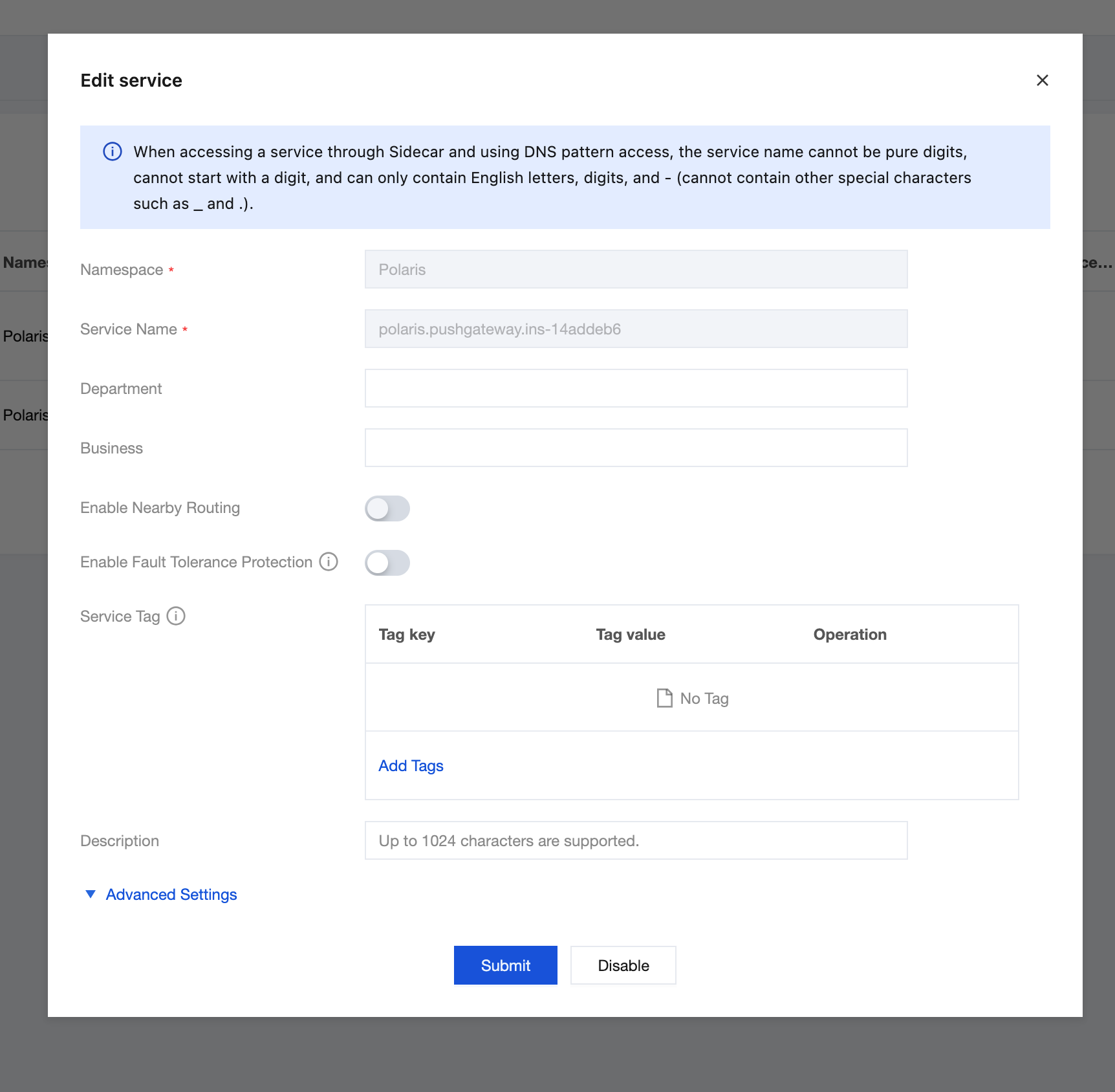
Option 2: Set via the Project Configuration File
In the application.yml file of your Spring Cloud project, configure the metadata information. The following example sets two metadata entries: idc=shanghai and env=dev1. When the application starts and registers, it automatically reads the configuration file and carries these two metadata entries: idc=shanghai and env=dev1.
spring:
  cloud:
    tencent:
      metadata:
        content:
          idc: shanghai
          env: dev1
Option 3: Set Application Startup Parameters
Configuration items defined in the Spring Boot/Spring Cloud application configuration file can be set via the -D startup parameter. For example, override the env value to dev2 using the following method:
Java -Dspring.cloud.tencent.metadata.content.env=dev2 -jar demo.jar
Option 4: Setting via Environment Variables
The environment variable approach is completely decoupled from the running application. Spring Cloud Tencent designates environment variables prefixed with SCT_METADATA_CONTENT_ as the application metadata. For example:
SCT_METADATA_CONTENT_IDC=shanghai
SCT_METADATA_CONTENT_ENV=dev1
Solution 5: Custom Implementation SPI
The first three methods are built-in approaches of SCT (Spring Cloud Tencent), but they may not align with every company's specific standards or implementations. For example:
Placing metadata in a configuration file on the machine, for example, /etc/metadata.
During startup, invoke the CMDB interface to obtain metadata.
So SCT defines the InstanceMetadataProvider SPI, supporting metadata reading through the implementation of its provided interfaces. Developers can implement relevant methods to supply corresponding metadata, allowing users to implement their own metadata sources. Before registration, SCT invokes the callback SPI to obtain metadata information and registers it with the registry. Sample code:
@Component
public class CustomMetadata implements InstanceMetadataProvider {

	@Override
	public Map<String, String> getMetadata() {
		Map<String, String> metadata = new HashMap<>();
		metadata.put("k1", "v1");
		return metadata;
	}

	@Override
	public String getZone() {
		return "shenzhen-zone-1";
	}
}
View Metadata Information
1. Log in to the TSF console, select Polaris (Polaris) in the left sidebar to go to the Polaris engine instance list page.
2. Select the target engine instance. On the engine instance details page, go to the Service Management page.
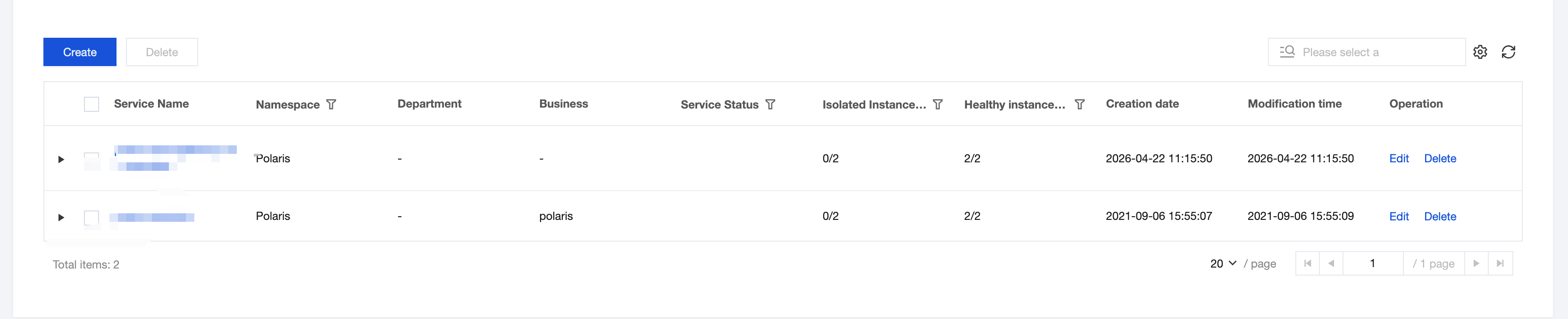
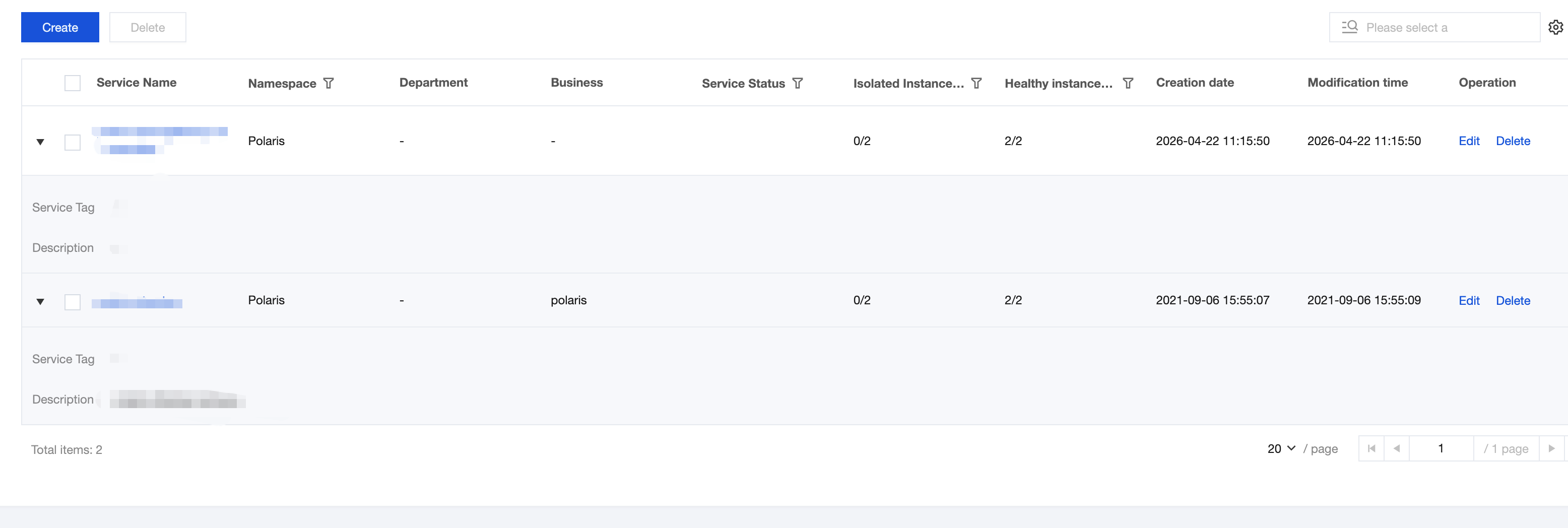
3. Click the target service name to go to the service details page. Expand the triangle icon on the left of the target instance to view its Tag (metadata) information.
Ajuda e Suporte
Esta página foi útil?
Você também pode entrar em contato com a Equipe de vendas ou Enviar um tíquete em caso de ajuda.
comentários