Release Notes
Announcements
Release Notes
Microservice | Description |
QCBM-Front | Frontend project developed through React, built and deployed based on the Nginx 1.19.8 Docker image. |
QCBM-Gateway | API gateway that accepts HTTP requests from the frontend and converts them into Dubbo requests at the backend. |
User-Service | Dubbo-based microservice, providing user registration, login, and authentication features. |
Favorites-Service | Dubbo-based microservice, providing book favorites. |
Order-Service | Dubbo-based microservice, providing order generation and query features. |
Store-Service | Dubbo-based microservice, providing the book information storage feature. |
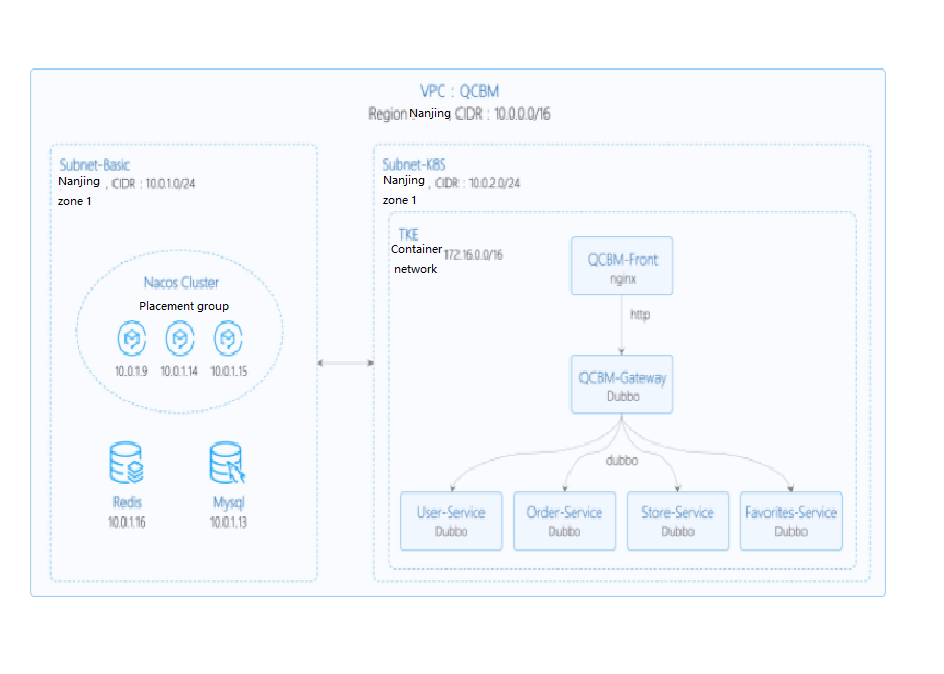
Network Planning | Description |
Region/AZ | Nanjing/Nanjing Zone 1 |
VPC | CIDR: 10.0.0.0/16 |
Subnet-Basic | Nanjing Zone 1, CIDR block: 10.0.1.0/24 |
Subnet-K8S | Nanjing Zone 1, CIDR block: 10.0.2.0/24 |
Nacos cluster | Nacos cluster built with three 1-core 2 GB MEM Standard SA2 CVM instances, with IP addresses of 10.0.1.9, 10.0.1.14, and 10.0.1.15 |
Add-on | Version | Source | Remarks |
k8s | 1.8.4 | Tencent Cloud | TKE management mode |
MySQL | 5.7 | Tencent Cloud | TencentDB for MySQL with two nodes |
Redis | 5.0 | Tencent Cloud | TencentDB for Redis Standard Edition |
CLS | N/A | Tencent Cloud | Log service |
TSW | N/A | Tencent Cloud | Accessed with SkyWalking 8.4.0 Agent, which can be downloaded here |
Java | 1.8 | Open-source community | Docker image of Java 8 JRE |
Nacos | 2.0.0 | Open-source community | Download here |
Dubbo | 2.7.8 | Open-source community |
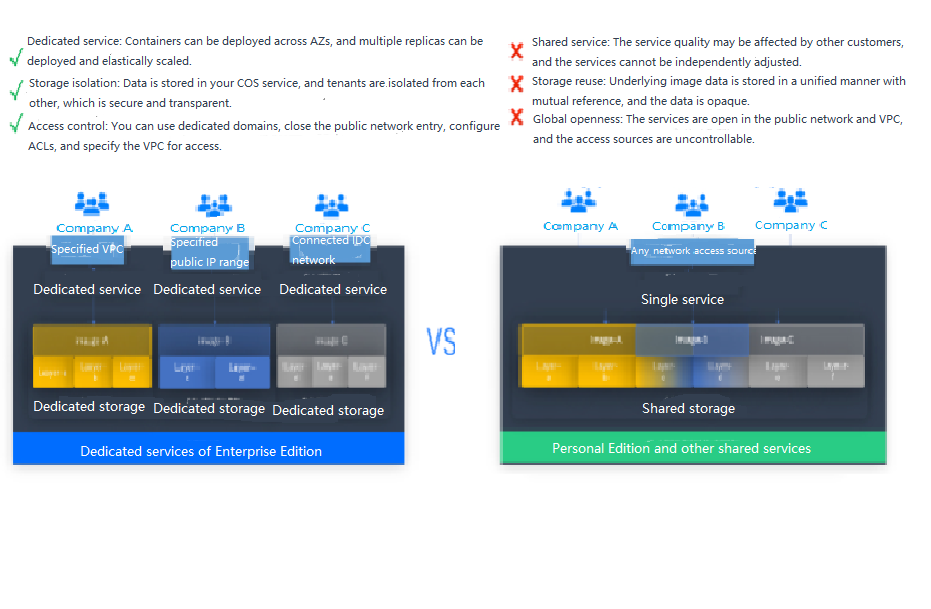
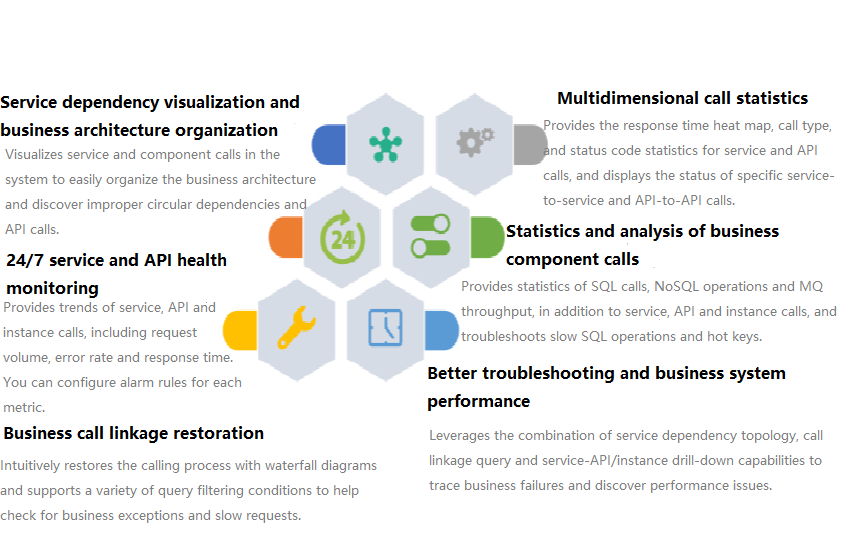
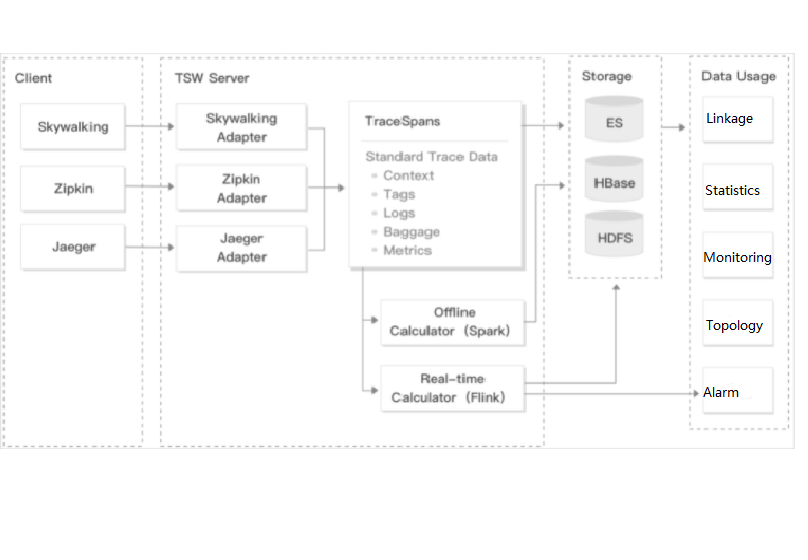
Subnet-K8S (the ID of this CLB instance will be used later). For more information, see Creating CLB Instances. yum install java-1.8.0-openjdk.x86_6
java - version
user-service as an example to describe how to write a Dockerfile. The project directory structure of user-service is displayed, Dockerfile is in the root directory of the project, and user-service-1.0.0.zip is the packaged file that needs to be added to the image. ➜ user-service tree├── Dockerfile├── assembly│ ....├── bin│ ....├── pom.xml├── src│ ....├── target│ .....│ └── user-service-1.0.0.zip└── user-service.iml
user-service is as shown below:FROM java:8-jreARG APP_NAME=user-serviceARG APP_VERSION=1.0.0ARG FULL_APP_NAME=${APP_NAME}-${APP_VERSION}# The working directory of the container is `/app`.WORKDIR /app# Add the locally packaged application to the image.COPY ./target/${FULL_APP_NAME}.zip .# Create the `logs` directory. Decompress and delete the original files and directory after the decompression.RUN mkdir logs \\&& unzip ${FULL_APP_NAME}.zip \\&& mv ${FULL_APP_NAME}/** . \\&& rm -rf ${FULL_APP_NAME}*# Start script and parameters of `user-service`ENTRYPOINT ["/app/bin/user-service.sh"] CMD ["start", "-t"]# Dubbo port numberEXPOSE 20880
nohup java ${OPTIONS} -jar user-service.jar > ${LOG_PATH} 2>&1 & to java ${OPTIONS} -jar user-service.jar > ${LOG_PATH} 2>&1. ccr.ccs.tencentyun.com/[namespace]/[ImageName]:[image tag]:namespace can be the project name to facilitate image management and use. In this document, QCBM represents all the images under the QCBM project. ImageName can contain the subpath, generally used for multi-project use cases of enterprise users. In addition, if a local image is already built, you can run the docker tag command to rename the image in line with the naming convention.# Recommended build method, which eliminates the need for secondary tagging operationssudo docker build -t ccr.ccs.tencentyun.com/[namespace]/[ImageName]:[image tag]# Build a local `user-service` image. The last `.` indicates that the Dockerfile is stored in the current directory (`user-service`).➜ user-service docker build -t ccr.ccs.tencentyun.com/qcbm/user-service:1.0.0 .# Rename existing images in line with the naming conventionsudo docker tag [ImageId] ccr.ccs.tencentyun.com/[namespace]/[ImageName]:[image tag]
docker images

qcbm namespace in the pop-up window. All the images of the QCBM project are stored under this namespace as shown below:
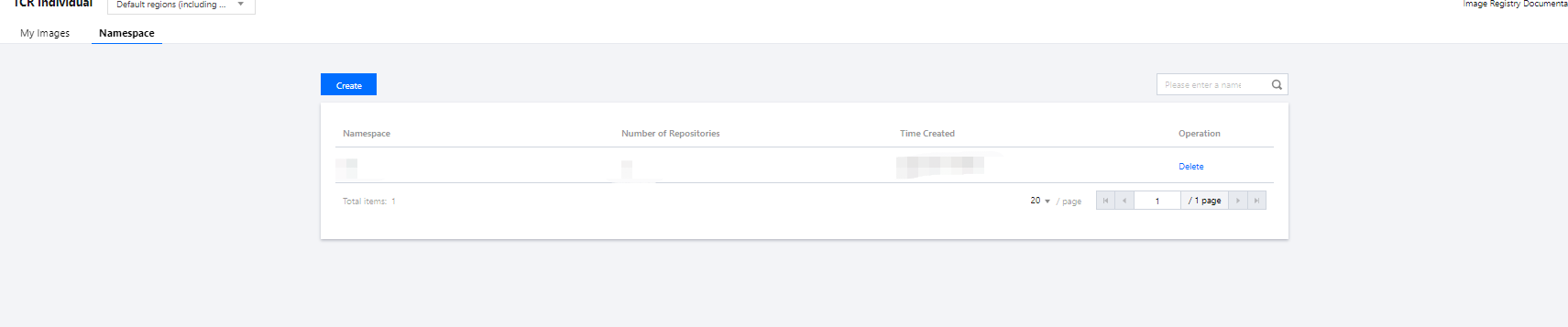
docker login --username=[Tencent Cloud account ID] ccr.ccs.tencentyun.com
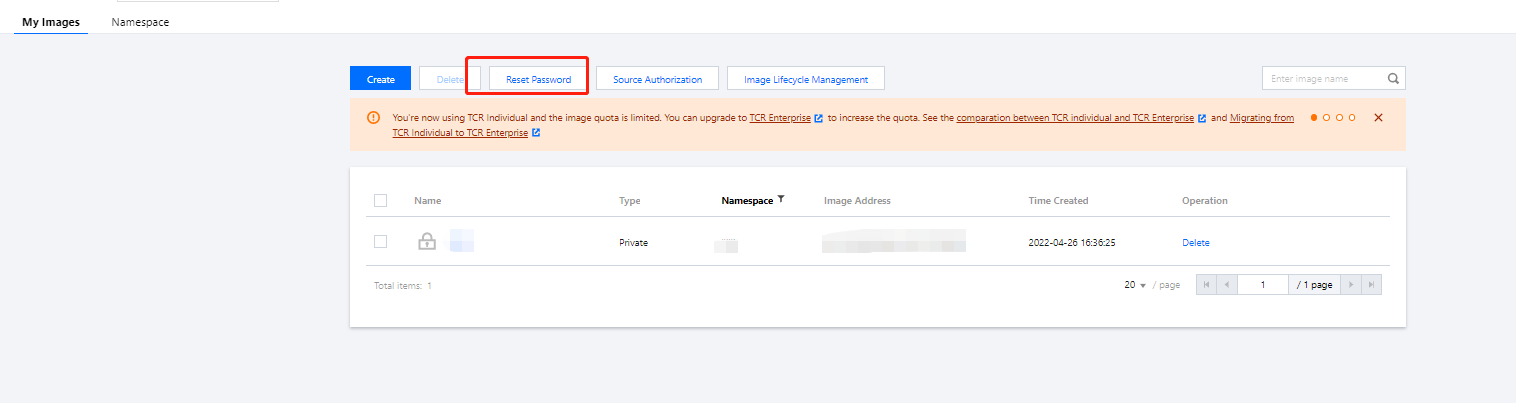
sudo before the command and run it as shown below. In this case, you need to enter two passwords, the server admin password required for sudo and the TCR login password.sudo docker login --username=[Tencent Cloud account ID] ccr.ccs.tencentyun.com

docker push ccr.ccs.tencentyun.com/[namespace]/[ImageName]:[image tag]
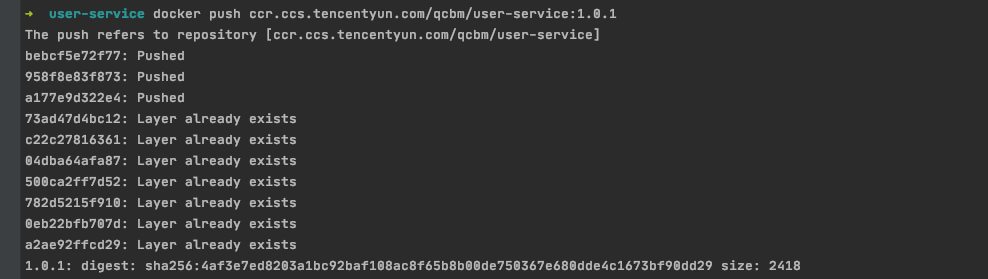
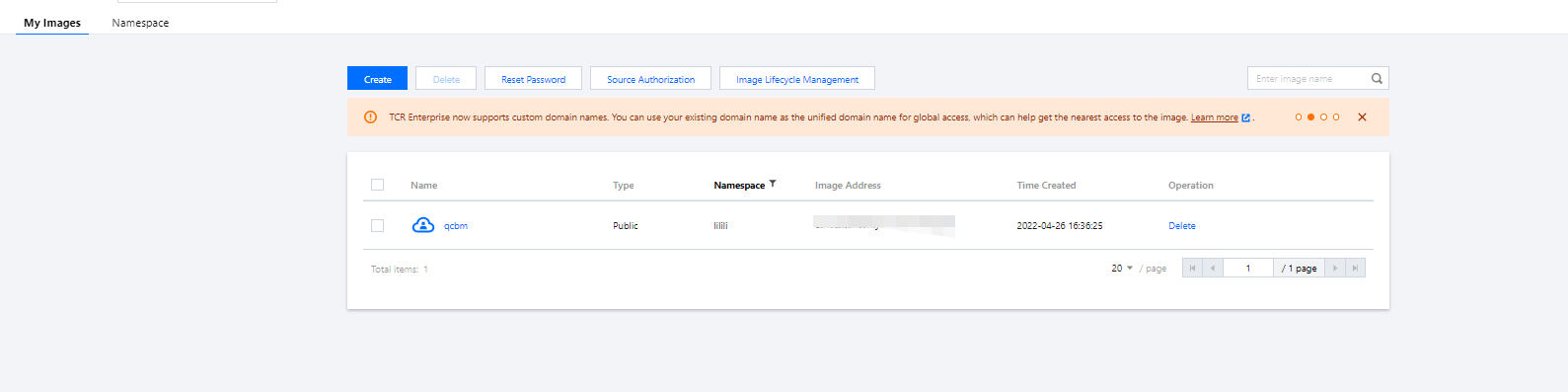
Private. If you want to let others use the image, you can set it to Public in Image Info as shown below:

qcbm-k8s-demo as shown below:

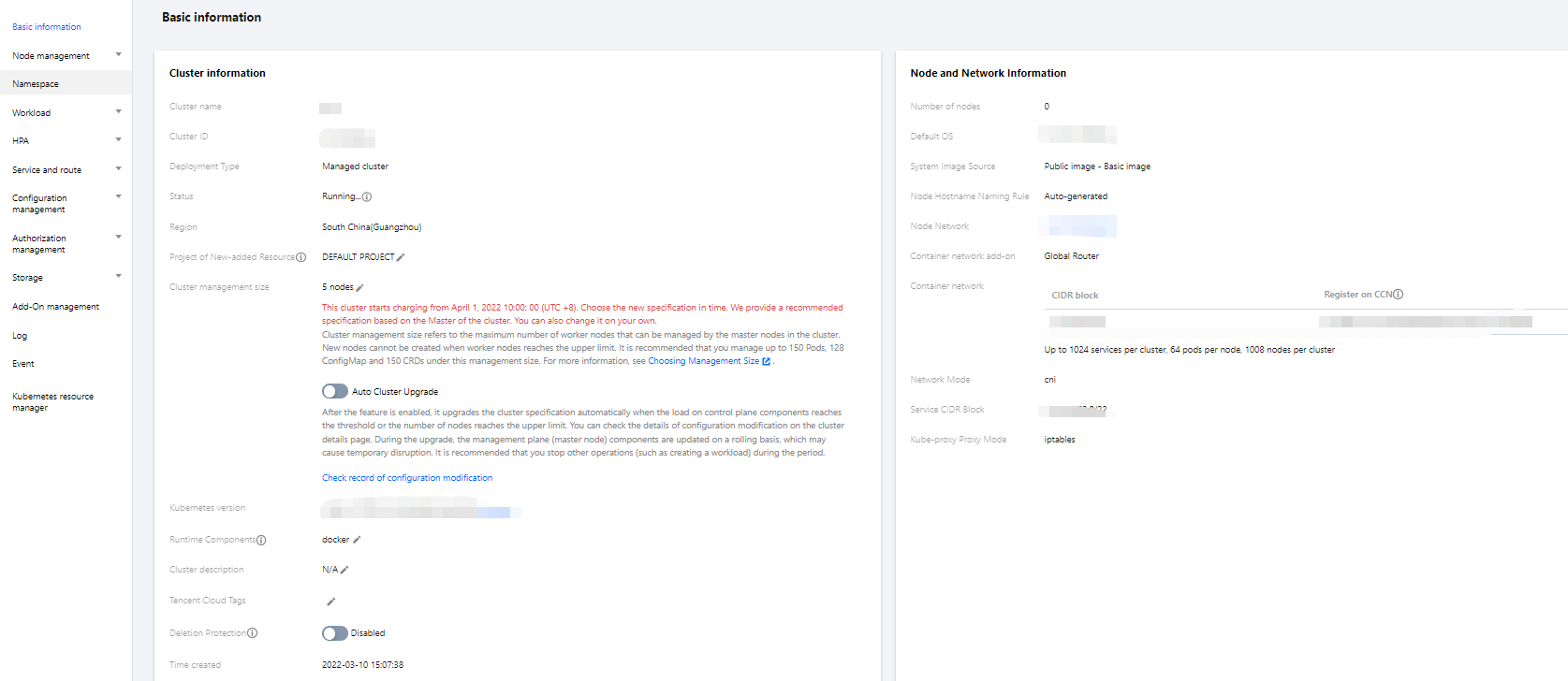
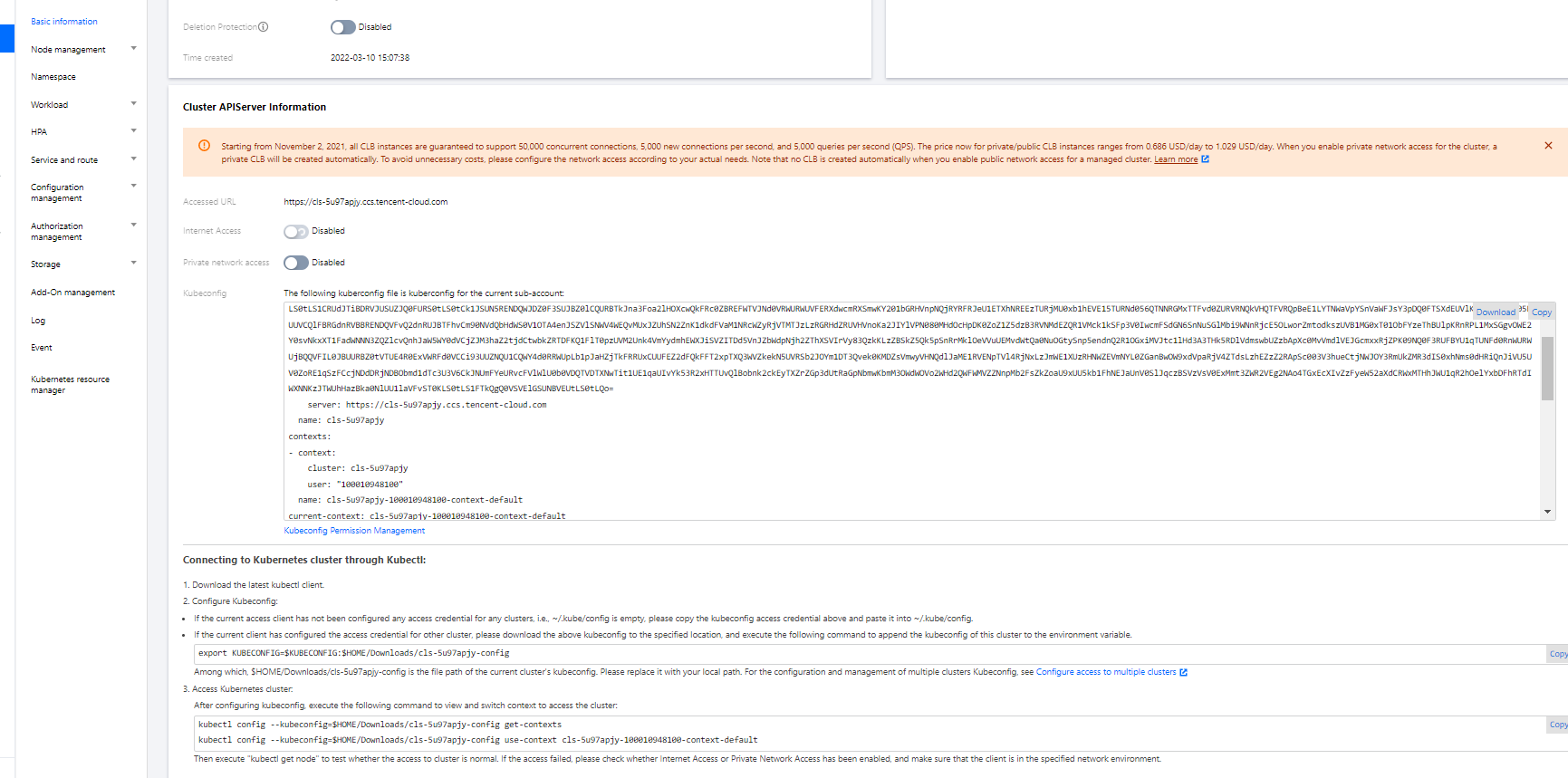
config file under user home/.kube (choose another if the config file has content) to ensure that the default cluster can be accessed each time. If you choose not to store the token in the config file under .kube, see the Instructions on Connecting to Kubernetes Cluster via kubectl under Cluster API Server Info in the console as shown below:
kubectl create namespace qcbm
qcbm.shkubctl create –f namespace.yaml
namespace.yaml is as shown below: # Create the `qcbm` namespace.apiVersion: v1kind: Namespacemetadata:name: qcbmspec:finalizers:- kubernetes
MYSQL_PORT in the sample YAML below:# Create a ConfigMap.apiVersion: v1kind: ConfigMapmetadata:name: qcbm-envnamespace: qcbmdata:NACOS_HOST: 10.0.1.9MYSQL_HOST: 10.0.1.13REDIS_HOST: 10.0.1.16NACOS_PORT: "8848"MYSQL_PORT: "3306"REDIS_PORT: "6379"SW_AGENT_COLLECTOR_BACKEND_SERVICES: xxx # TSW access address as described below
qcbm-env for storing the configuration. The qcbm namespace is as shown below: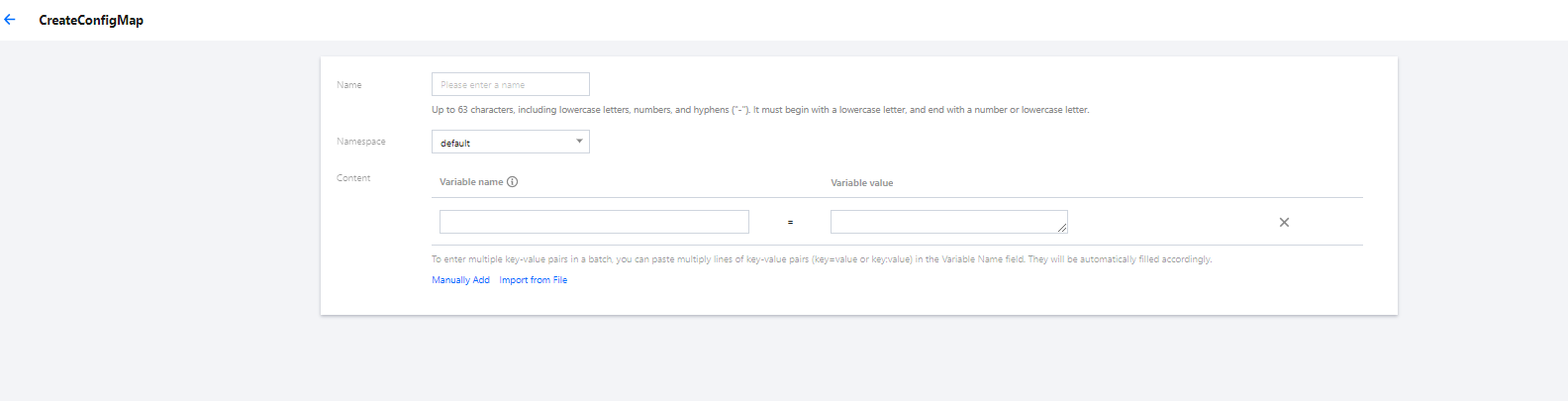
value of the Secret needs to be a Base64-encoded string.# Create a Secret.apiVersion: v1kind: Secretmetadata:name: qcbm-keysnamespace: qcbmlabels:qcloud-app: qcbm-keysdata:# `xxx` is the Base64-encoded string, which can be generated by using the `echo -n raw string | base64` shell command.MYSQL_ACCOUNT: xxxMYSQL_PASSWORD: xxxREDIS_PASSWORD: xxxSW_AGENT_AUTHENTICATION: xxx # TSW access token as described belowtype: Opaque
qcbm-keys as shown below: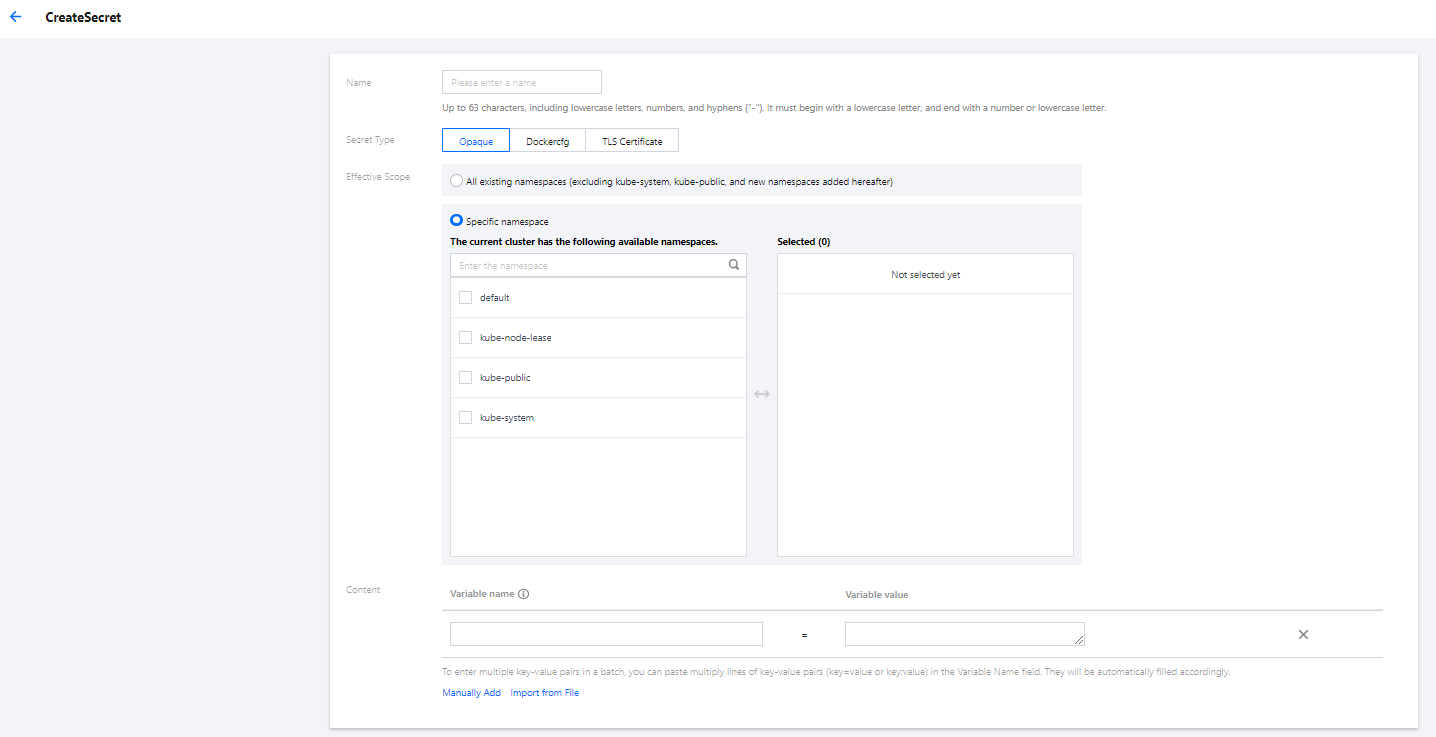
user-service Deployment are as shown below:Parameter | Description |
replicas | Indicates the number of Pods to be created. |
image | Image address |
imagePullSecrets | The key to pull an image, which can be obtained from Cluster > Configuration Management > Secret. It is not required for public images. |
env | Defines Pod environment variables and values. The key-value defined in the ConfigMap can be referenced by using configMapKeyRef.The key-value defined in the Secret can be referenced by using secretKeyRef. |
ports | Specifies the port number of the container. It is 20880 for Dubbo applications. |
user-service Deployment is as follows:# user-service DeploymentapiVersion: apps/v1kind: Deploymentmetadata:name: user-servicenamespace: qcbmlabels:app: user-serviceversion: v1spec:replicas: 1selector:matchLabels:app: user-serviceversion: v1template:metadata:labels:app: user-serviceversion: v1spec:containers:- name: user-serviceimage: ccr.ccs.tencentyun.com/qcbm/user-service:1.1.4env:- name: NACOS_HOST # IP address of the Dubbo service registry NacosvalueFrom:configMapKeyRef:key: NACOS_HOSTname: qcbm-envoptional: false- name: MYSQL_HOST # MySQL addressvalueFrom:configMapKeyRef:key: MYSQL_HOSTname: qcbm-envoptional: false- name: REDIS_HOST # Redis IP addressvalueFrom:configMapKeyRef:key: REDIS_HOSTname: qcbm-envoptional: false- name: MYSQL_ACCOUNT # MySQL accountvalueFrom:secretKeyRef:key: MYSQL_ACCOUNTname: qcbm-keysoptional: false- name: MYSQL_PASSWORD # MySQL passwordvalueFrom:secretKeyRef:key: MYSQL_PASSWORDname: qcbm-keysoptional: false- name: REDIS_PASSWORD # Redis passwordvalueFrom:secretKeyRef:key: REDIS_PASSWORDname: qcbm-keysoptional: false- name: SW_AGENT_COLLECTOR_BACKEND_SERVICES # SkyWalking backend service addressvalueFrom:configMapKeyRef:key: SW_AGENT_COLLECTOR_BACKEND_SERVICESname: qcbm-envoptional: false- name: SW_AGENT_AUTHENTICATION # Authentication token for SkyWalking Agent to connect to the backend servicevalueFrom:secretKeyRef:key: SW_AGENT_AUTHENTICATIONname: qcbm-keysoptional: falseports:- containerPort: 20880 # Dubbo port nameprotocol: TCPimagePullSecrets: # The key to pull the image. It is not required as the images of all QCBM services are public.- name: qcloudregistrykey
ServiceType, which defaults to ClusterIP. Valid values of ServiceType include the following:ServiceType to LoadBalancer for the QCBM gateway and front.TKE enriches the LoadBalancer mode by configuring the Service through annotations. service.kubernetes.io/qcloud-loadbalancer-internal-subnetid annotations, a private network CLB instance will be created when the Service is deployed. In general, we recommend you create the CLB instance in advance and use the service.kubernetes.io/loadbalance-id annotations in the deployment YAML to improve the efficiency. qcbm-front Service is as follows:# Deploy the `qcbm-front` Service.apiVersion: v1kind: Servicemetadata:name: qcbm-frontnamespace: qcbmannotations:# ID of the CLB instance of `Subnet-K8S`service.kubernetes.io/loadbalance-id: lb-66pq34pkspec:externalTrafficPolicy: Clusterports:- name: httpport: 80targetPort: 80protocol: TCPselector: # Map the backend `qcbm-gateway` to the Service.app: qcbm-frontversion: v1type: LoadBalancer
qcbm-front, which corresponds to the following YAML:# Deploy the `qcbm-front` Ingress.apiVersion: networking.k8s.io/v1beta1kind: Ingressmetadata:name: frontnamespace: qcbmannotations:ingress.cloud.tencent.com/direct-access: "false"kubernetes.io/ingress.class: qcloudkubernetes.io/ingress.extensiveParameters: '{"AddressIPVersion":"IPV4"}'kubernetes.io/ingress.http-rules: '[{"host":"qcbm.com","path":"/","backend":{"serviceName":"qcbm-front","servicePort":"80"}}]'spec:rules:- host: qcbm.comhttp:paths:- path: /backend: # Associate with backend services.serviceName: qcbm-frontservicePort: 80

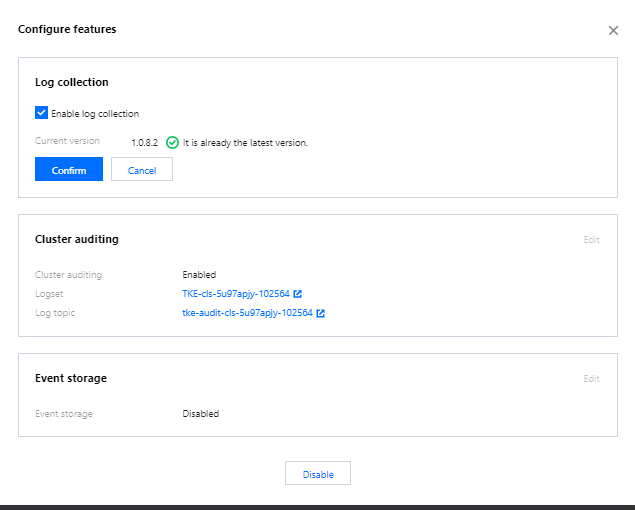
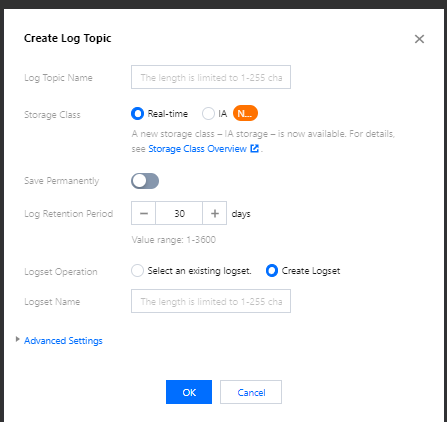
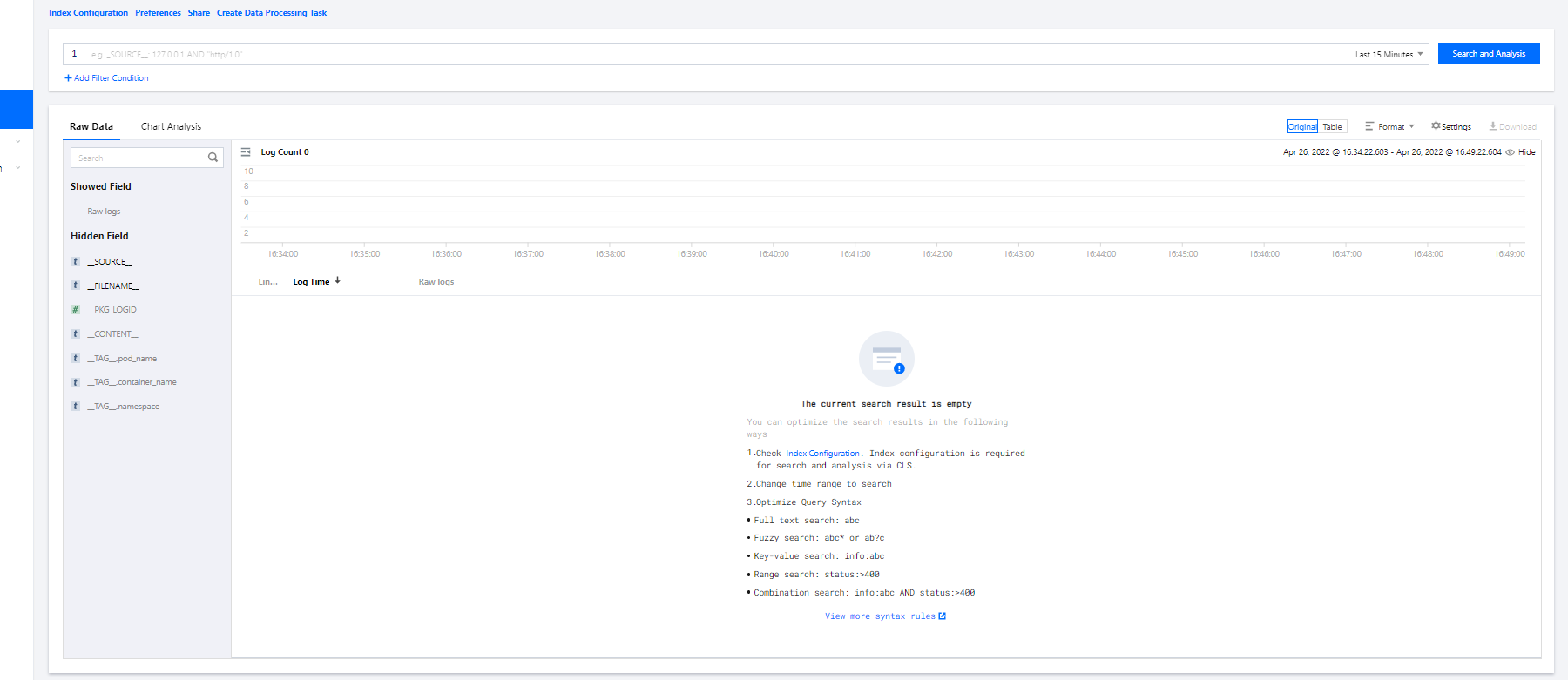
qcbm. qcbm-logs./app/logs directory, so you can use the container file path to specify the workload and log location. 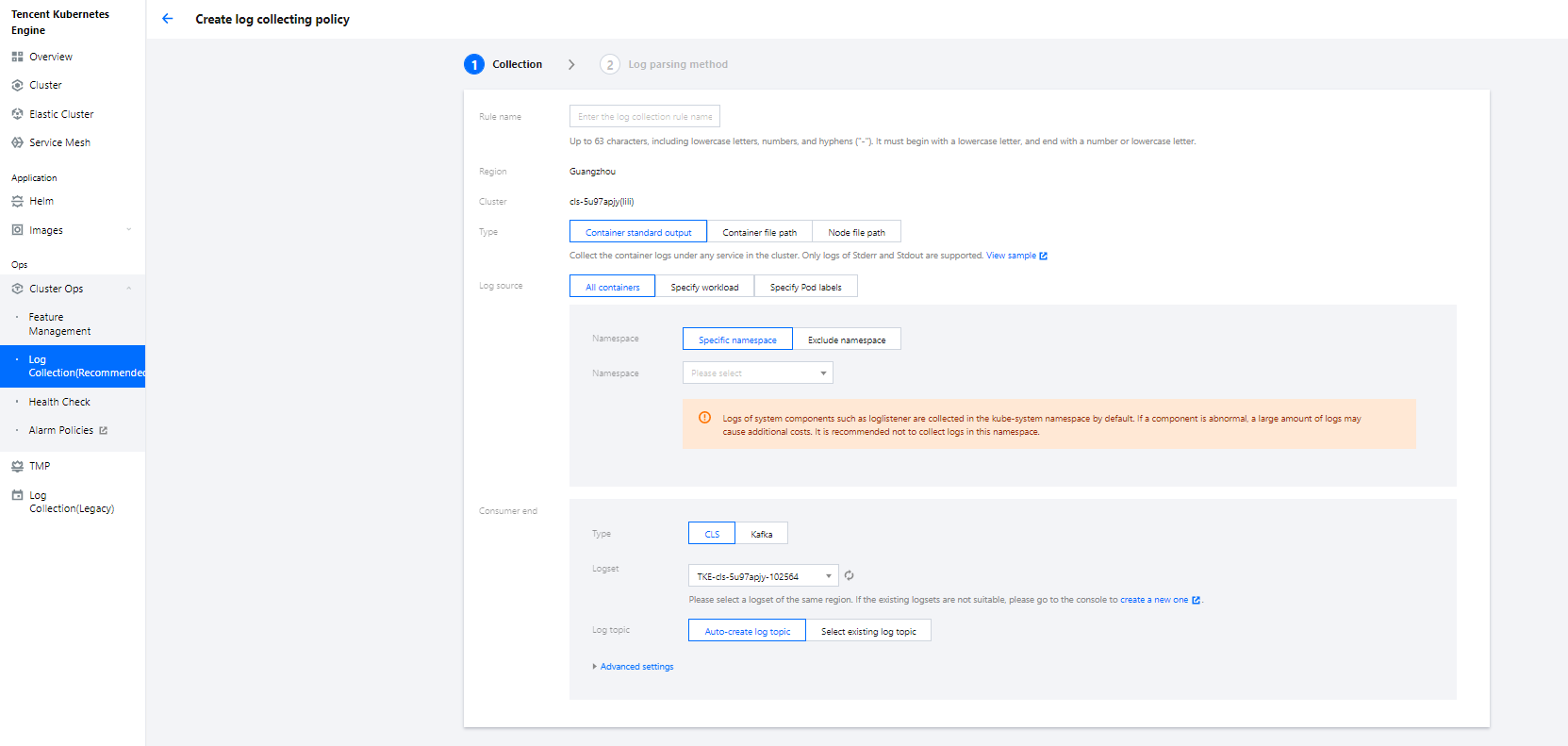
user-service log collection. For more information on CRD collection configuration, see Using CRD to Configure Log Collection via YAML.apiVersion: cls.cloud.tencent.com/v1kind: LogConfigmetadata:name: user-log-rulespec:clsDetail:extractRule: {}# Single-line textlogType: minimalist_log# ID of the `user-log` log topictopicId: 0c544491-03c9-4ed0-90c5-9bedc0973478inputDetail:# The container, workload, and log output directory where the logs are locatedcontainerFile:container: user-servicefilePattern: '*.log'logPath: /app/logsnamespace: qcbmworkload:kind: deploymentname: user-service# The log collection type is the container file path.type: container_file
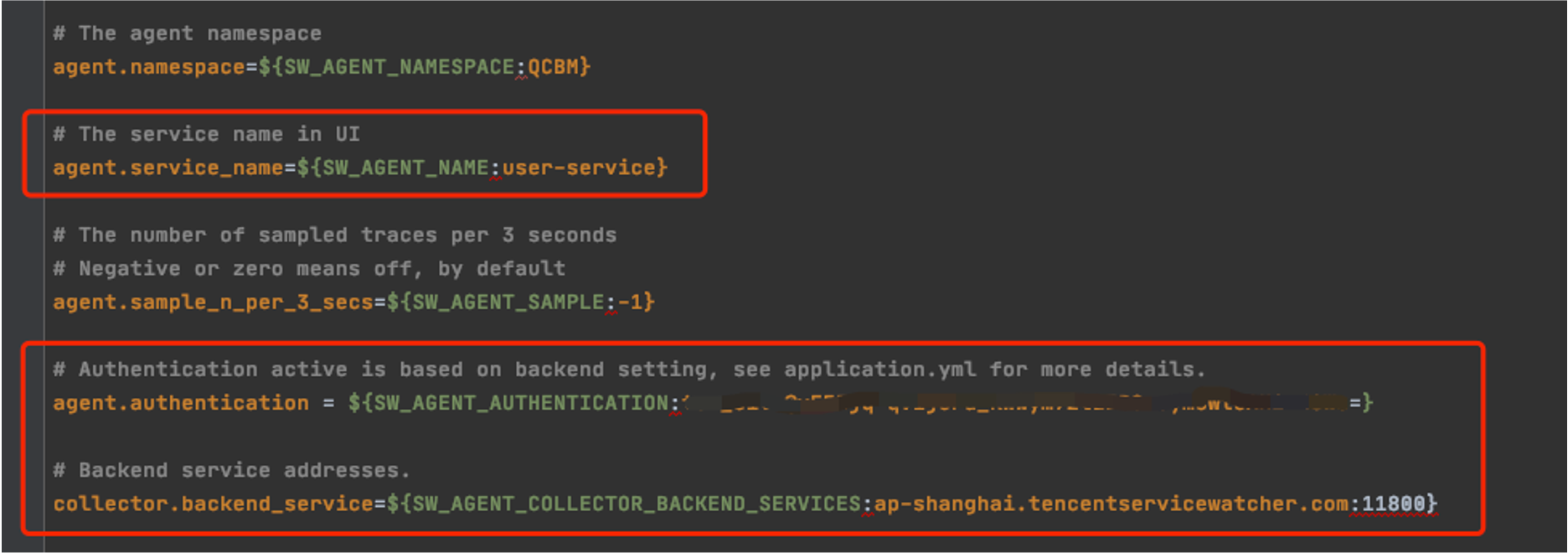
collector.backend_service and agent.authentication respectively in the agent.config of SkyWalking. agent.service_name is the service name, and agent.namespace can be used to group microservices under the same domain. user-service configuration is as shown below:
SW_AGENT_COLLECTOR_BACKEND_SERVICES.SW_AGENT_AUTHENTICATION.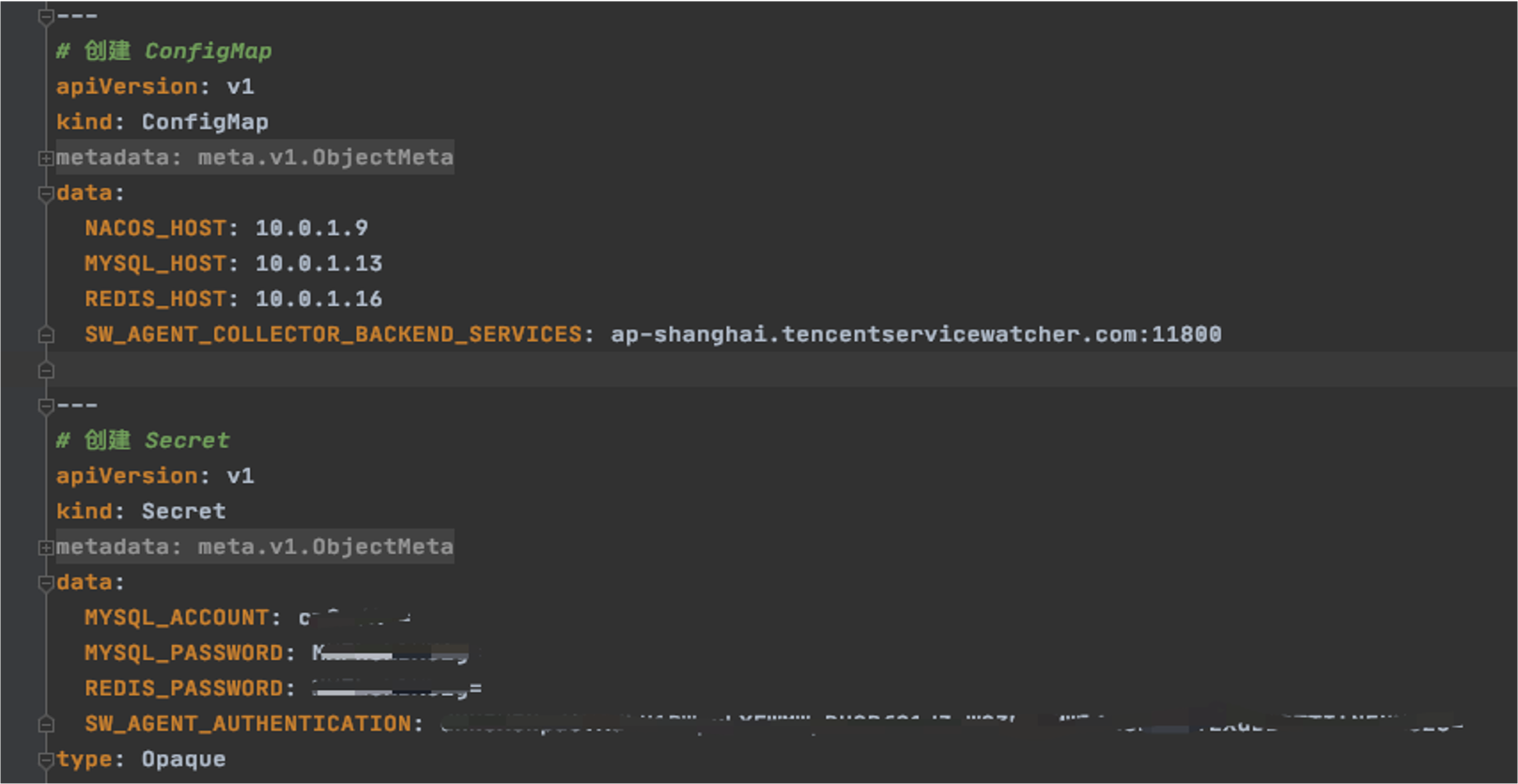
Esta página foi útil?
Você também pode entrar em contato com a Equipe de vendas ou Enviar um tíquete em caso de ajuda.
comentários