During data consistency check, DTS compares the table data between the source and target databases and outputs the comparison result and inconsistency details for you to quickly process the inconsistent data. A data consistency check task is independent and does not affect the normal business in the source database or other DTS tasks.
Note:
Links currently supporting data consistency check are as follows:
MySQL/MariaDB/Percona/TDSQL for MySQL > MySQL
MySQL/MariaDB/Percona/TDSQL for MySQL > MariaDB
MySQL/MariaDB/Percona > TDSQL-C for MySQL
MySQL/MariaDB/Percona/TDSQL for MySQL > TDSQL for MySQL
MySQL/MariaDB/Percona/TDSQL for TDStore > TDSQL for TDStore
Notes
During data consistency check, only the database/table objects selected in the source database are compared with those migrated to the target database. The consistency is not checked for data written during migration, other advanced objects (such as procedures and events), and accounts.
A data consistency check task may increase the load in the source database instance. Therefore, you need to perform such tasks during off-peak hours.
A data consistency check task can be executed repeatedly, but one DTS instance can initiate only one such task at any time. A task can be initiated when the last task is running but cannot after creation is completed.
A table to be checked must have a primary key or unique key; otherwise, it will be skipped by DTS during the check.
If you choose to complete or terminate a DTS task before a data consistency check task is completed, the check task will fail.
As data consistency check requires creating a new database __tencentdb__ in the source database and writing the checksum table to the database, if the source database is read-only, data consistency check will be skipped.
Restrictions
Currently, check tasks are imperceptible to the DDL operations. If you perform DDL operations in the source database during migration, the check result will be inconsistent with the actual data, and you need to initiate another check task to get the accurate comparison result.
How It Works
DTS consistency check on MySQL databases is based on the row mode (binlog_format=row) that can correctly copy the source and replica data to ensure the data security.
1. Create the checksum database __tencentdb__.Checksums in the source database to store the data comparison information during the migration task.
2. Select the non-null unique key of the target table as the fixed check field.
3. Calculate the crc1 checksum and row count count1 of the source database and write them into the __tencentdb__.Checksums of the source database.
Similar to chunk check, during CRC calculation, select a fixed range (for example, data with primary keys ranging from 1 to 1000 in table A) based on the fixed check field, splice the data by row, calculate the CRC value (crc) for each chunk, and then calculate crc1 for all the data in the source database.
4. DTS parses the binlog data in row mode, restores the SQL statement for writing the checksum into the source database, and replays the SQL statement in the target database.
In the target database, use the same variables as those in the source database to calculate the checksum and row count to get crc2 and count2.
5. Compare the checksum and row count values of the source and target databases and display the comparison result.
Creating a Data Consistency Check Task
Automatic triggering
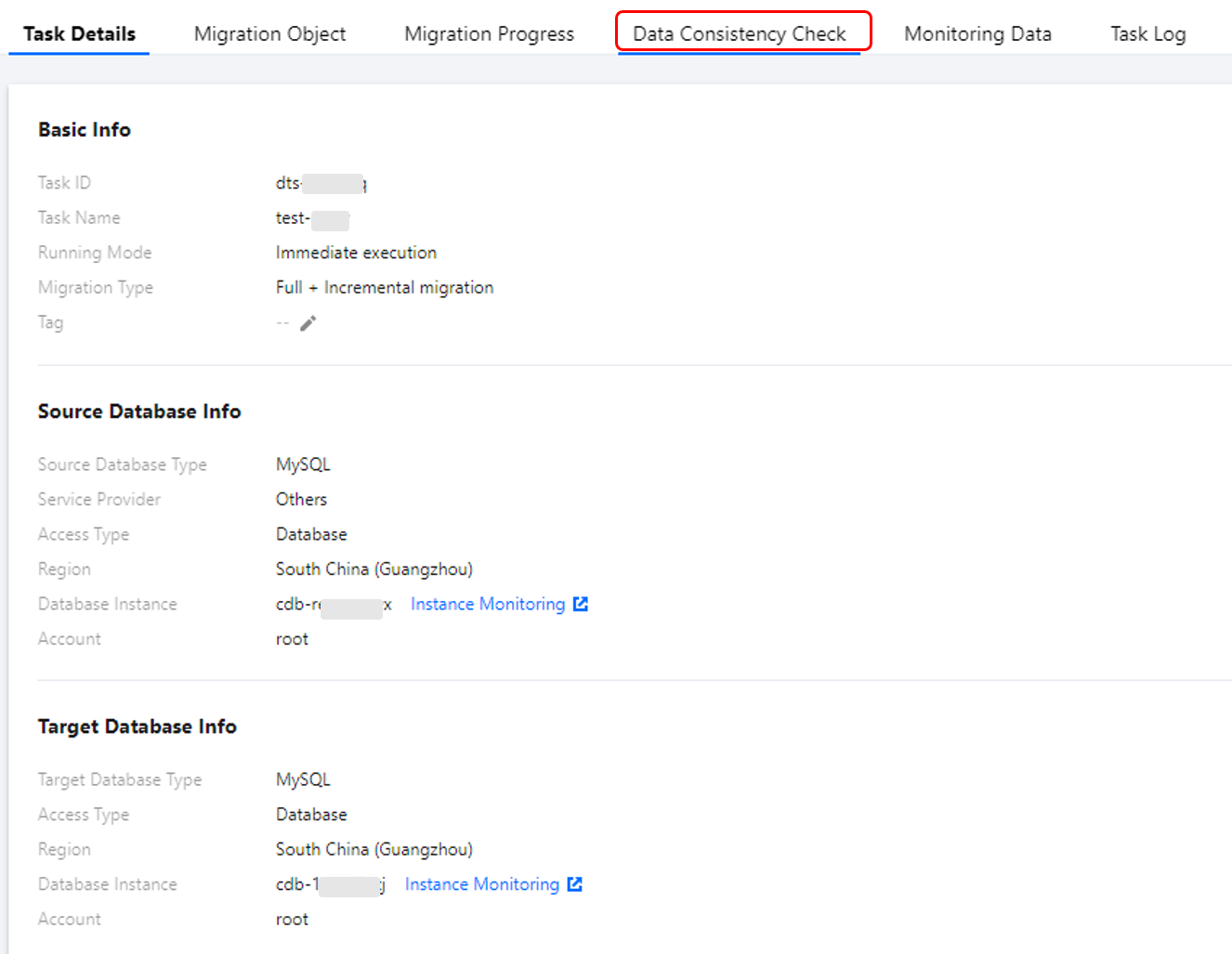
On the Set migration options and select migration objects page of a data migration task, select Full check for Data Consistency Check. In this way, a data consistency check task will be triggered automatically when the migration task enters the incremental sync step.
2. On the Data Migration page, select the target migration task and click Create Data Consistency Check Task in the Operation column.
3. Click Create Data Consistency Check Task.
Note:
A data consistency check task can be created only when the corresponding migration task is in the incremental sync step. If the button is grayed out, the DTS task status does not meet the requirement; for example, the task has not entered the incremental sync step, has failed, or is terminated.
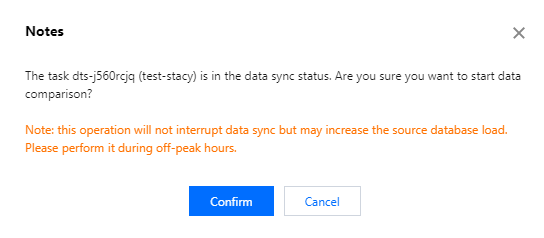
4. In the pop-up window, click OK.
5. After configuring data consistency check parameters, click Create and Start Consistency Check Task.
Parameter
Description
Check Object
All migration objects: Check all the objects selected in the migration task.
Custom: Check the selected migration objects.
Comparison Type
Full comparison: Check all the data for the selected objects.
Sampling: Check the data of a certain proportion (10%, 20%, 30%, ..., 90%) for the selected objects.
Row count comparison: Only compare the data row count for the selected check objects. In this case, even tables without the primary key can also be checked.
Thread Count
The value ranges from 1 to 5 and can be set as needed. Increasing the number of threads can speed up the consistency check, but will also increase the load of the source and target databases.
Viewing the Data Consistency Check Result
1. On the migration task homepage, view whether the check result is Consistent or Inconsistent in the Last Check Result column. Click View More to enter the Verification Details page.
2. Click View to view the check result.
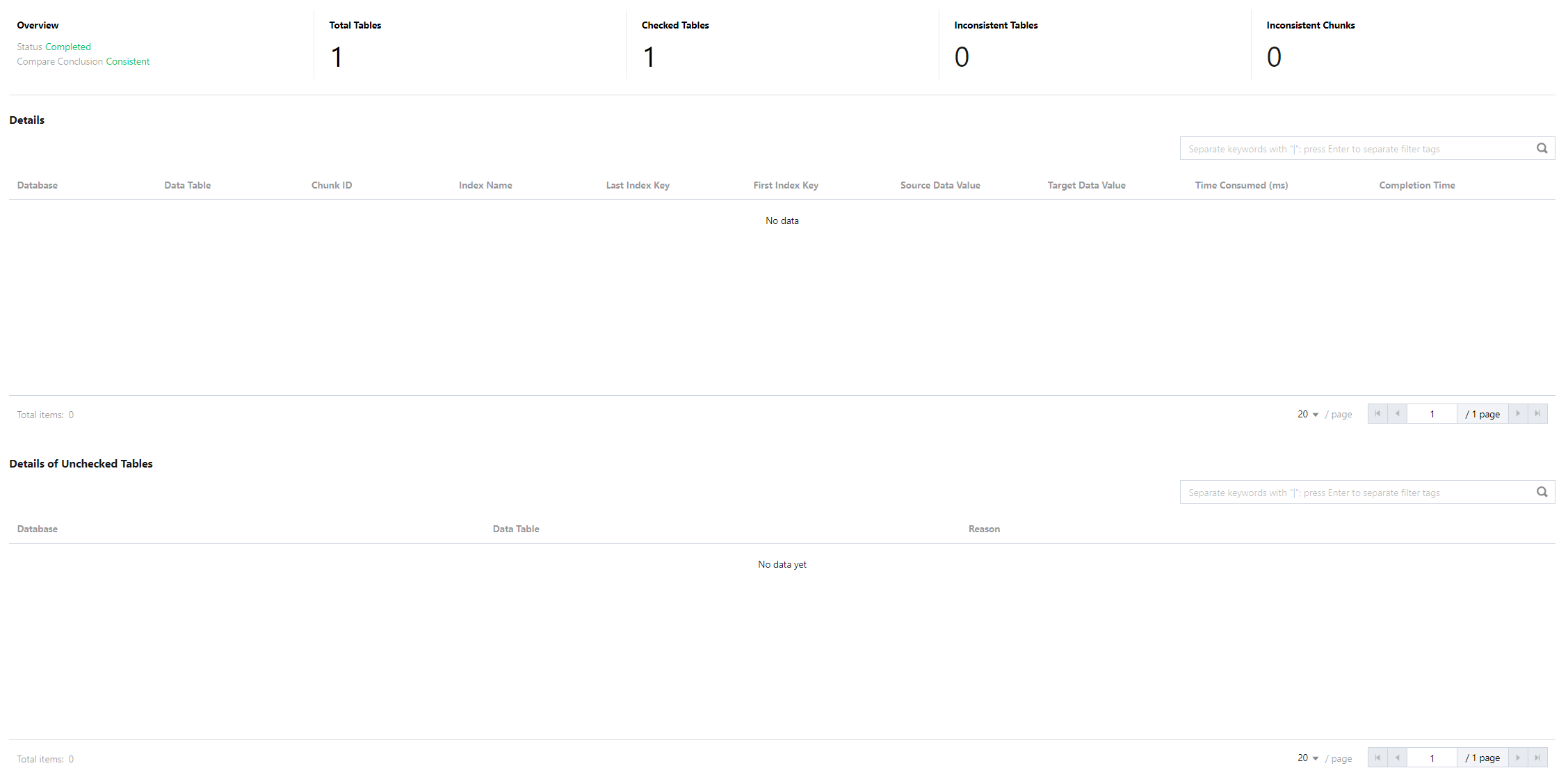
3. If the data is consistent, the result is as follows:
You can view the numbers of estimated tables, checked tables, inconsistent tables, and inconsistent chunks. Here, the number of estimated tables is an estimation that may differ from the actual value, as providing an accurate value will compromise the overall check performance.
Possible causes for not checking a table: There is no primary key or non-null unique key, the table is empty, the engine type is not supported, or the table does not exist.
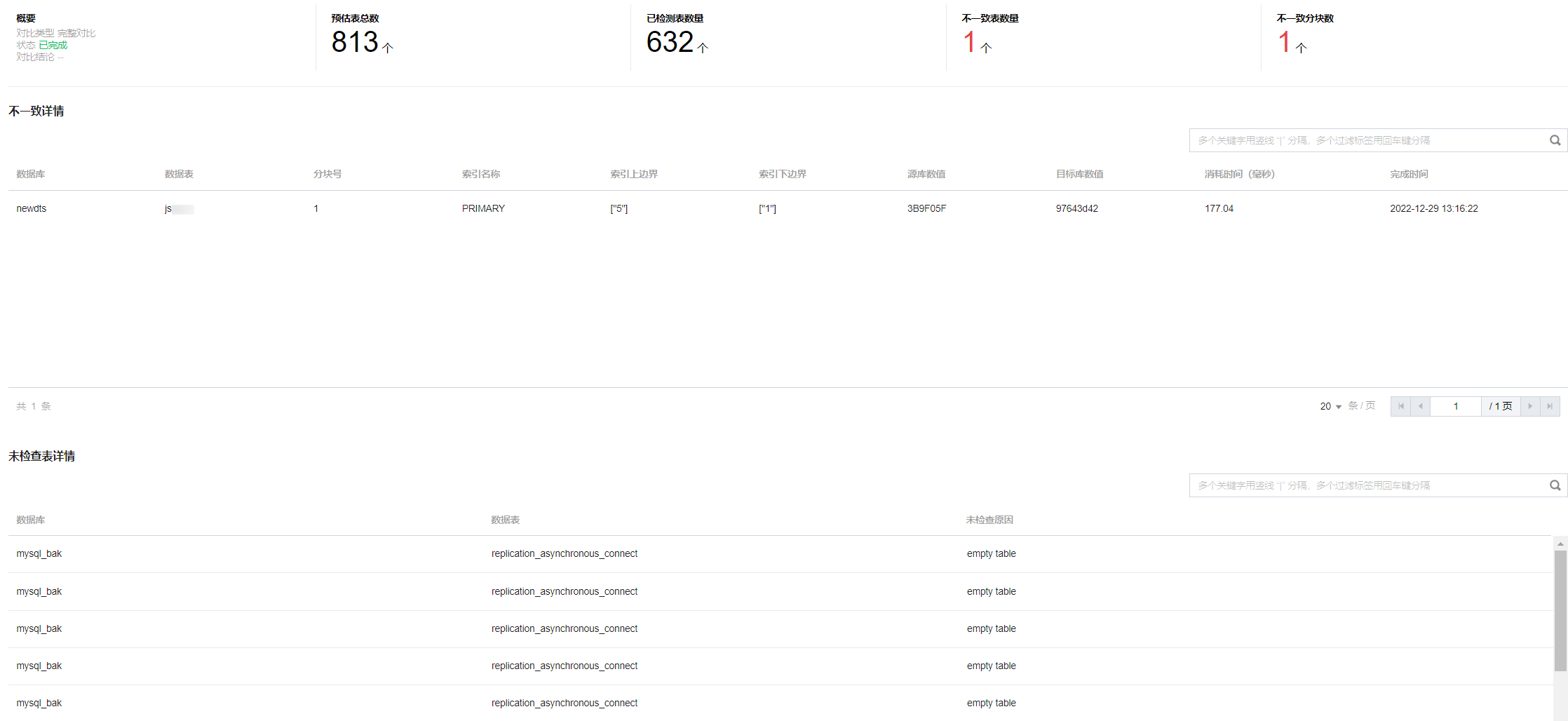
If the data is inconsistent, the result is as follows:
For inconsistent data, you need to manually confirm the corresponding data content of the source and target databases. Specifically, compare the values based on Database, Data Table, Index Name, Last Index Key, and First Index Key parameters displayed on the page.
The steps are as follows:
1. Log in to the source database and query the prompted index range.
select * from table_name where col_index >=1 and <=5;
2. Log in to the target database and query the prompted index range.
3. Compare the data of the source and target databases.