This document describes how to migrate the user information from the source database to the target database.
Note:
Currently, the following data migration scenarios supports account migration: MySQL > MySQL and MySQL > TDSQL-C.
Notes
1. During account migration, DTS will check the account information of the source database and migrate accounts meeting the requirements. DTS won't migrate ineligible accounts or will migrate them with fewer permissions. Account check may have the following results:
Full migration: The account information fully meets the check requirements and can be migrated normally.
Migration with fewer permissions: If the check requirements are partially meet, only compliant permissions will be migrated.
DTS supports permission migration only at the database and global but not other levels such as table, stored procedure, or column. For example, if an account in the source database has permissions at both the database and table levels, only the permissions at the database level will be migrated to the target database.
If the account executing the migration task doesn't have the same permissions in the target database, such permissions cannot be migrated (for database and global levels only). For example, if it doesn't have the deletion permission in the target database, the deletion permission of the source database account cannot be migrated.
No migration: The account information doesn't meet the requirements and cannot be migrated. For more information, see Limits.
2. If the source and target databases have the same account, DTS will overwrite the account information in the target database with that in the source database.
If an account in the source database has the same user and host as an account in the target database (except the account executing the migration task), but they have different passwords, after account migration, the password of the account in the target database will be overwritten by the password of the account in the source database.
If an account to be migrated in the source database has the same information as the account executing the migration task, the following attributes of the source database account will overwrite those in the target database and may affect the performance of the migration task: MAX_QUERIES_PER_HOUR, MAX_UPDATES_PER_HOUR, MAX_CONNECTIONS_PER_HOUR, MAX_USER_CONNECTIONS, PASSWORD EXPIRE, and ACCOUNT LOCK.
If an account to be migrated in the source database has the same user and host as the account executing the migration task, but they have different passwords, an error will be reported during the verification task. In this case, you need to change the passwords to the same one before executing the migration task again.
3. Account migration is not affected by database/table mappings.
Limits
1. System accounts of Alibaba Cloud instances cannot be migrated, such as replicator, aurora, aurora_proxy, root, and aliyun_root.
2. When migrating accounts from an Alibaba Cloud instance, DTS will get the user data from the mysql.user table first. If the mysql.user table doesn't exist, DTS will get the data from mysql.user_view. If mysql.user_view doesn't have the password column, accounts cannot be migrated.
3. Special limits for MySQL 8.0:
If the source database is MySQL 8.0, accounts with SYSTEM_USER permissions cannot be migrated.
If the target database is MySQL 8.0 and has an account with stored procedures of the account to be migrated in the source database, as DTS currently cannot migrate stored procedures, an error will be reported for the CREATE USER statement. In this case, you need to delete the account in the target database first and execute the migration task again.
If the target database is MySQL 8.0, and the account to be migrated in the source database has the SYSTEM_USER permissions, but the account executing the migration task doesn't, the source database account cannot be migrated.
4. If the target database is MySQL 5.5 or 5.6, and the account executing the migration task doesn't have the with grant option permission, account migration is not supported.
5. Roles created in the source database will be migrated as users. However, users with role permissions won't be migrated.
6. System accounts such as mysql cannot be migrated.
7. Proxy users cannot be migrated.
8. If an account in the source database contains special symbols such as the hex 0x00 symbol, the account migration task may report an error.
Directions
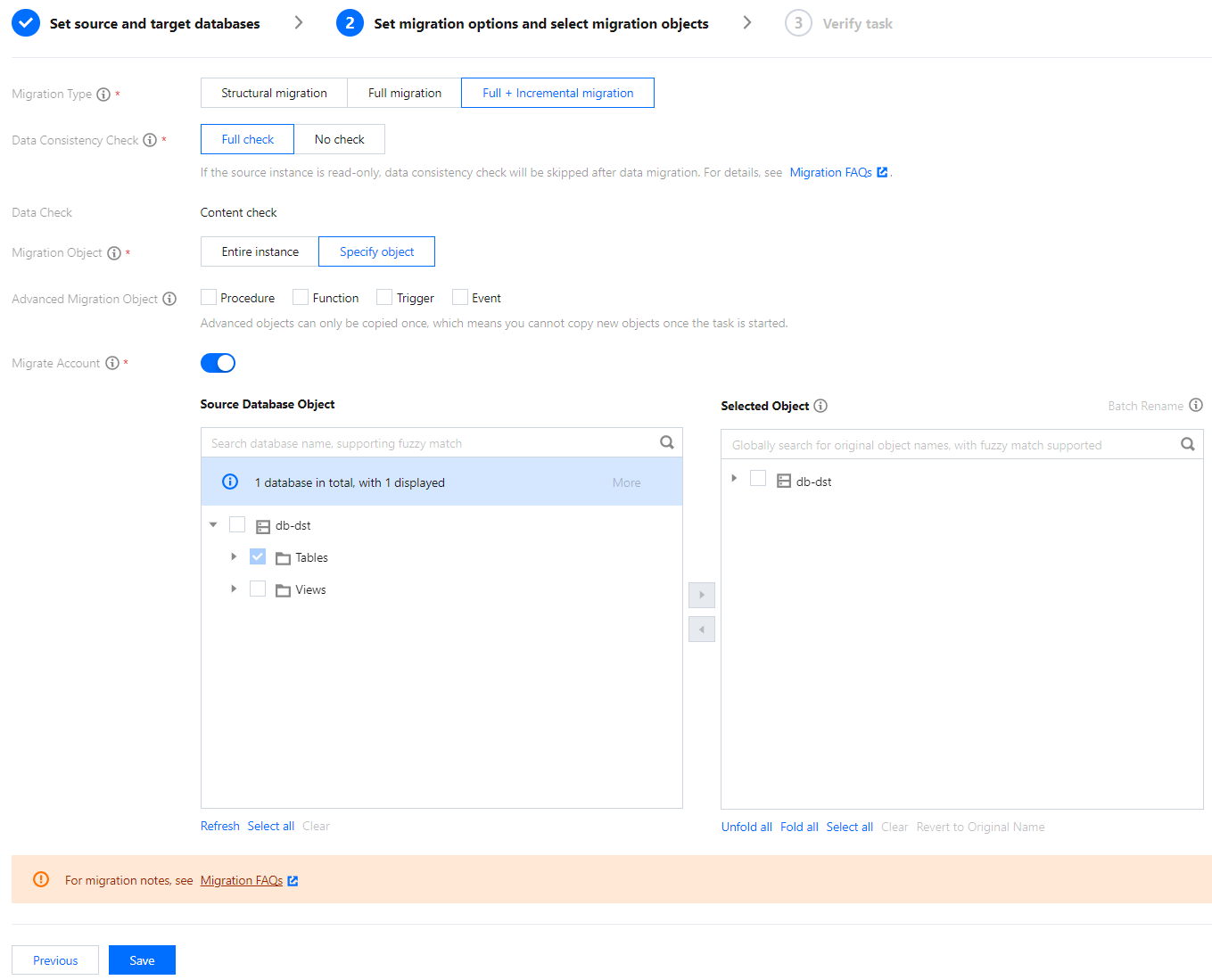
1. On the Set migration options and select migration objects page of a data migration task, select Migrate Account.
2. The verification task will check the account information in the source database and will migrate eligible accounts.
3. Click View Details to view the detailed account migration result.
Full migration: The account meets the check requirements and can be migrated normally.
Migration with fewer permissions: If the check requirements are partially meet, only compliant permissions will be migrated.
No migration: The account doesn't meet the check requirements and cannot be migrated. Possible causes include:
The account is a system user of an Alibaba Cloud database, or the user account and password information cannot be obtained.
The source database is MySQL 8.0 and the account has SYSTEM_USER permissions, or the account has SYSTEM_USER permissions but the account executing the migration task doesn't.
The target database is MySQL 5.5 or 5.6, but the account executing the migration task doesn't have the grant permission.
The account is a system account such as mysql, sqlserver, or orcal.
The account is a proxy user.
A system problem such as DTS parsing failure occurs.