Renaming Cluster
Download
Focus Mode
Font Size
Operation Scenarios
This document describes how to rename a cluster in the TcaplusDB Console.
Prerequisites
You have created a cluster and a table group. For more information, please see Creating Cluster and Creating Table Group.
Directions
1. Enter the Cluster List page and click a cluster ID to enter the cluster details page.
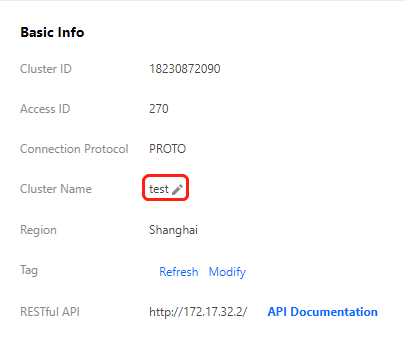
2. Click the "Modify" icon on the right of "Cluster Name" to rename the cluster. The new cluster name must be unique under the account.
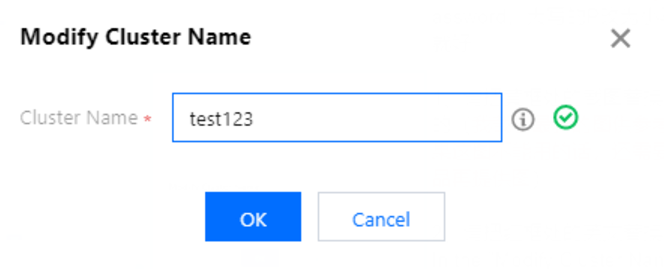
3. In the "Modify Cluster Name" dialog box that pops up, enter the new cluster name and click OK.
Help and Support
Was this page helpful?
You can also Contact sales or Submit a Ticket for help.
Help us improve! Rate your documentation experience in 5 mins.
Feedback