iOS(UIKit)
Download
フォーカスモード
フォントサイズ
Description
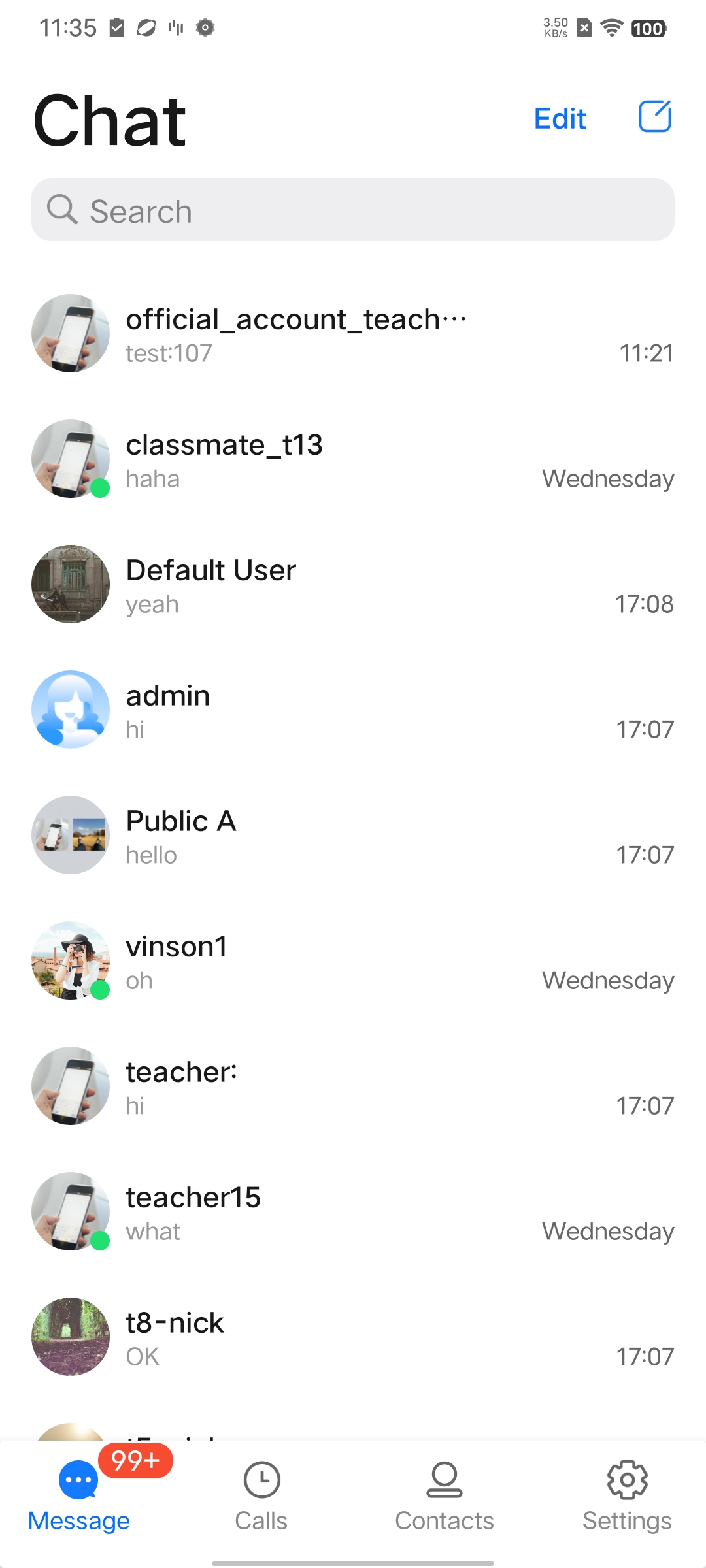
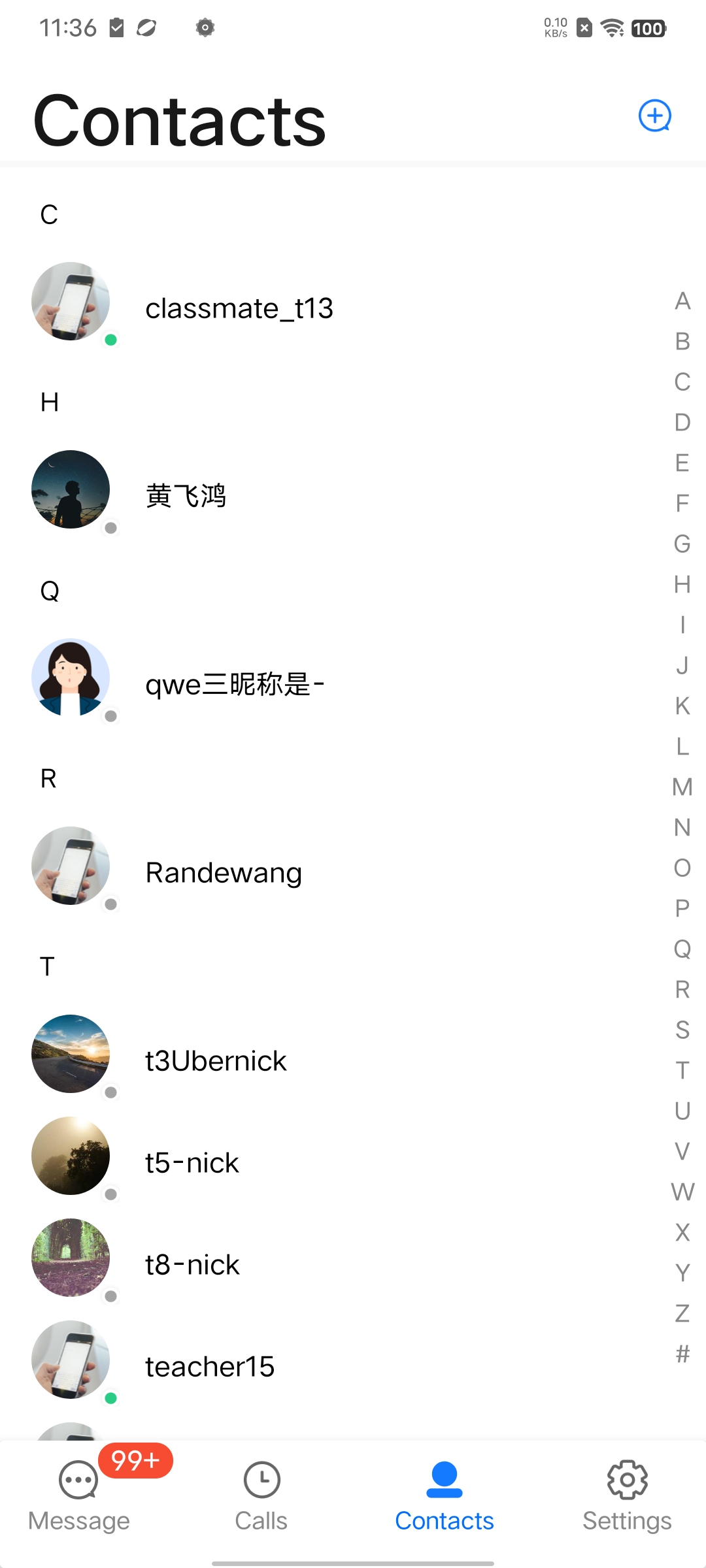
When "Show User Online Status" is enabled, user online status will be displayed on each user's avatar in the chat list and contact list. A green circle indicates online; absence of the green circle indicates offline.
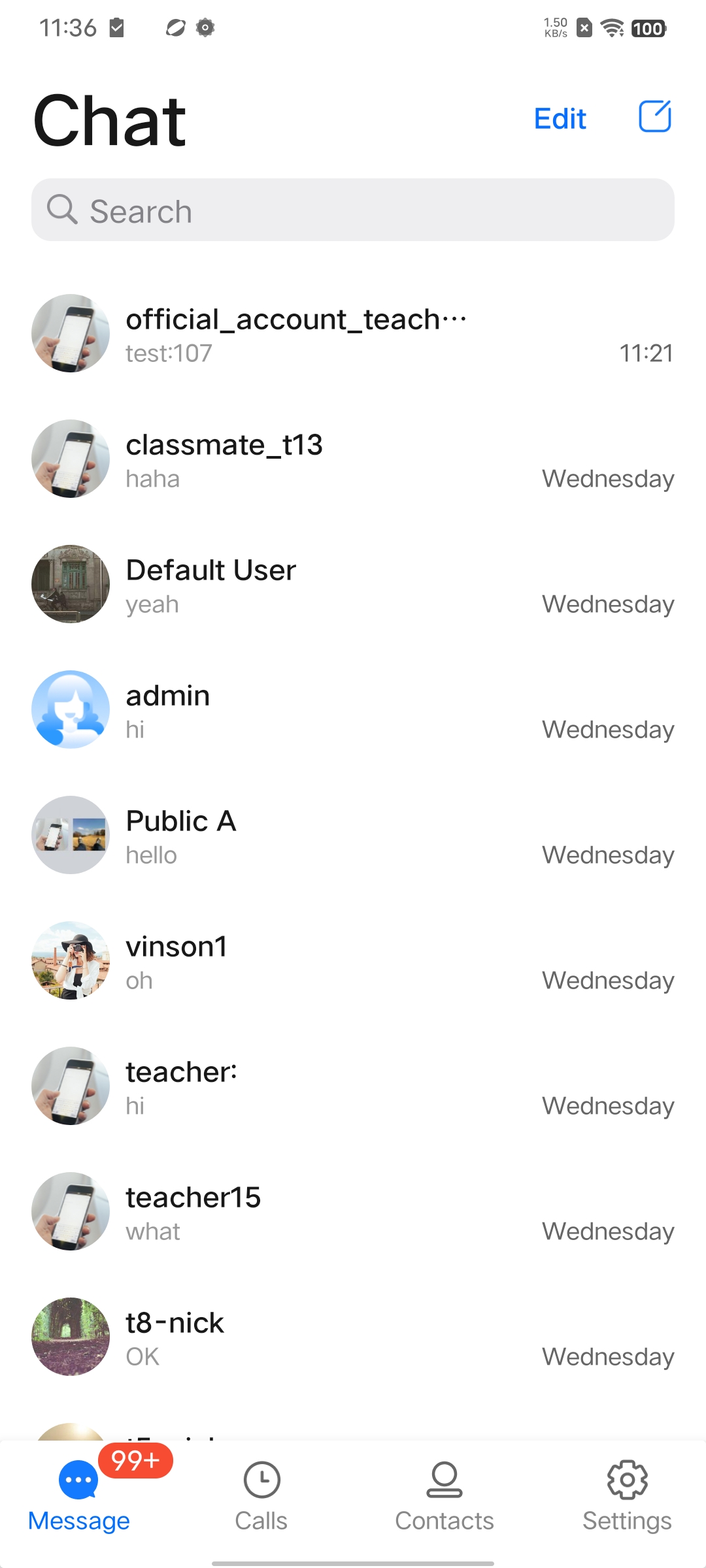
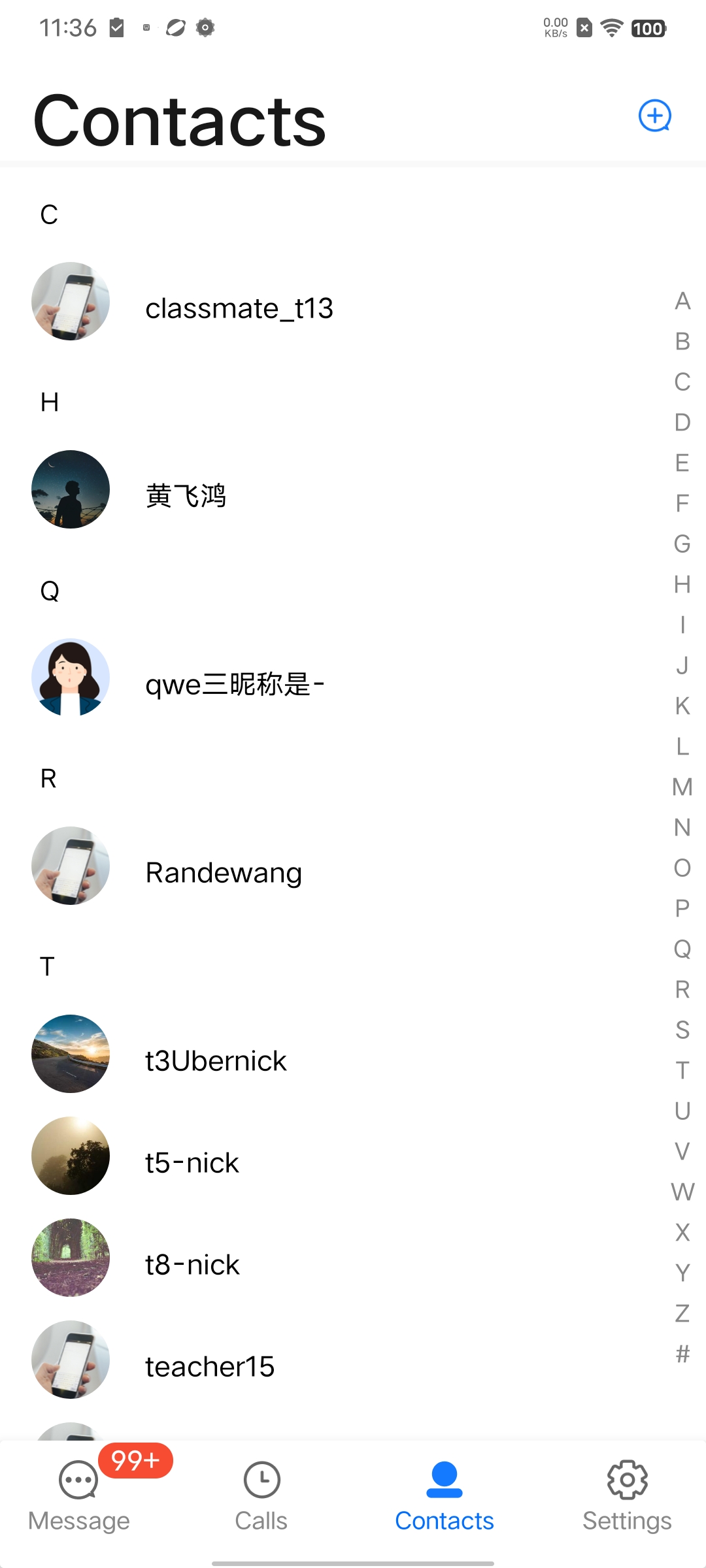
When "Show User Online Status" is disabled, user online status will not be displayed.
Note:
The "User Online Status" feature is only supported by the Pro edition 、Pro Plus edition 、Enterprise edition. Please make sure that the premium package is activated before using this feature.
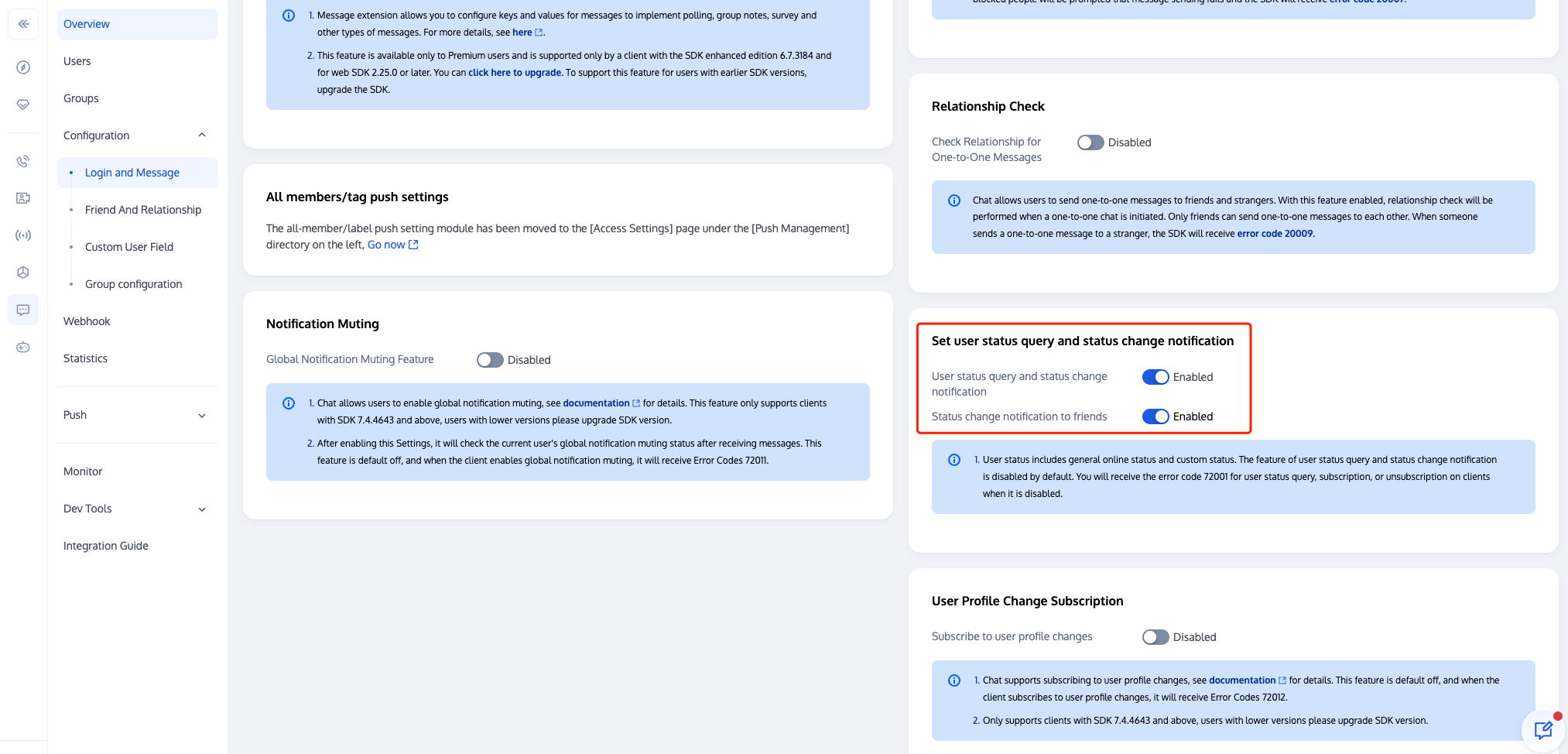
The "User Online Status" feature requires turning on the user status switch in the Chat console. Please make sure that the switch is turned on before using this feature.
Only friends in the conversation list support displaying their online status. If you need to support non-friends, you should call the API to subscribe to non-friends' status and implement the UI yourself. API reference:User Status.
Enabling User Online Status
In the
TUICore component, within the TUIConfig file, a switch for the "User Online Status" feature, named displayOnlineStatusIcon, is provided. Its type is BOOL, with the default value of NO.To enable the chat list to display user online status, first subscribe to the premium package, then turn on the user status feature switch in the Chat console, and change the default value of
displayOnlineStatusIcon to YES, or call the following method before initializing the chat page.TUIConfig.default().displayOnlineStatusIcon = true
[TUIConfig defaultConfig].displayOnlineStatusIcon = YES;
Display Effect
Chat List
Enabling "Show User Online Status" | Disabling "Show User Online Status" |
 |  |
Contacts List
Enabling "Show User Online Status" | Disabling "Show User Online Status" |
 |  |
FAQs
When the Subscription/Unsubscription API is called, the API returns error code "72001".
Error code 72001 indicates that the corresponding capability has not been activated in the console. Please log in to the Chat console and enable the corresponding feature switch.
Error: The package does not support the use of this API, please upgrade to the premium package.
The "User Online Status" feature is only supported by the premium package. This error message indicates that your current package does not support this feature. Please log in to the Chat purchase page to activate the premium package and experience it.
Exchange and Feedback
Join the Telegram technical exchange group or WhatsApp discussion group, benefit from the support of professional engineers, and solve your toughest challenges.
フィードバック