After a product is created, you can configure topics that devices can publish or subscribe to on the permission list page. A device inherits permissions from the product to which it belongs, and permissions can be added, deleted, or modified only at the product level.
Directions
Adding topic permission
1. Log in to the IoT Hub console and click Products on the left sidebar.
2. On the product list page, click the product name and select Permissions.
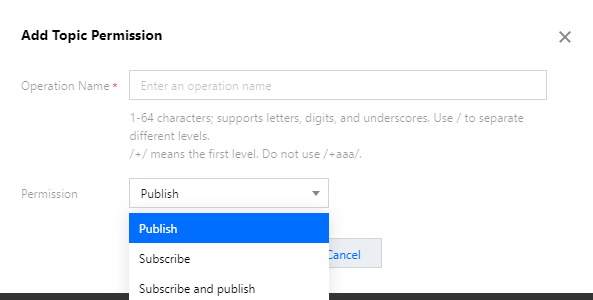
3. On the permission list page, click Add Topic Permission, enter the topic name, and assign an operation permission to the device.
Operation Name: the name can contain 1–64 letters, digits, and underscores, where different levels are separated by /, and + indicates a level. The name should be in the format of /+/name rather than /+aaa/.
Permission: you can select Subscribe, Publish, or Subscribe and Publish, and the selected permission can be changed subsequently.
Editing topic permission
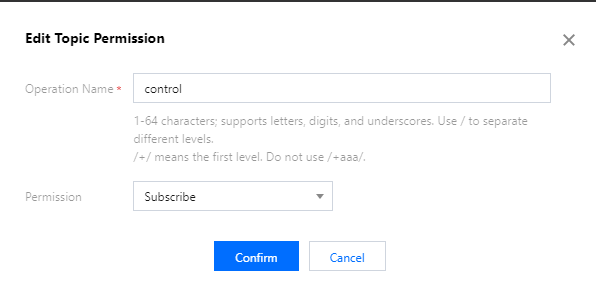
Click Edit in the topic permission list to change the name of the corresponding topic permission and the permission itself.
Deleting topic permission
Click Delete in the topic permission list to delete the corresponding topic permission.