Idle Recycling Policy Configuration
Overview
To improve resource utilization, the platform allows you to configure an idle recycling policy for dev machine instances. That is, an administrator can set an idle policy for dev machines in the current region. The idle resources will be forcibly recycled to release computing resources when the resource usage does not meet requirements.
Configuration Guide
On the Idle Recycling Policy tab, configure and view an idle recycling policy with an account having access to CreateRecyclePolicy, DescribeRecyclePolicies, DeleteRecyclePolicy, ModifyRecyclePolicy APIs. You can use the root account or contact the CAM administrator for configuration. Click Create Policy and configure Recycling Policy and Exclusion Policy. Among them, Recycling Policy means that when an instance meets the recycling conditions, the instance will automatically stop and release computing resources. Exclusion Policy means that instances meeting the exclusion conditions will not apply to the recycling policy. That is, these instances will not be forcibly stopped even if the idle recycling conditions are met.
Configuring a Recycling Policy
You can configure resource metric conditions for an instance according to CPU usage, memory usage, and VRAM usage. Among them, these metric conditions can be logically combined in either any or all manner. When any is selected, the instance automatically stops when any configured metric condition is met, and when all is selected, the instance automatically stops only when all configured metric conditions are met.
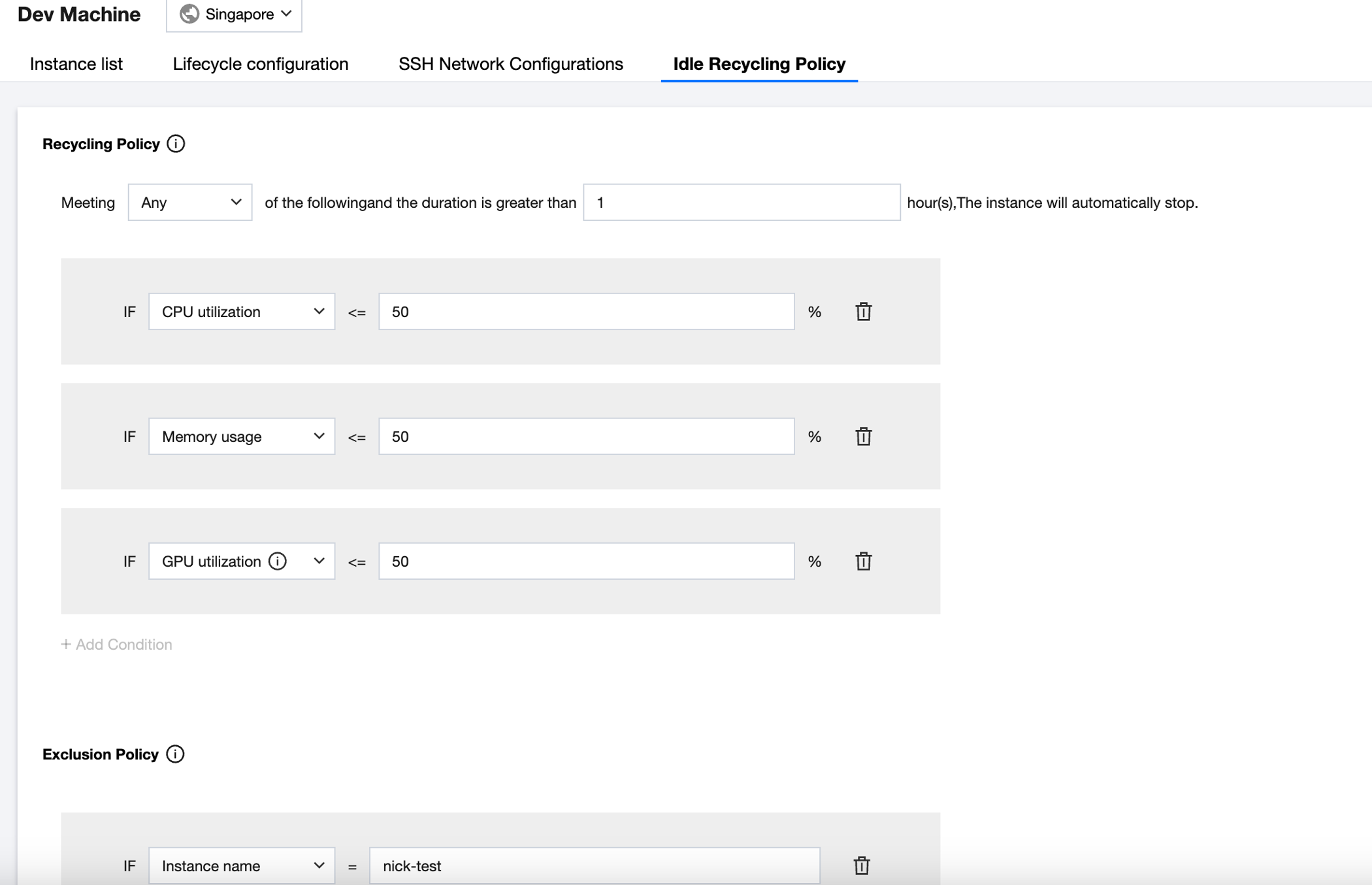
As shown in the figure below, when the policy is configured as follows:
An instance automatically stops when any of the following metric conditions are met and persist for more than 1 hour.
If CPU usage <= 10%
If memory usage <= 10%
If VRAM usage <= 10%
Indicates that the instance will automatically stop when the CPU usage, memory usage, or VRAM usage of a dev machine instance remains less than or equal to 10% for more than 1 hour.
Configuring an Exclusion Policy
You can filter out and select excluded instances by Instance Name. That is, the dev machine instances configured in this exclusion policy will not apply to the above recycling policy. As shown in the figure above, the dev machine instance myNotebook will not apply to the configured recycling policy. That is, the instance will not be forcibly stopped even if the recycling conditions are met.
Instance List
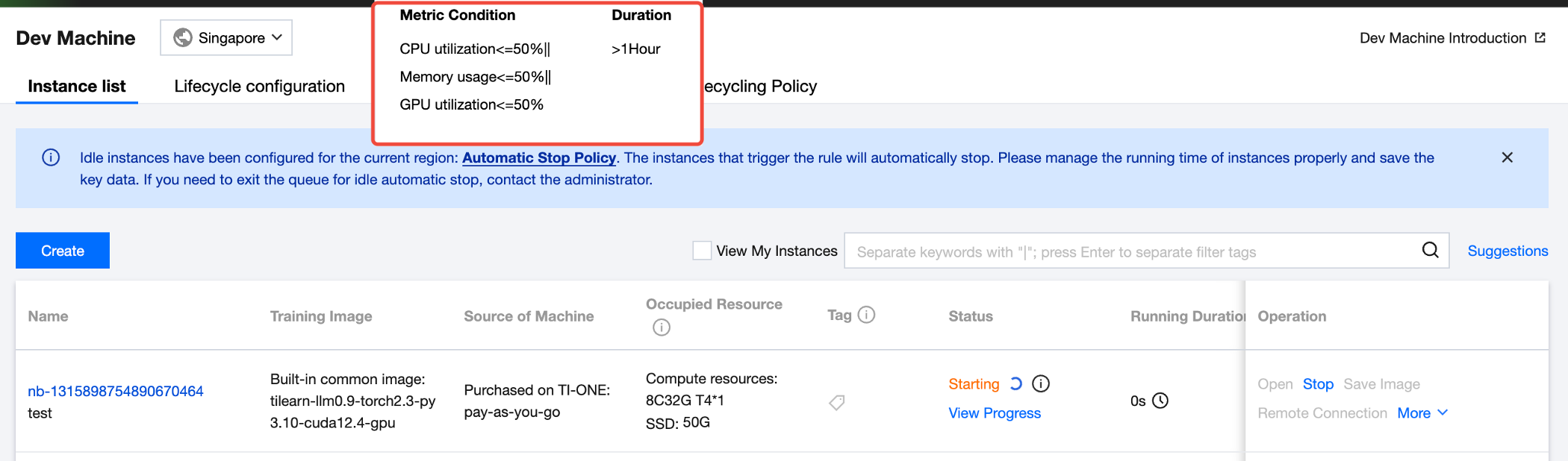
1. When an idle recycling policy is configured for this region, the following hint will be displayed above the instance list. By clicking Automatic Stop Policy, you can view the configured metric conditions and duration (the account needs to have access to the DescribeRecyclePolicies API).
2. When a dev machine instance automatically stops due to idling, its status changes to Stopped. At the same time, when you hover your mouse over the instance, the hint text "Idle instance has triggered automatic stop and has stopped automatically" is displayed, as shown below.
Help and Support
Was this page helpful?
You can also Contact sales or Submit a Ticket for help.
Help us improve! Rate your documentation experience in 5 mins.
Feedback