SSH Network Configuration Guide
Overview
Dev machine instances support remote access over SSH. Remote access provides two options: a public network access address and a VPC private network access address. Among them, the public network access address requires no configuration and will be generated by the platform by default, as shown below:
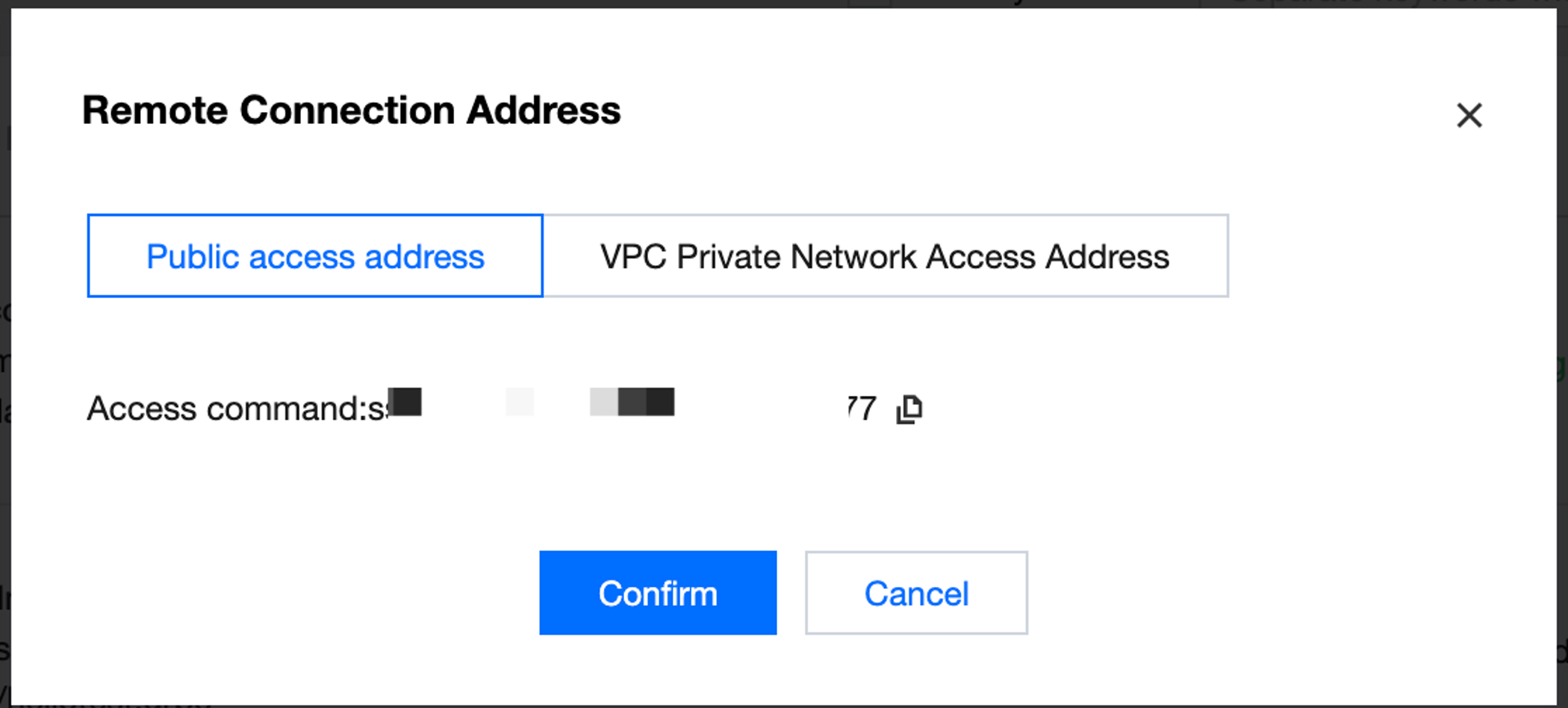
The VPC private network access address is generally used by users to access private networks. By default, the platform displays the IP address of the Pod of an instance. This IP will change when a dev machine instance restarts. For a long-term stable connection, it is recommended to go to SSH Network Configuration to interconnect private connections. The following shows the detailed configuration guide.
Private Link Configuration
1. Go to the SSH Network Configuration tab. An account must have access to the CreateVpcPrivateLink, DeleteVpcPrivateLink, DescribeVpcPrivateLinks, DescribeVpcPrivateLink, and ModifyVpcPrivateLink APIs to configure a private link. You can use the root account or contact the CAM administrator for configuration. Then, click Add Private Link:
1.1 Select the VPC and subnet you want to connect.
1.2 You can also configure a custom mapping domain name for the current private link address. Please note that domain name resolution needs to be performed at the endpoint that initiates the access.
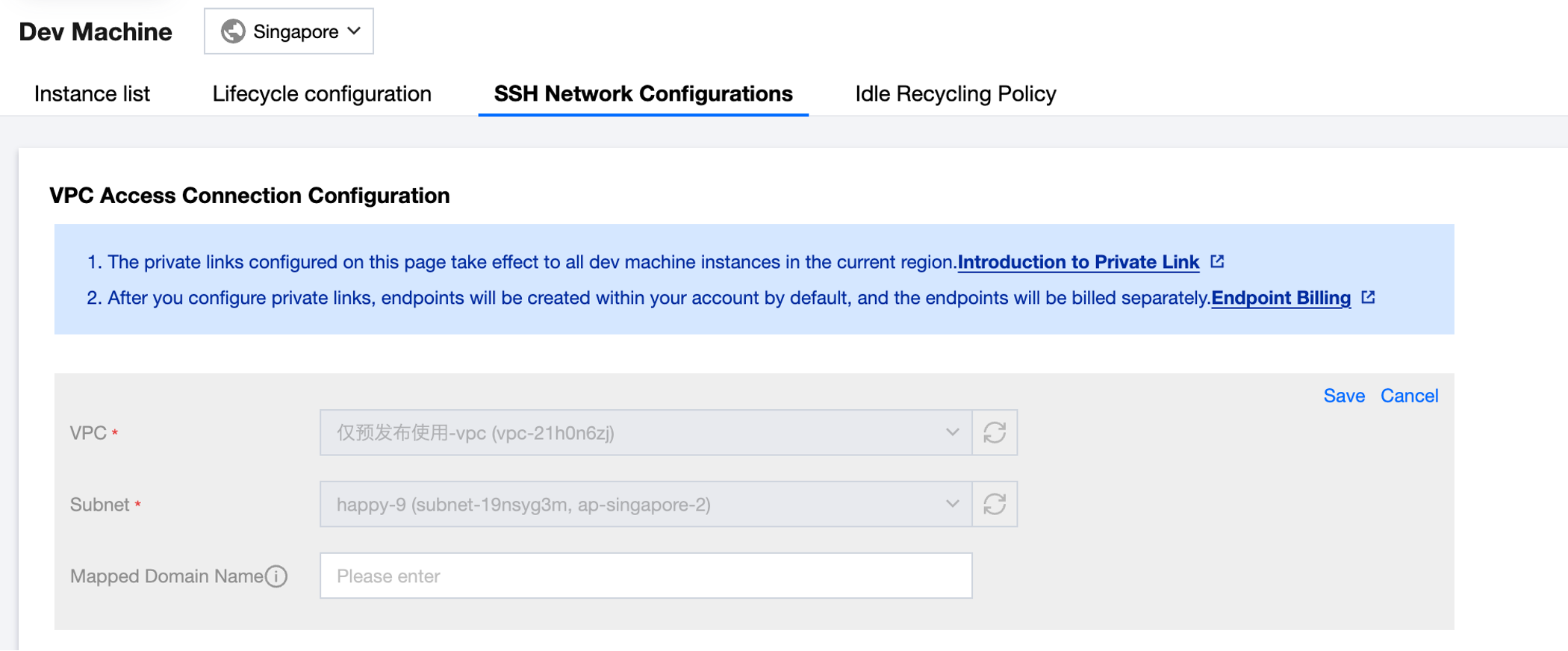
1.3. Click Save after the configuration. Then, an endpoint will be automatically created under the user account. Please note that:
This endpoint requires independent billing. For detailed billing methods, see billing overview.
The private link configurations will take effect to all dev machine instances in the current region.
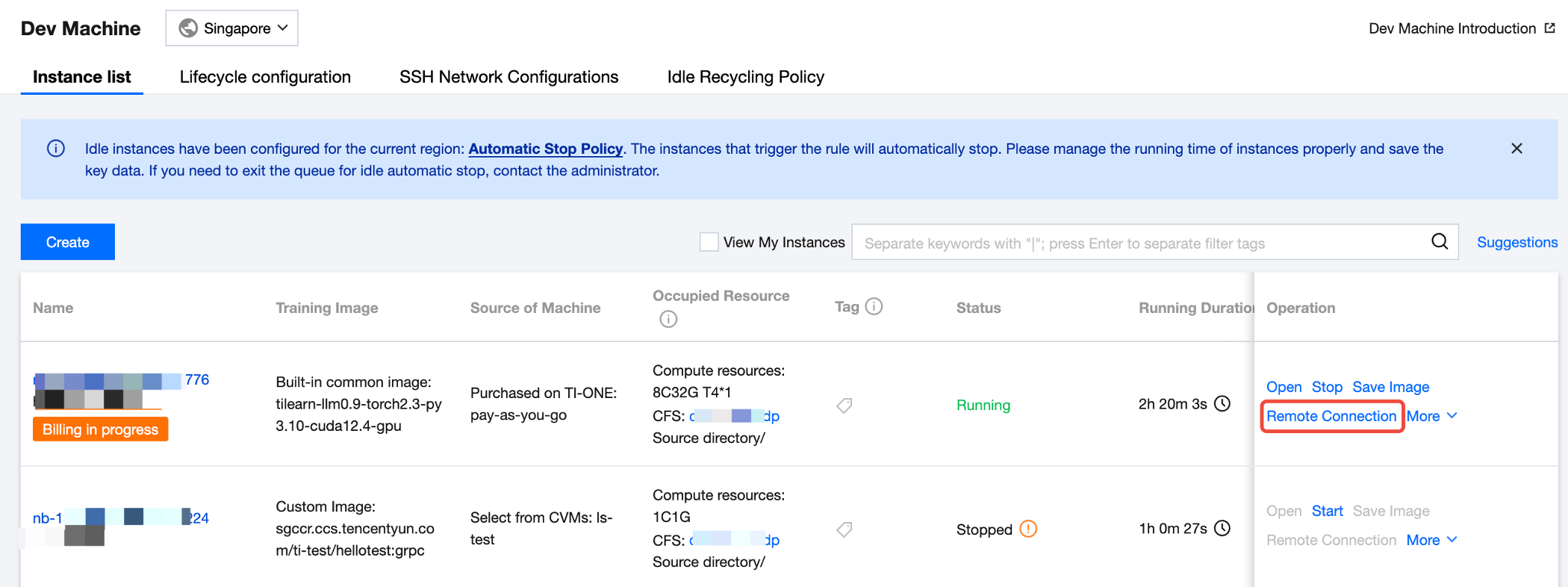
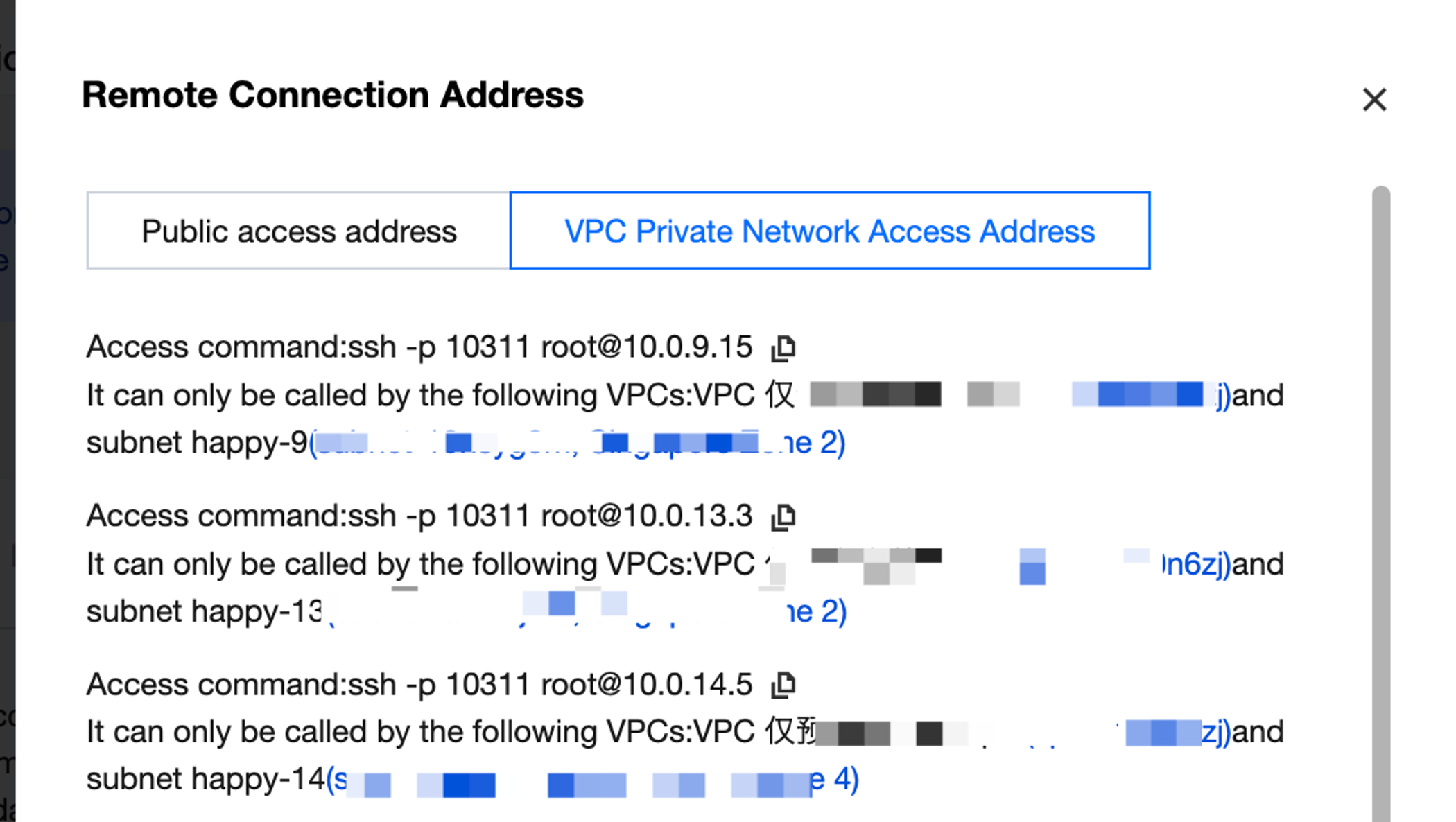
2. After the configuration, on the dev machine instance list page, click Remote Connection to view the VPC private network access address of the current instance and the effective VPC and subnet, as shown below. You can directly copy this address on the local client to connect to the instance.
Multiple private links can be created in a region, and a private link corresponds to an access address.
An instance can be associated with multiple access addresses.
Only one private link can be created for one VPC and subnet.
Multiple access addresses can be generated for an instance.
Help and Support
Was this page helpful?
You can also Contact sales or Submit a Ticket for help.
Help us improve! Rate your documentation experience in 5 mins.
Feedback