tencent cloud

Tencent Cloud Super App as a Service

Release Notes and Announcements
Announcement: Tencent Cloud Mini Program Platform Renamed to Tencent Cloud Super App as a Service on January 2, 2025
Console Updates
Android SDK Updates
iOS SDK Updates
Flutter SDK Updates
IDE Updates
Base Library Updates
Product Introduction
Overview
Strengths
Use Cases
Purchase Guide
Billing Overview
Pay-As-You-Go Billing
Renewal Guide
Service Suspension Instructions
Getting Started
Plan Management
Overview
Console Account Management
Storage Configuration
Acceleration Configuration
Branding Configurations
Platform Features
Console Login
Users and Permission System
Mini Program Management
Mini Game Management
Superapp Management
Commercialization
Platform Management
User Management
Team Management
Operations Management
Security Center
Code Integration Guide
Getting Demo and SDK
Android
iOS
Flutter
Superapp Server
GUID Generation Rules
Mini Program Development Guide
Mini Program Introduction and Development Environment
Mini Program Code Composition
Guide
Framework
Components
API
Server Backend
JS SDK
Base Library
IDE Operation Instructions
Mini Game Development Guide
Guide
API
Server Backend
Practice Tutorial
Mini Program Login Practical Tutorial
Mini Program Subscription Message Practical Tutorial
Payment Practical Tutorial
Ad Integration Practical Tutorial
Mini Game Subscription Message Practical Tutorial
API Documentation
History
Introduction
API Category
Making API Requests
Operation Management APIs
User Management APIs
Team Management APIs
Sensitive API-Related APIs
Role Management APIs
Platform Management APIs
Other Console APIs
Mini Program or Mini Game APIs
Management-Sensitive APIs
Global Domain Management APIs
Superapp APIs
Data Types
Agreements
Service Level Agreement
Data Processing and Security Agreement
SDK Privacy Policy Module
SDK Data Processing and Security Agreement Module

Common SDK Integration Issues

PDF
Focus Mode
Font Size
Last updated: 2026-01-29 00:28:08

Crash issues with Firebase Flutter plugin

In Android, the Firebase Flutter plugin does not support multi-process handling by default, which may cause the mini program subprocess to crash. To use Flutter plugins with Firebase Flutter plugin, you need to initialize Firebase in the mini program subprocess.

Adding the dependency

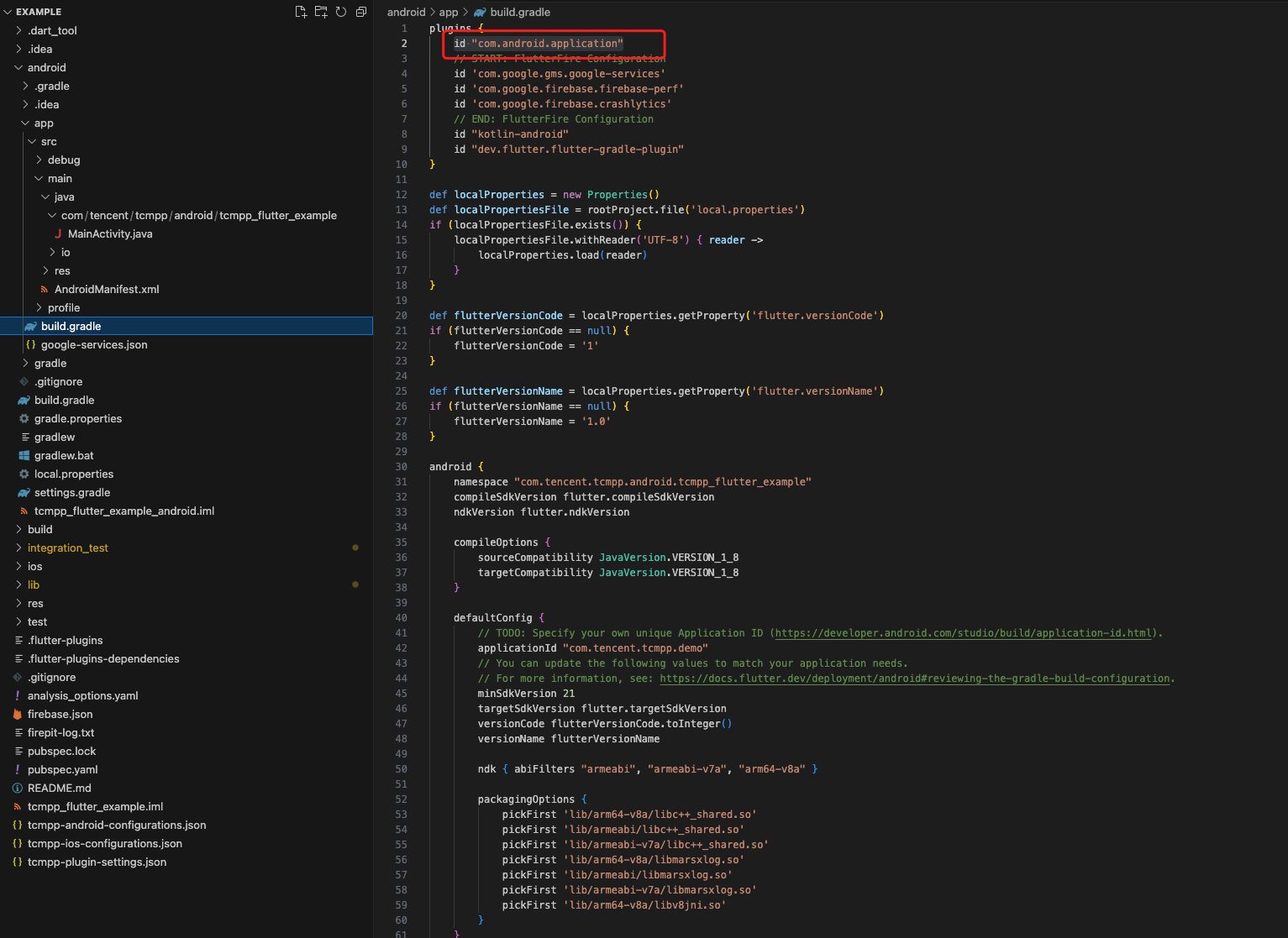
1. Go to the root directory of the Flutter project. In the Flutter project, search id "com.android.application"
The build.gradle file containing this string is located in the root directory of your Flutter Android project.

2. Add the dependencies in the Android closure of this build.gradle file:
dependencies {
compileOnly 'com.tencent.tcmpp.android:mini_core:+'
compileOnly 'com.google.firebase:firebase-common:+'
}

Creating an application class

Note:
Skip this step if the Flutter project already has a custom Android application class.
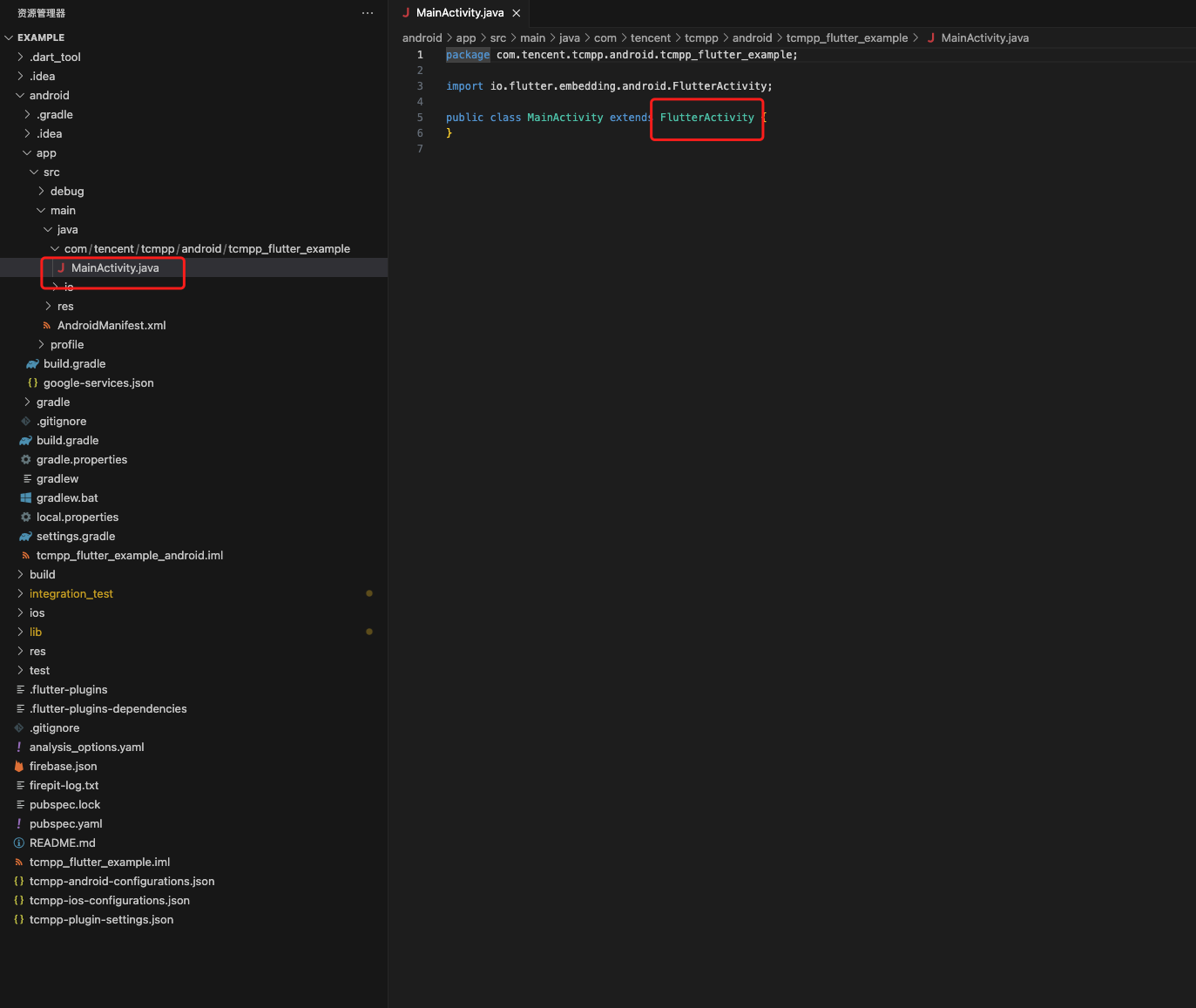
In the src directory, locate FlutterActivity:

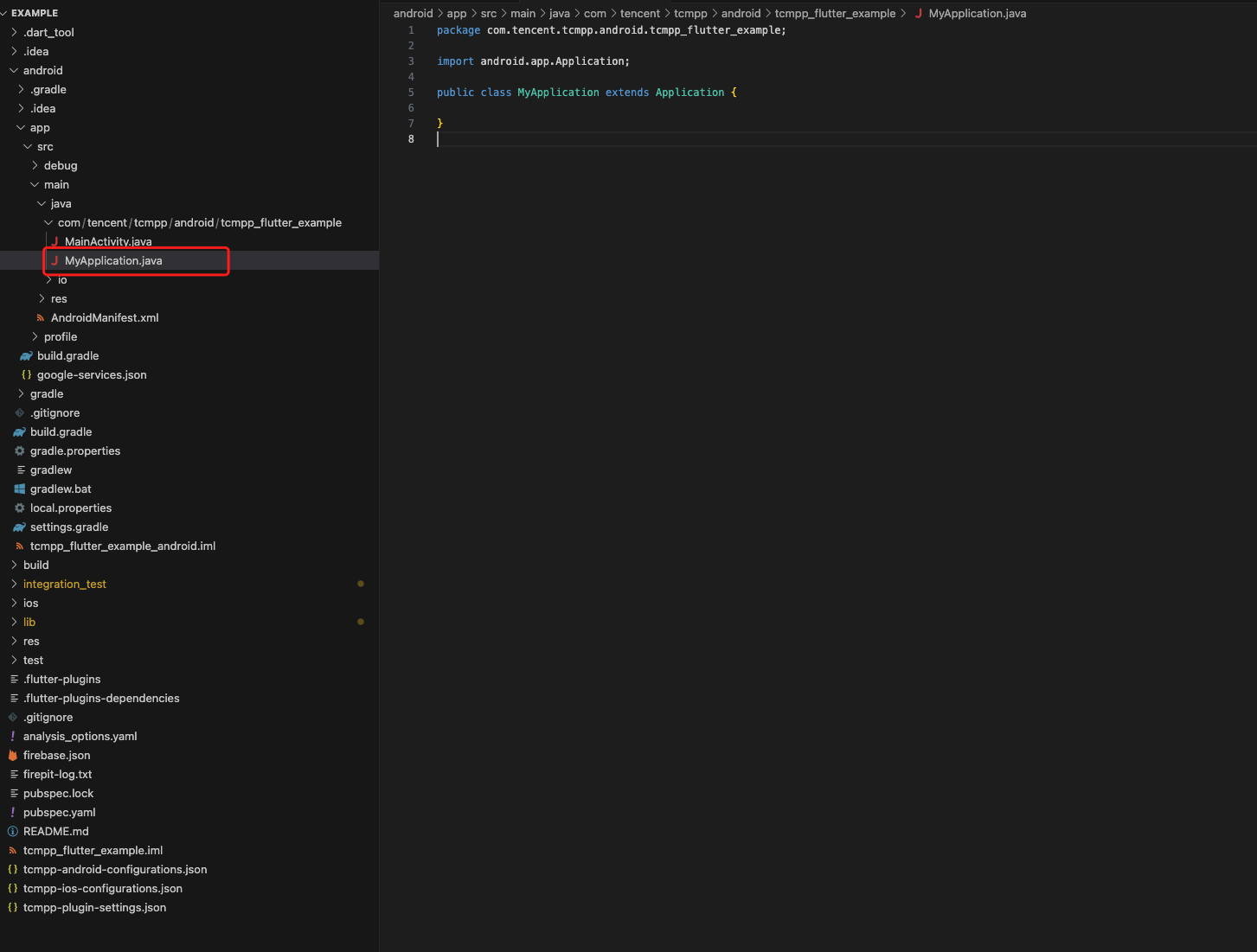
Create a new application class in the directory where FlutterActivity is in. The package path is the same as FlutterActivity: 

import android.app.Application;
public class MyApplication extends Application {}
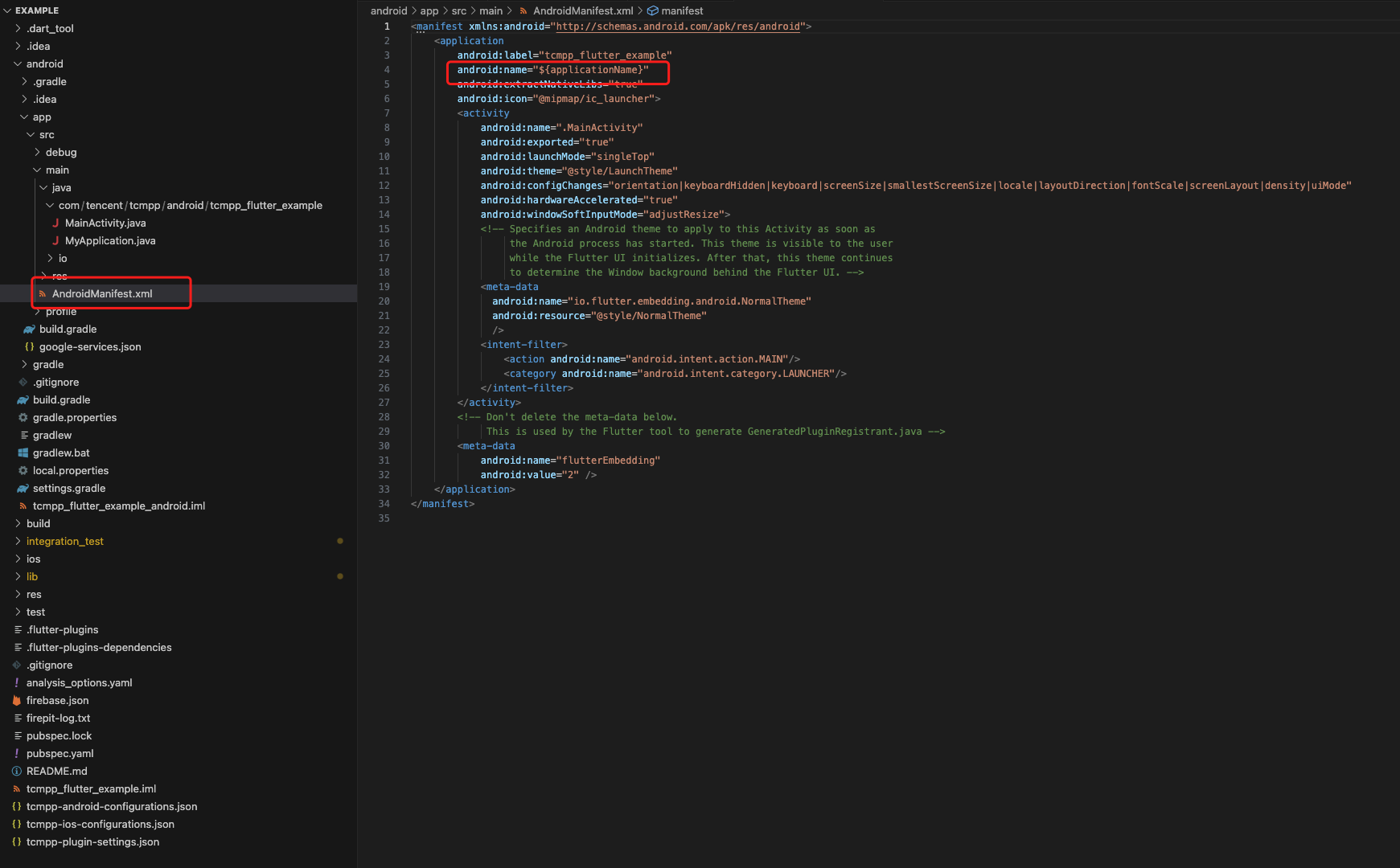
Open and edit the AndroidManifest.xml under src > main. In the <application> tag, change the android:name to match your application class:

<manifest xmlns:android="http://schemas.android.com/apk/res/android"><application android:name=".MyApplication" ...>...</application></manifest>

Initializing Firebase in the subprocess

1. Override the onCreate function in your Android application class. Skip this step if it is already done.
public void onCreate() {
super.onCreate();
}
2. Add the Firebase initialization code for the subprocess.
import android.app.Application;
import com.google.firebase.FirebaseApp;
import com.tencent.tmf.mini.api.TmfMiniSDK;

public class MyApplication extends Application {

@Override
public void onCreate() {
super.onCreate();

...

if (TmfMiniSDK.isMiniProcess(this)) {
FirebaseApp.initializeApp(this);
}

...
}
}

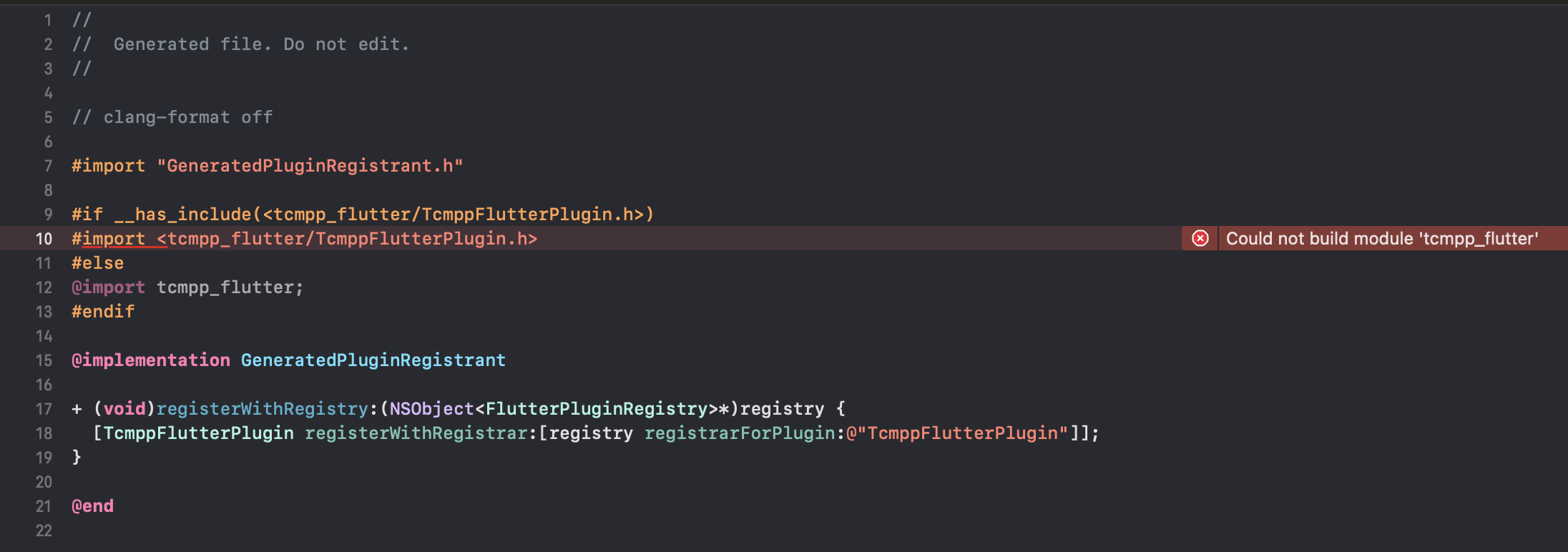
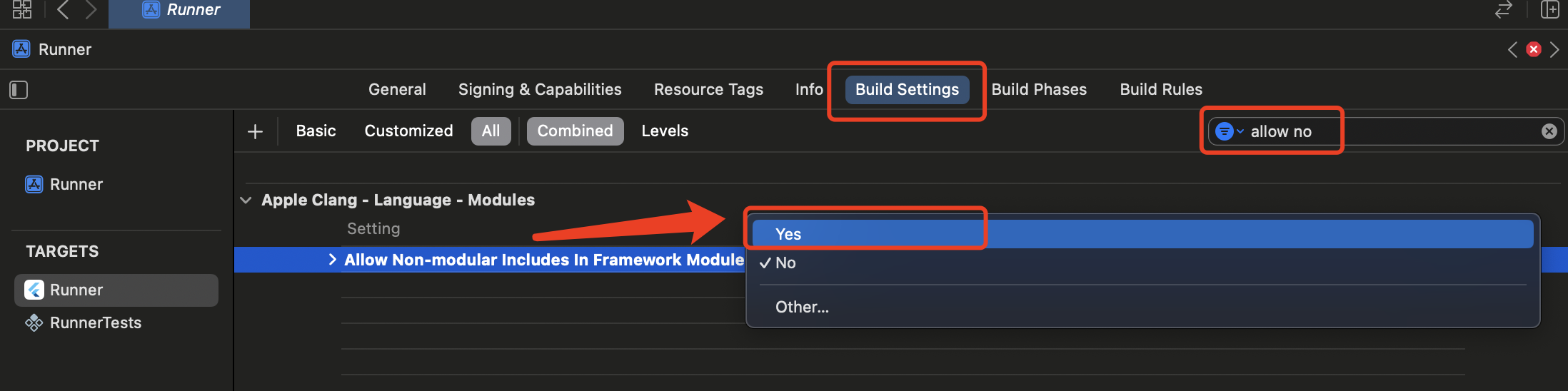
The header file cannot be found in compilation in iOS


Open the project with Xcode, select the right target and go to Build Settings. Enter "Allow Non-modular Includes In Framework Modules" in the search box and set it to "Yes":


Apple M-series chip-based computer emulator issues

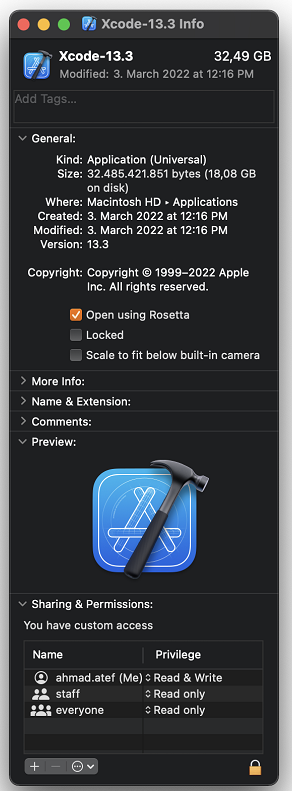
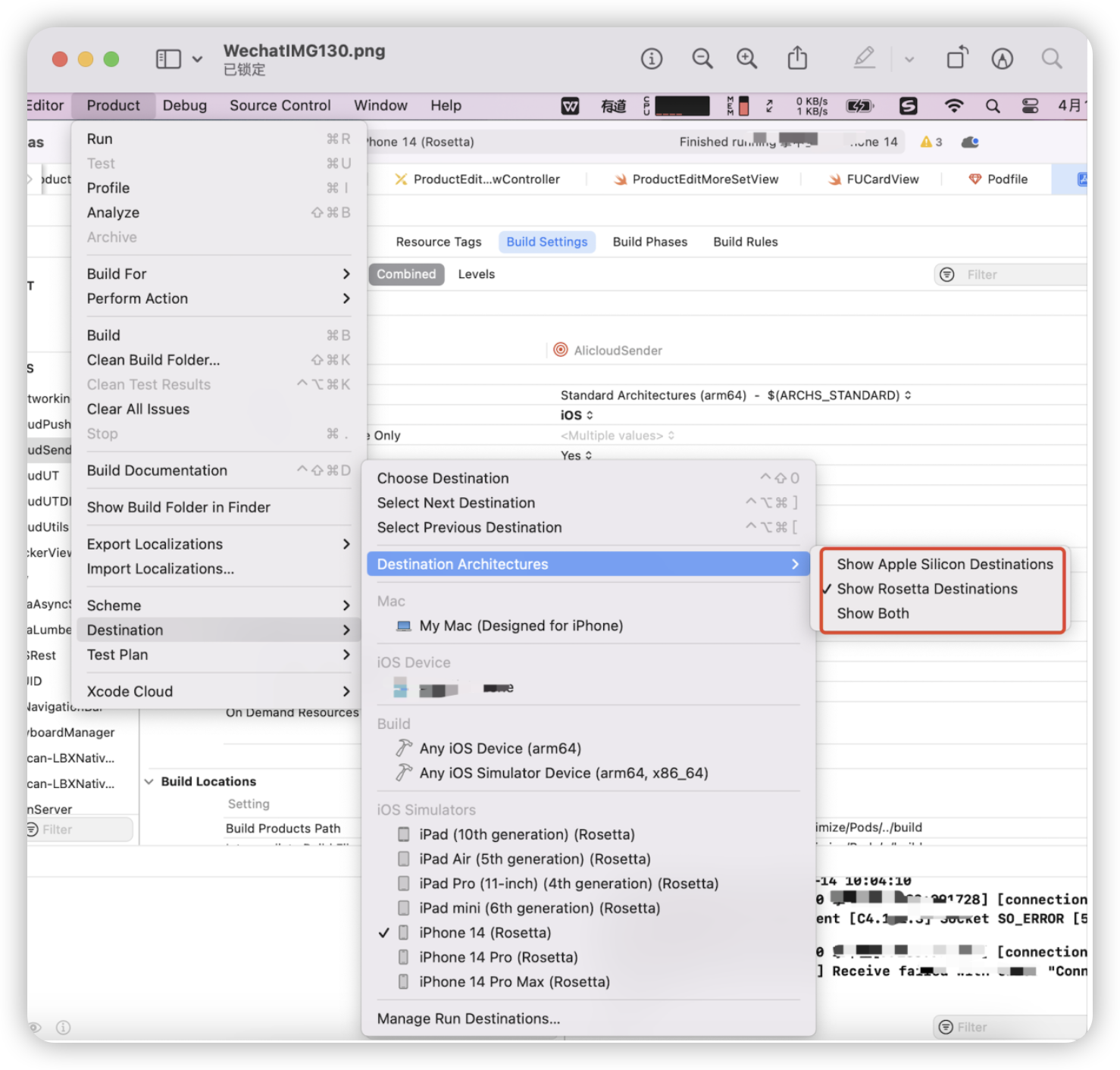
The current version of SDK needs to run via Rosetta on the M-series chip-based computer emulator.
For versions earlier than Xcode14: Right-click Xcode -> Get Info, and check Open using Rosetta:

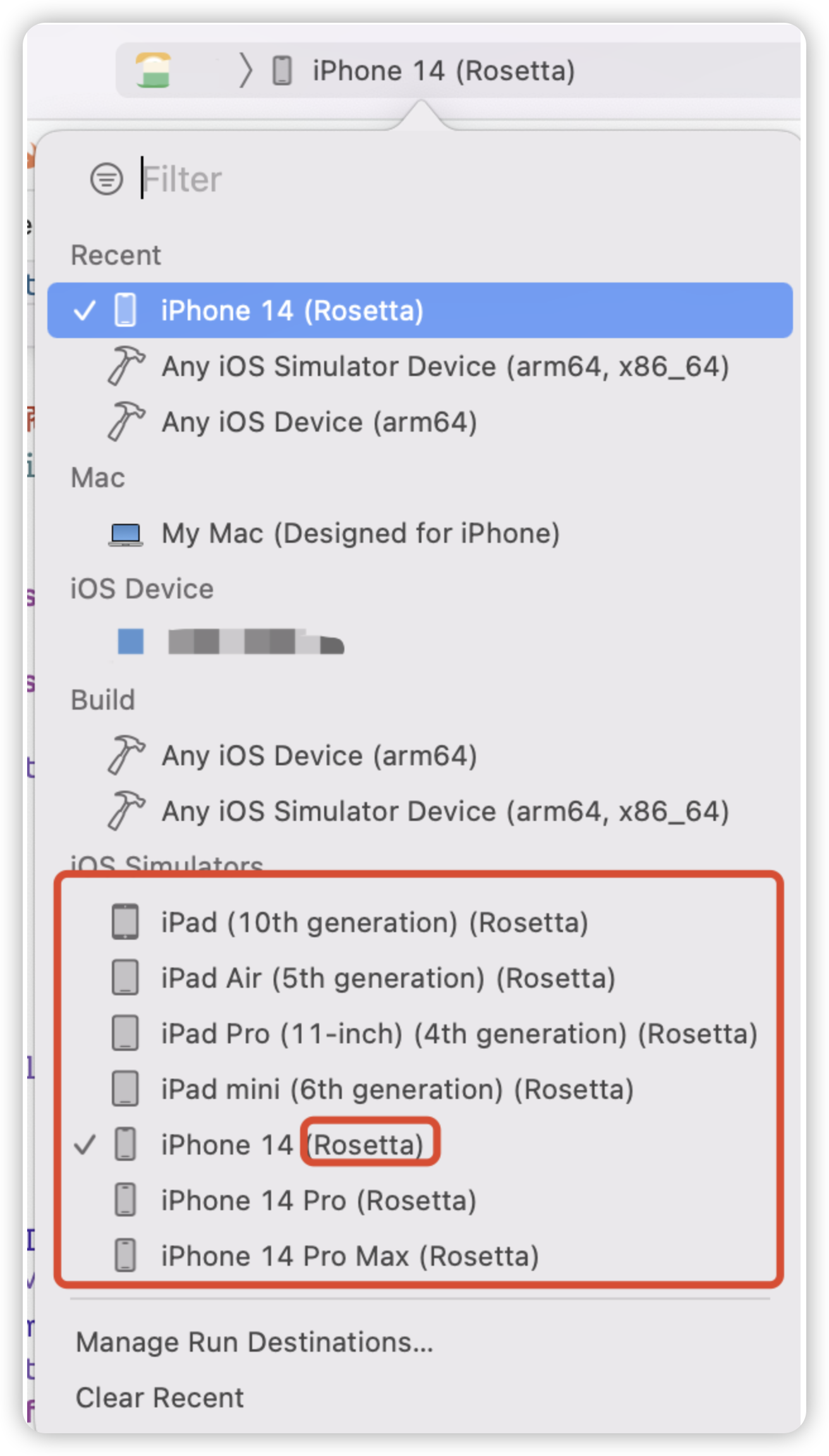
For versions later than Xcode14:
Open the project with Xcode -> Product -> Destination -> Destination Architecturesk. Choose Show Rosetta Destinations:


Android Compilation Error Issues

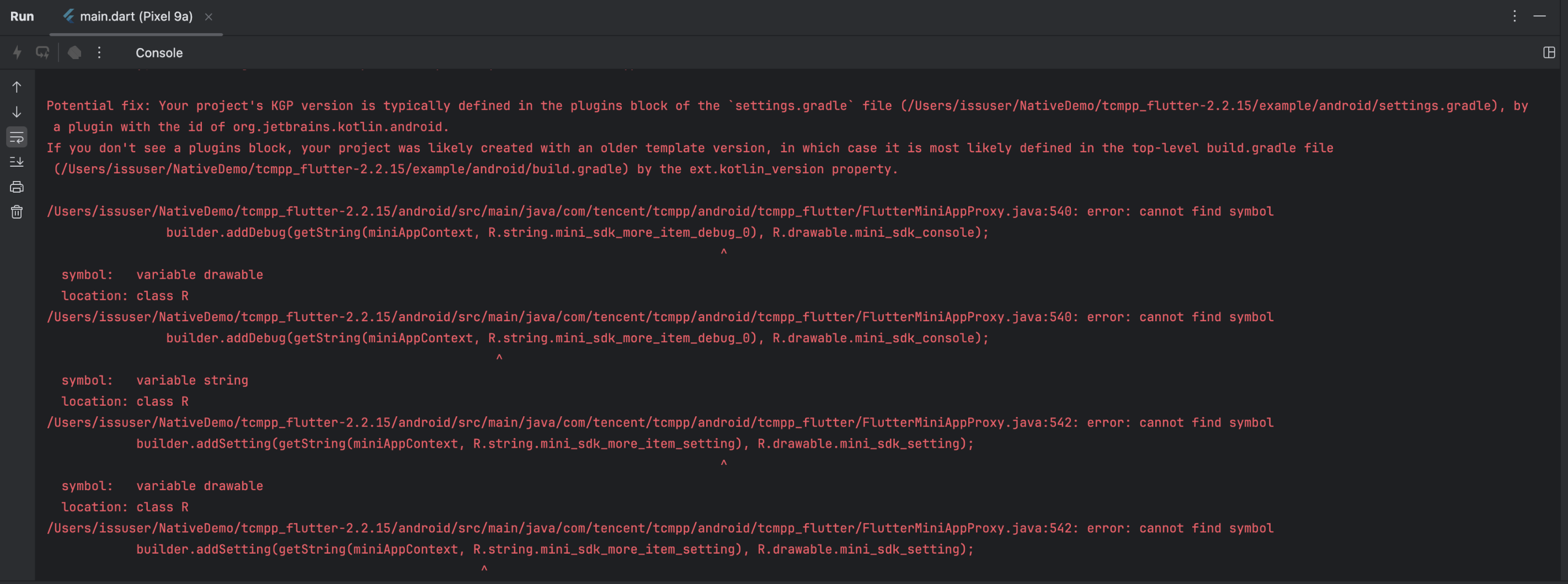
When compiling an Android application using Flutter plugins, a resource not found error occurs, with similar error messages as follows:

The following configuration needs to be added to the gradle.exe file in the Android project package.
android.nonFinalResIds=false
android.defaults.buildfeatures.buildconfig = true
android.enableR8.fullMode=false
android.nonTransitiveRClass=false
android.experimental.nonTransitiveAppRClass=true

Help and Support

Was this page helpful?

Help us improve! Rate your documentation experience in 5 mins.

Feedback