Dynamic Feature Integration Guide
Download
Focus Mode
Font Size
1. Overview
Dynamic feature is a module distribution mechanism implemented by Google Play using the advanced features of Android App Bundle. It allows you to conditionally distribute or download certain features of your superapp on demand. This not only enables flexible business expansion but also effectively reduces the size of the superapp's main package. This document explains how to use the Dynamic Feature mechanism to distribute Super App as A Service (SAS) on demand, thereby minimizing its impact on the superapp's main package size.
Before you begin, it is recommended that you familiarize yourself with the Android App Bundle and thedynamic featuremechanism, as well as any related considerations.
2. Integration steps
2.1 Create your SAS dynamic feature module
The steps are as follows:
1. Refer to Configure a new module for on demand delivery to create an on-demand module.
2. Follow the instructions in Include the Play Feature Delivery Library in your project to include the Play Feature Delivery library in your project.
3. Consult Request an on demand module to implement the installation request for SAS dynamic feature module in the main package (app module).
4. Refer to Monitor the request state to keep track of the installation process.
5. Follow Handle state updates to manage installation status updates, such as displaying download progress to your users.
6. Consult Access modules to enable SplitCompat for the dynamic feature module.
Note:
The SAS SDK has already been made compatible with SplitCompat, so you only need to focus on the components specific to your module.
7. Refer to Access components defined in feature modules to access the components in the dynamic feature module.
2.2 Integrate SAS in the dynamic feature module
1. Follow the SDK Integration guide to integrate SAS into your dynamic feature module. Note that the SDK-related dependencies must be added to the dynamic feature module.
2. Add the resource dependency package to build.gradle in the app module.
dependencies {implementation 'com.tencent.tcmpp.android:mini_core_res:{version}' // For version number, see Android SDK Updates.}
Note:
1. The version number of mini_core_res should match that of mini_core.
2. mini_core supports the Dynamic Feature mechanism starting from version 2.2.6, so please use version 2.2.6 or higher.
3. Create an entry component for your dynamic feature module to manage your mini program.
Note:
4. Access your entry component in the app module to launch your dynamic feature module.
Note:
Ensure that you only access the code within the dynamic feature module after the installation status has been updated to SplitInstallSessionStatus.INSTALLED.
2.3 Test the dynamic feature module installation
The dynamic feature module installation can be tested in two ways:
1. Upload a version through Google Play for online testing.
2. Consult Locally test module installs for local testing.
2.4 Extension library integration
Integrate the SDK extension library in the dynamic feature module. Refer to SDK extension components.
Note:
1. If the extension library depends on other third-party libraries, such as Google Maps or Google Ads, you need to add these third-party library dependencies to the app module, not the dynamic feature module.
2. Always use the latest version of the extension library.
2.5 Download SAS dynamic feature demo
The demo demonstrates how to integrate SAS using the Dynamic Feature approach for your reference. You can find it here:
3. FAQs
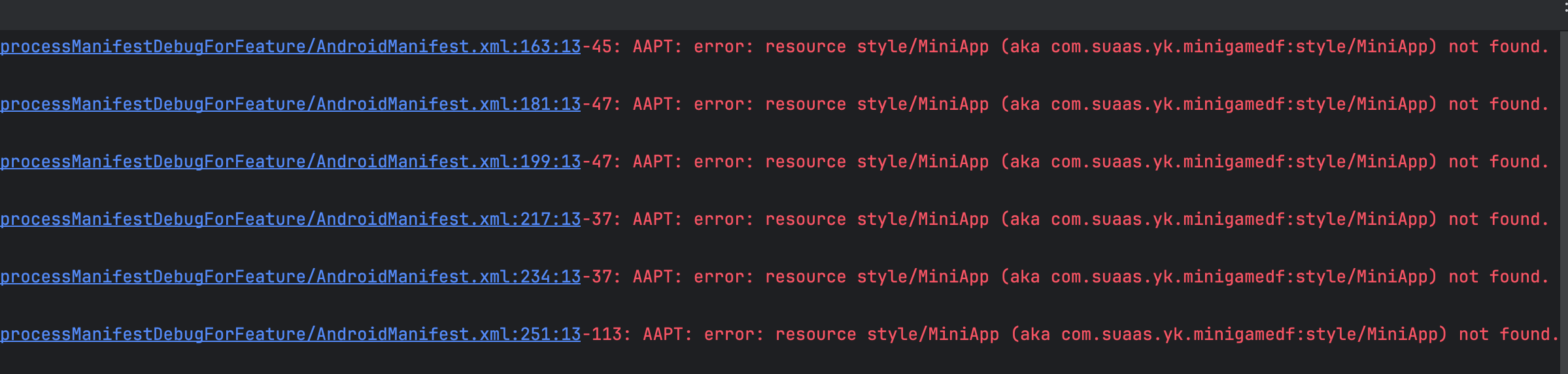
1. Since the manifest of the dynamic feature module is merged into the base APK, any resources that need to be accessed in the manifest must be declared in the app module. For example, if an Activity in the dynamic feature module uses a custom theme, the definitions of those themes need to be extracted to the app module; otherwise, you may encounter compilation errors.
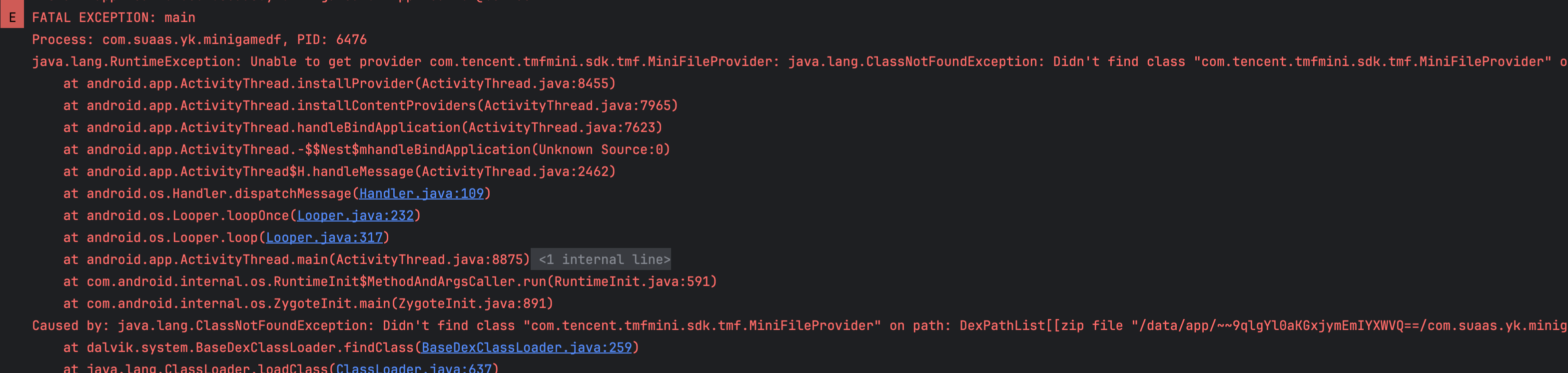
2. Similarly, if the dynamic feature module uses a ContentProvider, the ContentProvider code must be integrated into the app module; otherwise, you may face runtime errors.
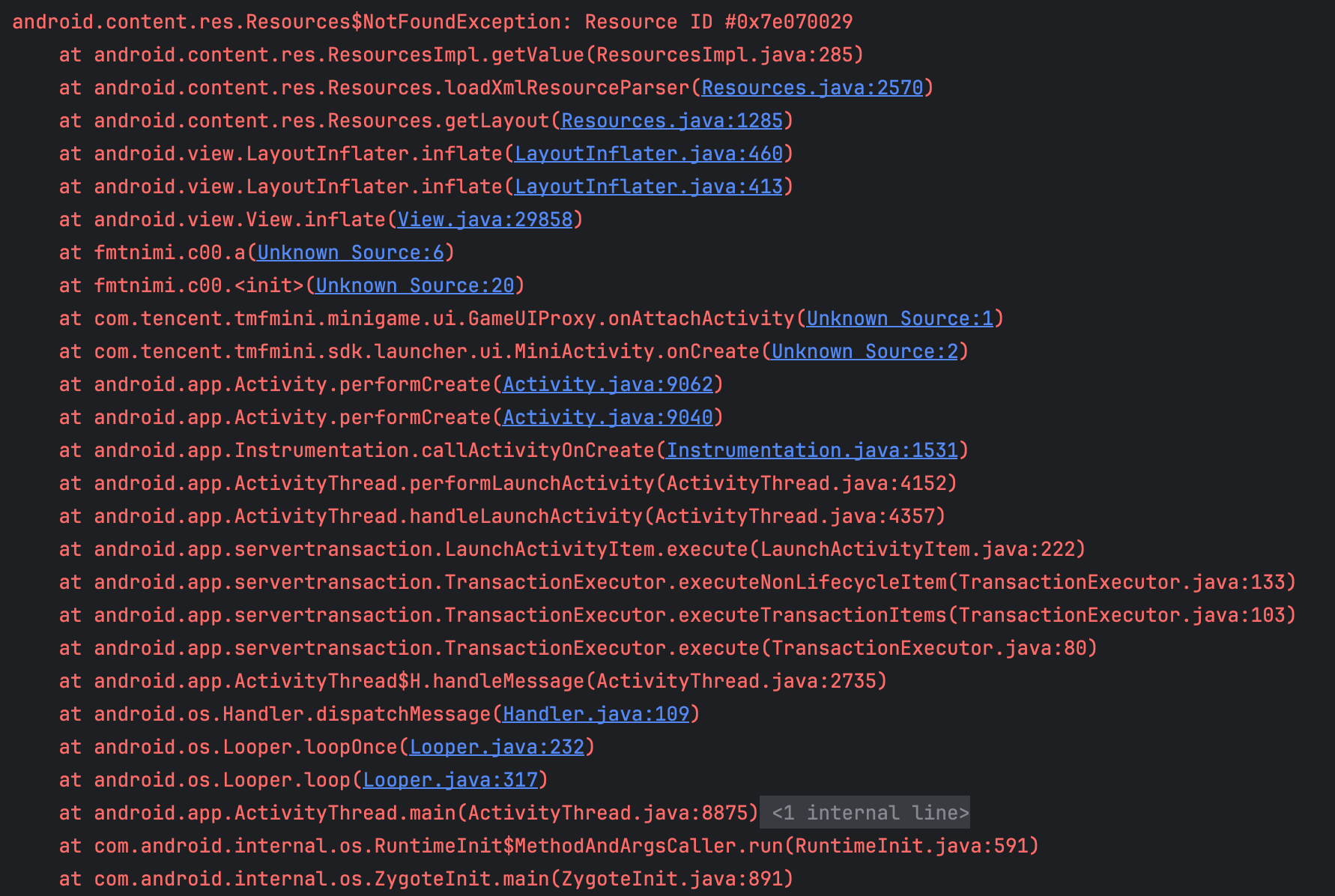
3. If any third-party libraries used in the dynamic feature module do not support SplitCompat for their Activity components, you will need to integrate those third-party libraries into the app module to avoid potential runtime errors.
4. Under the app bundle mechanism, when users install the superapp, only the languages selected by the system are installed by default. If you want to support unselected languages within the superapp, you will need to download the corresponding language packs using SplitInstallManager. Refer to: Download additional language resources.
Help and Support
Was this page helpful?
You can also Contact sales or Submit a Ticket for help.
Help us improve! Rate your documentation experience in 5 mins.
Feedback