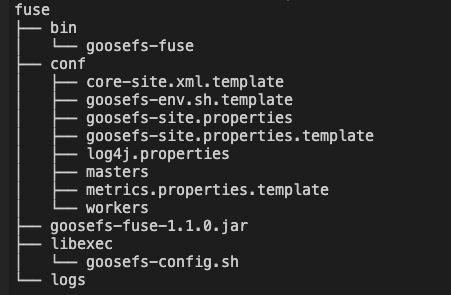
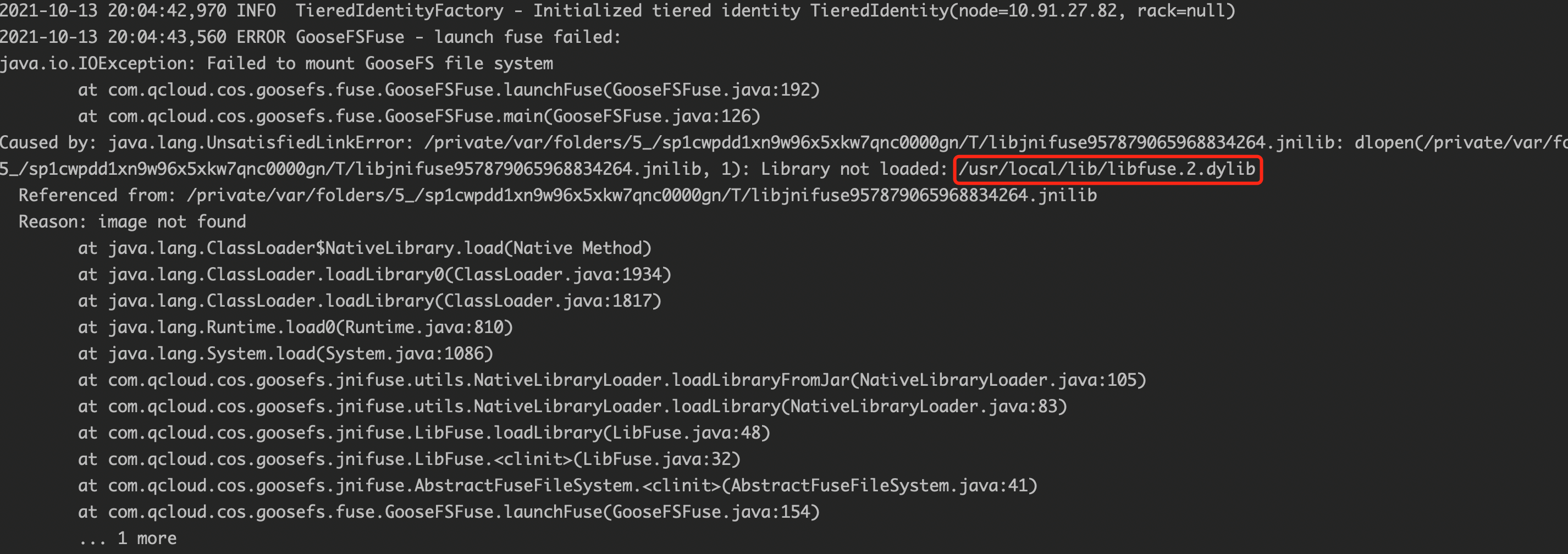
GooseFS-FUSE can mount a GooseFS distributed file system on the local file system of a Unix machine. By using this feature, some standard command line tool commands (such as ls, cat, and echo) can directly access the data in the GooseFS distributed file system. In addition, more importantly, applications implemented in different languages, such as C, C++, Python, Ruby, Perl, and Java, can read and write GooseFS through standard POSIX APIs (such as open, write, and read), without the need to integrate or set up any GooseFS client.
GooseFS-FUSE is based on the FUSE project and supports most file system operations. However, due to the inherent attributes of GooseFS, such as its one-time and immutable file data model, the mounted file system is not fully consistent with the POSIX standard and still has certain limitations. Therefore, please first read the limitations to understand the role and limitations of this feature.
Limitations
Currently, GooseFS-FUSE supports most basic file system operations. However, due to some inherent characteristics of GooseFS, you need to pay attention to the following points:
Does not support random write and addition operations on files.
Files can only be written sequentially once and cannot be modified. This means that to modify a file, you need to either delete the file first or use the open operation with the O_TRUNC flag to set the file length to 0.
Does not support reading files being written in the mount point.
The file length cannot be truncated.
Does not support soft/hard links; GooseFS has no concept of hard-link or soft-link, therefore it does not support related commands, such as ln. In addition, information about hard-link is not displayed in the output of ll.
When using Cloud Object Storage (COS) as the underlying storage, the Rename operation is not atomic.
Only when the GooseFS.security.group.mapping.class option is set to the value of ShellBasedUnixGroupsMapping, the user and group information of files correspond to the user groups of the Unix system. Otherwise, the operations of chown and chgrp do not take effect, and the user and group information returned by ll are those of the user who started the GooseFS-FUSE process.
Performance Considerations
Due to the combined use of FUSE and JNR, the performance of using a mounted file system is relatively poorer compared to directly using a native file system API.
Most performance issues occur because several replicas exist in memory during every read or write operation, and FUSE sets the maximum granularity of write operations to 128KB. Its performance can be greatly improved by leveraging the FUSE write-back caching strategy introduced in kernel 3.15 (though the libfuse 2.x userspace library currently does not support this feature).
Installation Requirements
JDK 1.8 or higher
Linux system: libfuse 2.9.3 or higher (version 2.8.3 is available for use but will prompt some warnings)
GooseFS-FUSE performs operations based on the standard GooseFS-core-client-fs. If you wish it to behave like the client of other applications, you can customize the behavior of GooseFS-core-client-fs. You can modify the client options by editing the $GOOSEFS_HOME/conf/goosefs-site.properties configuration file.
Note:
All changes should be completed before GooseFS-FUSE starts up.
GooseFS-FUSE Configuration Parameters
The following are the configuration parameters related to GooseFS-FUSE:
Parameter
Default Value
Description
goosefs.fuse.cached.paths.max
500
for defining the maximum cache path of GooseFS-FUSE; the more paths, the higher the cache hit rate.
goosefs.fuse.debug.enabled
false
Allow FUSE debug output, which will be redirected to the fuse.out log file in the goosefs.logs.dir specified directory.
goosefs.fuse.fs.name
goosefs-fuse
Descriptive name for FUSE mounted file system usage.
goosefs.fuse.jnifuse.enabled
true
Use the JNI-Fuse library for better performance. If disabled, JNR-Fuse will be used.
goosefs.fuse.shared.caching.reader.enabled
false
(Experimental) Use shared grpc data reader to achieve better performance in multi-process file reading via GooseFS JNI Fuse. Block data will be cached on the client, hence the Fuse process requires more memory.
goosefs.fuse.logging.threshold
10s
When IO delay exceeds this threshold, FUSE will log API call conditions.
goosefs.fuse.maxwrite.bytes
131072
FUSE write operation granularity (bytes). Note that currently 128KB is the upper bound of the Linux kernel restriction.
goosefs.fuse.user.group.translation.enabled
false
Whether to convert GooseFS users and groups into corresponding Unix users and groups in the FUSE API. When set to false, all FUSE file users and groups will display as the user and group of the thread mounting goosefs-fuse.
Usage
Mount GooseFS-FUSE
After completing the configuration and starting the GooseFS cluster, launch a Shell on the nodes that need to mount GooseFS, enter the $GOOSEFS_HOME directory, and execute the following commands:
$ integration/fuse/bin/goosefs-fuse mount mount_point [GooseFS_path]
This command starts a background Java process to mount the corresponding GooseFS path to the <mount_point> specified path. For example, the following command mounts the GooseFS path /people to the /mnt/people directory under the local file system.
$ integration/fuse/bin/goosefs-fuse mount /mnt/people /people
Starting goosefs-fuse on local host.
goosefs-fuse mounted at /mnt/people. See /lib/GooseFS/logs/fuse.log for logs
When GooseFS_path is not given, GooseFS-FUSE will default mount to the GooseFS root directory (/). You can call this command multiple times to mount GooseFS to different local directories. All GooseFS-FUSE instances share the log file $GOOSEFS_HOME\\logs\\fuse.log. This log file is helpful for fault troubleshooting.
Note:
The <mount_point> must be an empty directory in the local file system, and the user who starts the GooseFS-FUSE process must own the mount point and have read/write permissions for it.
Uninstall GooseFS-FUSE
To uninstall GooseFS-FUSE, launch a Shell on the node and enter the $GOOSEFS_HOME directory to execute the following commands:
By default, if any read-write operations are ongoing, the unmount operation will wait for up to 120 seconds. If the read-write operations are still not completed after 120 seconds, the Fuse process will be forcibly ended, which can cause files being read or written to fail. You can add the -s parameter to avoid the Fuse process being forcibly ended. For example:
Editing Files in the Mount Point with VIM Reports a Write error in swap file?
You can change the VIM configuration to use VIM 7.4 or earlier versions to edit files in the GooseFS-Fuse mount point. The VIM swap file is used to temporarily store user modifications to files, allowing VIM to recover unsaved changes after a machine crash and restart based on the swap file. The above error occurs because VIM involves random write operations on the swap file, while GooseFS does not support random writes to files. Solution: You can execute the following VIM command in the VIM editing window to disable swap file generation, :set noswapfile, or add the configuration line set noswapfile in the configuration file ~/.vimrc.