Basic Operations
フォーカスモード
フォントサイズ
The operations for read-only analysis engine instances are consistent with those for other read-only instances. You can manage the read-only analysis engine instances independently. This document introduces the supported operations for read-only analysis engine instances in TencentDB for MySQL.
Prerequisites
You have prepared a read-only analysis engine instance. See Enabling Read-Only Analysis Engine.
The instance is running.
Related Operation Guide
Viewing Instance Information
1. Log in to MySQL console. In the instance list, click Instance ID or Manage in the operation column to enter the instance detail page.
2. In the instance architecture diagram, you can view the read-only analysis engine instances associated with the current primary instance.
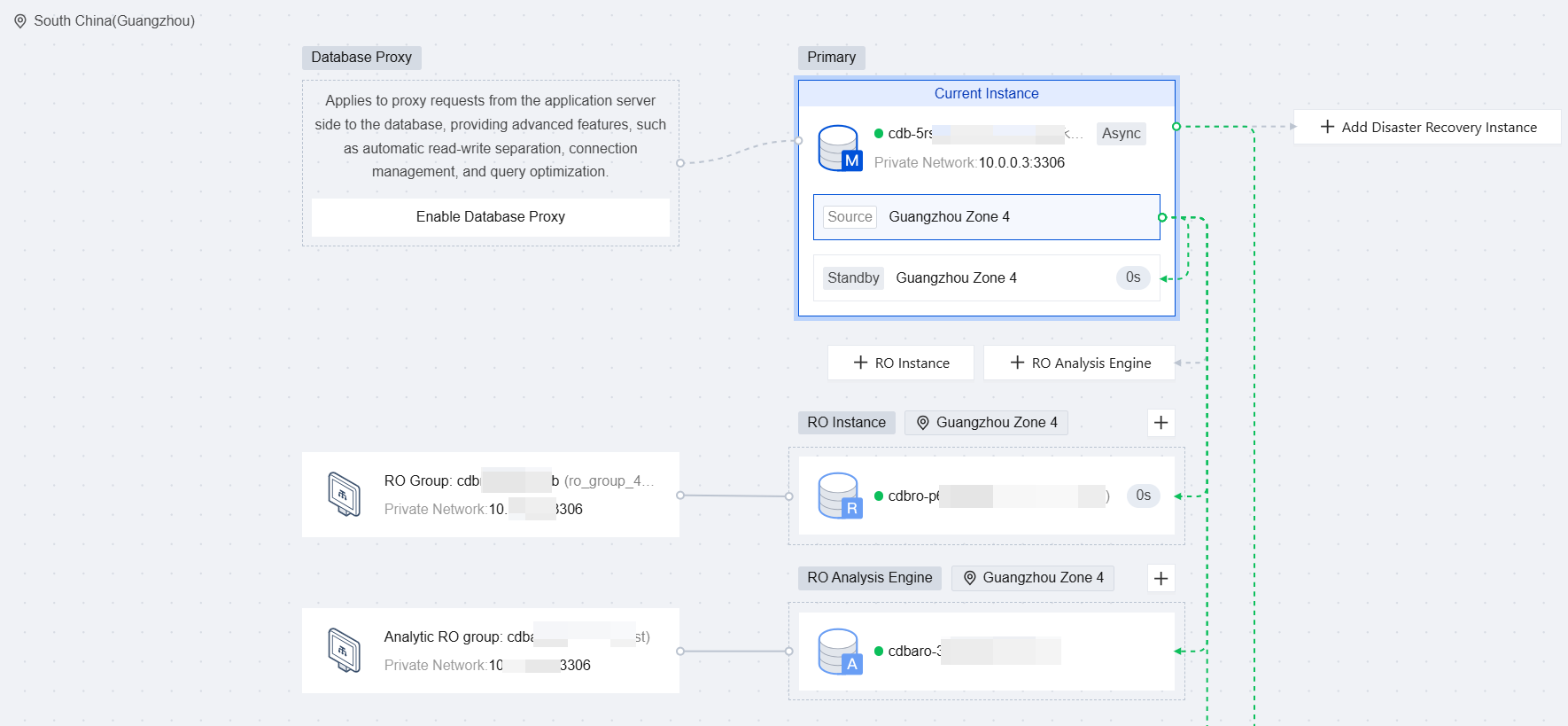
3. Click the Instance ID of the target read-only analysis engine instance to enter its details page and view detailed instance information.
Renaming an Instance
The method is the same as for primary and read-only instances.
Modifying Security Groups
The method is the same as for primary and read-only instances, except that you need to select the instance type as the read-only analysis engine instance. See Managing Cloud Database Security Groups.
Modifying the IP Address and Port
Changing Network
Enabling/Disabling Public Network Address
The method is the same as for primary and read-only instances. See Enabling/Public Network Connection Address.
Notes:
To enable public network access, you need to authorize the binding of a public network address to a private network address. Exposing the instance to the public network introduces certain security risks, so external access should be explicitly authorized before it can be enabled.
Public network access is intended only for development or auxiliary database management. For business access, use private network access.
Modifying the Maintenance Time
The method is the same as for primary and read-only instances. See Modify Instance Maintenance Time.
Deleting and Restoring Instances
When an instance is no longer needed, you can delete it. For details, see Terminate an Instance. After a read-only analysis engine instance is deleted, it will be inaccessible, but data will continue to be loaded from the read/write node into the engine.
For yearly/monthly subscription instances, the instance will be moved to the recycle bin and retained for 7 days after deletion. During this period, the instance will be inaccessible. If you want to restore the instance, you can renew it in the Recycle Bin.
For a pay-as-you-go instance, the instance will be moved to the recycle bin and retained for 24 hours after deletion. During this period, the instance will be inaccessible. If you want to restore the instance, you can renew it in the Recycle Bin.
Note:
For the alarm descriptions and recycling mechanisms when yearly/monthly subscription instances expire and are not renewed, and when pay-as-you-go instances are in arrears, see Overdue Payments.
フィードバック