Disable CreatedBy
Download
Focus Mode
Font Size
Overview
If users do not need the system to automatically bind the createdBy when they create new resources, consider disabling this feature.
Directions
1. Log in to the Tag console.
2. In the left sidebar, click CreatedBy to enter the createdBy page.
3. In the upper right corner, click Disable CreatedBy.
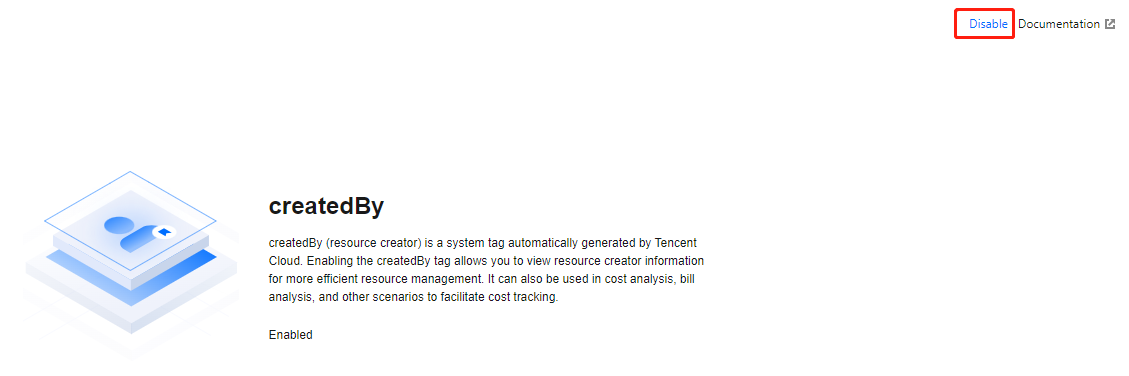
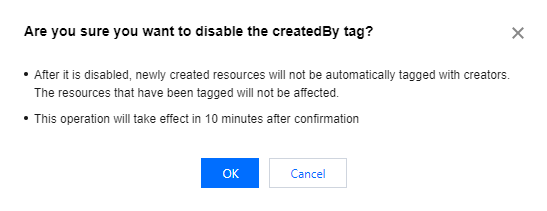
4. In the pop-up, click OK.
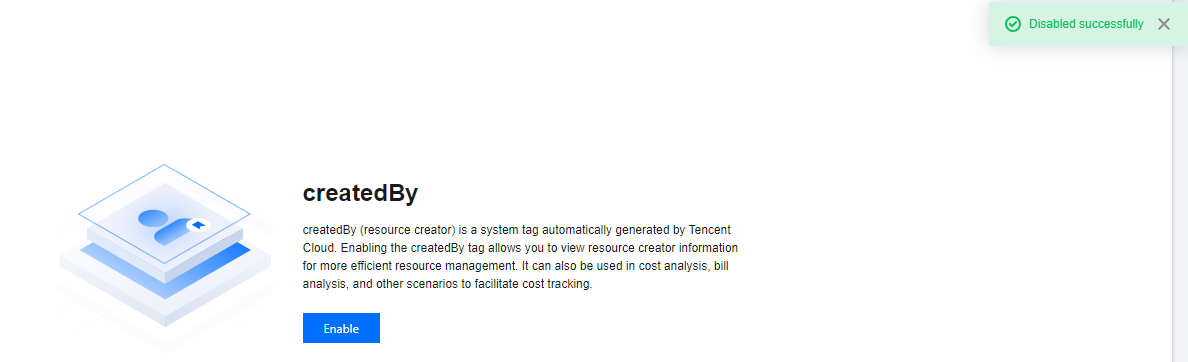
5. The page indicates Disabled Successfully, and the status is recovered to before enabling. This indicates the createdBy has been disabled. Subsequent new resources will no longer be associated with this tag.
Help and Support
Was this page helpful?
You can also Contact sales or Submit a Ticket for help.
Help us improve! Rate your documentation experience in 5 mins.
Feedback