tencent cloud

Cloud Contact Center

Announcement
What's New
Cloud Contact Center Terminology Update
What is Tencent Cloud Contact Center
Overview
Feature List
Terms Introduction
Handling Firewall Restrictions
AI Voicebot
Billing Guide
Voice Call Billing Overview
Desk Billing Overview
View Billing
Refund Policy
New User Guide
Voice Guide
Desk Guide
Use Case
Inbound: Customer Experience
Outbound: Telemarketing
Auto Dialer: Voice Notification
Integration Use Case (SDK)
Administrator Guide
Voice Guide
Desk Guide
Member Guide
Voice Guide
Desk Guide
AI Voice Agent Guide
Introducing AI Voice Agent
AI Voice Agent Practical Tutorial
Set Up Your AI Voice Agent
Activate AI Voice Agent Call
AI Voice Agent Call Logs
Developer Guide
SDK Development Guide
Data Push
Voice API Reference
History
Introduction
API Category
Making API Requests
Agent APIs
Skill Group APIs
Number APIs
Dual Call APIs
Predictive Outbound Call APIs
SIP Phone APIs
Call Service Record APIs
Billing APIs
Other APIs
Outbound Call APIs
Speech Intelligent Agent APIs
Data Types
Error Codes
Desk API Reference
API Reference
Callback Configuration
FAQs
Data Deletion Guide
Legal
Privacy Policy
Data Processing And Security Agreement
Service Level Agreements
TENCENT CLOUD CONTACT CENTRE TERMS OF USE
Glossary
Contact Us

Audio Prompt Management

PDF
Mode fokus
Ukuran font
Terakhir diperbarui: 2025-01-17 11:55:47
Prompt Management allows you to upload pre-recorded files and provides options to add, edit, play, download, and delete them.

Add Prompt

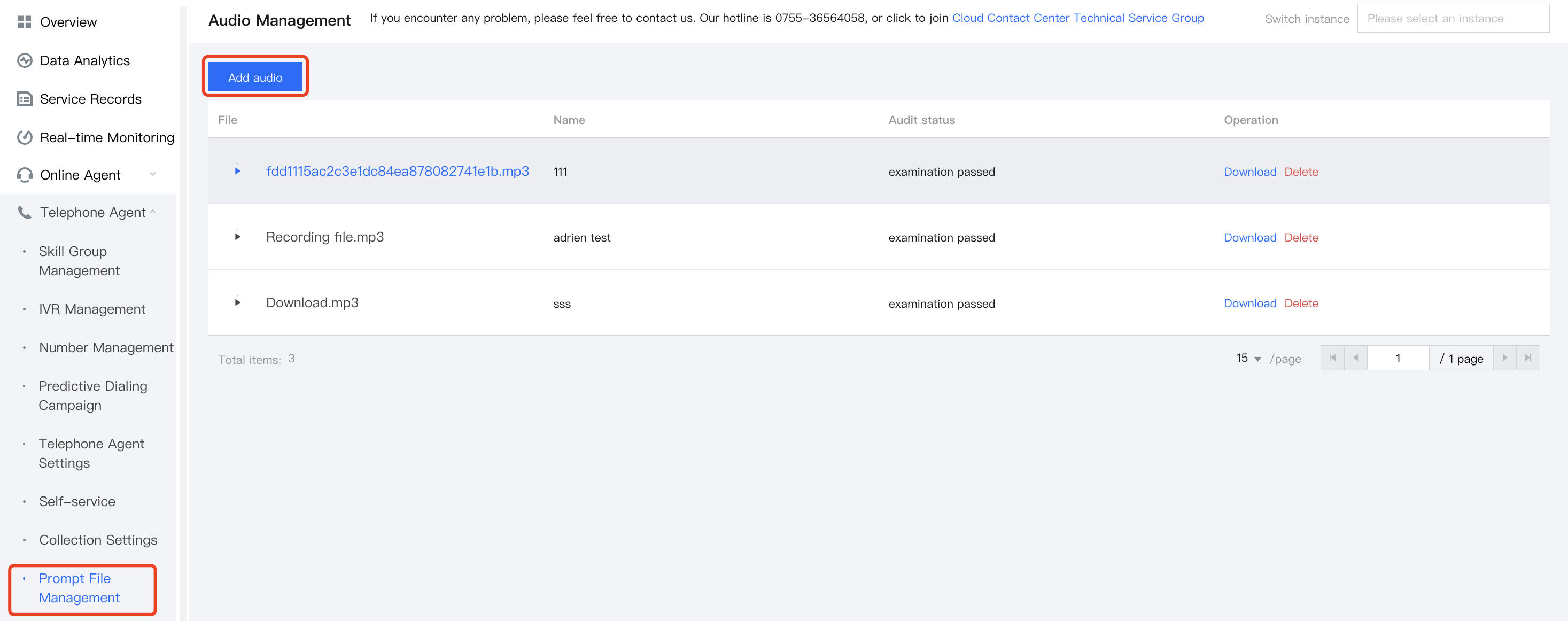
1. Go to the Management Panel, choose Management Panel> Voice Agent> Prompt File Management in the left navigation bar to enter the audio file management page. Click Add audio in the upper right corner of the audio file management page.
2. Enter the following information in the Add Audio dialog box:
Name: You can define it as needed. Fill in the name before uploading the file.
Audio File: Select an audio file to upload. After uploading, you need to wait for review, and after review, you can use it.
Note
The audio file supports mp3 and wav formats, and must not exceed 5 MB.


Play Prompt

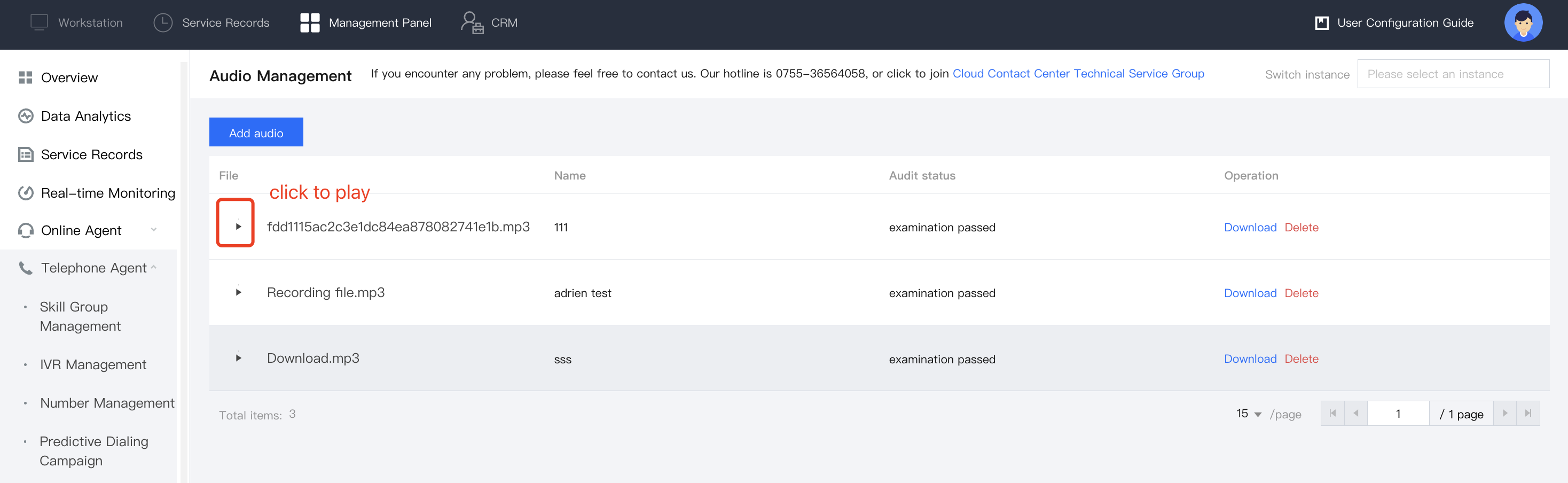
To play audio, simply click the Play button next to the desired file in the list to stream it online.

Bantuan dan Dukungan

Apakah halaman ini membantu?

masukan