Session Configuration
Download
Mode fokus
Ukuran font
Session Prompt
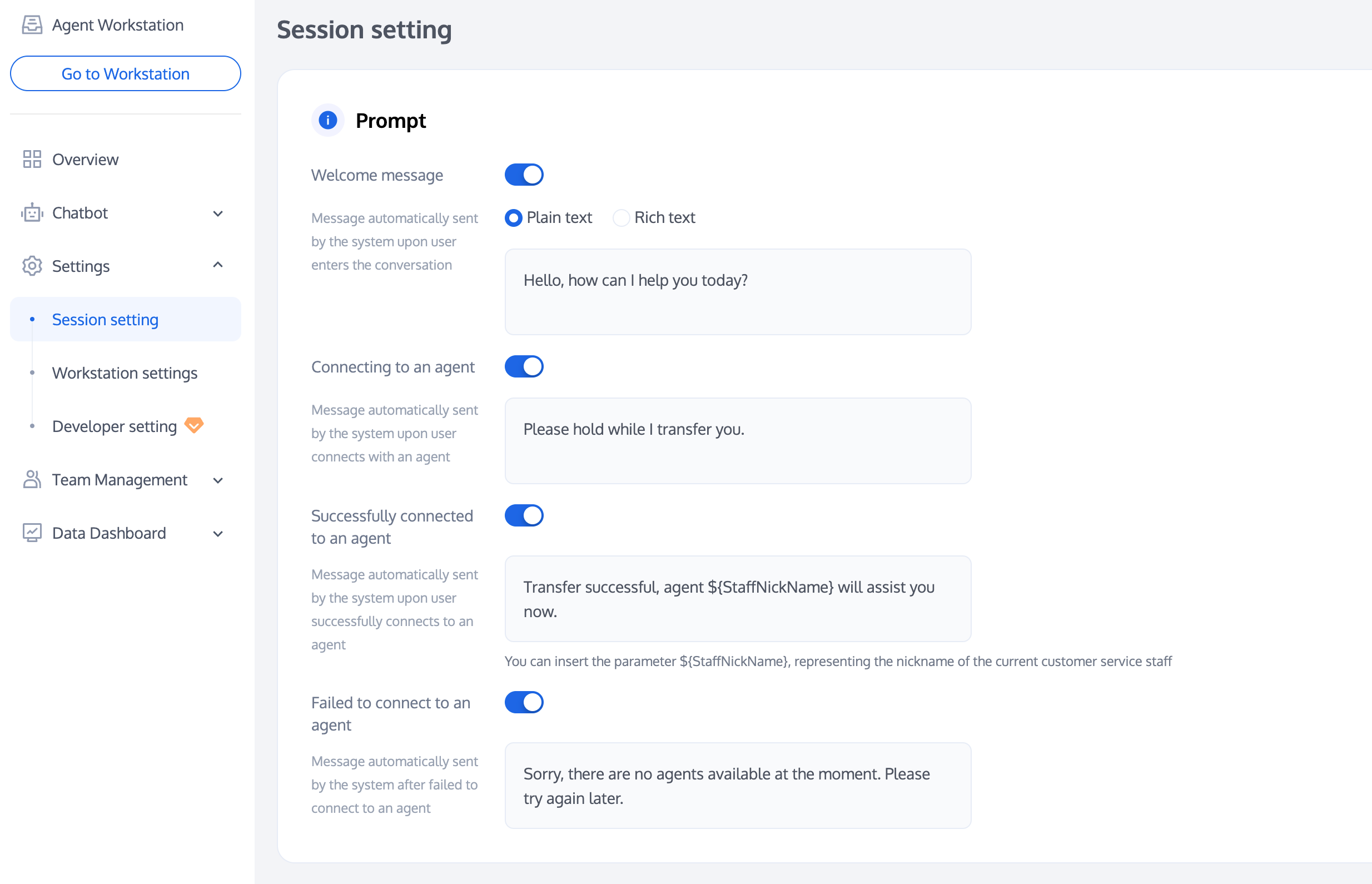
Smart customer service can send corresponding reminders in different scenarios according to your needs.
Reminder | Description |
Welcome message | The first welcome message automatically sent by the system after the user enters the conversation |
Manual access in progress | Prompt automatically sent by the system after a user requests access to a live agent. |
Transfer to agent successful | Prompt automatically sent by the system after a user is successfully transferred to a human agent. |
Transfer to agent failed | Prompt automatically sent by the system after a user fails to be transferred to a human agent. |
Allocation Policy
Smart customer service provides multiple options, allowing you to quickly assign users to the appropriate agent team based on a customized allocation policy.
Policy | Description |
Automatic Allocation | The system default allocation policy is automatic allocation. Under this policy, the system defaults to user priority assignment to the customer service who has not served a session for the longest time recently. |
User selects group. | Before using User Group Selection, please first add groups. Under this policy, the system will assign users to the appropriate group for reception according to the user's selection. Effect example: 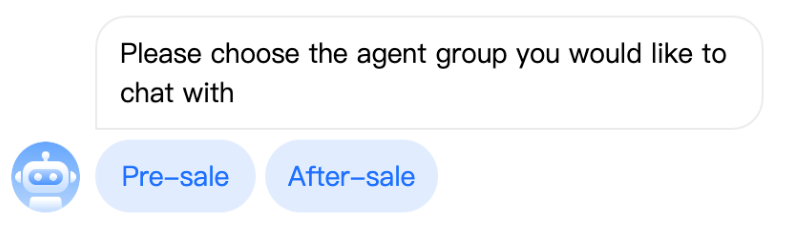 |
Business Server Allocation | If you need more advanced allocation logic, you can use the business server allocation policy. After configuring the callback URL, users' access requests will be forwarded to your server, which will then allocate them to the specified group or customer service agent on its own. For specific usage, please refer to Business Server Agent Routing Callback. |
Service Mode
Smart customer service provides the feature to set the customer service service mode.
Automatic service: When automatic service is selected as the service mode, customer service will automatically serve user inquiries during idle time.
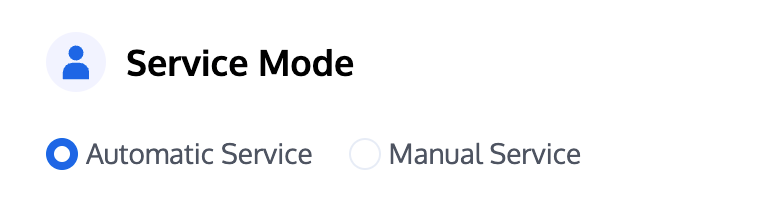
Manual service: When manual service is selected as the service mode, only when an available agent clicks "Connect", the available agent will start handling user inquiries.
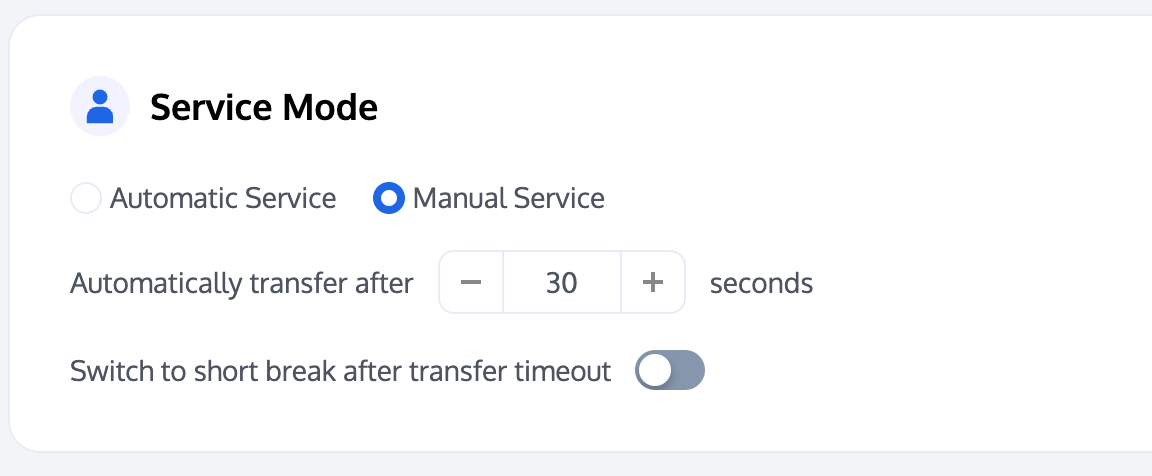
After manual service is enabled, if the customer service does not connect within the set time, the session will be automatically transferred to other customer service agents.
After Switch to short break after transfer timeout is enabled, if a session assigned to an agent hasn't been received within the set time, the agent's status will be automatically set to break.
Conversation Queue
Smart customer service allows you to customize queuing logic and reminders while queuing.
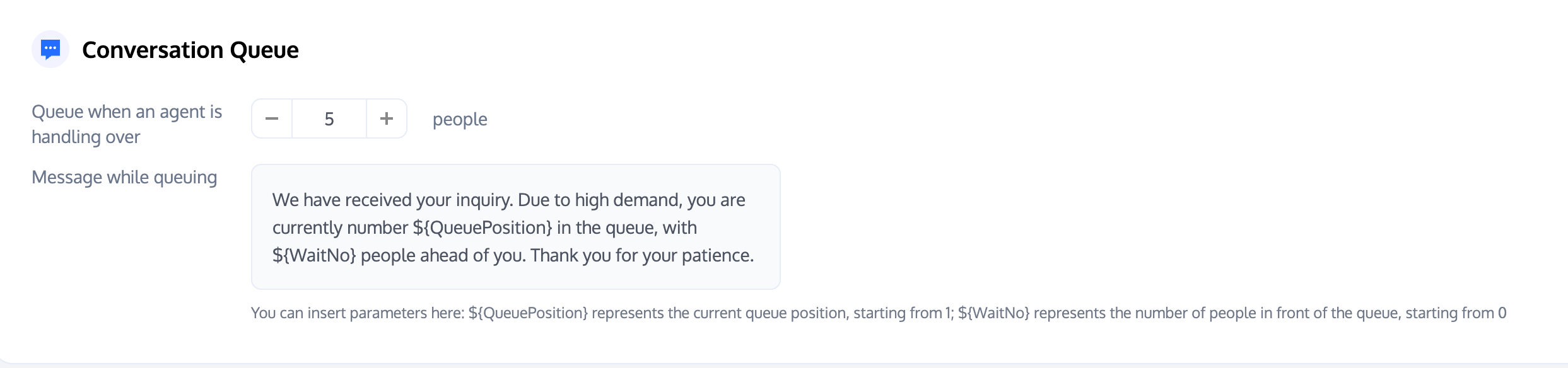
Queue when an agent is handling over: Set the maximum number of users that a single agent can serve at the same time.
Message while queuing: During the user queuing period, the system automatically sends a preset script. Use parameters such as: $QueuePosition (current queue position) and $WaitNo (number of people waiting in front) to provide users with real-time information.
Conversation Closure
The intelligent customer service system provides flexible conversation closure configurations.
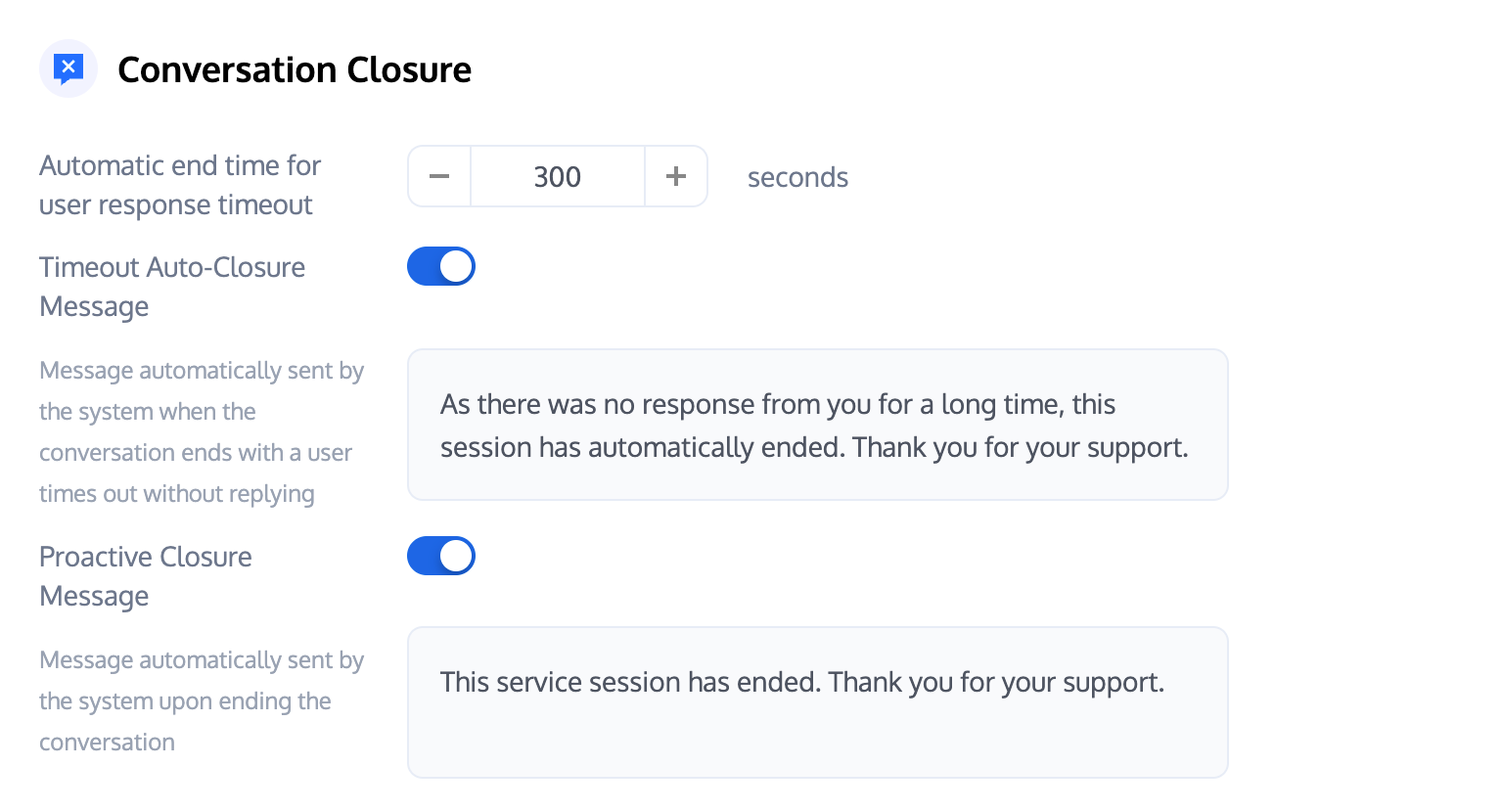
Automatic end time for user response timeout: If the user does not respond within the set time, the session will automatically close.
Timeout Auto-Closure Message: After this feature is enabled, when the user fails to reply within the timeout period, the preset prompt will be automatically sent to the user.
Proactive Closure Message: After this feature is enabled, when the user or customer service actively ends the session, the preset prompt will be automatically sent to the user.
Working Hours
Smart customer service allows you to customize working hours for customer service personnel.
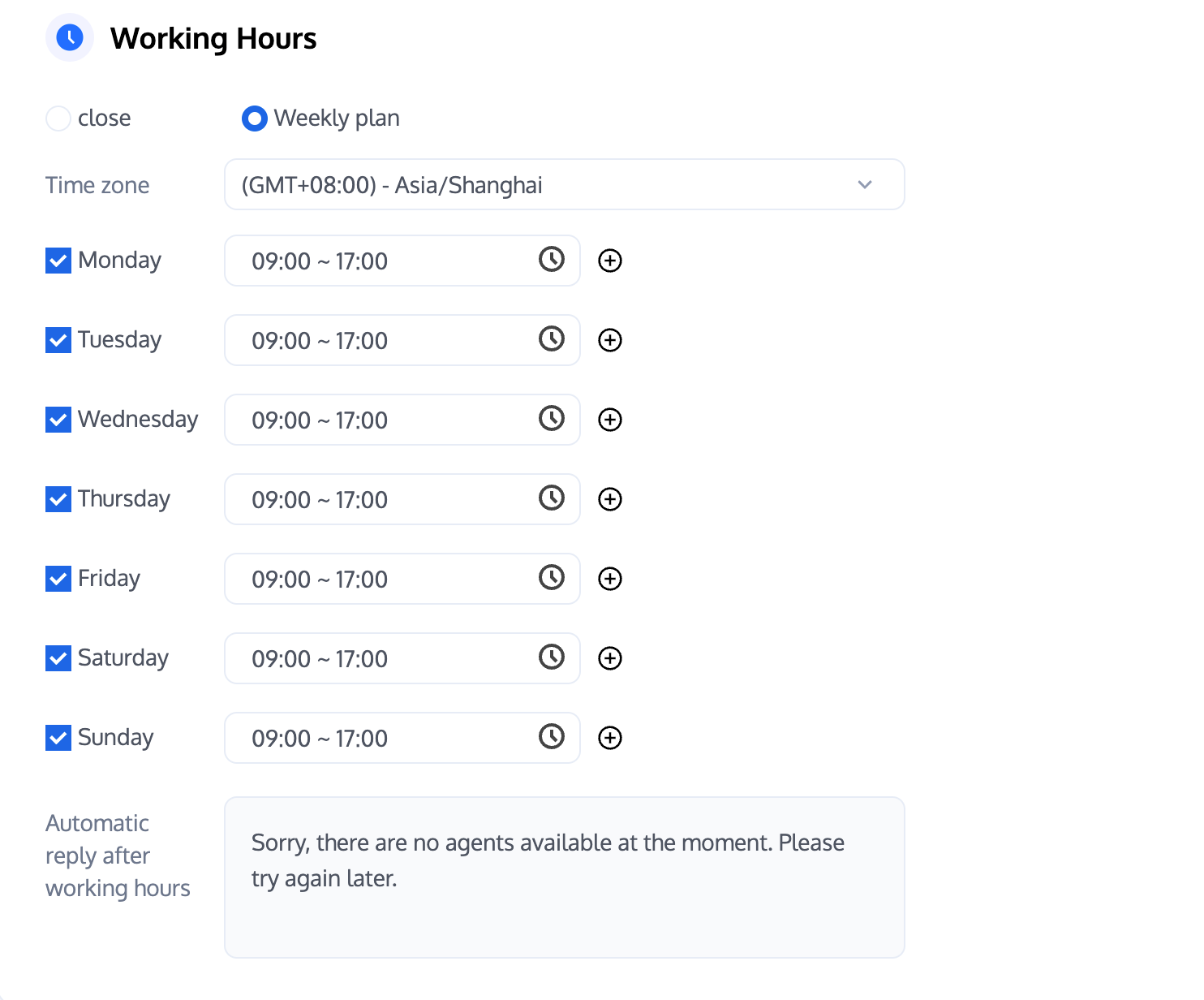
Working hour judgment: Support by weekly plan to set working hours.
Automatic reply after working hours: Automatic reply sent to users outside working hours.
Satisfaction Rating
Smart customer service provides multiple user satisfaction evaluation features:
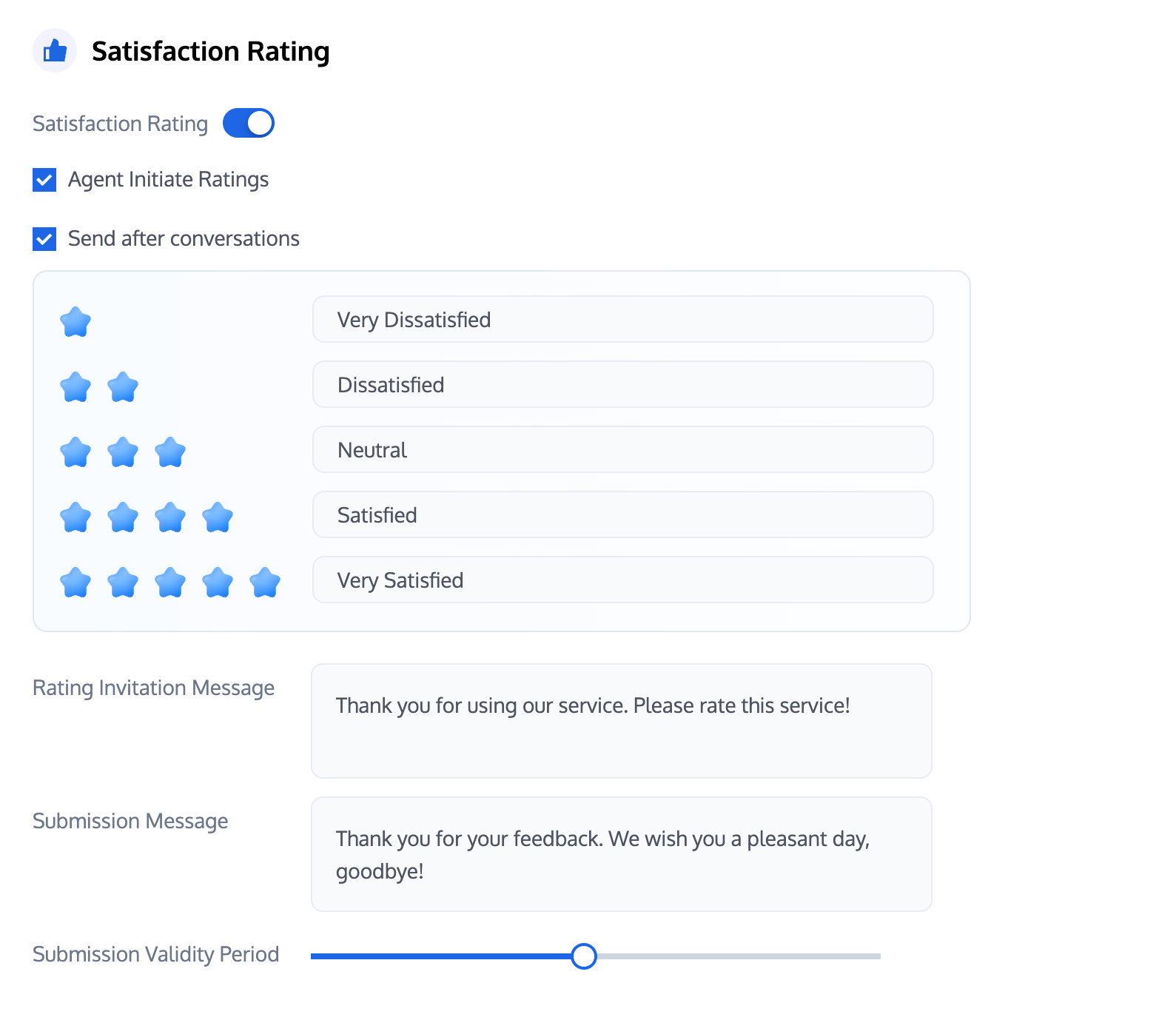
Agent Initiate Ratings: After this feature is enabled, customer service personnel can proactively invite users to leave a review.
Send after conversations: After this feature is enabled, customer service personnel will automatically send a custom satisfaction rating card after the conversation ends.
Rating Invitation Message: Customize the invitation to rate script for customer service representatives.
Submission Message: Customize the script sent by customer service personnel after the user submits a rating.
Submission Validity Period: Custom user evaluation submission validity period.
Bantuan dan Dukungan
Apakah halaman ini membantu?
Anda juga dapat Menghubungi Penjualan atau Mengirimkan Tiket untuk meminta bantuan.
masukan