Release Notes
Product Announcement
Field | Type | Description |
type | "sys.chat" | "sys.go_to_url" | "sys.download" | For defining the specific behavior data type to execute after user interaction. |
payload | object | Provide the required data content for the specified Action type. |
type: "sys.chat"
sys.chat is used to send a dialogue message to the Intelligent Agent. When a user triggers this Action in the Widget, the system will use the specified content as new user input to enter the context of the current dialogue, participating in subsequent reasoning, judgment, and process decision-making.<Buttonlabel="Reselect"onClickAction={{type: "sys.chat",payload: { query: "Reselect solution" } }} />
sys.chat, which means trigger dialogue input.type: "sys.go_to_url"
sys.go_to_url supports triggering page redirects, which are directly executed by the frontend. This Action does not pass through model inference nor write to the dialogue context.<Buttonlabel="View detail"onClickAction={{type: "sys.go_to_url",payload: {url: "https://adp.cloud.tencent.com/" } }}/>
sys.go_to_url, which means execute a page redirect action.sys.go_to_url payload must strictly be a URL. Other fields are not customizable.sys.chat to replace.type: "sys.download"
sys.download is used to trigger file download. When the user triggers this Action in the Widget, the system will initiate file download based on the configured URL address. This Action does not pass through model inference or write to the dialogue context.<Buttonlabel="Download image"onClickAction={{type: 'sys.download',payload: {url: 'https://cdn.xiaowei.qq.com/static/adp/app-default-avatar.png',},}}style="primary"block/>
sys.download, which means trigger a file download action.sys.download payload requires the url field to specify the download resource address, otherwise file download cannot be carried out. The filename field is optional for custom download file name. If not configured, the system defaults to using the last level of the URL path as the file name.Multi-Agent Mode Configured Correctly Action Echo | Multi-Agent Mode Misconfiguration Action Echo |
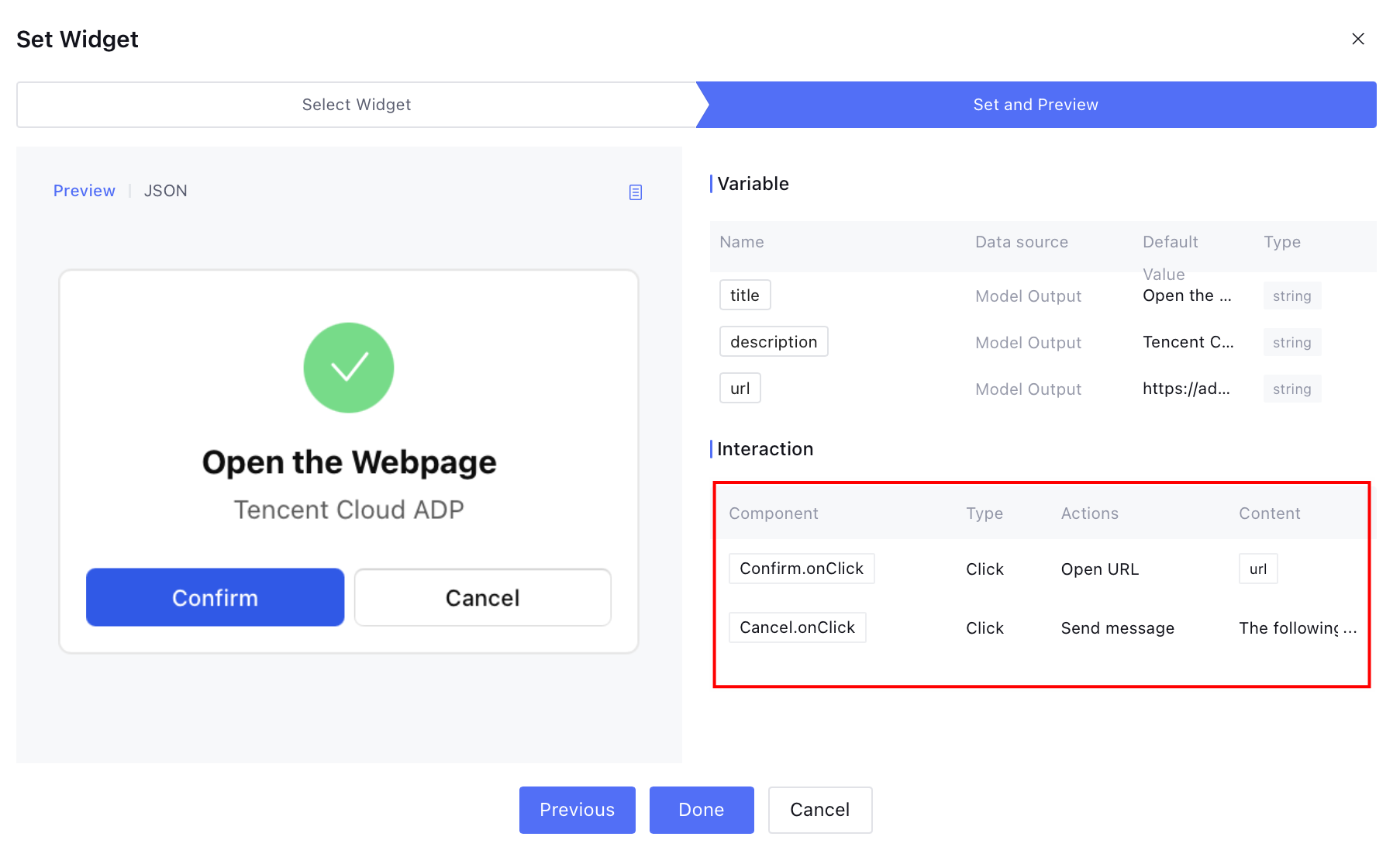 | 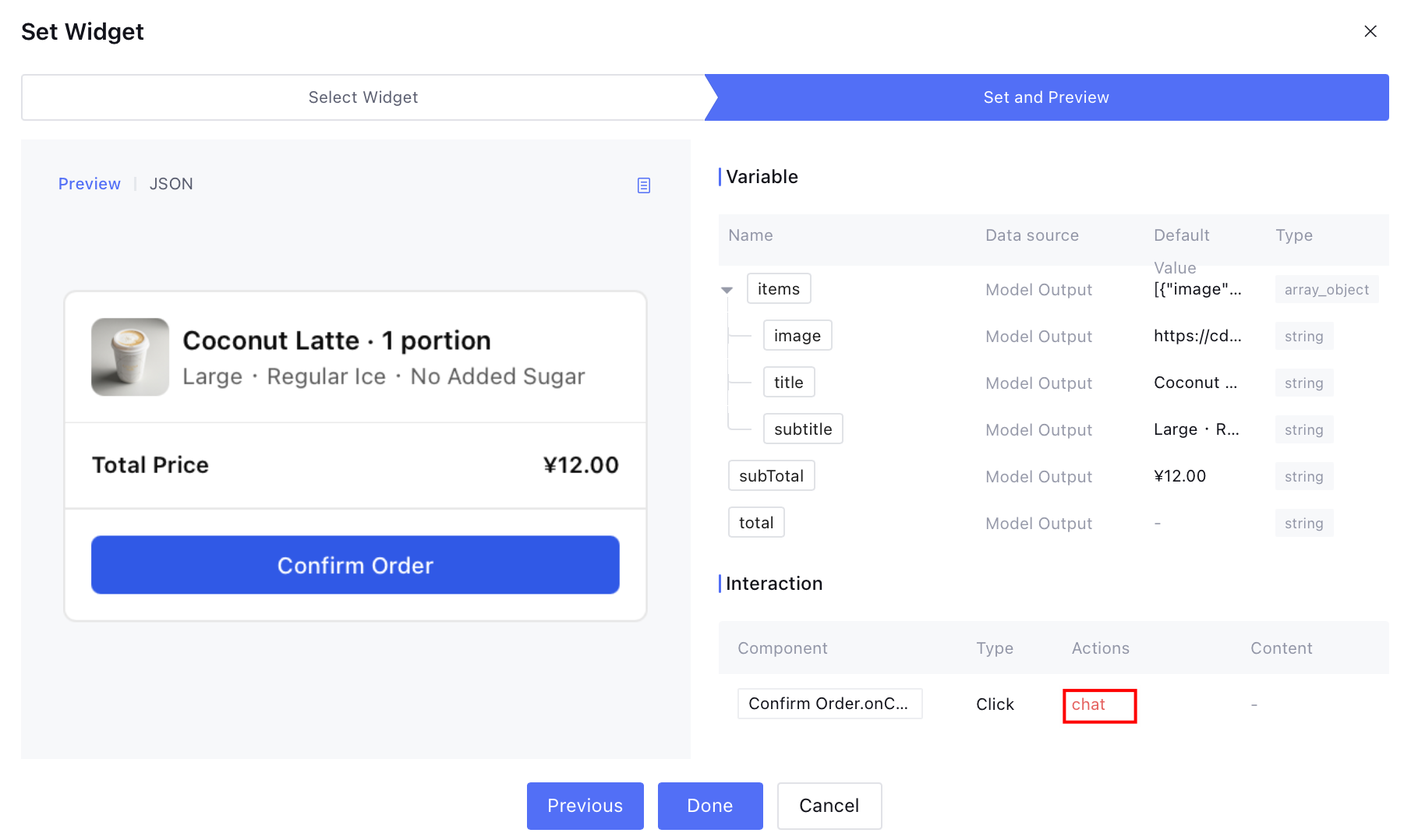 |
Widget Node Detail Configured Correctly Action Echo | Widget Node Detail Misconfiguration Action Echo |
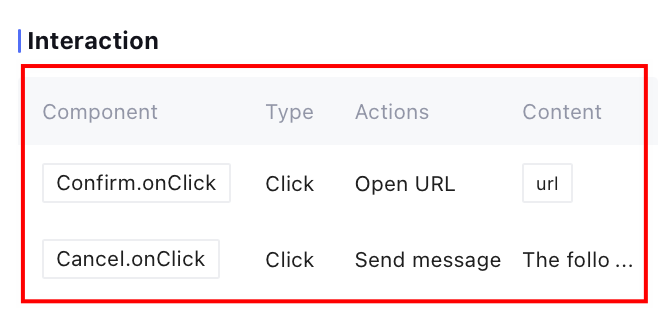 | 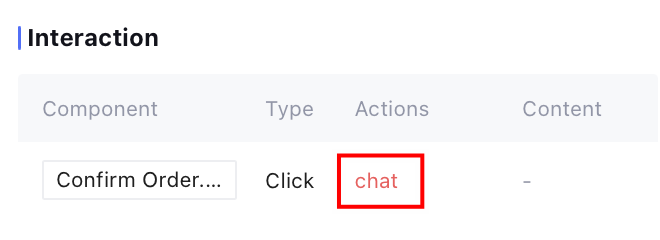 |
sys.go_to_url: The frontend directly executes a page redirect to the specified address.sys.chat: Submit the content in the payload as new dialogue input to the Intelligent Agent to proceed with subsequent reasoning and process decision-making.sys.download: Perform file download based on the configured resource address in the payload.Component | Action Property | Description |
Button | onClickAction | Click trigger |
Form | onSubmitAction | form submission |
DatePicker | onChangeAction | Date change |
Select | | Selection change |
Checkbox | | Selection change |
RadioGroup | | Single selection change |
<Markdown value={"Click [here](https://example.com) to view more"} />
name field, used to identify the field name of the submit parameter.name as the field name.<Card size="sm"><FormonSubmitAction={{type: 'sys.chat',payload: { result: 'submit' },}}><Col gap={3}><Title value="Hospital and Department Information Collection Form" size="sm" /><Col gap={3}><Col gap={2}><Label value="hospital name" /><Input name="hospital" placeholder="enter hospital name" /></Col><Col gap={2}><Label value="department" /><Input name="department" placeholder="enter department name" /></Col></Col><Row><Spacer /><Button submit label="confirm" style="primary" /><Buttonlabel="Cancel"variant="outline"onClickAction={{type: 'sys.chat',payload: { query: 'Cancel fill in' },}}/></Row></Col></Form></Card>
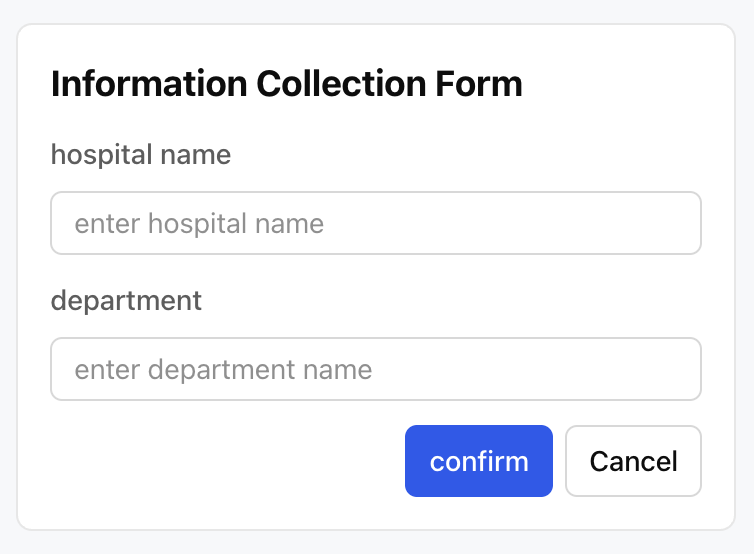
{"result": "submit","hospital": "Beijing 301 Hospital","department": "Cardiology"}
sys.go_to_url is only used for page redirects and does not transmit any data to the Intelligent Agent, while sys.chat will write the payload as new user input to the dialogue context for the Intelligent Agent to continue reasoning and decision-making. Therefore, as long as you hope the Intelligent Agent can "see" and process the user's operation result, you must use sys.chat.name field. Input items without name will not participate in parameter submission. For example, in the following example, the lack of the name field means users cannot submit content to the Intelligent Agent even if they fill it in.name field, will not submit):<FormonSubmitAction={{type: 'sys.chat',payload: { type: 'submit_form' },}}><Input placeholder="hospital name" /><Button submit label="submit" /></Form>
<FormonSubmitAction={{type: 'sys.chat',payload: { type: 'submit_form' },}}><Inputname="hospital_name"placeholder="hospital name"required/><Button submit label="submit" style="primary" /></Form>
<Cardas="form"onSubmitAction={{type: 'sys.chat',payload: { type: 'submit_form' },}}><Inputname="hospital_name"placeholder="hospital name"required/><Button submit label="submit" /></Card>
defaultValue and input into the input component. After user modification, the modified content is returned to the Intelligent Agent through Action. Among them, defaultValue is only used for initial content display as a starting point for user modification and will not be returned directly to the Intelligent Agent. The actual content involved in subsequent reasoning is the final value modified and submitted by the user in the input component.initialObject and initialScript as the first draft of the podcast theme and copywriting, and inputs them into the input box through defaultValue. After user modification, the form is submitted. The value finally received by the Intelligent Agent is the podcast theme and copywriting confirmed by the user, not the initial default values. In short, defaultValue is merely the first draft displayed to users. The Intelligent Agent always receives and handles the final result submitted by users.<FormonSubmitAction={{type: 'sys.chat',payload: { type: 'submit_form' },}}><Title value="Podcast Content Generation" size="sm" /><Label value="Podcast Topic" /><Input name="object" defaultValue={initialObject} /><Label value="Podcast copywriting" /><Textareaname="script"defaultValue={initialScript}rows={10}autoResizerequired/><Row><Spacer /><Button submit label="submit" style="primary" /></Row></Form>
defaultValue. Users can directly modify and submit them. The final content will be returned to the Intelligent Agent for subsequent processing.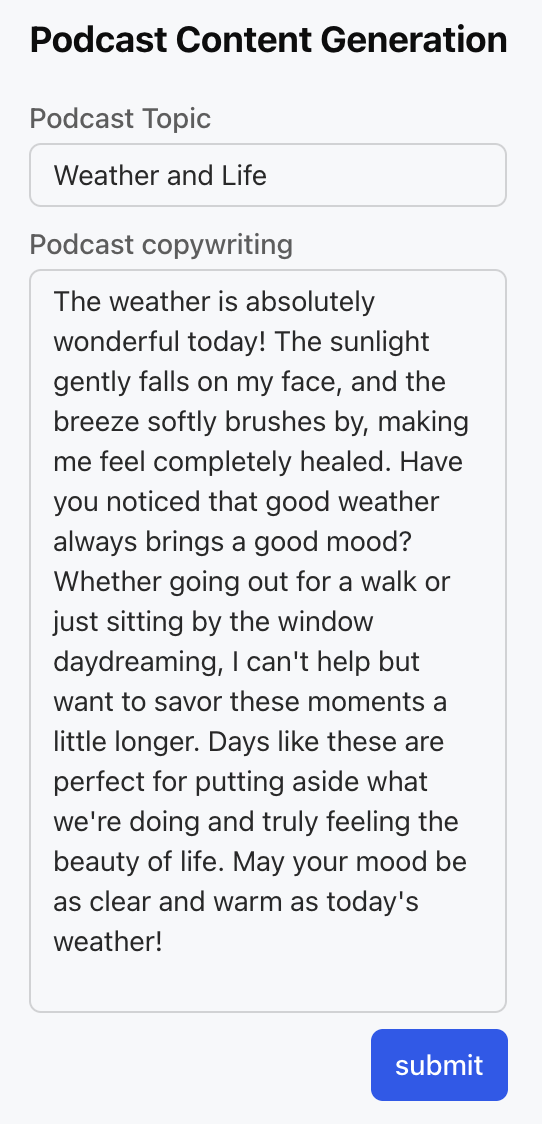
alwaysEnabled to true in onClickAction to allow multiple clicks on the Button. Otherwise, the button is clickable only once by default and will be automatically disabled. Details visible in Button.sys.download), redirection (sys.go_to_url) and other repeat operations. It is not recommended for sys.chat type Action to avoid triggering duplicate dialogue requests.<Buttonlabel="Download image"onClickAction={{type: 'sys.download',alwaysEnabled: true,payload: {url: 'https://cdn.xiaowei.qq.com/static/adp/app-default-avatar.png',},}}/>
Apakah halaman ini membantu?
Anda juga dapat Menghubungi Penjualan atau Mengirimkan Tiket untuk meminta bantuan.
masukan