Log Shipping to CLS
Scenarios
If you require persistent log storage for scenarios such as troubleshooting and auditing, it is recommended to enable the CLS log service to ship gateway logs to CLS. Before enabling, please confirm that you have activated the CLS log service. The log service is provided by CLS and incurs fees. For specific billing items, see Pricing Details.
Prerequisite
Enabling Log Shipping
1. Log in to the Microservices Platform Console, click Cloud Native Intelligent Gateway > Instance List in the left sidebar.
2. On the instance list page, click the "ID" of the gateway instance to be configured to go to its basic information page.
3. In the left sidebar, click Data Observation > Log Shipping.
4. On the CLS Log Shipping page, click Enable Now, enable the Log Shipping button in the dialog box, select the log items to be shipped, which supports automatically creating or selecting existing logsets and log topics. After clicking OK, you can start shipping logs.
Note:
Disabling log shipping will not delete logsets or log topics. To delete them, go to the CLS console for operations.
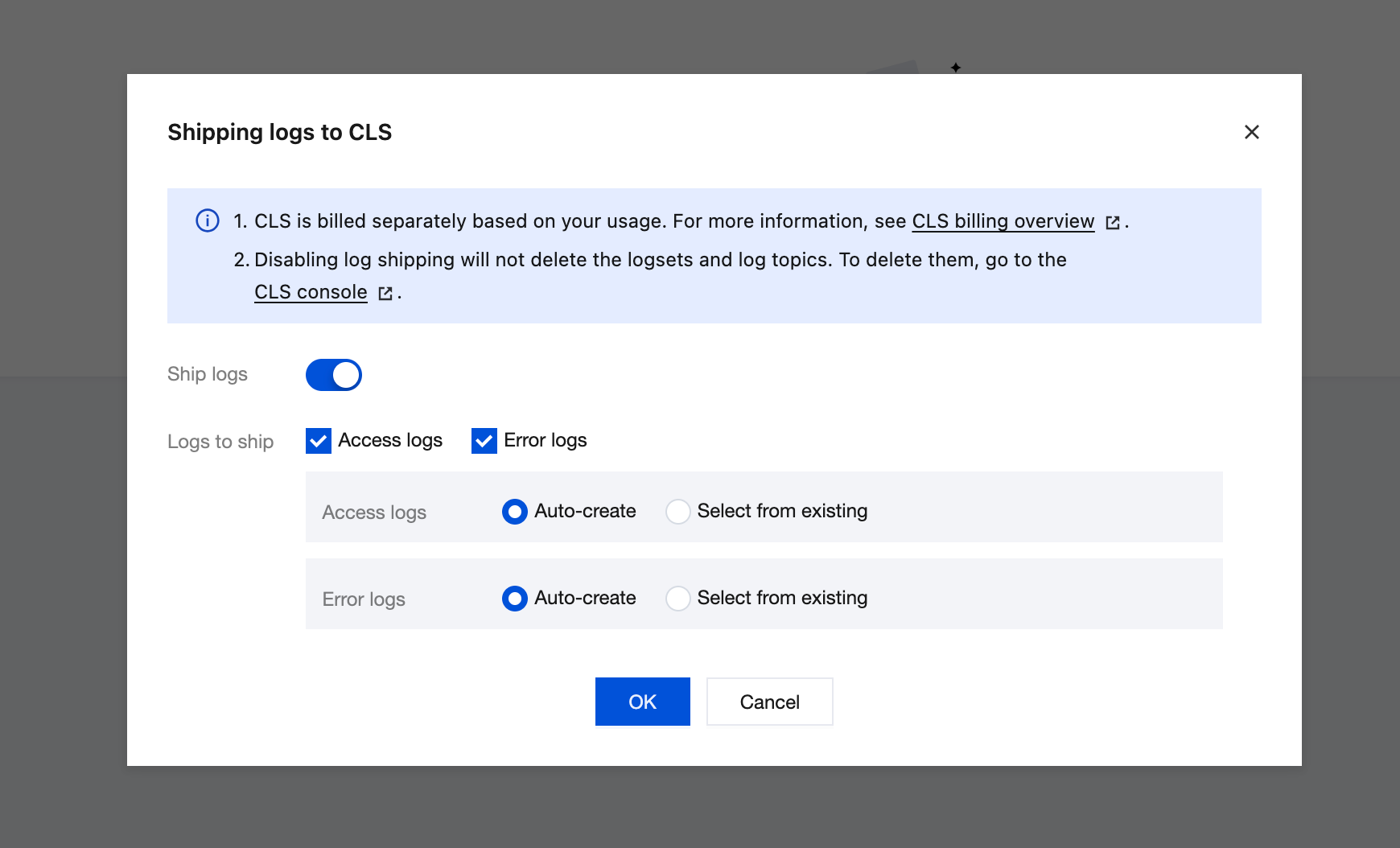
5. After configuration, you can click the associated log topic URL to automatically redirect to the gateway-shipped log database to view logs.
Edit CLS Log Rules
On the Log Shipping page, click Edit Log Rules in the upper right corner to modify CLS log rules. You can choose to continue using the default rules or customize log rules based on your business requirements.
Note:
Logs shipped to CLS use the same log rules as the default logs. After the CLS log rules are modified, the default log rules are also modified. Proceed with caution.
Editing Log Shipping to CLS
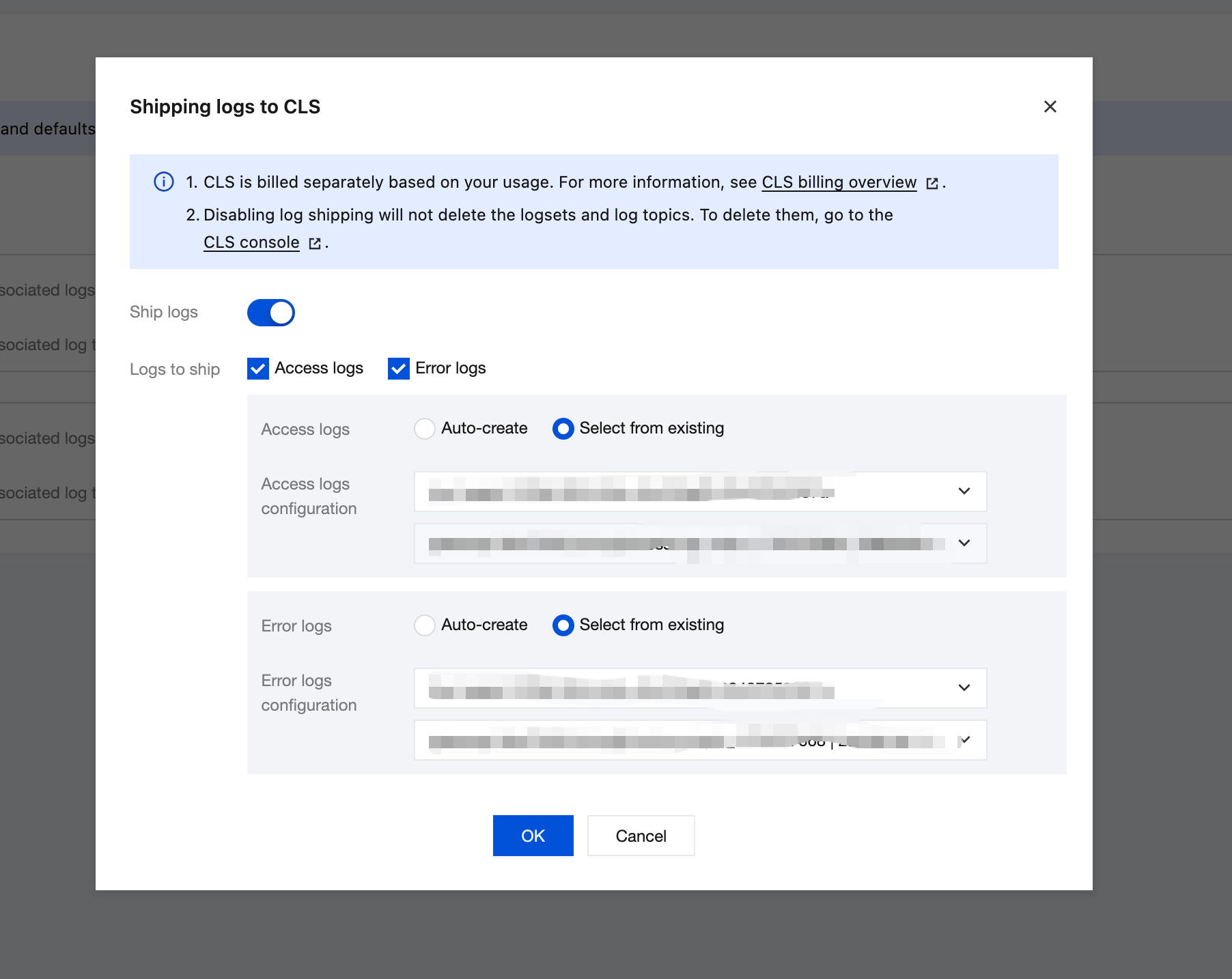
On the Log Shipping page, click Edit Log Shipping in the upper right corner and modify the log shipping rules in the displayed dialog box.
Bantuan dan Dukungan
Apakah halaman ini membantu?
Anda juga dapat Menghubungi Penjualan atau Mengirimkan Tiket untuk meminta bantuan.
masukan