Operation Record
Operation records unify the management and display of operation information generated from Polaris (North Star) console operations and OpenAPI calls. You can view details in the operation records. Additionally, you can configure alarm notification rules for the operation records to help you detect and handle issues in a timely manner.
Note:
This document applies only to Polaris engine instance version 1.14.0.0 and later versions.
Polaris (North Star) currently supports the following operation record resource types:
Namespace
service.
Service instances.
Routing Rules
User
User group
Authentication Policy
Configuration Group
Configuration Files
traffic throttling rule
Circuit breaking rules
This article describes how to view operation record details and configure operation records' alarm rules on the Tencent Service Framework (TSF) console.
Operation Steps
View Operation Record Details
1. Log in to the Tencent Service Framework (TSF) console.
2. Select Polaris (North Star) in the left sidebar to go to the engine instance list page.
3. Click Console in the Operations column of the target instance engine, enter your username and password to enter the POLARIS MESH console page.

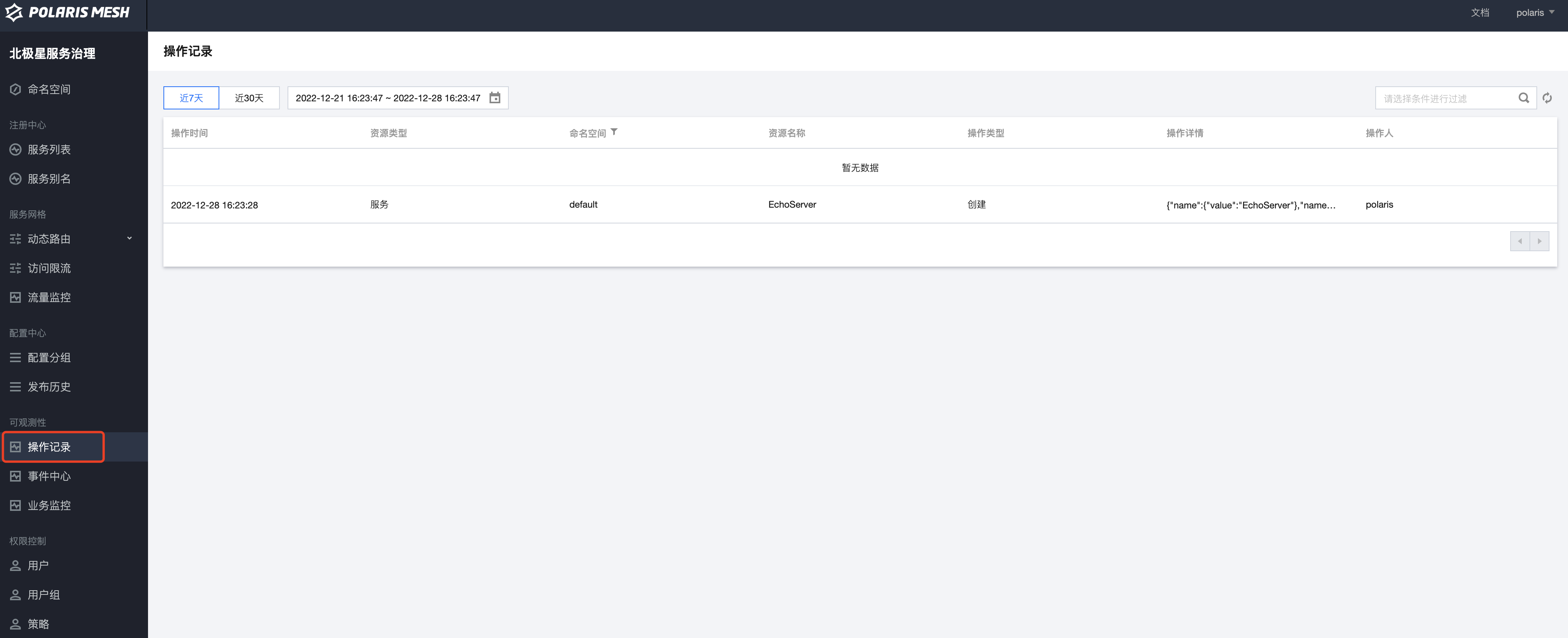
4. In the left sidebar, select Operation Records. You can view operation records via the Polaris console or OpenAPI.
Configure Alarm Rule
1. Log in to the Tencent Service Framework (TSF) console.
2. Select Polaris (North Star) in the left sidebar to go to the engine instance list page.
3. Click the target engine instance to go to the instance details page, and then click Engine Management.
4. Click Operation Logs, switch to the CLS log page tab, and then click the log topic whose log type is Operation Records.
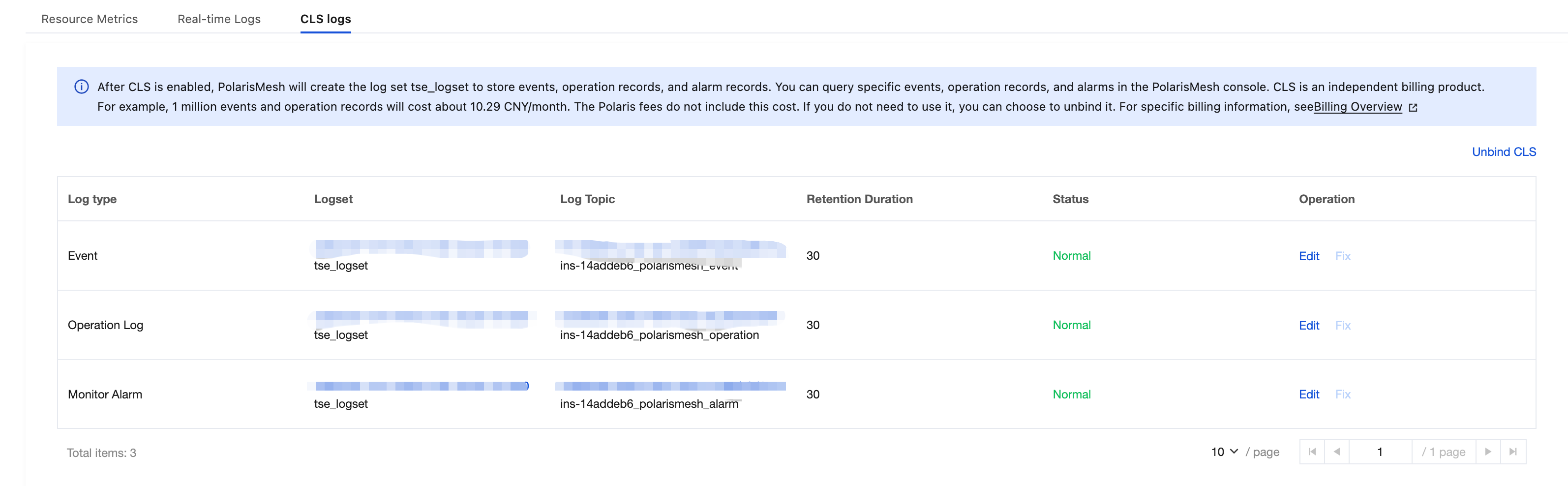
5. Click the alarm policy of CLS, click New Policy, and then configure an alarm for the operation records log topic.
Bantuan dan Dukungan
Apakah halaman ini membantu?
Anda juga dapat Menghubungi Penjualan atau Mengirimkan Tiket untuk meminta bantuan.
masukan