Dynamic Routing
Scenarios
This document describes how to develop a Java application locally, access Polaris (North Star) via Spring Cloud, and implement service routing.
Prerequisite
1. Before development, please ensure you have downloaded and installed Java and Maven.
2. A Polaris (North Star) instance has been created. For detailed steps, see Polaris Instance Management.
Operation Steps
Step 1: Importing Dependencies
1.1 Add the spring cloud tencent Dependency
Modify the pom.xml in the application's root directory to add
dependencyManagement:<dependencyManagement><dependencies><dependency><groupId>com.tencent.cloud</groupId><artifactId>spring-cloud-tencent-dependencies</artifactId><version>${version}</version><type>pom</type><scope>import</scope></dependency></dependencies></dependencyManagement>
Note:
Please choose based on the versions of Spring Boot and Spring Framework in your project, and select the appropriate Spring Cloud Tencent version.
1.2 Introduce spring cloud tencent starter
Method 1: Introduce all sct starters via
spring-cloud-starter-tencent-all.<dependency><groupId>com.tencent.cloud</groupId><artifactId>spring-cloud-starter-tencent-all</artifactId></dependency>
Method 2: Introduce both
spring-cloud-starter-tencent-polaris-discovery and spring-cloud-starter-tencent-polaris-router.<dependency><groupId>com.tencent.cloud</groupId><artifactId>spring-cloud-starter-tencent-polaris-discovery</artifactId></dependency><dependency><groupId>com.tencent.cloud</groupId><artifactId>spring-cloud-starter-tencent-polaris-router</artifactId></dependency>
Step 2: Add Polaris Configuration File
1. Create a bootstrap.yml file in the project's main/resources directory.
2. Configure the application name, Polaris (North Star) server IP address, and other information in the bootstrap.yml file. For server IP address details, refer to the Client Access Address section in Engine Management.
spring:application:name: ${application.name}cloud:polaris:enabled: trueaddress: grpc://${replace with the Polaris service address}:8091namespace: defaultrouter:metadata-router:enabled: true
Step 3: Routing Rules Distribution
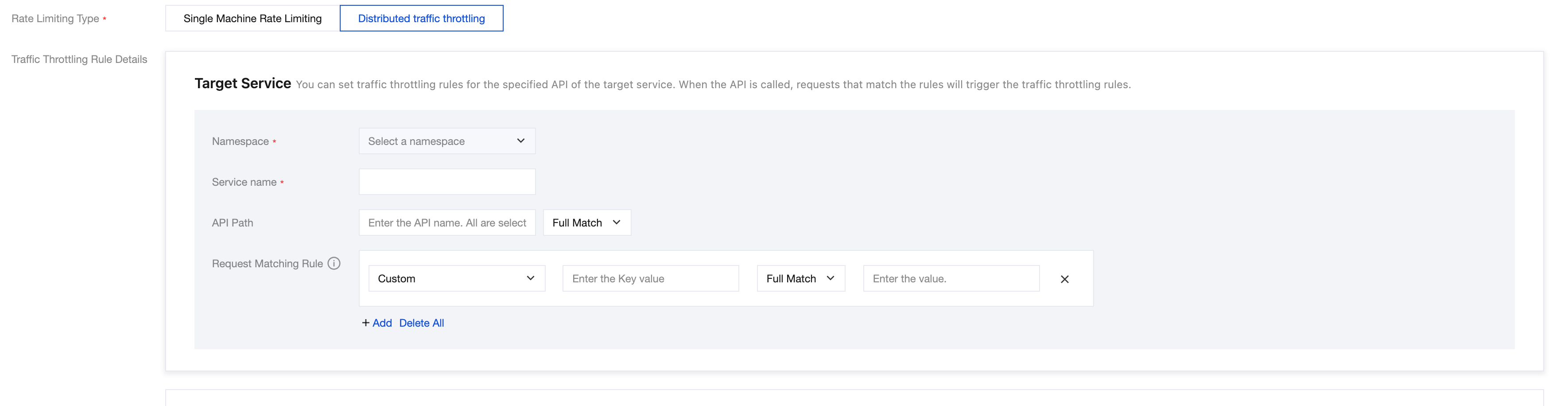
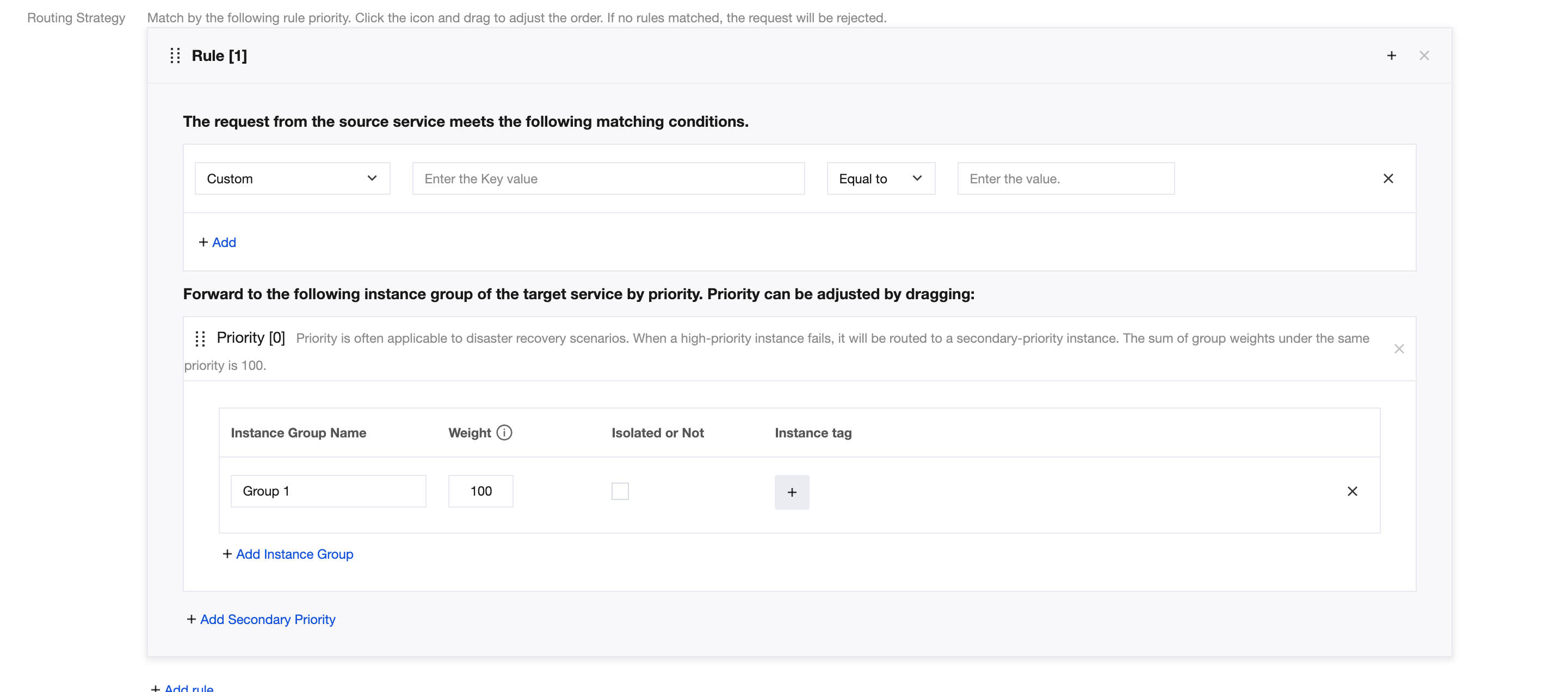
Start the application and configure dynamic routing rules in the North Star Console. For detailed steps, refer to Service Governance Guide > Service Governance > Dynamic Routing. The relevant page is as shown below:
Bantuan dan Dukungan
Apakah halaman ini membantu?
Anda juga dapat Menghubungi Penjualan atau Mengirimkan Tiket untuk meminta bantuan.
masukan