Cloning Instance
Download
Mode fokus
Ukuran font
If you need to perform data recovery, you can use the clone PostgreSQL instance feature to quickly recover instance data from a backup to a newly purchased PostgreSQL instance. This article introduces you to how to perform the clone operation via the TencentDB for PostgreSQL console.
Scenarios
TencentDB for PostgreSQL provides the clone instance feature, which supports restoring an instance to any point in time within the log backup retention period through cloning, and also supports restoring to specified physical backup sets. The cloning process first creates a new instance based on the user-selected point in time using backup data. After the new instance is verified, users can migrate data back to the source instance via the DTS data transmission service, or directly use the cloned new instance.
Cloning Method
Point-in-time cloning: Restores the instance to any point in time. The selection range for the point in time is determined by the log retention period you configured.
By backup set cloning: Restores the instance to any physical backup set. The selection range for backup sets is determined by the data backup retention period you configured.
New Instance Fees
The billing mode for the new clone instance can be selected by the user during cloning, consistent with the purchase of an instance.
Billing for the new cloned instance commences only after the cloning process completes successfully.
Prerequisites
The source instance status must be running.
If the clone method is selected as by backup set, the source instance must have completed physical backups. The backup status can be viewed in the backup list on the console.
The account balance must be greater than 0.
Must-Knows
The disk space size of the new cloned instance must be greater than the data size to be cloned; otherwise, cloning may result in failure.
Note:
To leave sufficient space for restoring compressed backup files, the system defaults to the new instance specifications being at least four times the size of the compressed files. After cloning is complete, scale-in can be performed. For specific steps, see How to Scale In.
The database version of the new cloned instance must be the same as that of the source instance.
For instances with used capacity exceeding 6TB, please submit a ticket for data recovery.
Operation Steps
1. Log in to the PostgreSQL Console. In the instance list, click Instance ID or Manage in the Operation column to go to the instance management page.
2. On the instance management page, choose Backup and Restoration > Data Backup List page, and click Clone in the upper-left corner.

3. Go to the purchase page, select the clone method and corresponding configurations for the cloned instance. After confirming the information, click Buy Now.
Point-in-time recovery: allows restoring a database instance from the source database instance to a specific point in time, with the selectable time range being the last 7 days.
Backup set-based recovery: allows restoring a new instance from a specified backup set. The selectable range of backup sets is determined by your configured data backup retention period.
Note:
4. After the purchase is successful, you can view the details of the cloned instance on the instance list page.
FAQs
Will the cloning process impact access to the source instance?
The cloning process uses the original backup set and log files uploaded to COS for recovery, which does not affect access to the source instance.
What to Do If the Disk Space of the Newly Cloned Instance Is Too Large?
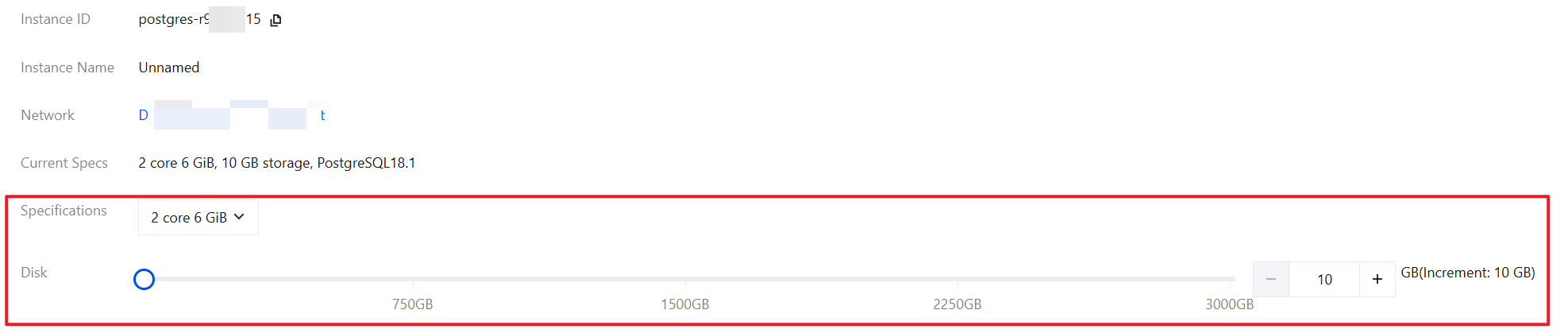
To leave sufficient space for restoring compressed backup files, the system defaults to the new instance storage specifications being at least four times the size of the compressed files. After cloning is complete, scale-in can be performed to avoid space waste. You can log in to the console, go to the instance details, click Adjust Configuration in the configuration information, and modify the instance specifications and disk capacity.
Bantuan dan Dukungan
Apakah halaman ini membantu?
Anda juga dapat Menghubungi Penjualan atau Mengirimkan Tiket untuk meminta bantuan.
masukan