Ultimate Image Quality (TUILiveKit)
Download
フォーカスモード
フォントサイズ
Feature Introduction
TUILiveKit launched the "Ultimate Video Quality" feature to meet customers' high standards for live streaming clarity and smoothness. This feature significantly reduces the bitrate at the same video quality and significantly improves the video quality at the same bitrate, making it suitable for environments with high video quality requirements or limited bandwidth. It aims to provide a clear, textured, and aesthetically pleasing viewing and interaction experience for every user and every device.
Display Effect
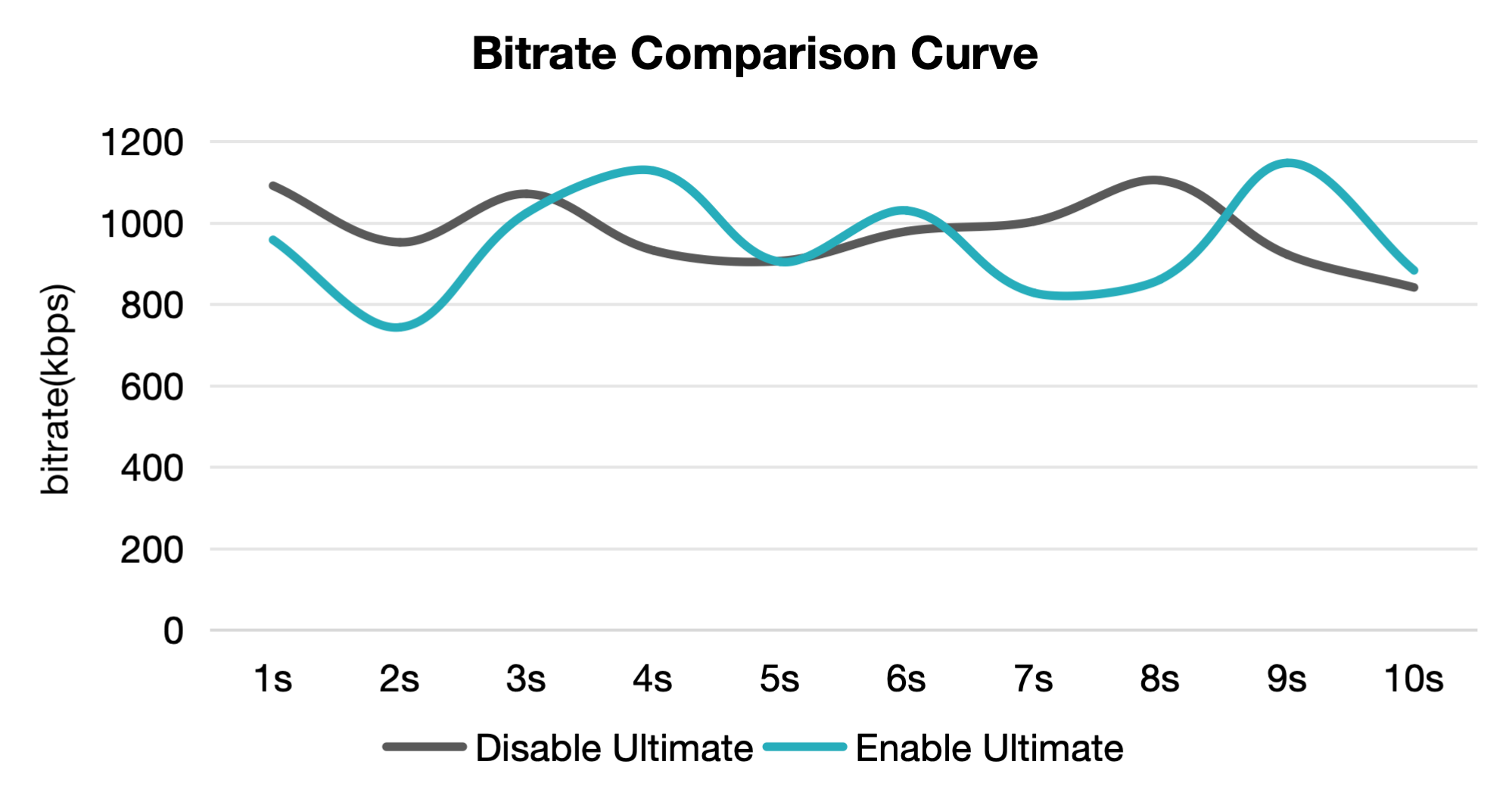
1. With the Same Bitrate, Significant Improvement in Image Quality
With the same video parameters on the streaming end, enabling Ultimate Picture Quality significantly improves the clarity on the receiving end.

Applicable scenario
Ultimate Picture Quality is suitable for scenarios with high video quality requirements. For example, in e-commerce live streaming and show live streaming, Ultimate Picture Quality not only enriches color details but also uses AI models to automatically allocate more bitrate to faces or product areas, ensuring these key contents are displayed more clearly.
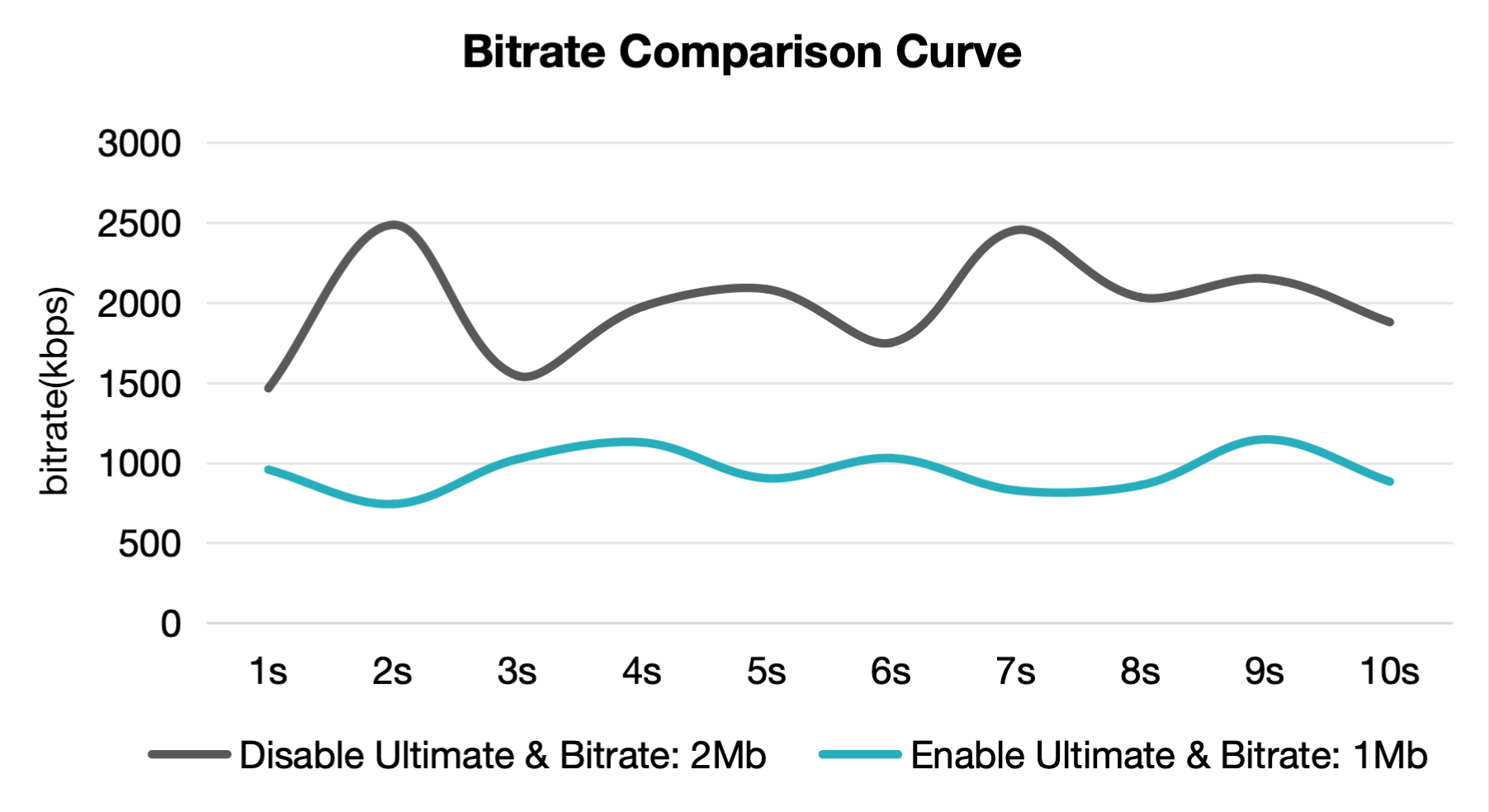
2. With the Same Image Quality, Lower Encoding Bitrate
After enabling Ultimate Picture Quality, a lower bitrate can still achieve video quality close to or even surpassing that of high bitrate videos.

Applicable scenario
In weak network environments with insufficient device performance and limited bandwidth, Ultimate Picture Quality can use lower resolution and bitrate to reduce video playback stuttering and improve video clarity.
Activation Method
TUILiveKit Ultimate Image Quality feature activation does not require an API call. Currently, it is under testing, only supports activation in the cloud. You can contact for activation by clicking submit a ticket. Please note that this beta test is only open to TUILiveKit Pro edition applications (SDKAppID) and confirm that your application meets the above conditions before applying. Otherwise, the application will not be approved.
フィードバック