The Mobile Live Video Broadcasting (MLVB) SDK provides a trial version of the license. You can experience related functions such as Publishing and Video Playback by applying for a free MLVB SDK trial license. This documentation will provide instructions on how to apply for a free trial license and upgrade operations.
Note:
Each Tencent Cloud account can apply for a free MLVB SDK trial license once, with a validity of 28 days. To continue using the capability after a trial license expires, please purchase an official license.
After purchasing a license, you can bind it in the CSS console, or the VOD console to adding a new license or extend the validity of an existing license.
Applying for a trial license
You can apply for a trial license (valid for 28 days) for the live streaming capability for free.
Note:
If you apply for a trial license on 2022-10-01 11:34:55, it will expire 28 days later on 2022-10-28 00:00:00.
In the console, you can either create a new trial license select the MLVB or activate a new capability for trial for an existing application.
Create a new trial license select the MLVB
Activate a new capability for trial for an existing application
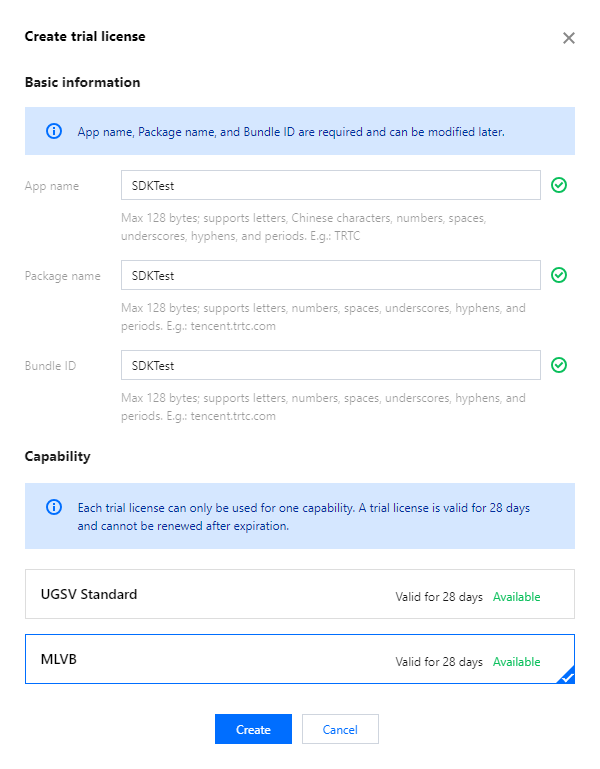
1. Go to the CSS, or VOD console, visit the License Management page, and click on Create trial license.
2. Enter the App Name、Package Name and Bundle ID, select MLVB (publishing + video playback), and click Create.
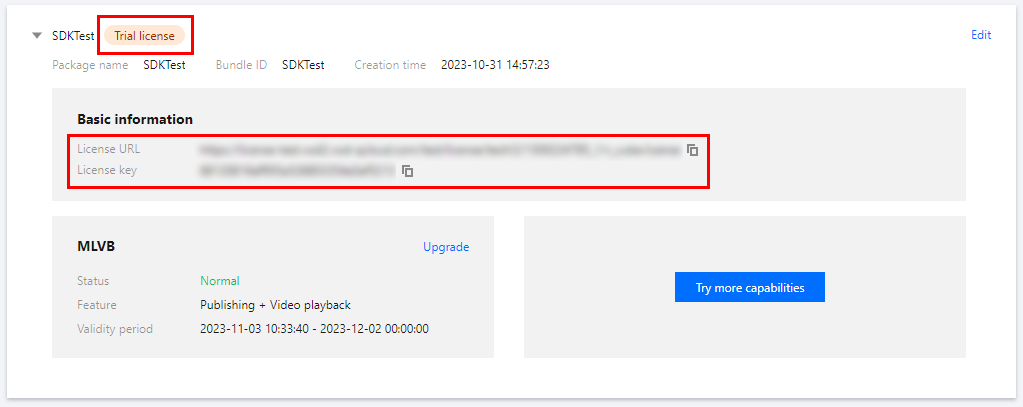
3. After the trial license is successfully created, you will see the License URL and License key, which you need to pass in when initializing the SDK. Save a copy of the information.
Follow the steps below to activate MLVB (publishing + video playback) for an existing application:
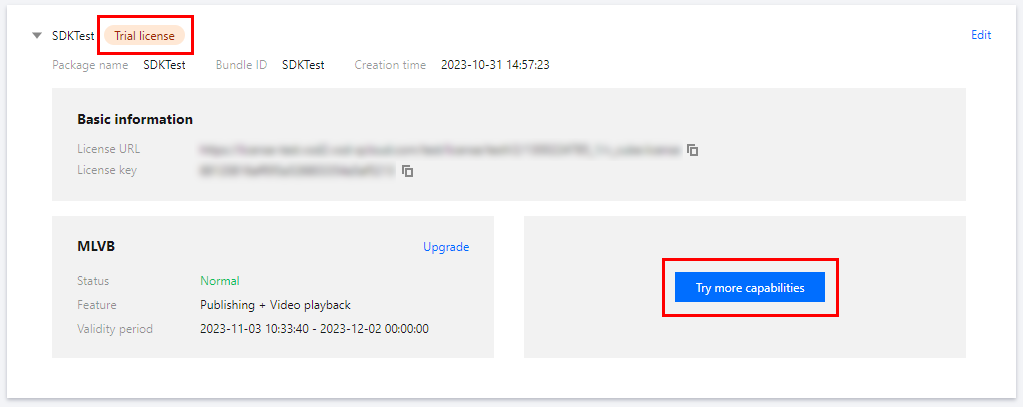
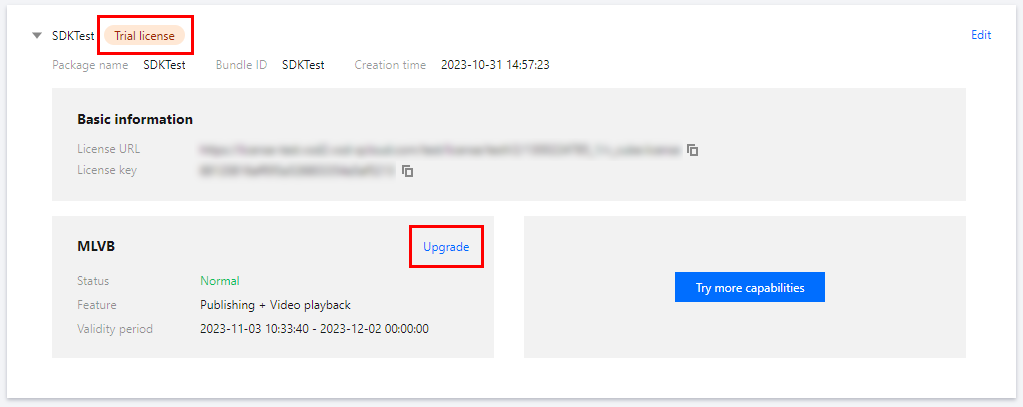
1. Select an existing trial license and click Try more capabilities.
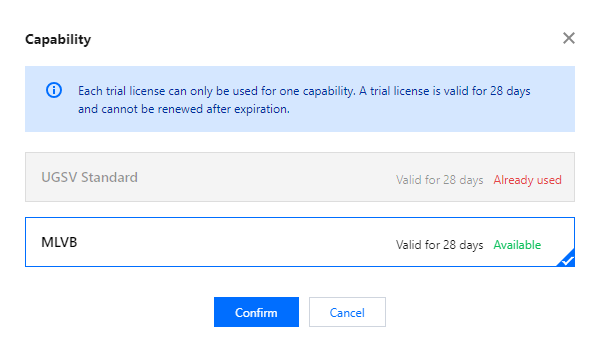
2. Select MLVB (publishing + video playback), and click Confirm.
Note:
You can click Edit to modify the bundle ID and package name bound to a trial license. After modification, click Confirm.
You can enter - if you don’t have a package name or bundle ID to bind yet.
A trial license is valid for 28 days. You can apply for only one trial license for each capability. To continue using the capability after a trial license expires, please purchase an official license.
Upgrading to an official license
Follow the steps below to upgrade from a trial license to an official license (valid for one year):
1. Click Upgrade in the MLVB capability.
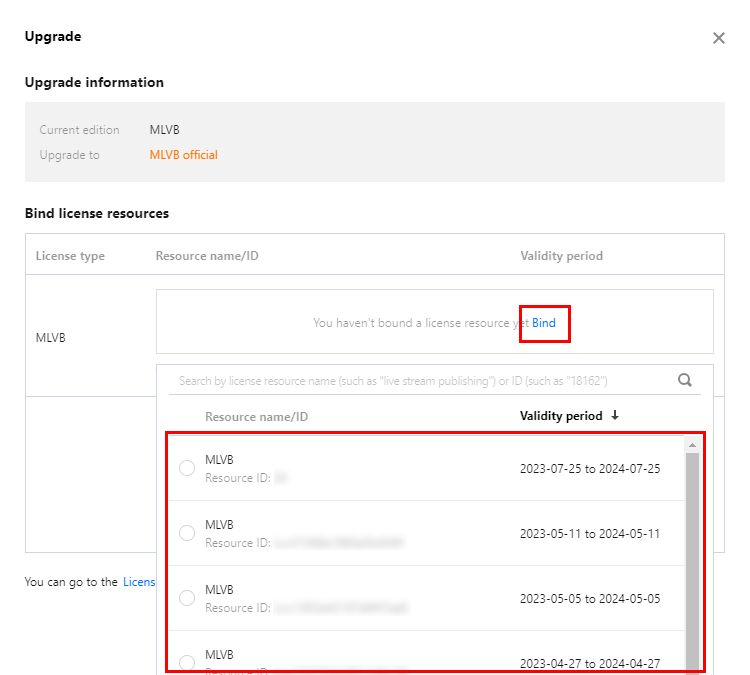
2. Enter the Upgrade interface, click Bind. Select the unbound MLVB package, click Confirm to upgrade and create an official application with the same package name. If there are no MLVB packages available for binding, you may proceed to the Purchase Page to make a purchase.